
In today’s fast-paced digital world, ensuring a secure server is as crucial as keeping your house locked at night. Imagine a private cloud provider offering peace of mind. That’s where a partner like Liberation Technology Services comes in, with its military-grade security. They can enhance productivity while keeping data secure. Curious about how LiberationTek Partner plays into this? Stick around, and let’s explore the secrets of securing your digital fortress.
Importance of Data Protection
Effective safeguarding of sensitive information requires a secure server. It’s like having an unbreakable vault. Imagine being able to trust your data’s privacy without a second thought. Working with partners like Liberation Technology Services enhances this security, ensuring your digital assets remain protected. They offer peace of mind in a tech-driven world.
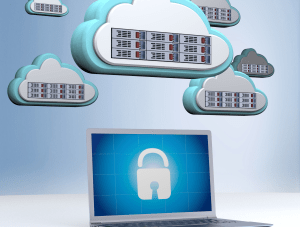
Understanding Server Security Protocols
Diving into the nuances of server security protocols, it’s crucial to maintain a secure server. These protocols encompass authentication and encryption, forming the backbone of your digital defense. Imagine them as your server’s personal bodyguards, thwarting any malicious attempts.
Common Threats to Server Security
Addressing threats like malware and DDoS is crucial for maintaining a secure server. These attacks can be like digital burglars, sneaky and relentless. Implementing robust countermeasures is akin to installing a top-notch security system. Partnering with experts such as Freedom Tech Partner ensures comprehensive protection, offering peace of mind.
Role of Encryption in Securing Servers
Encryption serves as the backbone of a secure server. It transforms data into unreadable gibberish for prying eyes. This digital shield ensures that sensitive information stays safe from cyber thieves. With encryption, your server acts like a fortress, guarding against unauthorized access. It’s a game-changer in keeping data under lock and key.
Benefits of Team Collaboration Tools
Exploring the perks of collaboration tools, one can’t overlook their role in maximizing productivity. Ensuring a secure server environment, these tools enable safe data sharing and privacy controls. They act as digital shields, offering peace of mind. Integrating these features is like having a virtual fortress protecting your team’s sensitive information.
| Feature | Benefit | Secure Server Importance | Example Use Case |
|---|---|---|---|
| Secure Data Sharing | Enhanced Collaboration | Protects sensitive information | Sharing confidential reports |
| Privacy Controls | Data Safety | Maintains user privacy | Discussing strategic plans |
| Access Management | Controlled Permissions | Limits unauthorized access | Project collaboration |
| Encryption | Data Security | Ensures data integrity | Transmitting financial data |
How Conservative Entrepreneurs Protect Data
Conservative entrepreneurs safeguard their data by relying on a secure server environment. They emphasize privacy and free speech by selecting service providers with stringent security protocols. Additionally, joining initiatives like the Freedom Tech Partner enhances their digital resilience. This approach ensures their business data is well-protected and compliant with regulations.
Liberation Technology Services Explained
Explaining Liberation Technology Services involves discussing their private cloud network, which offers military-grade security for complete data control. They ensure protection against digital threats and censorship. Key aspects include:
- Private cloud architecture
- Military-grade encryption
- Robust access controls
- Data ownership assurance
- High resistance to censorship
- Advanced threat mitigation
- Secure data storage solutions
Custom Solutions for Enhanced Security
Crafting unique server security strategies is like finding a perfect shoe—it fits just right. Our solutions focus on integrating a secure server to prevent data breaches and protect assets. Relying on cutting-edge technology, we ensure that your server is not just a storage unit but a fortress, keeping threats at bay.

Conclusion: Building a Secure Server Environment
Crafting a safe server space is akin to fortifying a castle with modern defenses. Prioritize multi-layered security protocols to shield sensitive data. Choose reliable providers known for their robust safeguards. Regularly review and adapt strategies to counter evolving threats. A vigilant approach ensures your server remains a stronghold against potential intrusions.
Secure Server Basics: Quick Answers
- What is a secure server? A secure server is a computer that hosts your website or applications and is configured to protect data, limit access, and stay available.
- What makes a server secure? Current software, strong access controls, encryption, firewalls, monitoring, and tested backups.
- Is a private server safer than shared hosting? Often, because you share fewer resources with other customers, but safety still depends on how the server is set up and maintained.
- How often should a secure server be updated? Apply security patches promptly, and review the full configuration at least quarterly.
- What is the most common weakness? Outdated software and weak or reused administrator passwords.
Hosting Types Compared: Which Secure Server Fits You?
The table below compares common hosting options so you can choose a secure server setup that matches your needs and budget.
| Hosting type | Isolation from other customers | Control | Relative cost | Best for |
|---|---|---|---|---|
| Shared hosting | Low | Limited | Low | Small, simple websites |
| Virtual private server | Medium | High | Moderate | Growing sites and custom software |
| Dedicated server | High | Full | Higher | Busy or sensitive applications |
| Private cloud | High | High | Moderate to high | Businesses that need control with flexibility |
| Managed hosting | Varies | Provider handles most tasks | Moderate to high | Teams without in-house IT staff |
How to Harden a Secure Server: Step by Step
- Update everything. Patch the operating system, web server, database, and applications.
- Remove what you do not use. Disable unused services, ports, and accounts.
- Use strong authentication. Require key-based or multi-factor login for administrators and disable default accounts.
- Configure a firewall. Allow only the traffic your applications need.
- Encrypt traffic and data. Use HTTPS everywhere and encrypt sensitive data at rest.
- Enable logging and alerts. Review logs for failed logins and unusual activity.
- Back up and test restores. Keep copies off the server and practice recovering them.
The U.S. National Institute of Standards and Technology publishes detailed guidance in its Guide to General Server Security, which is a good reference for technical teams.
Protecting Websites Running on a Secure Server
Even a well-configured secure server can host a vulnerable website. Keep content management software and plugins updated, scan for malware regularly with a service such as SiteLock, and restrict who can publish or upload files. Store-owners should also review WooCommerce hosting options that include performance and security features, and businesses that need dedicated resources can explore dedicated cloud hosting. For more on the private option, read about the benefits of private cloud hosting.
Secure Server Mistakes to Avoid
- Leaving default passwords. Change them on day one.
- Ignoring updates. Most successful attacks exploit known, unpatched problems.
- Exposing admin panels to the whole internet. Restrict them by location or require a secure connection.
- Keeping backups on the same server. If the server fails, the backup goes with it.
- Skipping monitoring. You cannot respond to what you cannot see.
Secure Server Checklist
- Operating system and applications are fully patched.
- Unused services and accounts are disabled.
- Administrators use strong, unique credentials with multi-factor authentication.
- A firewall limits traffic to what is needed.
- HTTPS is enforced on every page.
- Off-server backups are tested.
- Logs are reviewed and alerts are configured.
Speed and Security Work Together on a Secure Server
People often assume that stronger security means a slower website, but a well-designed secure server can be both fast and protected. Efficient caching, modern protocols, and adequate resources keep pages loading quickly, while a firewall and monitoring stop unwanted traffic before it reaches your application. In fact, blocking bots and abusive requests can improve performance by freeing capacity for real visitors.
- Use a content delivery network to serve static files from locations close to your visitors and absorb spikes in traffic.
- Enable compression and caching so repeat visits load faster and use fewer resources.
- Keep the database tidy by removing unused data and adding indexes where needed.
- Monitor uptime and response time so slowdowns are noticed and fixed before customers complain.
- Right-size your resources so traffic growth does not overwhelm the server.
Questions to Ask Any Hosting Provider About a Secure Server
Before you sign up, ask a provider to explain, in plain language, how they protect your data and how quickly they respond when something goes wrong. Good answers are specific and written down.
- How often are servers patched, and who is responsible for applying updates?
- Where are backups stored, how often do they run, and how do I restore one?
- What monitoring and alerting is included, and who responds after hours?
- Can I get a dedicated or private environment if my needs grow?
- What happens to my data if I decide to leave?
- Is support available by phone or chat, and what are the response times?
A provider that welcomes these questions and answers them clearly is usually a better long-term partner than one that relies on marketing language alone. Keep the answers with your records so you can compare providers fairly and revisit them each year.
Frequently Asked Questions
What does a secure server protect against?
It reduces the risk of unauthorized access, data theft, malware, and outages that could interrupt your business.
Do I need a dedicated secure server?
Not always. Many businesses do well on a virtual private server or a private cloud, and move to dedicated hardware when traffic or compliance needs grow.
How can I tell if my server is secure?
Run a vulnerability scan, review your configuration against a trusted guide, and check that patches and backups are current.
Is encryption enough to keep a server safe?
No. Encryption is one layer. You also need patching, access control, monitoring, and backups.
Who is responsible for server security on managed hosting?
Responsibility is shared. The provider secures the infrastructure, while you remain responsible for your accounts, content, and applications.