
Sitebuilder Platforms
Exploring the essentials of sitebuilder tools reveals how they empower users to craft professional sites effortlessly. With templates and features catering to diverse needs, customization becomes a breeze. Integrating features like team collaboration tools enhances productivity, while Liberation Technology Services ensures robust security and privacy.
Benefits of Using LiberationTek Sitebuilder
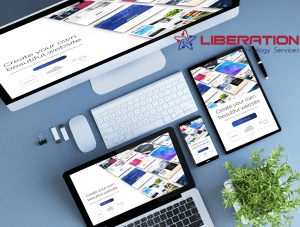
Utilizing a sitebuilder can simplify the process of creating a website. It offers intuitive tools and customizable templates to reflect a brand. This allows a Christian conservative entrepreneur to maintain a polished online presence without needing technical expertise, fostering growth and engagement effortlessly.
Customization Options for Businesses
To craft a unique business identity, a sitebuilder offers diverse customization tools. Think of it as a digital playground where you can tweak visuals, layouts, and features to match your brand’s vibe. With a touch of creativity, businesses can truly shine, reflecting their unique values and aspirations.
Integrating Team Collaboration Tools
Blending collaboration capabilities within sitebuilder setups is a game-changer. Imagine brainstorming with your team, all while ensuring data security through Liberation Technology Services. It’s like having a tech partner program that boosts productivity and efficiency, giving you peace of mind. What more could you ask for?
Key Features to Look For
Evaluating essential aspects of a sitebuilder can make all the difference. Consider mobile responsiveness—it’s a must-have. SEO tools are another crucial component. They help your site stand out in search results. Here’s a list of must-haves:
- Mobile responsiveness
- SEO tools
- Intuitive interface
- Customizable templates
- E-commerce integration
- Customer support
- Security features
Mobile Responsiveness Importance
The significance of adapting your sitebuilder for mobile cannot be overstated. With more users browsing via smartphones, ensuring seamless navigation is crucial. A responsive design ensures your site looks great on any device, enhancing user experience and boosting engagement. Without it, you risk losing potential visitors.
SEO Capabilities and Tools
Exploring the diverse capabilities of sitebuilder tools reveals their power in boosting search rankings. Their built-in SEO features allow users to optimize keywords, meta tags, and URLs effortlessly. By integrating these functions, your website can climb search engine ladders, driving more traffic and visibility.
Comparing Popular Sitebuilders
Comparing the options when selecting a sitebuilder varies greatly. Some emphasize user-friendly interfaces with fewer bells and whistles, while others pack in advanced features at a higher cost. Balancing these factors is key. Consider your unique needs to find the right fit for your project.
Cost vs. Features Analysis
Analyzing cost against features in a sitebuilder is crucial. Some offer a buffet of features for every dollar spent, while others prioritize sleek, intuitive designs. Balancing these factors with your freedom tech partner’s needs is essential. Always evaluate your budget and feature requirements before choosing a private cloud provider.
User-Friendly Interfaces Explained
Exploring sitebuilder features reveals how they prioritize intuitive navigation and design simplicity. A seamless experience lets users create appealing websites effortlessly. This approach mirrors the ease found in conservative email marketing tools. Choose wisely to ensure compatibility with your business’s unique needs and values, such as a Freedom Tech Partner.

How to Choose the Right Sitebuilder
Finding the best sitebuilder involves aligning its features with your business goals. Prioritize security measures, especially if data privacy is crucial. Look for built-in SEO tools for better visibility. For a touch of freedom, consider partnerships that offer unique solutions, such as a reputable Freedom Tech Partner.
Identifying Business Needs and Goals
Pinpointing what your business desires and aims for is crucial when selecting a sitebuilder. Understanding whether you need e-commerce capabilities or just a sleek portfolio site can make all the difference. A sitebuilder’s adaptability should align with your business’s unique needs. Partnering with a reputable Freedom Tech Partner can further enhance your journey.
Evaluating Security Features
Examining the security aspects of a sitebuilder, it’s essential to ensure data protection and privacy. A robust framework should include SSL certification, regular updates, and backup options. The right choice can protect your site and align with a trusted partner’s philosophy.
Enhancing Engagement with Email Marketing Software
Boosting interaction with marketing solutions can revolutionize communication strategies. Integrating these tools within a sitebuilder platform enhances user experience by personalizing content. This approach not just increases open rates but also fosters stronger connections with audiences, aligning with business values and promoting a cohesive digital presence.

Conclusion
Navigating the world of sitebuilders can feel like traversing a maze. Yet, with the right knowledge, it becomes a breeze. Recognizing your business needs is the compass guiding you toward the perfect platform. Balancing functionality with cost ensures your choice aligns with your goals.
Consider features such as mobile responsiveness and SEO tools. They are the backbone of a strong online presence. Stories from successful entrepreneurs can serve as beacons, illuminating the path forward.
Opting for tools that resonate with your values, such as conservative email marketing software, strengthens your brand. Partnerships, like those offered by tech programs, can open doors. Embrace these opportunities to enrich your digital journey. With a pinch of curiosity and a dash of courage, you’re all set to conquer the digital realm!
Sitebuilder Quick Answers
- A sitebuilder is a tool that lets you create a website with templates and a visual editor, usually without writing code.
- Most sitebuilder plans bundle hosting, security certificates and updates, so there is less to manage.
- The trade-off is flexibility. You work within what the platform allows, and moving away later can take effort.
- Match the sitebuilder to your goals: a simple brochure site, an online store, a booking site or a portfolio.
- Test the editor and the mobile view before you commit, and check what happens to your content if you leave.
Sitebuilder Types Compared
Product names and prices change often, so this table compares the main types of sitebuilder by what they do best.
| Type | Good at | Limits | Best for |
|---|---|---|---|
| Drag-and-drop sitebuilder | Fast layouts with a visual editor | Design is limited to the platform’s blocks | Small business and brochure sites |
| Template-first sitebuilder | Polished designs that need little editing | Sites can look similar to others using the same template | Portfolios and simple landing pages |
| Store-focused sitebuilder | Products, carts and payments built in | Fewer options for unusual content | Small online shops |
| Booking or service sitebuilder | Appointments, forms and reminders | Narrow feature set outside its niche | Salons, trainers and local services |
| Self-hosted platform | Full control and flexibility | You manage hosting, updates and security | Sites that will grow or need custom features |
How to Choose a Sitebuilder in 8 Steps
- Write down what the site must do today and what it may need in a year.
- Note your budget for the whole year, including a domain name and any add-ons.
- Pick two or three sitebuilder options that fit your type of site.
- Build a sample page in each one. Notice how easy it is to edit text, images and menus.
- Check how pages look on a phone, since most visitors will arrive that way.
- Look at the built-in SEO settings, such as page titles, descriptions and clean web addresses.
- Find out how to export your content and whether you can use your own domain.
- Choose one, publish a small first version, and improve it over time.
Trusted Guidance for Sitebuilder Users
Speed and accessibility matter on any platform. Google’s Web Vitals guidance explains the performance measures visitors feel, and the advice on creating helpful content applies to every site you publish. The MDN web development guides are a good reference if you later want to customize more.
Getting More From Your Sitebuilder
Our guide to which website builder to use goes deeper on the decision. Connect your site to a name people can remember with domain registration, and read about small business website accessibility so every visitor can use your pages. If you outgrow a sitebuilder, our web development team can build a custom site, and shared web hosting is a simple home for it.
Common Sitebuilder Mistakes
- Choosing on the template alone and ignoring how the editor feels.
- Skipping the mobile check.
- Forgetting to set page titles and descriptions for search.
- Locking yourself in without knowing how to export your content.
- Adding too many apps and slowing the site down.
Sitebuilder Checklist
- You listed what the site must do now and later.
- You tested the editor and the mobile view.
- Titles and descriptions are set on every page.
- You use your own domain name.
- You know how to export your content.
Sitebuilder FAQ
What is a sitebuilder?
It is a service that lets you build and publish a website using templates and a visual editor, usually with hosting included.
Is a sitebuilder good enough for a business website?
For many small businesses, yes. A simple brochure site, portfolio or small shop is well within what a good sitebuilder can do. Bigger or more custom projects may need a different approach.
Are sitebuilder websites good for SEO?
They can be. Look for control over page titles, descriptions, web addresses and page speed, and write useful content for your visitors.
Can I move my site to another platform later?
Often you can move your text and images, but the design usually has to be rebuilt. Ask about export options before you start.
How much does a sitebuilder cost?
Plans usually bill monthly or yearly, and prices change. Compare what is included, such as hosting, a domain and email, over a full year.