Ditch Microsoft & Google Today!

Move From SiteGround To Liberation

When you move from SiteGround, a person handles this website migration for your WordPress site off SiteGround's Site Tools, tests everything before it goes live, and schedules the cutover around your schedule, not ours.

How the move from SiteGround works

We handle each step so you can keep working.

Your SiteGround account
Copy site and data
Test on Liberation
Go live

Manage your hosting in cPanel

The control panel most site owners already know: files, backups, databases, email, domains and security in one place.
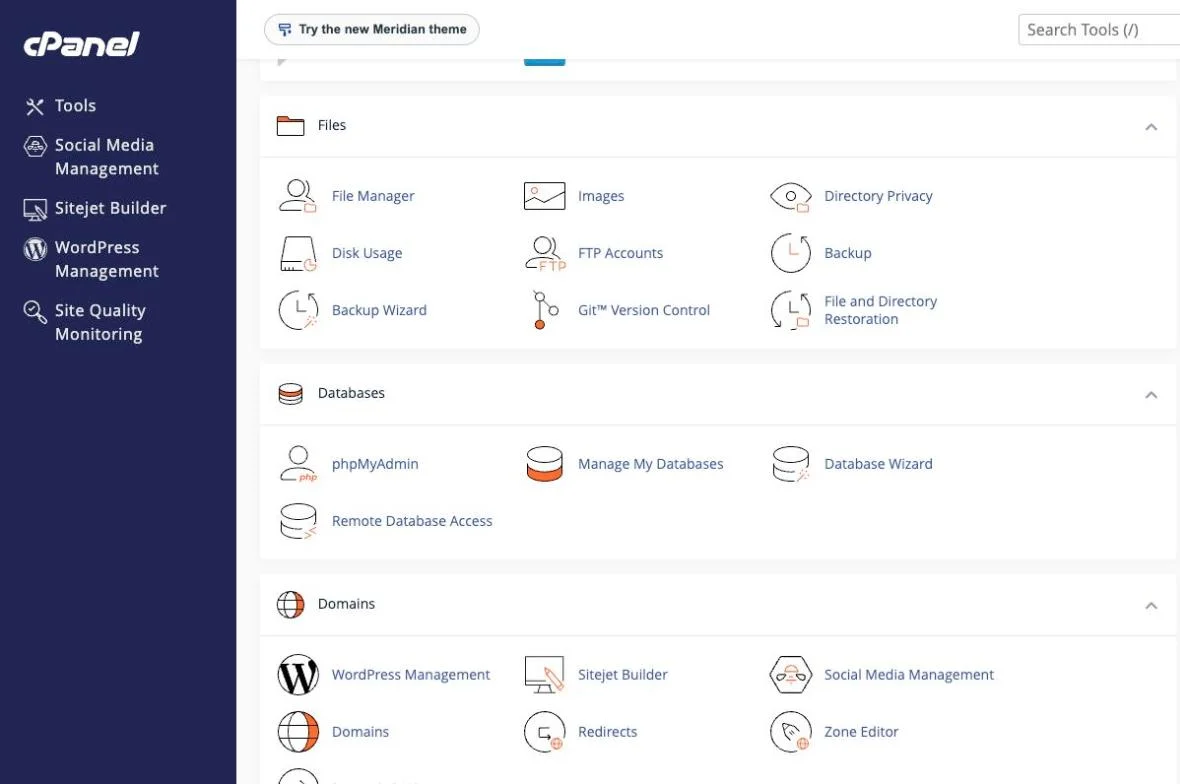
cPanel hosting control panel with file manager, backups, databases and domains
Files, backups, databases and domains
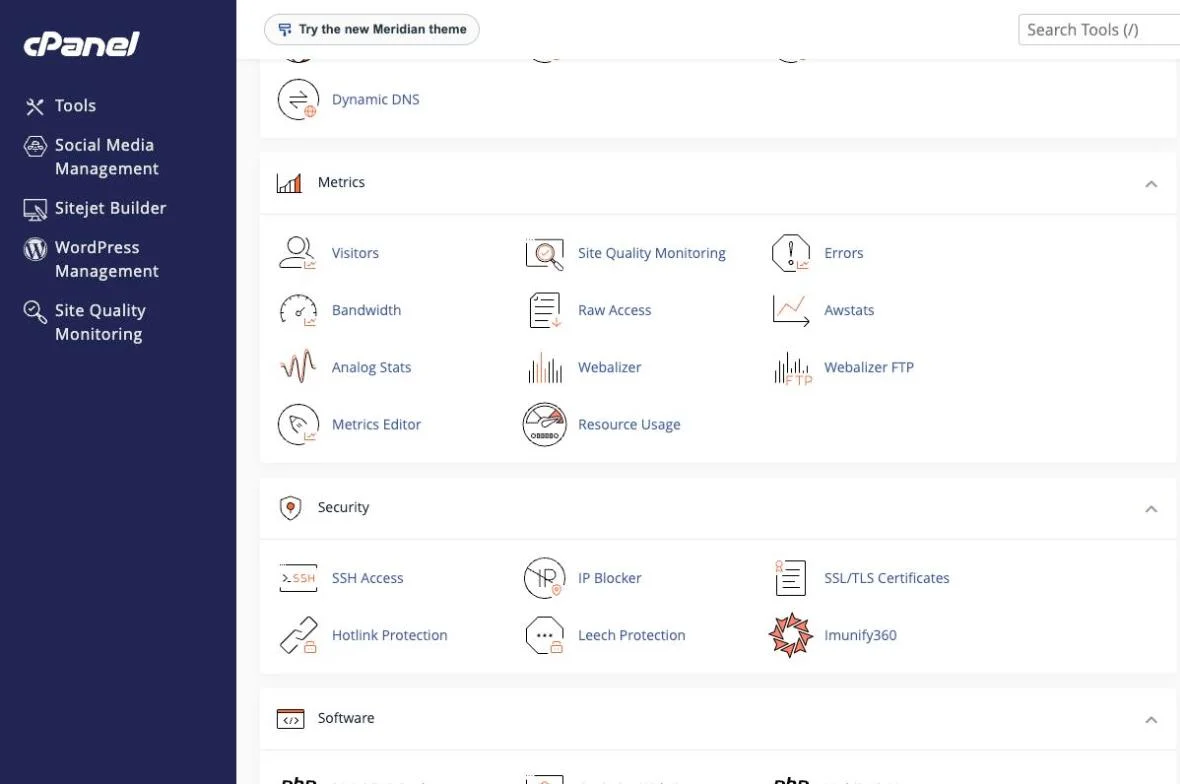
cPanel hosting control panel with visitor metrics, resource usage, SSH access and security tools
Metrics, resource usage and security
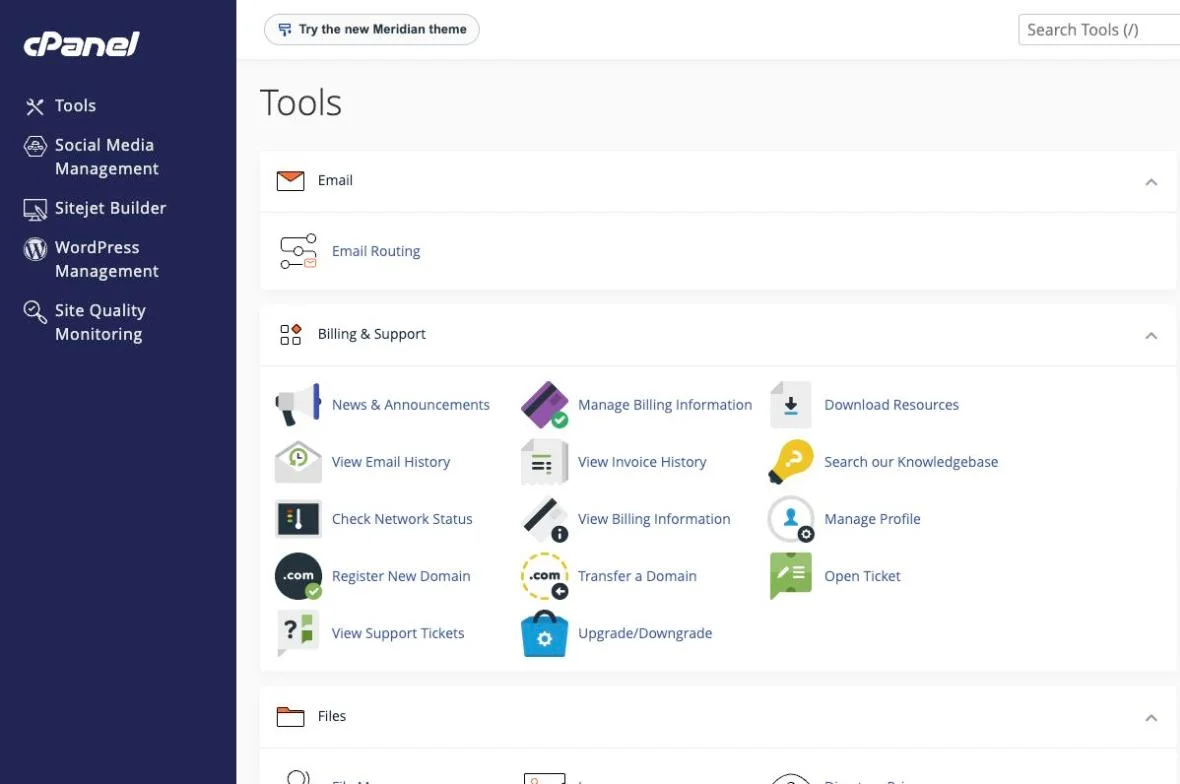
cPanel hosting control panel with billing, support and domain tools
Billing, support and domain tools

The short answer

Moving off SiteGround means two things: the website (files, database, DNS) and, if you use it, SiteGround email — both move together as part of one free migration handled by a person on our team.

When you move from SiteGround to Liberation, the goal is a SiteGround migration you never have to think about twice: the same pages, the same design, the same functionality, just running on infrastructure you own instead of SiteGround’s steep 12-month renewal price jump. A move from SiteGround is handled by a person, not an automated plugin — every page is copied over, tested against the live SiteGround site, and verified before your domain is switched.

Business owners who move from SiteGround often ask how long the migration takes and whether anything will break in the process. In most cases a single-site SiteGround migration wraps up within a few business days of approving the plan, and because your original SiteGround site stays live and untouched throughout, there’s no window where visitors see a broken or half-finished site. If you’re weighing whether to move from SiteGround now, the practical answer is that waiting only risks another renewal cycle at SiteGround’s higher rate before the migration happens.

Most single-site migrations complete within a few business days of you approving the plan, with a scheduled cutover window so there’s no unexpected downtime.

What actually happens

We copy, we don't cut over yet

Your SiteGround site stays live and untouched while we build the copy on Liberation’s servers.

We test on our servers first

The migrated copy is checked against the live SiteGround site — pages, forms, plugins, email — before anything is pointed at it.

We schedule the cutover with you

DNS changes happen at a time you choose, and we monitor for propagation issues after the switch.

You keep your domain name and, if you are moving SiteGround email too, your existing addresses — nothing changes for the people emailing you or visiting your site.

Why teams leave SiteGround

The most common reasons: SiteGround’s 12-month renewal jump (StartUp goes from $2.99 to $17.99), a control panel (Site Tools) that isn’t real cPanel, and hosting performance that doesn’t scale well once traffic grows. See the full price comparison on our SiteGround Alternative page if that’s what’s driving the move.

What moves, what doesn't have to

WordPress sites

Files, database, plugins and themes move as-is; we flag anything incompatible with our servers before the cutover, not after.

SiteGround email

Mailboxes, contacts and calendar entries move to Liberation Email or Hub for Teams, your choice.

Domain registration

You can keep your domain registered wherever it is today and just point it at us, or transfer registration too — either works.

Priced the way a business buys

Starting prices, billed monthly. Migration itself is free regardless of which plan you choose.

What It Costs

Starting prices, billed monthly unless noted. Anything larger gets a written quote.

Step-by-step: access SiteGround, export your records, and switch DNS

We copy, we don't cut over yet

Log in to SiteGround’s Site Tools and open the Domain menu, then DNS Zone Editor to see and export your current DNS records before anything changes. If SiteGround also hosts your email, note the current MX records on the same screen — you’ll want them on hand until your new mailboxes are confirmed live. Once we’ve built and tested your new site and mailboxes on Liberation, go back to the Domain menu and update your nameservers (or the individual records we send you, if you’d rather keep your registrar as-is). Changes usually show within an hour; full worldwide propagation can take up to 48 hours, and we keep both old and new mail flowing during that window so nothing gets lost.

We test on our servers first

The migrated copy is checked against the live SiteGround site — pages, forms, plugins, email — before anything is pointed at it.

We schedule the cutover with you

DNS changes happen at a time you choose, and we monitor for propagation issues after the switch.

See the full SiteGround vs. Liberation comparison → SiteGround Alternative

See a migrated site in action

Scroll through a real site hosted on our platform.

Open the live demo site
demo.ltshosting2.us
Hosting demo site

Leaving SiteGround: your export steps

What the vendor documents for getting your data out, in order.
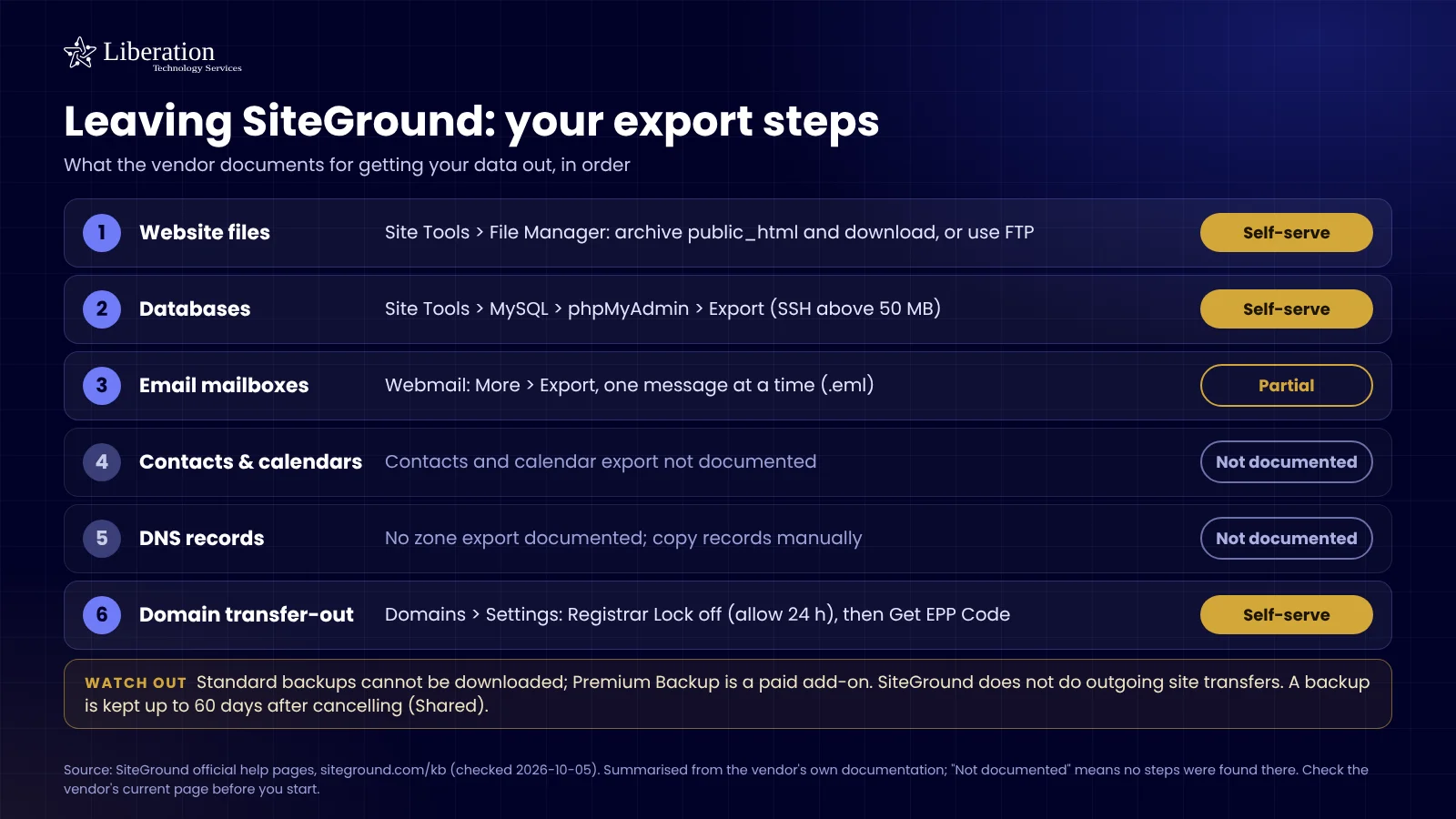
Checklist of what SiteGround documents for exporting your website files, databases, email, DNS and domain, with what is self-serve and what is not offered

Common questions

No — your SiteGround site stays live while we build and test the copy, and the DNS cutover is scheduled and monitored.

No. You can keep your domain registered at SiteGround and simply point it at Liberation’s servers.

Tell us how many sites and their total size when you book a call — multi-site migrations are still free, we just batch them so nothing gets missed. For reference, SiteGround’s own website migration guide covers the same multi-site considerations we handle for you as part of this website migration.

Yes, for a standard site and mailbox migration, regardless of which plan you choose.
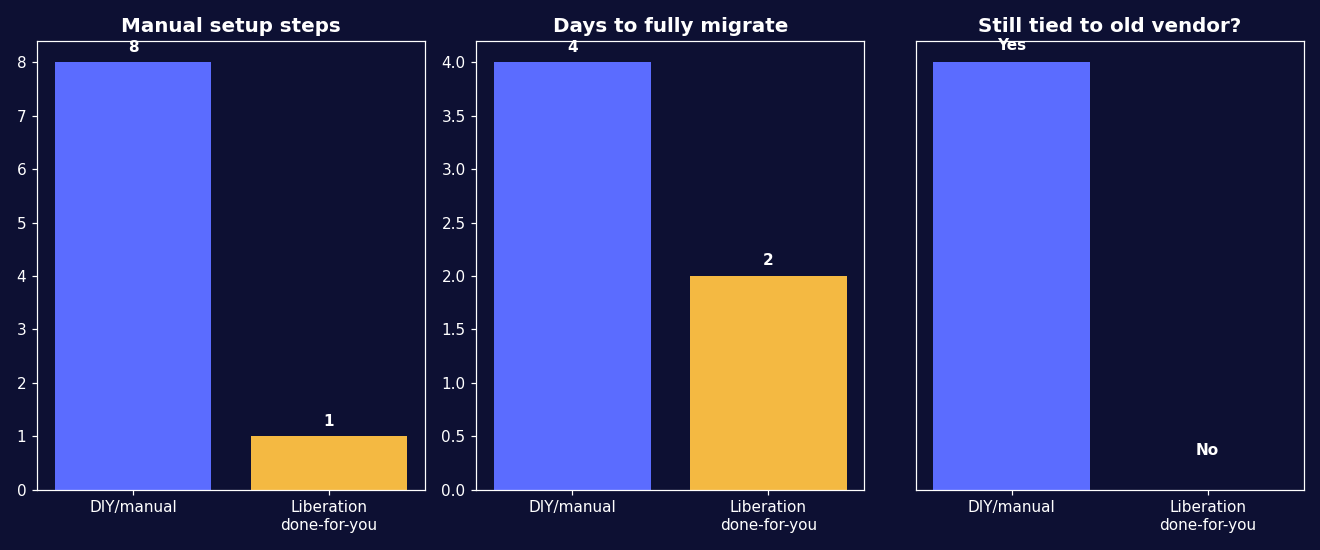
Move from SiteGround to Liberation: what's included in this website migration

Yes. When you move from SiteGround to Liberation, our team handles the entire migration for you — you don’t need any technical experience, and your current site stays live and untouched until the new one is tested and ready to go.

Ready to leave SiteGround?

Book a call and tell us what you’re running — we’ll give you a migration timeline and a written quote, no obligation.

What actually makes leaving SiteGround hard

SiteGround sites usually carry SiteGround’s own plugins, and those are the reason a copied site looks broken. Their caching and optimization plugin is built for their infrastructure; on any other host it has nothing to talk to. Copy the site as-is and you get white screens, missing styling, or a dashboard full of errors — not because the migration failed, but because a plugin is looking for a server that is not there.

So the sequence matters: copy the site, remove the host-specific plugins, install an equivalent caching layer for the new environment, then test. Skipping that middle step is the single most common reason a migration from SiteGround appears to go wrong. It is a known step rather than a surprise, provided whoever is doing the work has done it before.

Check your renewal as well. As with most shared hosts the headline price is a first-term rate and the renewal is higher, and plans here are commonly prepaid annually. If you have months of paid term remaining there is usually no reason to rush: migrate when it suits you and let the term run out rather than cancelling mid-period and arguing about a refund.

The rest is familiar — files, a MySQL database, mailboxes over IMAP, and a DNS zone that often holds records for services unrelated to the website. We export the whole zone rather than reconstructing the obvious records from memory, because the forgotten TXT record is the one that breaks something a month after everyone has stopped paying attention.

How we handle it: we copy the site, strip the host-specific plugins and replace their function properly, migrate mailboxes while the old server still accepts mail, and test everything on a temporary address before DNS moves. Website Migration is included with hosting, email and Hub plans. If you are not on a plan, or you want a one-off move, it is $250. Book a call and we will check which of their plugins your site is currently relying on.

Fast hostingBackupsSSLEmailUS-based supportFast hostingBackupsSSLEmailUS-based supportFast hostingBackupsSSLEmailUS-based supportFast hostingBackupsSSLEmailUS-based support

Custom Solutions

Take your business to the next level with Liberation's full suite of services & solutions.

Custom Management

Don’t like managing? We offer managed services for hosting, ecommerce, web sites, and more.

Custom Websites

We build custom, professional websites for small to large organizations. 

Custom Apps

Our team of expert developers can design custom applications for a wide variety of purposes.

Payment Processing

Cancel-Free payment processing for a variety of industries and custom solutions.

Expert Consulting

Liberation offers consulting on strategy, infrastructure, e-commerce, and more.

Custom Ecommerce

We customize your e-commerce to fit your business needs and goals for maximum profits.

Our Promise Of Digital Independence

Liberating Your Digital World Is Our Passion

LiberationTek global edge network map

Global Edge Network

Liberation’s global edge network provides enhanced performance & security.

Population Reach
90 %
Countries
90 +
Networks
2500 +

Freedom Tech News

Stay informed on the latest tech news, new products, promotions, & more!

Ready For Digital Liberation?