A good Jira alternative depends on who is doing the work. Jira is a strong tool, and Atlassian describes it as a project management tool that helps any team plan, track and deliver work. But many small businesses, nonprofits, churches and office teams do not need a tool built around sprints and issue types. They need to know who owns a task, when it is due and where the conversation about it happened.
This page is a fair comparison, not a takedown. Jira works well for many teams, and we say so below. We also say where Hub for Teams may fit better, and where it may not.
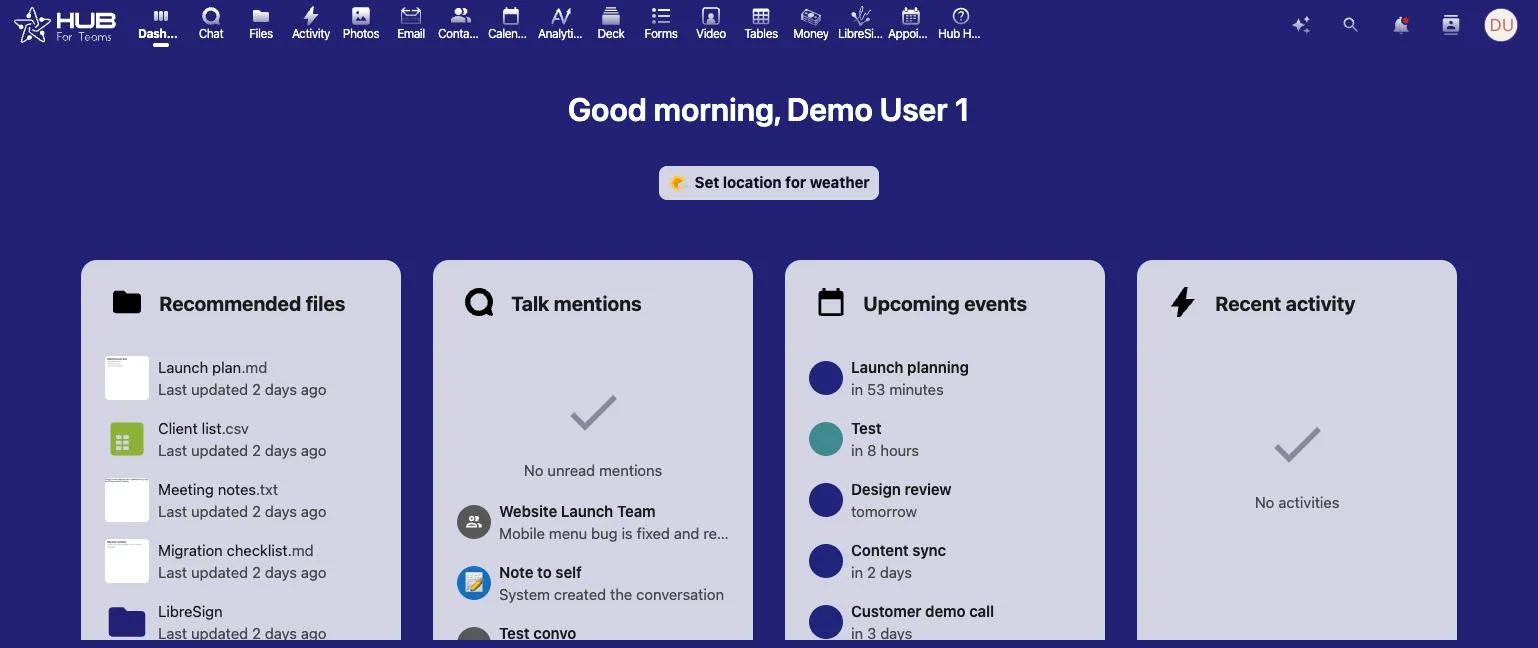
Why teams look for a Jira alternative
Most people who search for a Jira alternative are not unhappy with the quality of Jira. They are unhappy with the fit. Jira grew up in software development, and its vocabulary shows it: projects, boards, issues, workflows, backlogs and reports. Atlassian's own getting-started guide lists projects, boards, work items and issues, integrations, reports and dashboards as core parts of the product.
That depth is useful when you have an engineering team. It is a lot to learn when you run a four-person bookkeeping office or a church staff. Here are the reasons we hear most often from small teams.
- The tool needs setup before it helps. Someone has to decide how projects, boards and workflows are built.
- Only a few people ever feel comfortable in it, so everyone else keeps using email and text messages.
- Task tracking lives in one product, chat in another and files in a third. That means more logins and more places to look.
- Per-user costs add up when the tool is only one piece of the stack.
If that sounds familiar, a simpler workspace may serve you better. If you are comparing several tools, our pages on an Asana alternative and a Trello alternative cover the same ground from other angles.
What Jira does well
A fair look at any Jira alternative starts with what Jira does well. We want you to choose the right tool, even if that is Jira.
- It is built for agile work. Atlassian's site describes sprint-based workflows and says sprints are not only for technical teams.
- It has a free plan. According to the Jira pricing page, the Free plan is free forever for up to 10 users.
- It covers many kinds of teams. Atlassian says design, marketing, HR, operations and engineering can all plan and track work in it.
- It connects to other tools. Atlassian's Jira product page highlights integrations, search and AI agents.
- It has paid tiers for growth. Standard, Premium and Enterprise plans exist for larger organizations.
If your team already lives in the Atlassian ecosystem, or you run software sprints with a developer team, Jira is a reasonable choice. We would not tell you otherwise.
Where small teams run into friction
The friction is usually not a missing feature. It is the amount of structure around the features. A simple task list for a ministry or a small agency can end up inside a system designed for a much larger engineering process. A Jira alternative with less structure and more built-in communication can be a better daily tool.
What the Hub Project Manager covers
The Hub Project Manager is part of Hub for Teams, our U.S.-hosted workspace from Liberation Technology Services. You can read the full product description on our project management software page. In short, it covers:
- Task tracking and progress, so you can see who owns what and when it is due.
- Custom permissions, so people see only the work they should see.
- File editing without leaving the workspace.
- Analytics that help you spot work that is stalling before it becomes a problem.
- Gantt charts and dependencies for planning in order.
- Kanban boards for a visual view of work in progress.
- Team chat and custom workflows on the Teams+ plan.
The idea is that conversations stay attached to the task. A question about a deadline is answered next to the task, not buried in an email thread. Hub for Teams also includes email and calendar, an office suite for documents, spreadsheets and presentations, and file storage with sharing controls.
Built for non-software teams
It is built for small businesses, agencies, consultancies, nonprofits and churches: teams that manage events, clients, volunteers, grants, proposals or office work rather than code releases.
Where your data lives
Hub data is encrypted, never shared and stays on a U.S.-based network we own. If it matters to you who hosts your work, that is the point. Teams of 1 to 9 users run on a shared environment, and teams of 10 or more get a private cloud environment. If you have specific compliance or contract requirements, contact us and ask before you commit.
Jira alternative pricing compared
Price is part of any Jira alternative decision, but compare what each price includes. Jira's plans cover work management. Hub for Teams prices the whole workspace.
Jira pricing
As of October 2026, the Atlassian pricing page lists a Free plan for up to 10 users, a Standard plan at $7.91 per user per month, and a Premium plan at $14.54 per user per month. An Enterprise plan is also offered. Atlassian can change these figures, and billing options vary, so confirm the current numbers on their page.
Hub for Teams pricing
Our prices are printed on the Hub for Teams page, per user per month:
- Teams Starter: $7.49
- Teams+: $9.75. This is the plan that includes the Hub Project Manager, team chat and custom workflows.
- Teams+ Talk: $14.95. This adds video conferencing.
Every plan includes mailbox storage, file storage, calendar and the office suite. There is a 30-day free trial. We do not have a free-forever plan, and that is a real difference. A team of ten or fewer that only needs a basic board may be fine on a free tier. A team that also pays for email, chat and documents elsewhere may come out ahead on one bundled plan. Add up your own stack before you decide.
For a quote that fits your headcount, ask us for a quote.
Jira vs Hub for Teams at a glance
This table sticks to facts we could confirm on each company's own site. A blank or "ask us" entry means we do not make a claim.
| Topic | Jira | Hub for Teams (Liberation) |
|---|---|---|
| Built for | Planning, tracking and delivering work across teams, with sprint-based workflows | Small businesses, agencies, consultancies, nonprofits and churches |
| Free plan | Yes, free forever for up to 10 users | No. 30-day free trial |
| Entry paid price (as of October 2026) | Standard: $7.91 per user per month | Teams Starter: $7.49 per user per month |
| Plan with project tools | Standard, Premium and Enterprise | Teams+ at $9.75 per user per month |
| Scope | Work management, with integrations and AI agents | Project Manager, team chat, email, calendar, files and office suite in one workspace |
| Gantt charts and dependencies | Check Atlassian for plan details | Included in the Hub Project Manager |
| Sprints | Yes, sprint-based workflows | Not listed on our pages. Ask us |
| Video conferencing | Not part of the plan | Teams+ Talk at $14.95 per user per month |
| Where data is hosted | See Atlassian's documentation | U.S.-based network owned by Liberation |
Sources: Atlassian's pricing page and getting-started guide, and the Liberation Hub for Teams page.
Who should pick which tool
Jira may be the better fit if
- You run software development with sprints, backlogs and release planning.
- You are already using other Atlassian products and want them connected.
- You have 10 or fewer people and only want a free tracker.
- You need the large integration ecosystem Atlassian describes.
Hub for Teams may be the better fit if
- Your team is not technical and wants a short learning curve.
- You want tasks, chat, files, email and documents in one place with fewer logins.
- You want your data on a U.S.-based network that Liberation owns and runs.
- You are a nonprofit, church, agency or small business that wants one invoice for the workspace.
Neither tool is right for everyone. Many teams try a Jira alternative for a month, then decide. Our trial is built for that. If Jira is still the better tool after thirty days, you have lost very little.
How to try Hub for Teams
Moving tools is easier when you start small. Here is a simple way to test the Hub Project Manager against Jira without disrupting your team.
- Pick one real project, not a demo. A campaign, an event or a client onboarding works well.
- Start the 30-day free trial and add the people on that project only.
- Set permissions so each person sees the right work.
- Move open tasks over by hand. For one project, that is faster than a bulk import.
- Keep conversations in the task chat for two weeks and see whether email traffic drops.
- At the end, ask the team which tool they actually opened each morning.
We have not published a one-click Jira import on our site, so we do not promise one. If you have a large backlog to move, talk to us about the best approach before you start. You can also compare our approach with the Asana alternative page if you are weighing more than one tool.
Jira alternative FAQ
Is Hub for Teams a good Jira alternative for non-technical teams?
Yes, that is who it is built for: small businesses, agencies, consultancies, nonprofits and churches that want tasks, chat, files and email in one platform. If your work is software development with sprints, Jira may fit better.
How much does the Hub Project Manager cost?
The Project Manager is included in the Teams+ plan at $9.75 per user per month. Teams Starter is $7.49 and Teams+ Talk, which adds video conferencing, is $14.95. All are per user per month, with a 30-day free trial.
Does Jira have a free plan?
Yes. As of October 2026, Atlassian's pricing page lists a Free plan that is free forever for up to 10 users. Hub for Teams does not have a free-forever plan, but it does have a 30-day free trial.
Does Hub for Teams have Gantt charts?
Yes. The Project Manager includes Gantt charts and dependencies, along with kanban boards, permissions, analytics and file editing.
Where is my data stored?
Hub data is encrypted, never shared and stays on a U.S.-based network we own. Teams of 10 or more get a private cloud environment. Ask us if you have specific compliance questions.
Can I move my Jira projects into Hub for Teams?
We do not advertise an automatic Jira import. For a single project, moving open tasks by hand is practical. For a larger move, contact us and we will talk through your options.
Can I use Jira and Hub for Teams together?
Yes, nothing stops a team from running both during a trial. Many teams test with one project first and then decide whether to switch fully.
How do I get a quote or ask a question?
Use the form on our contact page. It lets you request a callback at a time that suits you.
Ready to test a Jira alternative?
Try the Hub Project Manager free for 30 days, or ask us about your team size and needs. Read more about the project management software or the full Hub for Teams suite.
Contact LiberationSources and notes
- Jira pricing, Atlassian (plans and prices as of October 2026)
- Jira getting-started guide, Atlassian
- Jira product page, Atlassian
- Liberation prices and features are from our own Hub for Teams and project management software pages. Jira is a product of its respective owner; this page is not affiliated with or endorsed by them.