
For most business websites an SSL certificate costs nothing, because a domain-validated certificate is included free with good hosting and renews automatically. Paid certificates run from modest annual fees to several hundred dollars a year, and they buy identity verification rather than stronger encryption. The encryption is identical either way.
SSL is one of the most commonly upsold items in hosting, largely because the security framing makes the free option sound like a compromise. It is not. Understanding what the price difference actually buys takes about five minutes and usually saves a recurring charge.
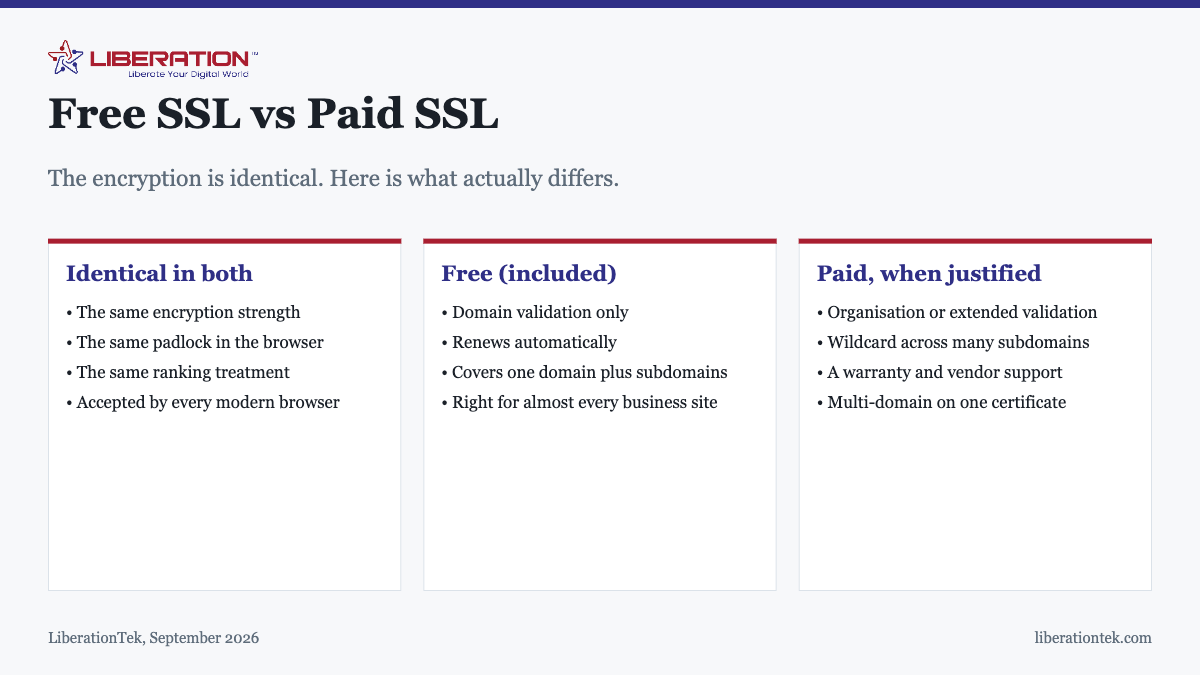
What is identical between free and paid
This is the part worth being clear about first, because most of the sales pressure depends on it being unclear:
- Encryption strength. The same protocols and the same key lengths. There is no weaker encryption tier for free certificates.
- The padlock. Visitors see the same indicator in the address bar and cannot tell what you paid.
- Browser trust. Free certificate authorities are trusted by every modern browser exactly as paid ones are.
- Ranking treatment. Google checks whether the connection is secure. It does not check the invoice.
A free certificate is not a trial or a limited version. It is a full certificate issued under a different business model, where validation is automated rather than performed by staff.
What you are actually paying for
The difference is validation depth, which is a statement about identity rather than about security.
| Type | What it verifies | Issue time | Typical cost |
|---|---|---|---|
| Domain validation (DV) | You control the domain | Minutes | Free with hosting |
| Organization validation (OV) | Your business is a registered entity | Days | Modest annual fee |
| Extended validation (EV) | A deeper check of the organization | Up to a week or two | Higher annual fee |
| Wildcard | Domain control, across all subdomains | Minutes to days | Usually paid |
| Multi-domain | Several distinct domains on one certificate | Varies | Paid |
Worth knowing: extended validation used to display the company name prominently in green in the address bar, and that visible difference was most of its commercial appeal. Browsers removed that treatment some years ago, which substantially weakened the case for EV on an ordinary business website.
When a paid certificate is genuinely the right call
There are real cases, and they are specific:
- You need a wildcard. If you run many subdomains and want one certificate covering all of them, a wildcard is usually simpler to manage than issuing certificates individually.
- A contract or sector requirement specifies OV or EV. Some enterprise procurement and some regulated contexts ask for it explicitly. If it is written down, that settles it.
- You want several distinct domains on one certificate. A multi-domain certificate consolidates administration.
- You want a warranty and a support contract. Paid certificates carry a warranty and someone to call. For most small businesses this is not worth the money, but for some it is a governance requirement rather than a technical one.
Outside those four, the honest answer is that a free certificate does the same job.
The charge to watch for
The most common unnecessary hosting cost in this area is an SSL certificate sold as an annual add-on when the hosting plan already includes one. If your host issues free SSL automatically and you are also paying for a certificate, you are paying for something you already have.
Check before renewing anything. Free SSL is included with LiberationTek shared hosting at $7.99 a month and issues automatically, and the same applies on managed VPS hosting. There is no separate SSL line on the bill and no manual renewal to remember.
Why automatic renewal matters more than the price
Free certificates typically have short lifespans, often around ninety days, which sounds like a drawback until you notice that it forces automation. A certificate that renews itself cannot be forgotten.
Manually renewed annual certificates fail in a predictable way: the reminder goes to an email address nobody checks, or to someone who has left, and the first anyone knows about it is a full-page browser security warning in front of every visitor. An expired certificate is considerably worse for business than a less thoroughly validated one, and it is the far more likely failure.
Common mistakes after installing a certificate
Having a certificate and being properly on HTTPS are not quite the same thing, and a few loose ends are easy to leave behind:
- Mixed content. The page loads over HTTPS but pulls an image, script or stylesheet over plain HTTP. Browsers either block it or downgrade the padlock, and the usual cause is hard-coded HTTP links in old content or theme settings.
- Redirect chains. HTTP goes to HTTPS, which goes to the www version, which goes somewhere else again. Each hop costs time. There should be one redirect to the final address.
- Only the homepage redirects. Test an interior page directly over HTTP rather than assuming the rule applies site-wide.
- The sitemap still lists HTTP URLs. Regenerate it and resubmit, or you are telling Google to crawl addresses you have moved away from.
- Search Console set up for the wrong protocol. HTTP and HTTPS are separate properties, and data can appear to vanish simply because you are looking at the old one.
Each takes minutes to check and each is a quiet drag on an otherwise healthy site.
Do you need SSL at all?
Yes, without qualification, and the debate about it is long over. Browsers mark pages without HTTPS as not secure, which visitors see. HTTPS is a confirmed ranking signal. Any form on your site, including a plain contact form, sends its contents across the network, and without encryption that traffic is readable in transit.
There is no longer a category of site that does not need a certificate, which is precisely why the free tier exists and why paying for the basic case stopped making sense.
A practical recommendation
- Use the free certificate included with your hosting unless one of the four specific cases above applies to you.
- Confirm it renews automatically and that you would find out if it failed.
- Check you are not separately paying for a certificate you already get.
- Make sure HTTP redirects to HTTPS in a single hop across the whole site, not just the homepage.
- Buy a paid certificate only against a written requirement or a genuine wildcard or multi-domain need.
For almost every small business site, that resolves to using what is included and spending the money somewhere it makes a difference.
How to Compare SSL Certificate Options Quickly
When you compare any SSL certificate, start with three questions. Does your host already include one? Does it renew on its own? Does your site actually need more than domain validation? For most small sites the answers are yes, yes and no, and the SSL certificate cost stays at zero.

A free SSL certificate is issued by an automated certificate authority and checks only that you control the domain. A paid SSL certificate adds organization checks, a warranty and sometimes phone support. None of that changes how the connection is encrypted.
A Short SSL Certificate Checklist Before You Pay
- Open your hosting control panel and look for an existing SSL certificate on each domain.
- Confirm the certificate renews automatically, and note the expiry date.
- Check that every page loads over HTTPS without mixed content warnings.
- Ask your host what a paid SSL certificate would add before you buy one.
- Keep a reminder for any manually installed certificate.

Free certificates from Let’s Encrypt are widely trusted by browsers. You can read how the project works on the Let’s Encrypt about page. If you want to understand the privacy side of encrypting traffic, our guide to data privacy explained is a good next read.
The right SSL certificate is the one that stays valid. An expired paid certificate does more harm than a free one that renews every ninety days. If you run a store or collect sensitive details, ask whether the extra validation on a paid SSL certificate matters to your customers, and review your shared web hosting or VPS web hosting plan to see what is included. This is general information, not legal or compliance advice.
Frequently asked questions
How much does an SSL certificate cost?
For most business websites it costs nothing, because a domain-validated certificate is included free with good hosting and renews automatically. Paid certificates range from modest annual fees for organization validation up to several hundred dollars a year for extended validation or wildcard coverage. The encryption is identical in every case; you are paying for identity verification, not security.
Is a free SSL certificate as secure as a paid one?
Yes. The encryption strength is identical, and browsers treat them identically. A free domain-validated certificate confirms that whoever requested it controls the domain, which is exactly what a paid domain-validated certificate confirms. Paid tiers verify the organization behind the domain, which is a different thing from stronger encryption.
Do I need to pay for SSL if my host includes it free?
No, and for the large majority of business sites there is nothing to gain by doing so. Visitors see the same padlock, Google treats the site the same way, and the connection is encrypted to the same standard. Being sold an SSL certificate as an add-on when your host already issues one free is the most common unnecessary hosting charge.
What is the difference between DV, OV and EV certificates?
Domain validation confirms control of the domain and issues in minutes. Organization validation additionally verifies that your business exists as a registered entity, taking a few days. Extended validation involves a more thorough check of the organization. All three encrypt identically; browsers no longer display the prominent green company name that once made EV visibly distinct.
When is a paid SSL certificate actually worth it?
When you need a wildcard certificate covering many subdomains, when your sector or a client contract specifically requires organization or extended validation, when you want a single certificate covering several different domains, or when you want a vendor warranty and support contract. Outside those cases, a free certificate does the same job.
Does SSL affect my Google rankings?
HTTPS is a confirmed ranking signal, but a small one, and it works as a threshold rather than a scale. Having a valid certificate puts you in the normal category; not having one is the problem. An expensive certificate provides no ranking benefit over a free one, because Google checks whether the connection is secure, not what you paid for it.
What happens if my SSL certificate expires?
Browsers display a full-page security warning before the site loads, and most visitors leave immediately. It also affects forms, checkout and anything calling your site over HTTPS. Certificates that renew automatically, as included hosting certificates do, remove this risk entirely, which is one of the practical arguments for using them.
How much would it cost to get an SSL certificate?
If your hosting includes a free domain-validated certificate, nothing. Otherwise plan on a modest yearly fee for a standard certificate, with higher prices for organization validation, extended validation or wildcard coverage that secures every subdomain. Check what your host already includes before you buy one separately.
Do you have to pay for SSL certificates?
No. Free certificates provide the same encryption as paid ones. You pay only if you want extra identity verification, wildcard coverage or a warranty, and most small business sites do not need them.
What is the average price of an SSL certificate?
There is no single price. Domain-validated certificates are often free, while organization-validated and extended-validation certificates cost more, and wildcard certificates cost more again. The difference reflects identity checks and coverage, not stronger encryption.
How do I get an SSL certificate for my website?
Most hosts install one for you. Check your hosting dashboard for an SSL or HTTPS setting, turn it on, and confirm your site loads with the padlock. If your host does not offer one, you can buy a certificate separately and have it installed.