Ditch Microsoft & Google Today!

Move From GoDaddy To Liberation

A person moves your site and mailboxes, tests everything before it goes live, and schedules the cutover around your schedule, not ours.

How the move from GoDaddy works

We handle each step so you can keep working.

Your GoDaddy account
Copy site and data
Test on Liberation
Go live

Transfer your domain in a few clicks

Enter the domain, confirm and we handle the rest. Every transfer extends your registration by a year.
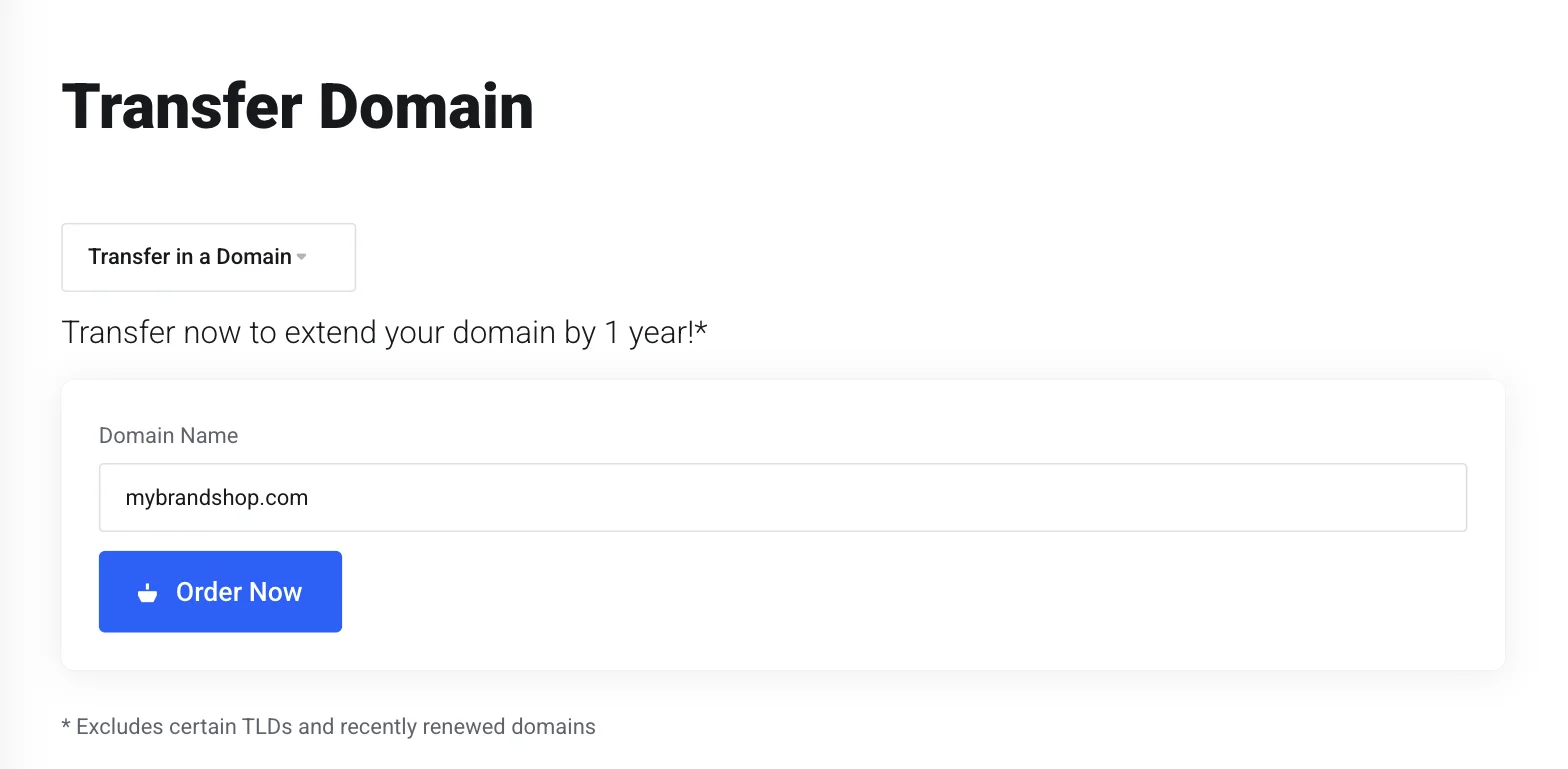
Liberation domain transfer form

The short answer

Moving off GoDaddy means two things: the website (files, database, DNS) and, if you use it, GoDaddy email (mailboxes, contacts, calendar). Both move as part of one free migration, handled by a person on our team rather than a self-service import tool.

Most single-site migrations complete within a few business days of you approving the plan, with a scheduled cutover window so there’s no unexpected downtime.

What actually happens

We copy, we don't cut over yet

Your GoDaddy site stays live and untouched while we build the copy on Liberation’s servers.

We test on our servers first

The migrated copy is checked against the live GoDaddy site — pages, forms, plugins, email — before anything is pointed at it.

We schedule the cutover with you

DNS changes happen at a time you choose, and we monitor for propagation issues after the switch.

You keep your domain name and, if you’re moving GoDaddy email too, your existing addresses — nothing changes for the people emailing you or visiting your site.

Why teams leave GoDaddy

The most common reasons: renewal price jumps after the first term, upsells inside the checkout flow, and hosting performance that doesn’t scale well once traffic grows. See the full price comparison on our GoDaddy Alternative page if that’s what’s driving the move.

What moves, what doesn't have to

WordPress sites

Files, database, plugins and themes move as-is; we flag anything incompatible with our servers before the cutover, not after.

GoDaddy email

Mailboxes, contacts and calendar entries move to Liberation Email or Hub for Teams, your choice.

Domain registration

You can keep your domain registered at GoDaddy and just point it at us, or transfer registration too — either works.

Priced the way a business buys

Starting prices, billed monthly. Migration itself is free regardless of which plan you choose.

What It Costs

Starting prices, billed monthly unless noted. Anything larger gets a written quote.

Step-by-step: access GoDaddy, export your records, and switch DNS

We copy, we don't cut over yet

  1. Sign in to your GoDaddy account and open your Domain Portfolio (dcc.godaddy.com).
  2. Select the domain you’re moving, then open its DNS tab.
  3. From the Actions menu, choose Export Zone File to download a complete backup of your current DNS records before anything changes.
  4. If GoDaddy also hosts your email, note the current MX records on that same DNS tab — you’ll want them on hand until your new mailboxes are confirmed live.
  5. Once we’ve built and tested your new site and mailboxes on Liberation, go to the Nameservers tab on the same domain and choose I’ll use my own nameservers (or update the individual records we send you, if you’d rather keep GoDaddy as your registrar).
  6. Save and confirm. Changes usually show within an hour; full worldwide propagation can take up to 48 hours, and we keep both old and new mail flowing during that window so nothing gets lost.

We test on our servers first

The migrated copy is checked against the live GoDaddy site — pages, forms, plugins, email — before anything is pointed at it.

We schedule the cutover with you

DNS changes happen at a time you choose, and we monitor for propagation issues after the switch.

You keep your domain name and, if you’re moving GoDaddy email too, your existing addresses — nothing changes for the people emailing you or visiting your site.

See the full GoDaddy vs. Liberation comparison →

How to move from GoDaddy without losing your site or email

People who decide to move from GoDaddy usually worry about two things: downtime and lost mail. Both are manageable with a plan. Our migration team copies the site first, tests it, and only then changes DNS, so your current GoDaddy site keeps running until the new one is ready.

Move from GoDaddy in three steps: copy the site, test on new servers, then cut over DNS

What you need before you move from GoDaddy

  • Admin access to your GoDaddy account, or someone who can approve the transfer.
  • A list of your sites, mailboxes and the domains they use.
  • The date range when a short DNS change would hurt least, such as a quiet evening.
  • A note of anything unusual, like a custom plugin, a payment form or an old subdomain.

Our migration is free, and you can read the details on the website transfer page and the email transfer page.

What changes when you move from GoDaddy

The visitor sees the same website. Behind it, the files and database sit on hosting we run in the United States, such as shared web hosting for small sites or a VPS for larger ones. Mailboxes move to Liberation Email, which starts at $1.95 per user per month, or to Hub for Teams from $7.49 per user per month.

Move from GoDaddy: what moves is your website, your email and your domain choice

WordPress sites when you move from GoDaddy

Most sites that move from GoDaddy are WordPress. Files, database, plugins and themes carry over, and we flag anything that may behave differently on the new server before the cutover. The WordPress project documents the general process in its guide to migrating WordPress, which is a useful read even if we do the work for you.

Questions people ask before they move from GoDaddy

Will the site go offline? Not for a planned cutover. Will old email disappear? No, mailboxes are copied across before the switch. Do you have to transfer the domain? No, you can leave it registered at GoDaddy and point it to us, or transfer it later. If you are ready to move from GoDaddy, tell us what you run today and we will give you a clear plan and a written estimate.
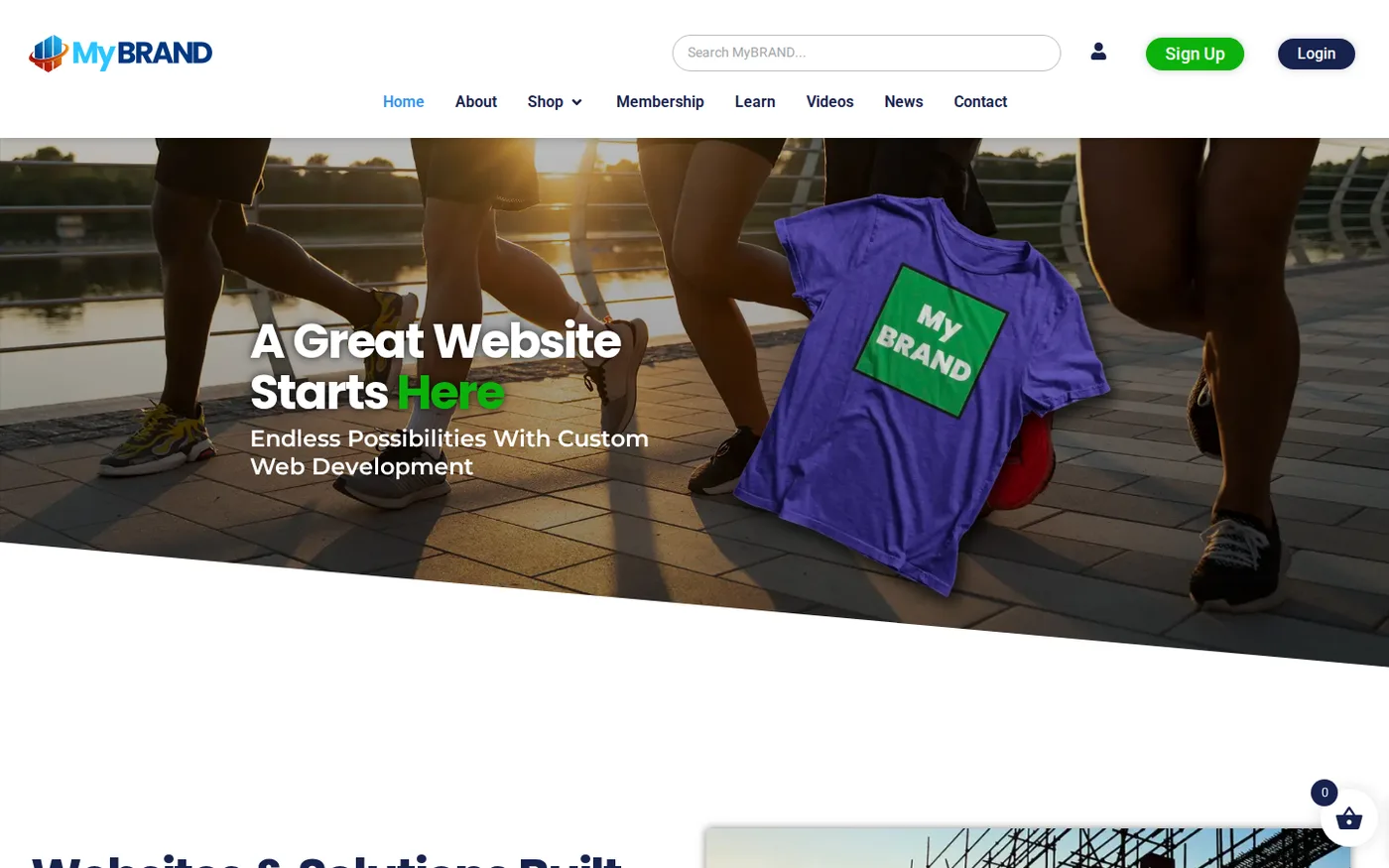
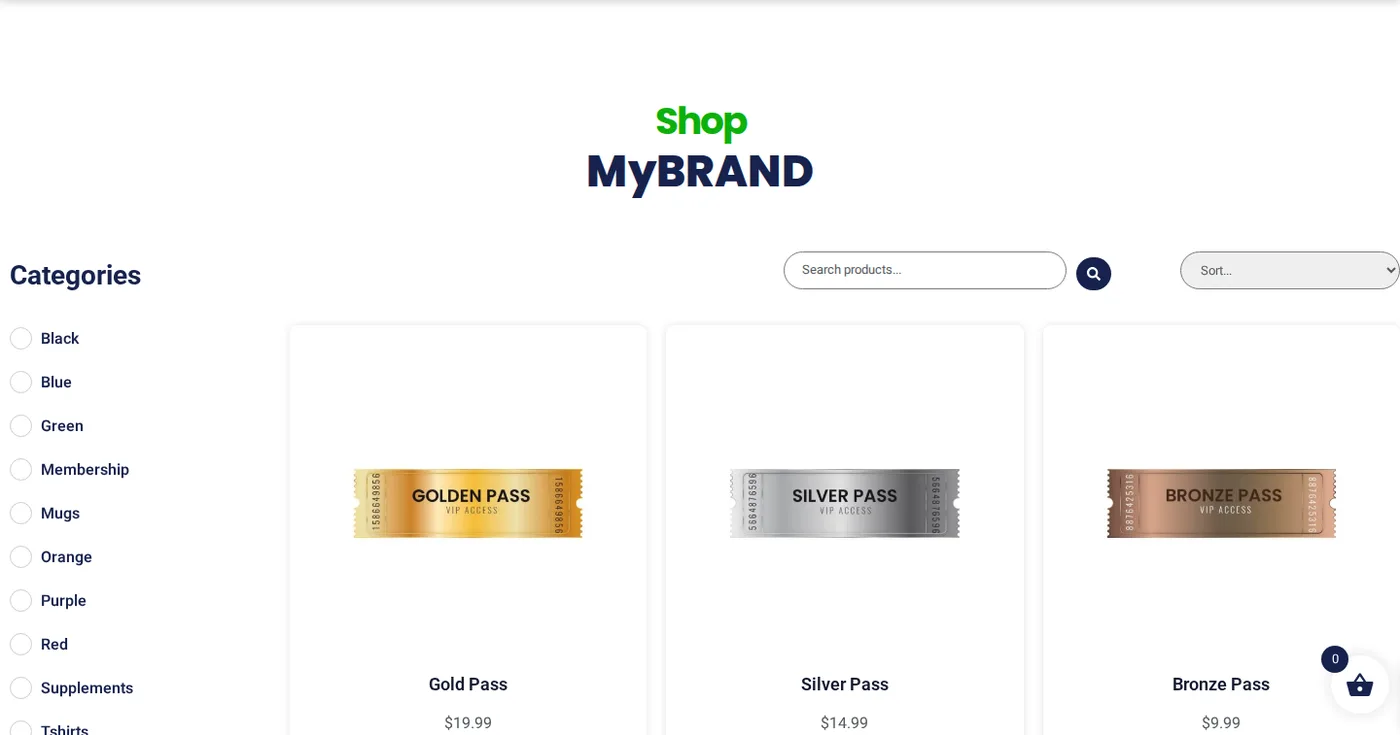
Where your site lands

A working demo site on our platform.

Open the live demo site
demo.ltshosting2.us
Move from GoDaddy demo homepage
Move from GoDaddy demo shop page
Move from GoDaddy demo membership page
Hosting demo site

Leaving GoDaddy: your export steps

What the vendor documents for getting your data out, in order.
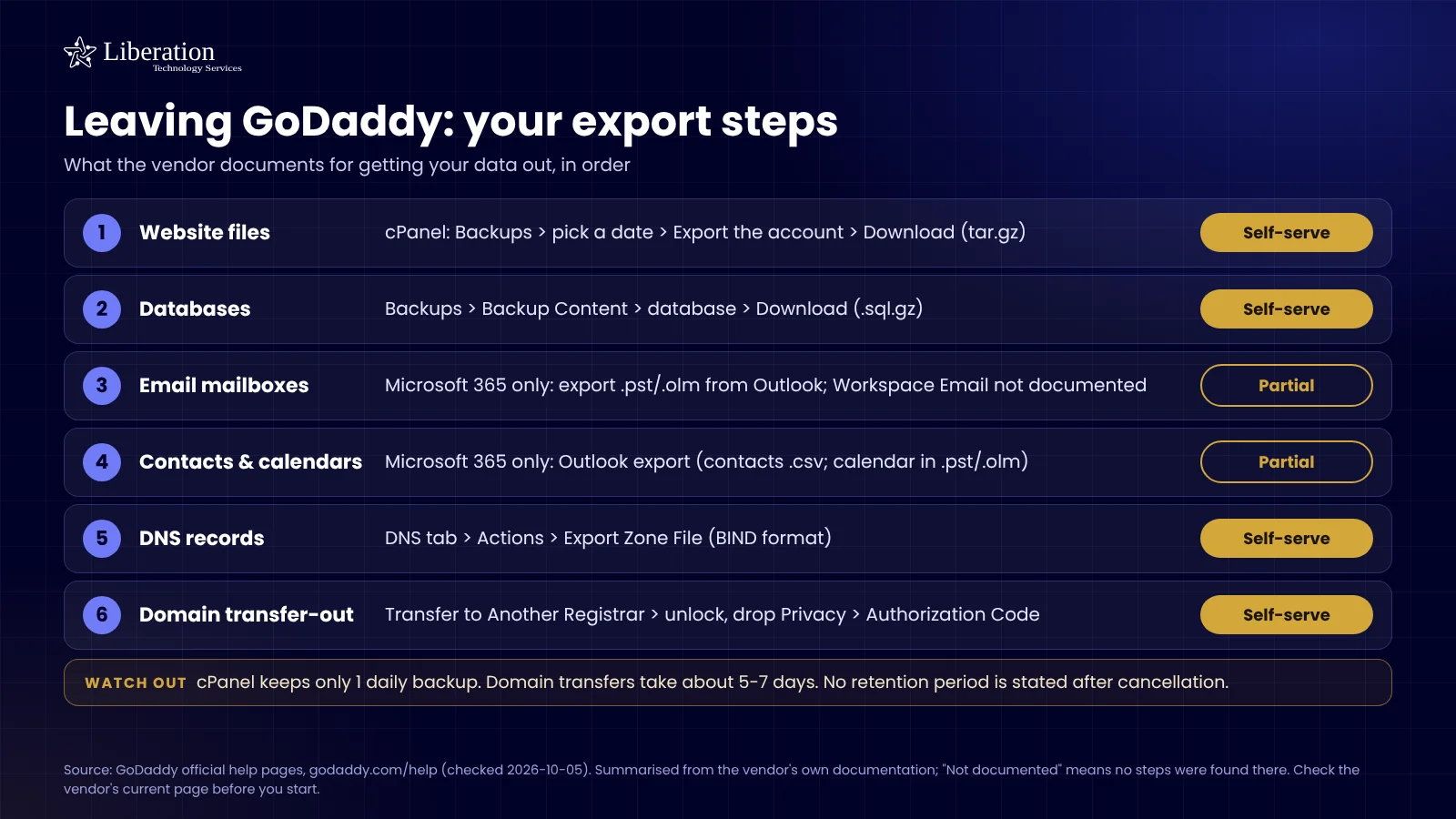
Checklist of what GoDaddy documents for exporting your website files, databases, email, DNS and domain, with what is self-serve and what is not offered

Common questions

No — your GoDaddy site stays live while we build and test the copy, and the DNS cutover is scheduled and monitored.

No. You can keep your domain registered at GoDaddy and simply point it at Liberation’s servers.

Tell us what you’re running when you book a call — site-builder migrations are handled case by case since there’s no standard export format.

Yes, for a standard site and mailbox migration, regardless of which plan you choose.

Ready to leave GoDaddy?

Book a call and tell us what you’re running — we’ll give you a migration timeline and a written quote, no obligation.

What actually makes leaving GoDaddy hard

The site is rarely the problem. The domain is. GoDaddy is a registrar first, and most of their hosting customers also keep the domain, the DNS zone and often email forwarding in the same account. You can copy a WordPress site in an afternoon; you cannot point it anywhere until DNS moves, and you cannot move DNS until you have access to the registrar side of that account.

Expect two locks. ICANN’s transfer policy puts a 60-day hold on a domain after it is first registered and after any change to the registrant contact — so “let me just fix the owner’s email address first” is the most common way people delay their own migration by two months. The second lock is the registrar’s own, which you switch off yourself in the domain settings before requesting the authorization code. Get the code first, tidy contact details afterwards.

Then there is what’s bundled. GoDaddy accounts accumulate separately renewing add-ons: domain privacy, an SSL certificate, website backup, SEO tools, sometimes a mailbox. Each has its own renewal date and none of them cancel because the hosting did. Pull a list of every active product and its renewal date before you move anything, so you are cancelling deliberately instead of discovering a charge four months later.

The mailbox is the part that bites. If your email is a Microsoft 365 tenant resold through GoDaddy, that tenant sits inside their billing and admin relationship — it is not the same thing as a Microsoft 365 subscription bought direct, and moving it is tenant-level work rather than a mailbox copy. We establish which of the two you have before quoting anything, because the answer changes the job by days.

How we handle it: we inventory the account first — domains, DNS records, mailboxes, add-ons, renewal dates — then give you a written cutover plan with the order of operations and the DNS timing changes we make ahead of the switch. Your old account stays live until the new one is confirmed serving. Website Migration is included with hosting, email and Hub plans. If you are not on a plan, or you want a one-off move, it is $250; domain transfers are quoted separately, and plenty of customers host with us while leaving the domain where it sits. Book a call and we will tell you which parts are actually worth moving.

Fast hostingBackupsSSLEmailUS-based supportFast hostingBackupsSSLEmailUS-based supportFast hostingBackupsSSLEmailUS-based supportFast hostingBackupsSSLEmailUS-based support

Custom Solutions

Take your business to the next level with Liberation's full suite of services & solutions.

Custom Management

Don’t like managing? We offer managed services for hosting, ecommerce, web sites, and more.

Custom Websites

We build custom, professional websites for small to large organizations. 

Custom Apps

Our team of expert developers can design custom applications for a wide variety of purposes.

Payment Processing

Cancel-Free payment processing for a variety of industries and custom solutions.

Expert Consulting

Liberation offers consulting on strategy, infrastructure, e-commerce, and more.

Custom Ecommerce

We customize your e-commerce to fit your business needs and goals for maximum profits.

Our Promise Of Digital Independence

Liberating Your Digital World Is Our Passion

LiberationTek global edge network map

Global Edge Network

Liberation’s global edge network provides enhanced performance & security.

Population Reach
90 %
Countries
90 +
Networks
2500 +

Freedom Tech News

Stay informed on the latest tech news, new products, promotions, & more!

Ready For Digital Liberation?