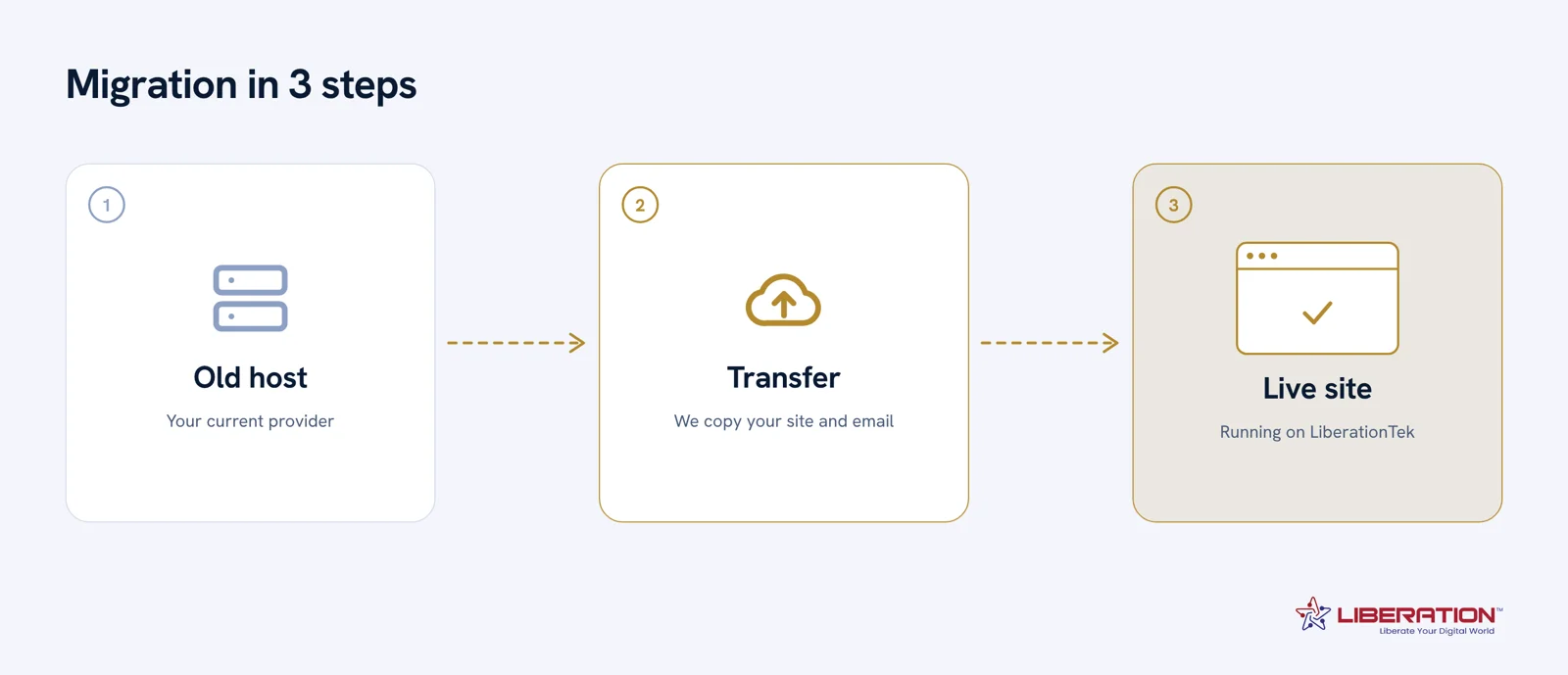
The migration at a glance
Four stages from first audit to go-live.
Switching Hosts Without Breaking Anything: A Pre/During/Post Migration Checklist
This website migration checklist covers what actually goes wrong in a hosting move — not the website itself, but everything connected to it that people forget about until it breaks: email stops arriving, a DNS record gets dropped, an SSL certificate doesn’t renew, a form stops sending leads to your inbox.
Enter your name and email below and we’ll show you the full pre/during/post migration checklist our own team works from — whether you’re moving with us or doing it yourself.
What’s in this website migration checklist
- Pre-migration: DNS audit, mailbox inventory, SSL renewal date, form and integration list
- During migration: file and database transfer order, DNS cutover timing, downtime window
- Post-migration: email deliverability check, SSL re-issue, redirect and 404 sweep, form test submissions
Why businesses move to Liberation
Our website migration service handles file transfer, database, mailboxes and DNS records — tested on the new server before anything switches over, so your site and email stay reachable throughout. Ask about our migration offer →
Website migration checklist: frequently asked questions
How long does a website migration take?
Most single-site migrations complete within a few hours of scheduled downtime, though DNS propagation can take up to 24–48 hours to fully resolve everywhere.
Will my email stop working during the move?
Not if mailboxes are migrated and DNS (MX records) are cut over in the right order — this is one of the most common things a rushed migration gets wrong.
Do I need a new SSL certificate after migrating?
Usually yes, unless your certificate is portable. A new host should reissue and install it before your DNS cutover so there is no gap in HTTPS coverage.
Ready to get started on your migration?
Why a website migration checklist matters
Most failed moves are not caused by the hosting company. They happen because a small detail was missed: a DNS record that was never copied, an email account that stopped receiving mail, or a form that quietly stopped sending. A website migration checklist turns those details into a short list you can finish in order, so nothing is left to memory on the day of the switch.
Before you move: the preparation steps
Start by taking a full backup of your files and your database, and store a copy somewhere other than the old host. Write down every domain, subdomain and email address that uses the current server. Lower the DNS time to live on your records to five minutes at least a day ahead, so the change spreads quickly when you switch. Finally, list every plugin, payment gateway and third-party connection that depends on the old server address.
During the move: copy, test, then switch
Copy the site to the new server first and leave the old one running. Test the copy using a temporary address or a hosts file entry: click through the main pages, submit each form, log in to the admin area and place a test order if you sell online. Only when everything works should you point the domain to the new host. Keep email in mind here, because mail records are often changed at the same moment as the website records.
After you move: confirm everything works
Check that the SSL certificate is active and that every page loads over HTTPS. Send a test message to and from each email address. Review your search console for new crawl errors, and watch your traffic for a few days. Keep the old hosting account active until you are sure nothing is missing, then cancel it.
When to let someone else do the move
If the site earns money, or if email is business critical, a mistake costs more than the migration itself. Liberation offers free migration services that copy your website and email, test everything and switch with no downtime. You can also read our guide on switching providers to compare the steps before you decide.
Common mistakes a website migration checklist prevents
The most common problem is email. Website files and email often live on the same server, so moving the site without moving the mailboxes can leave a business without mail for days. The second is forgotten subdomains, such as a shop, a booking page or a staging copy, that still point at the old server and quietly break after the old account is closed. The third is hard coded addresses in the database, which cause mixed content warnings and broken images until they are replaced.
Other frequent problems include a missing redirect for pages whose address changed, an expired or unissued SSL certificate on the new server, and contact forms that depend on a mail setting the new host does not use. Each of these is easy to fix when you find it during testing and stressful to fix after customers have noticed.
How long a website migration takes
A small brochure site can move in an afternoon. A larger site with an online store, several email accounts and custom forms usually needs a few days, because most of that time is testing rather than copying. Plan the switch for a quiet period, avoid sales promotions and holidays, and keep the old server running for at least a week after the change so nothing is lost if you need to roll back.
Who should sign off before you switch
Ask the person who owns the business, the person who manages email, and anyone who edits the website to confirm that their part works on the new server. A short written sign off removes guesswork, and it gives you a clear record if a question comes up later. If you work with an agency or a freelancer, share this website migration checklist with them first so everyone follows the same Keep a copy of the finished list with your records, because the same steps will help the next time you change hosts, domains or email providers.order.
What a checklist is good for, and what it is not
A migration checklist is genuinely useful for one thing: making sure you have found everything before you move anything. It is poor at telling you what order to do things in, and the order is where migrations actually go wrong. Use it as an inventory, not as a plan.
The inventory items people forget are consistent enough to list plainly. Every mailbox, including the ones nobody uses. Every forwarding rule and alias — these are not mailboxes and will not show up in a mailbox count. The complete DNS zone rather than just the website and mail records: verification records, a subdomain aimed at a booking tool, an SPF record naming somebody else’s mail service. Scheduled tasks. The redirect history sitting in your .htaccess file. And every separately renewing add-on, with its date.
The sequencing a checklist will not give you matters just as much. The domain is transferred while the old account is still active and paid, never after cancelling. Mailboxes are copied while the old server still accepts mail, so messages arriving mid-move are not lost. The new site is tested on a temporary address before any DNS changes. DNS timings come down a day ahead of the switch rather than during it. And the old account stays live until the new one is confirmed serving.
One timing trap deserves its own line, because it is invisible and expensive: ICANN’s transfer policy places a 60-day hold on a domain after any change to the registrant contact. If you intend to both correct the owner details and change registrars, get the authorization code first. Doing it the other way round delays the whole move by two months.
If you would rather not run the checklist yourself, that is what we are for. Website Migration is included with hosting, email and Hub plans. If you are not on a plan, or you want a one-off move, it is $250 and covers the site and the mailbox move, with a written plan and the order of operations agreed before anything happens. Book a call and bring your current provider and a rough mailbox count.
Cost is rarely the only factor with website migration checklist. Look at setup fees, renewal pricing, add-on charges, and the time your staff spends managing the service. A plan that looks cheap but needs constant attention often costs more than a managed option with clear support and predictable billing.
Security deserves the same attention. Ask how accounts are protected, how updates are applied, and how quickly problems are fixed. For website migration checklist, strong defaults such as two-factor sign-in, encrypted backups, and U.S.-based support reduce risk without adding work for your team.
Finally, think about growth. The right setup for website migration checklist should still fit when you add staff, locations, or new services. Choose a provider that can scale with you and will help you move data without downtime when the time comes.
Many customers tell us the hardest part of website migration checklist is simply getting started. We keep the first step small: a short call, a review of what you have today, and a written recommendation with clear pricing. There is no pressure and no long contract to sign before you know the plan makes sense.
Once you decide to go ahead, our team handles the heavy lifting, including migration, testing, and training. You keep control of your accounts and your data, and you always know who to contact for help with website migration checklist questions after launch.
To see how this works in practice, review our related guides, compare plans, or contact us for a quote. Whether you are replacing an existing service or starting fresh, we can help you choose website migration checklist options that fit your goals and keep your information in American hands.
Support quality is easy to overlook until something goes wrong. For website migration checklist, ask how quickly a real person responds, whether support is included in the price, and how issues are tracked until they are resolved. A short response time and a clear escalation path are worth more than a long feature list.
Documentation matters as well. Good providers give you written steps, account details, and a simple checklist so your team is never locked in. If you ever need to change course with website migration checklist, you should be able to take your data and records with you.
Finally, look for proof. Ask for examples, references, or a trial period so you can see how website migration checklist works in your own environment before you commit.