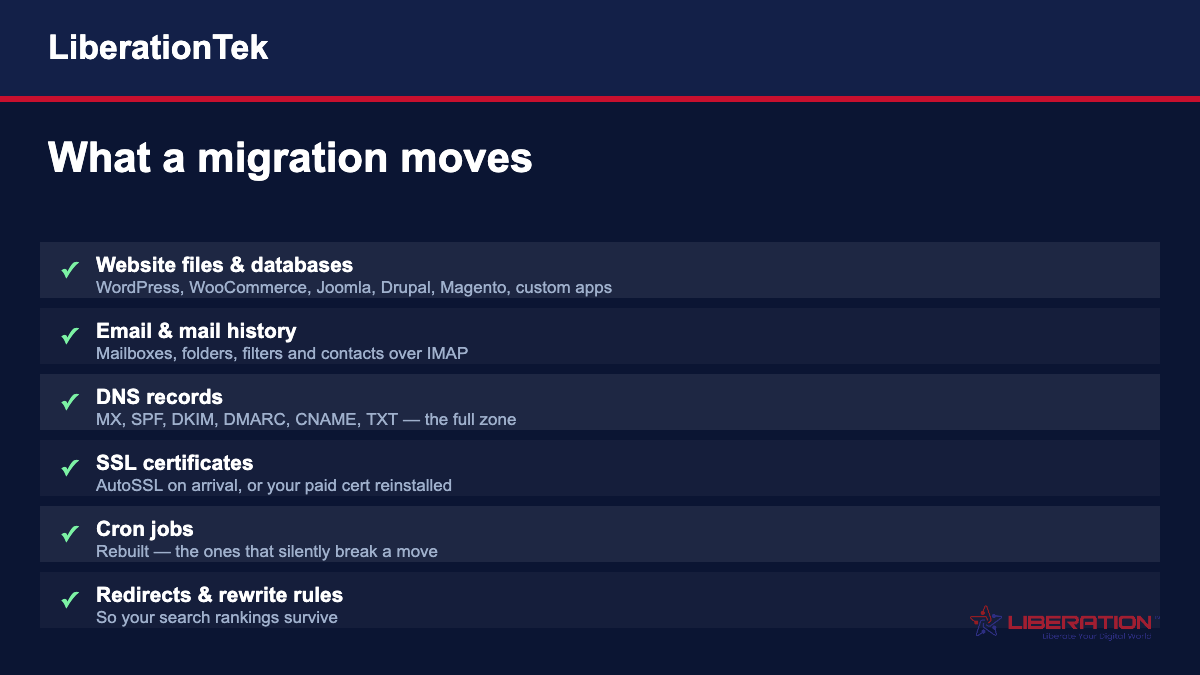
The pieces that have to move together for a switch to be invisible to your customers. Anything unusual in your stack is flagged in the review before we begin, rather than discovered halfway through.






What actually goes wrong in a website migration
Migrations have a bad reputation, and it is earned. But the failures are not random — they are the same five things, every time.
1. Somebody cancelled the old plan first
This is the big one. The old host is cancelled to save a month, the move hits a snag, and now there is no working copy of the site anywhere and no way back.
Keep the old plan until the new one is proven. It costs one more month and removes the entire category of disaster.
2. The DNS zone was not copied, only the A record
A website has one A record and a company has a dozen other records doing quiet, essential work. MX for mail. SPF, DKIM and DMARC for whether that mail is believed. CNAMEs for your help desk, your booking tool, your email marketing platform.
Move the A record alone and the site comes up fine. Mail stops two hours later, and nobody connects the two events.
3. The URL structure changed
If the new platform produces different URLs and nothing redirects the old ones, every link anyone has ever made to you now lands on a 404, and search engines drop the pages.
Redirects and rewrite rules have to move with the site. That is the difference between a migration and a relaunch.
4. Email was redirected rather than moved
Forwarding mail to a new address is not a migration. The history stays behind, the folder structure stays behind, and the day someone needs a three-year-old invoice, it is on a server nobody pays for any more.
Mailboxes transfer over IMAP with their folders and history intact, and the MX cutover happens at a quiet time.
5. Nobody watched the first two days
Most migration problems do not appear at the moment of switching. They appear when the first contact form is submitted, the first scheduled task is due to run, or the first customer replies to an order confirmation.
That is why we monitor the first 48 hours rather than declaring it done when the homepage loads.
What we will tell you honestly
Two things, before you pay anything.
Wix and Squarespace sites cannot be migrated. Neither platform offers an export that recreates a working site elsewhere. That is a deliberate product decision on their part, not a technical accident, and it is the clearest argument there is for owning your platform. What we can do is rebuild on WordPress, carrying your content, images and structure across, and quote it as a build rather than pretending it is a transfer.
Sometimes you should stay where you are. If your current host is working, your renewal is fair, and nothing about the arrangement bothers you, moving is churn rather than progress. We will say so. We would rather have the conversation than the cancellation three months later.
Moving email without a bad morning
Email migrations deserve their own paragraph because they are the ones people remember.
The order is what matters. Create the new mailboxes first. Transfer the mail into them over IMAP, with folders and history, while the old server still receives everything. Only then change the MX records, at an hour when almost nobody is sending.
Done that way, the worst case is a message arriving in the old mailbox during the cutover window, which we collect afterwards. Done in the wrong order, mail bounces and senders get a delivery failure with your company name on it.
What to have ready before you contact us
None of this is required, but having it to hand turns a two-day back-and-forth into a single conversation.
Who your current host is, and what plan you are on. The renewal date matters too — it tells us how much runway we have and whether you are about to pay into another term unnecessarily.
How many websites are on the account. Not just the main one. Old microsites, a staging copy someone made in 2022, a landing page for a campaign that ended — these turn up constantly and each one is a decision about whether it moves or gets retired.
Where your domain is registered. Often it is not the same company as your host, and surprisingly often nobody currently at the business knows the login. Finding that out now is much better than finding it out on cutover day.
How many mailboxes there are and where they live. Including the shared ones. The info@ and accounts@ addresses that three people check are the ones most likely to be forgotten and most painful to lose.
Anything custom. A booking system, a members area, a payment integration, a plugin somebody had built. Custom work is not a problem; custom work nobody mentioned until it broke is a problem.
Who needs to approve the switch. Migrations stall far more often on someone being unreachable than on anything technical.
If you do not have all of it, send what you have. Part of the review is working out the rest, and we would rather start the conversation than wait for a perfect inventory that never gets compiled.
What it costs
Migration is free on most plans. We review what you are running and confirm the scope in writing before anything starts.
Larger accounts, unusual stacks and platform rebuilds are quoted individually — not to add a fee, but because pretending a forty-site account is the same job as a brochure site is how migrations end badly for both sides.
Send us your current host, roughly how many sites and mailboxes you have, and anything you already know is odd about the setup. We will come back with the scope, the timing and the honest answer about whether it is worth doing.
Related pages: Transfer your website · Transfer your email · Switching providers · Shared Cloud hosting · VPS hosting · Dedicated Cloud · Reseller hosting · Liberation Email · All comparisons
Migration scope, timing and pricing are confirmed in writing after our review and before any work begins. Free migration applies to most plans; complex moves and platform rebuilds are quoted individually.
What a migration actually involves
Most of a migration is not copying files. Copying files is an afternoon. The work is the inventory beforehand and the verification afterwards: finding every mailbox, every DNS record, every scheduled task, every redirect and every separately renewing add-on — then proving each one still works on the other side.
The things that go wrong are remarkably consistent. Mail stops arriving because a forwarding rule nobody documented was doing real work. A subdomain goes dark because its record pointed at a third-party tool. A decade of redirects disappears with an .htaccess file, taking search rankings with it. A domain cannot transfer for sixty days because somebody updated the registrant contact first. None of these are exotic, and all of them are avoided by looking before moving.
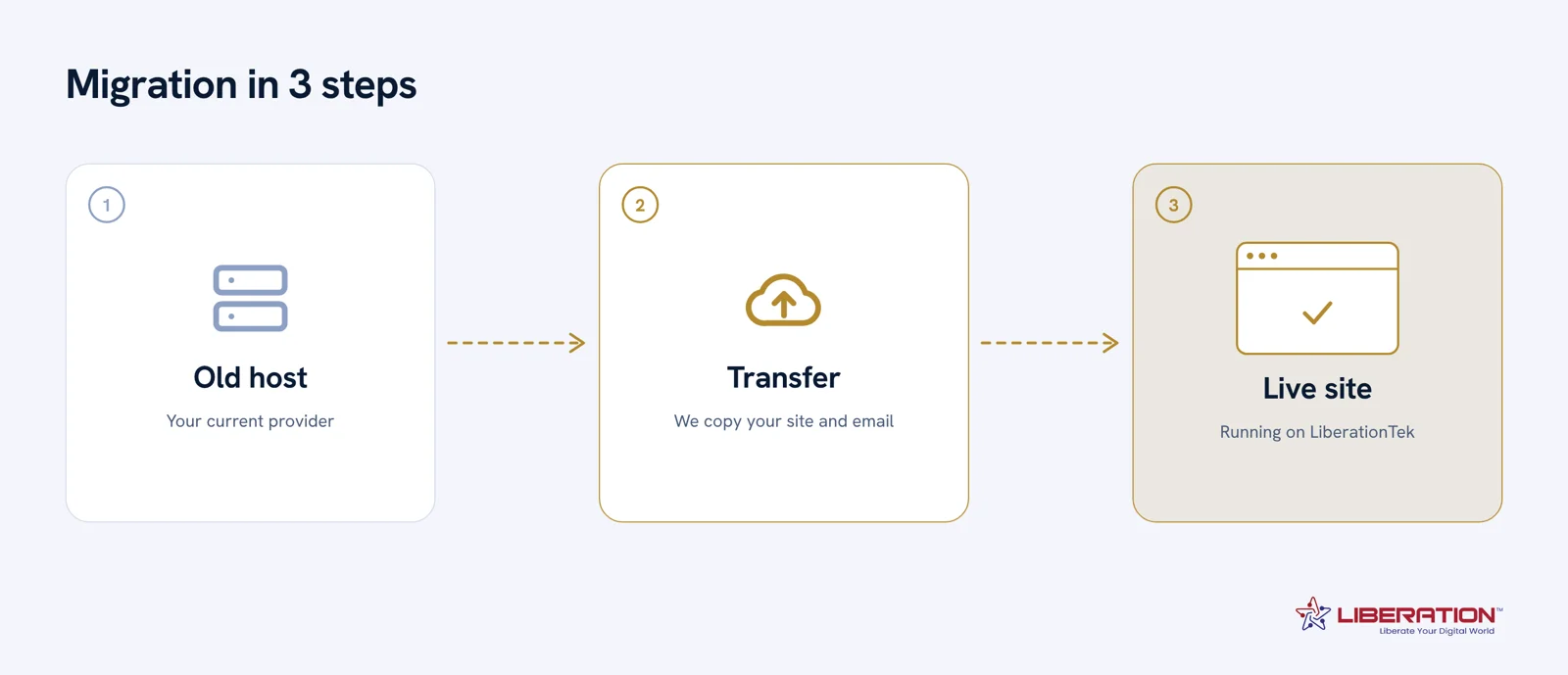
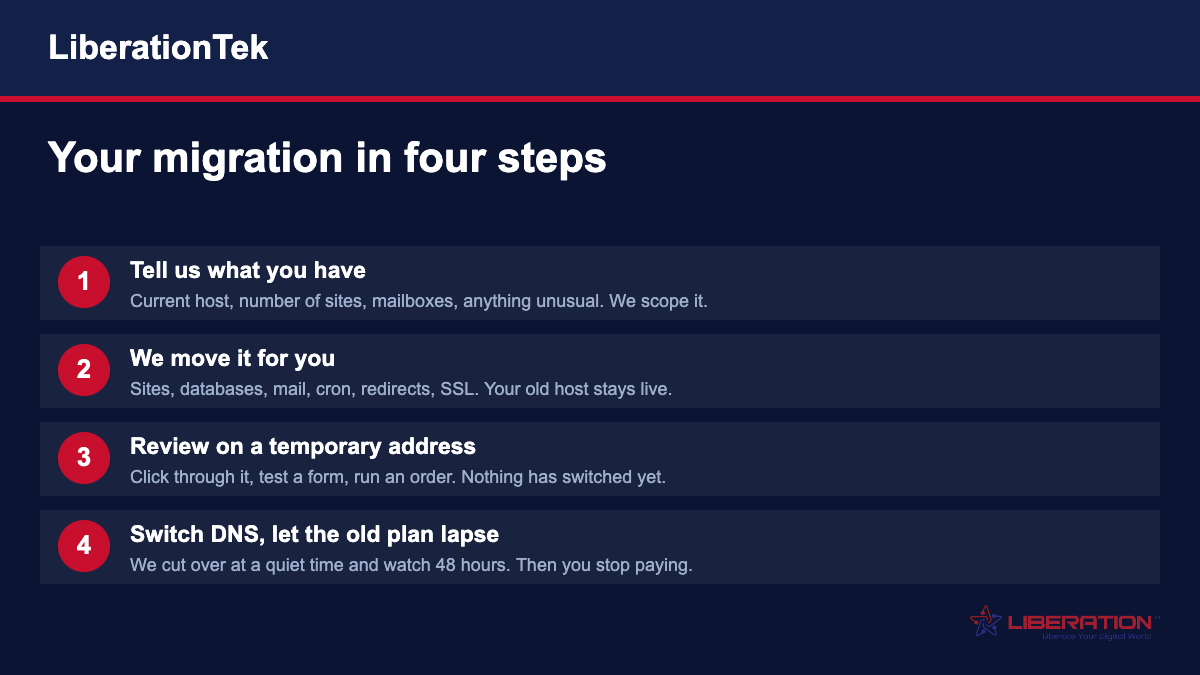
So the sequence matters more than the speed. We stand your site up on our side and test it on a temporary address while your current site carries on serving. Mailboxes are copied while the old server still accepts mail, so nothing falls into the gap. DNS timings come down a day ahead. The switch happens at a time you choose, and the old account stays live until the new one is confirmed working.
Website Migration is included with hosting, email and Hub plans. If you are not on a plan, or you want a one-off move, it is $250 and covers the site and the mailbox move. Where a platform cannot be migrated at all — Wix and Squarespace sites cannot be exported and run elsewhere — the work is a rebuild, quoted on what the site contains rather than at the flat rate. We will tell you which case you are in before you commit to anything.
Book a call and bring whatever you know: the current provider, roughly how many mailboxes, and your renewal date if you have one. You will get a written plan with the order of operations and a price. If the honest answer is that you should wait until a paid term expires, we will say so rather than invoice you sooner.
When you compare migration services options, ask for a written scope, a fixed price, and a clear timeline before any work starts. Good migration services providers explain each step in plain language and tell you what could go wrong before it does. A reliable migration services plan includes testing, a rollback option, and a named person you can call.
Many small teams choose migration services because it saves hours of troubleshooting and keeps their data in U.S. hands. Before you commit to migration services, confirm who owns the accounts, where the data lives, and how support is handled. The best migration services results come from careful planning, honest pricing, and steady communication.
If your current setup is slow or hard to manage, migration services from a U.S.-owned provider can be a simple fix. Ask how migration services will affect your website, your email, and your daily workflow, then plan for a quiet cutover. Our team treats migration services as a service you should never have to think about once it is done.
Transparent pricing is the first sign of trustworthy migration services; hidden fees are the first sign to walk away. When you compare migration services options, ask for a written scope, a fixed price, and a clear timeline before any work starts. Good migration services providers explain each step in plain language and tell you what could go wrong before it does.
A reliable migration services plan includes testing, a rollback option, and a named person you can call. Many small teams choose migration services because it saves hours of troubleshooting and keeps their data in U.S. hands. Before you commit to migration services, confirm who owns the accounts, where the data lives, and how support is handled.
The best migration services results come from careful planning, honest pricing, and steady communication. If your current setup is slow or hard to manage, migration services from a U.S.-owned provider can be a simple fix. Ask how migration services will affect your website, your email, and your daily workflow, then plan for a quiet cutover.
Our team treats migration services as a service you should never have to think about once it is done. Transparent pricing is the first sign of trustworthy migration services; hidden fees are the first sign to walk away. When you compare migration services options, ask for a written scope, a fixed price, and a clear timeline before any work starts.
Good migration services providers explain each step in plain language and tell you what could go wrong before it does. A reliable migration services plan includes testing, a rollback option, and a named person you can call. Many small teams choose migration services because it saves hours of troubleshooting and keeps their data in U.S. hands.
Before you commit to migration services, confirm who owns the accounts, where the data lives, and how support is handled. The best migration services results come from careful planning, honest pricing, and steady communication. If your current setup is slow or hard to manage, migration services from a U.S.-owned provider can be a simple fix.