Ditch Microsoft & Google Today!
We handle each step so you can keep working.
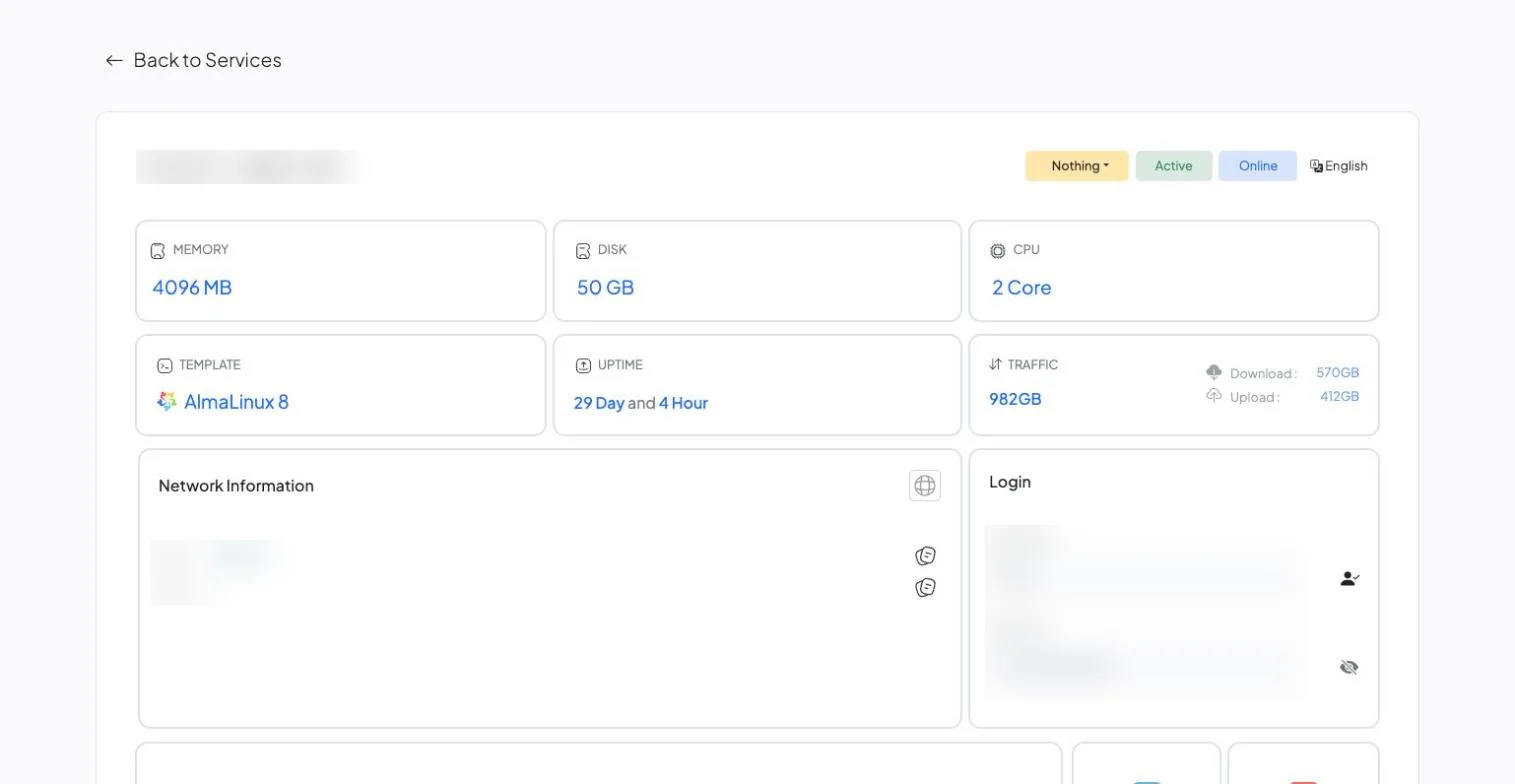
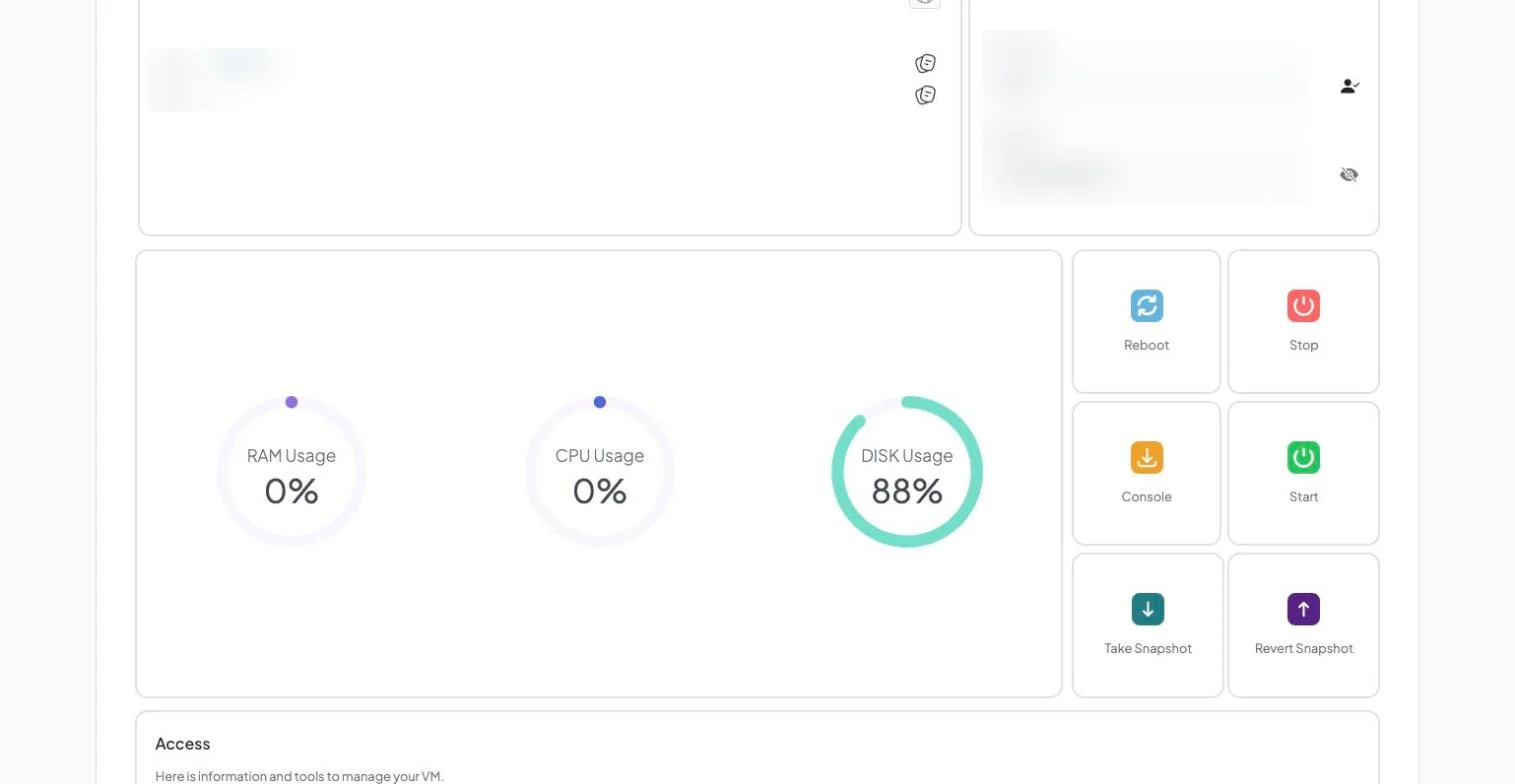
See resources and usage at a glance, then reboot, open a console or take a snapshot with one click.
Vultr instances are entirely self-managed — root access, no control panel, and no managed-service tier to buy. Moving to LiberationTek means moving everything on that instance (sites, databases, users, cron jobs, SSL, mail) to a fully managed VPS with a cPanel/WHM license, daily backups and U.S.-based support already included in the price. The move happens as one free migration, handled by a person on our team rather than a self-service import tool.
If you plan to move from Vultr, take an inventory of the instance first: web roots, databases, cron jobs, installed packages, firewall rules and any services listening on custom ports. Because the server is self-managed, much of its configuration lives only in your head or in shell history, and writing it down before the move saves a lot of guessing afterward. Lower your DNS TTL a day or two ahead so the cutover propagates quickly.
Our VPS web hosting is managed with cPanel, and the cPanel documentation covers its migration tools. If the instance runs WordPress, our guide on migrating WordPress yourself or hiring help helps you decide how much to hand off.
Teams that move from Vultr usually want to know three things: what moves, in what order, and when the old account can be closed. The graphic below summarizes the process, and the same steps are explained in more detail further down this page.
If you are weighing whether to move from Vultr now or wait, the timing is yours to choose. You can move from Vultr in one window or in stages, and the old account stays live until you confirm the new one works for everyone.
People who move from Vultr often ask about cost first. Our migration team walks through the plan with you before anything starts, so you know what it takes to move from Vultr before you commit.
Some questions come up on almost every move from Vultr. Can we move from Vultr without downtime? Yes, because the old account stays live until the cutover. How long does it take to move from Vultr? We confirm the timeline with you before anything starts. Will we lose anything when we move from Vultr? We confirm what moves before we begin, and anything that cannot move is listed up front.
If you would rather talk it through, tell us what you use today and we will explain what it takes to move from Vultr for your team.

Most single-server migrations complete within a few business days of you approving the plan, with a scheduled cutover window so there’s no unexpected downtime.
Your Vultr instance stays live and untouched while we build the copy on your new Liberation VPS.
The migrated copy is checked against the live instance — sites, databases, cron jobs, mail — before anything is pointed at it.
DNS changes happen at a time you choose, and we monitor for propagation issues after the switch.
You keep root and SSH access on your new server — the difference is you’re not the only one responsible when something breaks.
The most common reason: there’s no managed tier at all, by design — Vultr’s own FAQ describes instances as “entirely self-managed.” A 16 GB instance lists at $80/mo; add a cPanel license ($45.99) and automatic backups (about 20% of the instance price), and you’re at roughly $141.99/mo and still the system administrator. See the full price comparison on our Vultr Alternative page if that’s what’s driving the move.
All sites, databases, users, cron jobs and SSL certificates on your instance move as part of the migration, matched to your existing setup.
You keep root and SSH access on every Liberation VPS plan, so you can still install and configure what you need. The difference is you’re not alone with it when something breaks — that’s already in the price.
You can keep your domain registered wherever it is now and just point it at us, or transfer registration too — either works.
Starting prices, billed monthly. Migration itself is free regardless of which plan you choose.
Starting prices, billed monthly unless noted. Anything larger gets a written quote.
The migrated copy is checked against the live instance — sites, databases, cron jobs, mail — before anything is pointed at it.
DNS changes happen at a time you choose, and we monitor for propagation issues after the switch.
You keep root and SSH access — what changes is that you’re not the only one responsible when something breaks. See the full Vultr vs. Liberation comparison →


Book a call and tell us what you’re running — we’ll give you a migration timeline and a written quote, no obligation.
A Vultr instance is straightforward to copy and easy to under-plan, because a surprising amount of how it works is not on the server at all. The firewall is often a Vultr cloud firewall rather than rules inside the operating system. DNS may be hosted in their panel. Snapshots and automatic backups live at the account level. None of that comes with a disk image, and all of it is load-bearing.
The firewall is the one that causes an outage. If access rules are enforced at the platform layer and the new server has only whatever happens to be configured on the disk, you either expose something you did not mean to or block something you needed. Those rules get read out of the panel and rebuilt explicitly, before cutover rather than during it.
Region deserves a look as well. Cheap instances are available in a lot of places, and plenty of servers ended up in whichever region was selected first rather than the one nearest the customers. If the site feels sluggish and nothing has changed, measure that before buying more CPU.
Then the recurring question with any unmanaged cloud server: who patches it. Vultr keeps the hypervisor healthy and nothing above it. Operating system updates, PHP and database versions, certificate renewal and restorable backups are yours — and on an instance built once by someone who has since moved on, they tend to be nobody’s.
How we handle it: we read the cloud firewall rules and DNS zone out of the panel, audit what is running on the instance, and tell you whether you want managed hosting, a managed VPS with patching included, or the same arrangement rebuilt properly. Then we migrate, test on a temporary address, and cut over. Website Migration is included with hosting, email and Hub plans. If you are not on a plan, or you want a one-off move, it is $250. Book a call and we will start with the panel.
Don’t like managing? We offer managed services for hosting, ecommerce, web sites, and more.
Liberating Your Digital World Is Our Passion
Liberation’s global edge network provides enhanced performance & security.
Stay informed on the latest tech news, new products, promotions, & more!