Ditch Microsoft & Google Today!

Move From Mailchimp To Liberation Campaign

A person sets up your Liberation Campaign account, imports your subscriber lists and templates, and schedules the cutover around your schedule, not ours.

How the move from Mailchimp works

We handle each step so you can keep working.

Your Mailchimp lists
Import contacts
Recreate templates
Send your first campaign

Bring your subscribers with you

Import your list from a CSV file or straight from a database. We can run the move for you.
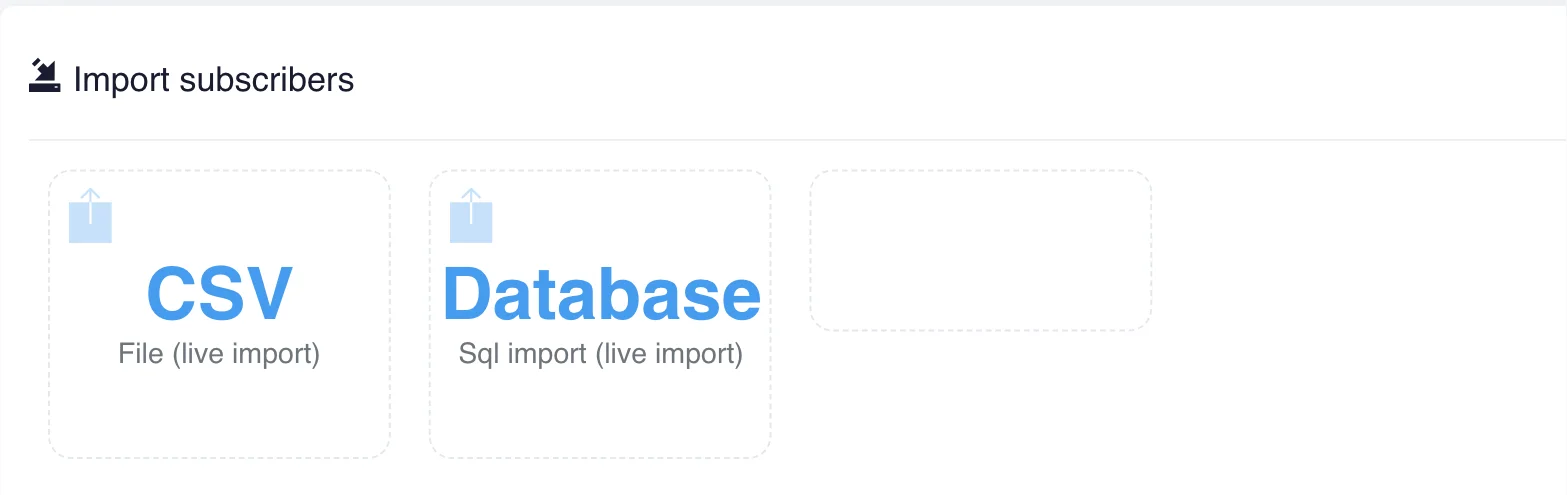
Liberation Campaign list import with CSV and database options

The short answer

Moving off Mailchimp means moving your subscriber lists, segments, campaign templates and automations into Liberation Campaign — billed by emails sent, not by how many contacts you happen to be storing.

If you plan to move from Mailchimp, start by exporting your subscriber lists and confirming that each contact has a record of how and when they opted in. That record matters for deliverability and for compliance with rules such as the FTC CAN-SPAM guidance. This is general information and not legal advice.

Once the lists are across, see how our email marketing platform handles sending, and read our guide on how to write a newsletter people open. A short test send to your own address before the cutover catches broken links and template problems early.

Teams that move from Mailchimp usually want to know three things: what moves, in what order, and when the old account can be closed. The graphic below summarizes the process, and the same steps are explained in more detail further down this page.

Move from Mailchimp to Liberation Campaign: what is included in the migration, from setup to cutover

If you are weighing whether to move from Mailchimp now or wait, the timing is yours to choose. You can move from Mailchimp in one window or in stages, and the old account stays live until you confirm the new one works for everyone.

People who move from Mailchimp often ask about cost first. Our migration team walks through the plan with you before anything starts, so you know what it takes to move from Mailchimp before you commit.

Some questions come up on almost every move from Mailchimp. Can we move from Mailchimp without downtime? Yes, because the old account stays live until the cutover. How long does it take to move from Mailchimp? We confirm the timeline with you before anything starts. Will we lose anything when we move from Mailchimp? We confirm what moves before we begin, and anything that cannot move is listed up front.

If you would rather talk it through, tell us what you use today and we will explain what it takes to move from Mailchimp for your team.

Most account migrations complete within a few business days of you approving the plan, with a scheduled cutover window so there’s no unexpected gap in sending.

What actually happens

We build your account first

Your Mailchimp account stays live and untouched while we build and configure your new Liberation Campaign account.

We import your lists and templates

Subscriber lists, segments and tags export from Mailchimp’s own tools and import into Liberation Campaign; campaign templates are rebuilt to match your existing designs.

We schedule the cutover with you

You pick the day you switch sending over, and we’re online while you send your first campaign.

There’s no dual system to manage during the transition — once your account is ready and you’ve sent a test campaign, your Mailchimp subscription can be downgraded or canceled on your schedule.

Why people leave Mailchimp

The most common reason: Mailchimp on the higher tiers bills by contacts stored, not emails sent — so a large list you rarely email still costs the same every month, and there’s no way to drop the bill in a quiet month. See the full Mailchimp vs. Liberation Campaign comparison →

What moves, what doesn't have to

Subscriber lists & segments

Lists, segments and tags export from Mailchimp’s audience tools and import into Liberation Campaign, so your targeting carries over.

Campaign templates

Your existing email designs are rebuilt to match in Liberation Campaign’s editor, so your campaigns look the same to subscribers.

Automations & forms

We recreate your sign-up forms and automated sequences (welcome emails, abandoned-cart reminders, etc.) so they keep running after the switch.

Priced the way a business buys

Starting prices, billed by emails sent. Migration itself is free regardless of which tier you choose.

What It Costs

Starting prices, billed monthly unless noted. Anything larger gets a written quote.

Step-by-step: export your Mailchimp data and switch your sending over

Export your Mailchimp data

  1. In Mailchimp, export your audience from Audience → All contacts → Export Audience, and note any automations or forms you rely on.
  2. Send us the export along with a list of the automations and templates you want rebuilt.
  3. We build your Liberation Campaign account: lists imported, templates recreated, and forms/automations rebuilt to match.
  4. We test with a sample send, then schedule the cutover for a time that works for you.

We test before you send

We send a test campaign through your new Liberation Campaign account and check it against your live Mailchimp setup before anything real goes out.

We schedule the cutover with you

You pick the day you switch sending over, and we’re online for your first live campaign.

Your old Mailchimp account stays intact until you’re ready to downgrade or close it out yourself.

See the full Mailchimp vs. Liberation Campaign comparison →

Where your campaigns land

Lists, templates and results in one dashboard.
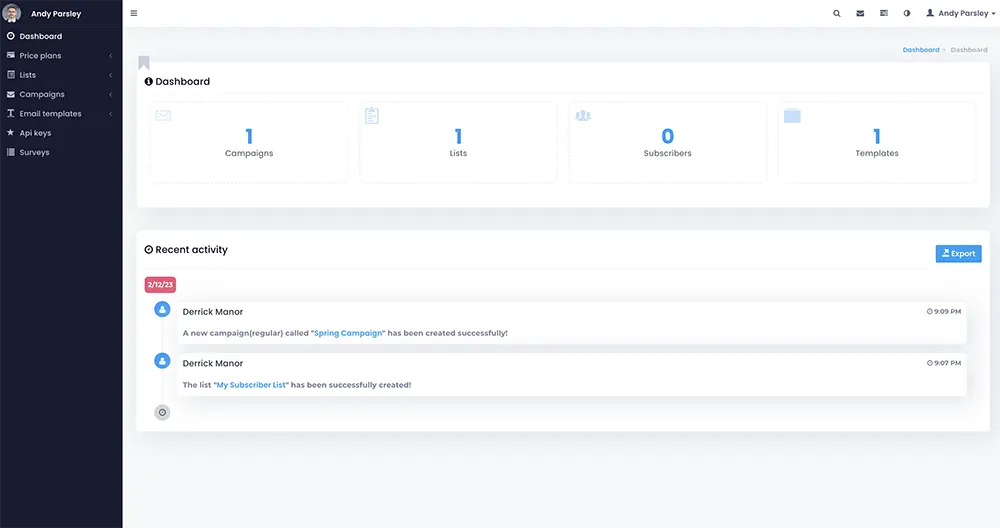
Move from Mailchimp: Liberation Campaign dashboard
Liberation Campaign
ListsTemplatesReports

Common questions

No. Mailchimp’s own audience export includes your full contact list, segments and tags, and we import that directly into Liberation Campaign.
We rebuild your existing automations (welcome series, abandoned-cart reminders, etc.) and sign-up forms in Liberation Campaign before the cutover, so they keep running.
Yes. We rebuild your campaign templates to match your existing designs in Liberation Campaign’s editor before you send anything live.
Yes — migration is included with any plan switch, no setup fee and no surprise line on the first invoice.

Ready to leave Mailchimp?

Book a call and tell us about your list size and sending habits — we’ll give you a migration timeline and a written quote, no obligation.

What actually makes leaving Mailchimp hard

Your list exports in a minute. Your sending reputation does not. That is the single most important thing to understand about changing email platforms: receiving servers have learned to trust mail arriving from Mailchimp’s infrastructure, and when the same campaigns start going out from somewhere new, that trust begins at zero. The first few sends are the risky ones, and the fix is process rather than technology.

That process is warm-up. Start with your most engaged recipients, send modest volumes, build up over a couple of weeks, and watch bounce and complaint rates as you go. Importing thirty thousand addresses and sending to all of them on day one is precisely how a new sending setup gets itself filtered, and it is entirely avoidable.

Which makes list hygiene the real opportunity here. Most long-running lists contain a sizeable fraction of addresses that have not opened anything in two years, plus role accounts and some that no longer exist at all. Those non-openers are exactly what teaches a receiving server that your mail is unwanted. Changing platforms is the natural moment to stop sending to them, and doing so usually improves your results immediately.

Check what else is wired in before picking a date. Signup forms embedded on your website, a store integration syncing customers, automations sending welcome or abandoned-cart sequences, and landing pages hosted on the platform all stop when the account does. The hosted landing pages are the ones people miss, because there are real links out in the world pointing at them.

How we handle it: we export your lists with engagement data, segment for a staged warm-up rather than a mass first send, publish SPF, DKIM and DMARC on your domain so your mail is authenticated from the start, rebuild the signup forms and the automations that matter, and redirect anything that was hosted on the old platform. Liberation Campaign handles the sending. Book a call with your list size and we will plan the ramp.

Custom Solutions

Take your business to the next level with Liberation's full suite of services & solutions.

Custom Management

Don’t like managing? We offer managed services for hosting, ecommerce, web sites, and more.

Custom Websites

We build custom, professional websites for small to large organizations. 

Custom Apps

Our team of expert developers can design custom applications for a wide variety of purposes.

Payment Processing

Cancel-Free payment processing for a variety of industries and custom solutions.

Expert Consulting

Liberation offers consulting on strategy, infrastructure, e-commerce, and more.

Custom Ecommerce

We customize your e-commerce to fit your business needs and goals for maximum profits.

Our Promise Of Digital Independence

Liberating Your Digital World Is Our Passion

LiberationTek global edge network map

Global Edge Network

Liberation’s global edge network provides enhanced performance & security.

Population Reach
90 %
Countries
90 +
Networks
2500 +

Freedom Tech News

Stay informed on the latest tech news, new products, promotions, & more!

Ready For Digital Liberation?