Project Management Software
Project Management Software for Small Teams
Good project management software answers three questions without a meeting: who owns this, when is it due, and where did we talk about it? Hub for Teams includes a Project Manager in the Teams+ plan, alongside team chat and custom workflows, for $9.75 per user per month. This page explains what that covers, how to judge any project management software for a small team, and how to roll one out so it actually gets used.
What project management software should do for a small team
A small team does not need every feature of enterprise project management software. It needs a shared list of work, a clear owner for each item, and a way to see what is slipping. Everything else is a bonus. When people compare project management tools, they often get pulled toward long feature lists and forget the daily question: will my team open this on a busy Tuesday?
The core jobs of project management software are simple:
Capture the work.
Every task, request and deliverable lives in one place instead of in inboxes and sticky notes.
Assign ownership.
Each item has one named person responsible for it.
Show status.
Anyone can see what is not started, in progress, blocked or done.
Keep the conversation attached.
Questions and decisions sit next to the task they are about.
The Project Management Institute publishes general guidance on the discipline, and you can start at pmi.org if you want a wider view of project practice beyond software.
What the Hub Project Manager covers
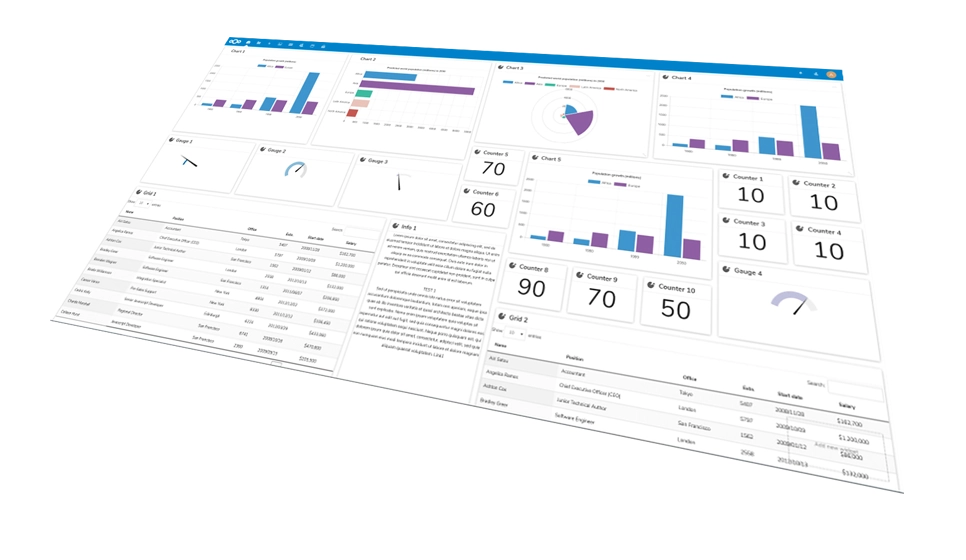
Hub's Project Manager is the project management software inside the Teams+ plan, built for large and small projects. According to the Hub feature list, it covers tracking, custom permissions, file editing and analytics. In practice that means one place for your project management tools, your files and your team's discussion, instead of three separate logins.
Tracking.
Keep tabs on tasks and progress across projects.
Custom permissions.
Decide who on the team can see and change what.
File editing.
Work on project files without leaving the workspace.
Analytics.
See how work is moving so you can spot stalls early.
The Teams+ plan also adds team chat and custom workflows on top of the Starter features. Hub lists discussions, live whiteboarding and automated workflows among its group collaboration tools, so planning, talking and tracking can happen in the same workspace.
Task management software versus a full project management system
People use the two terms loosely, but the difference is useful when you are deciding what to buy. Task management software is about individual items: a to-do, an assignee, a due date. A project management system wraps those tasks in a bigger structure: a goal, a group of people, a set of files, permissions and some way to report on progress.
If your work is mostly small, repeatable requests, simple task management software may be all you need. If you deliver client projects, run campaigns, or coordinate several people over weeks, you will want the extra structure: shared files, access control and a view of how the whole project is going. Hub's Project Manager sits closer to the second category, and because it lives in the same workspace as chat, calendar and email, it also doubles as everyday task management software for the team.
How the Hub for Teams plans fit a small team
Hub for Teams has three plans, billed per user per month:
Teams Starter, $7.49.
Mailbox, file storage, calendar, appointment scheduling, contact management and an office suite. The Project Manager is not listed.
Teams+, $9.75.
Everything in Starter, plus 15GB of file storage, team chat, the Project Manager and custom workflows.
Teams+ Talk, $14.95.
Adds video conferencing, screen sharing and individual and group chat. See our page on video conferencing.
If you only need tracking and chat, Teams+ is the plan to look at. Teams of one to nine accounts run on Liberation's shared platform with your organization in its own isolated workspace. Teams of ten or more run in a private cloud environment reserved for you. Our team collaboration tools page shows how these pieces fit together.
Questions to ask before choosing project management software
Whether you pick Hub or something else, put these questions to every project management software vendor on your list. They apply to any project management software, free or paid:
Step 1
Who will use it every day, and will they need training or can they start on their own?
Step 2
Can I control who sees which project, so a contractor sees only their own work?
Step 3
Are files, chat and tasks in one place, or do I need extra subscriptions?
Step 4
Who owns the platform, and where is my data stored?
Step 5
What does it cost per user, and what happens to the price as the team grows?
Step 6
Can I get my data out if I leave?
Our own answers for Hub are on this page: per-user pricing is published, permissions are custom, and Liberation states that Hub data is encrypted, never shared and never leaves its US-based network. We would rather you ask a hard question now than discover the answer after you have moved forty projects.
Common mistakes with project management software
Most failed rollouts of project management software follow the same pattern, and none of them are about missing features.
Too much setup.
A team spends two weeks building templates and labels, then nobody uses them. Start with a handful of statuses.
No single source of truth.
Tasks still arrive by email and text, so the tool is always out of date. Decide that if it is not in the tool, it is not assigned.
Unclear ownership.
Tasks with two owners have no owner. Assign one person, and let others contribute.
Test projects.
A fake project teaches nothing. Run something real, however small.
Skipping permissions.
Opening everything to everyone is easy on day one and awkward by month six.
Project management software: talk to an engineer.
Start your 30-day free project management trialHow to set up your first project
You can have a working project in an afternoon. This is a sensible order of operations whichever project management software you use, and it works the same way in Hub's Project Manager:
Step 1
Write the goal of the project in one sentence and name one person accountable for it.
Step 2
List the deliverables, then break each into tasks small enough to finish in a few days.
Step 3
Give every task an owner and a date. If you cannot, the task is not ready.
Step 4
Set permissions so each person sees what they need and nothing more.
Step 5
Move the project conversation into team chat so decisions sit next to the work.
Step 6
Review progress weekly, using tracking and analytics to see what is stalled.
After a month, ask the team what they stopped doing because of the project management software, and what they still do outside it. That list tells you what to fix.
Reporting and review: using the data your project management software collects
Tracking only pays off if someone looks at it. Pick a regular slot, weekly for most small teams, and review the same three things every time: what is overdue, what is blocked, and what is finished. Hub lists analytics as part of the Project Manager, which gives you a way to see how work is moving rather than relying on memory. Keep the review short, ten or fifteen minutes, and end it with decisions: who picks up the blocked item, what gets postponed, and what is dropped.
Avoid measuring activity instead of outcomes. A task list with fifty items closed is not evidence of a good week if the three that mattered are still open. Use your project management software to highlight the few items that decide whether the project lands, and treat the rest as supporting work.
Permissions and client work in a project management system
If you bring contractors, clients or part-time staff into projects, access control is the feature that deserves the most thought. A good project management system lets you separate what a person needs from what they could technically reach. Hub lists custom permissions as part of its Project Manager. Before you invite anyone, write down three groups: people who manage the project, people who contribute to it, and people who only need to see progress. Then match each group to a permission level and apply it consistently.
Review those permissions when a project ends and when someone leaves. Removing access at the end of an engagement is a simple habit, and it is easier when each person has their own login rather than a shared one. Our guide on optimizing team collaboration tools for security and privacy goes into this further.
Where project management software fits with the rest of Hub
Project work rarely lives alone. Deadlines belong on a calendar, documents need storage, and questions need chat. Because Hub bundles these with a professional mailbox and an office suite, a task can point to the file, the file lives in shared storage, and the discussion happens in team chat. For the storage side, read our page on secure file sharing. For live conversations, Teams+ Talk adds video meetings.
This is the practical argument for all-in-one project management software and an all-in-one project management system: fewer places to look and fewer accounts to remove when someone leaves. It is not the right answer for every team, and a dedicated board tool may suit a team that lives in boards all day. Our comparisons with Trello and Asana and Monday set out the trade-offs in principle, and you should check each provider's current plans on its own site.
Who this project management software suits, and who it may not
Hub's Project Manager suits small businesses, agencies, consultancies, nonprofits and churches that want tasks, files, chat, calendar and email under one login and a provider that answers the phone. It is a good fit when you are tired of paying for overlapping subscriptions. It may be less suited to a team that needs highly specialized project management software for a single industry, such as construction scheduling or large portfolio reporting. If you are unsure, tell us what you manage and we will say honestly whether Hub fits.
Further reading on project management tools
We have written several plain-language guides, including dynamic project management tools for small teams, the best project management tools and why project management tools are important. If you are weighing project management software against the apps you pay for today, you can see what consolidating might save by trying the Email and Collaboration Savings Calculator. If you want help moving existing projects into Hub, contact us.
Project Management Software FAQs
Which Hub for Teams plan includes the Project Manager?
The Project Manager is listed in the Teams+ plan at $9.75 per user per month. Teams+ also includes team chat, custom workflows and 15GB of file storage. The Starter plan at $7.49 covers mailbox, calendar, contacts and an office suite but does not list the Project Manager. Check the plan details on the Hub page before you buy.
Is there a free trial?
Yes. Hub for Teams offers a 30-day free trial. That is long enough to run a real project through the Project Manager and team chat, invite your colleagues and see whether it fits how your team works before you commit to a paid plan.
Can I control who sees what in a project?
Hub lists custom permissions as part of its Project Manager, so you can set access per person. Hub describes this alongside tracking, file editing and analytics. Work out who needs access to which projects before you invite people, and adjust as the team grows.
How many people can use Hub for Teams?
Personal plans cover one to nine accounts on the shared platform, where each organization gets its own isolated workspace. Business plans cover ten or more accounts in a private cloud environment. Per-user pricing is the same for both: $7.49, $9.75 or $14.95 per user per month depending on plan.
Where is my project data kept?
Liberation says Hub data is encrypted, never shared and never leaves its US-based network. Liberation also states that it is a US-owned and based company. If you handle regulated or client data, ask us about your specific requirements through the contact page.
What should I look for in project management software for a small team?
Look for clear task ownership, due dates, status you can see at a glance, file access and chat attached to the work, and permissions that let you control who sees which project. Also check the per-user price at your team size, who owns the platform and whether you can export your data if you leave.
Is task management software the same as a project management system?
Not exactly. Task management software tracks individual items, with an owner and a due date. A project management system adds structure around those tasks: goals, shared files, permissions, discussion and progress reporting. Hub’s Project Manager lists tracking, custom permissions, file editing and analytics, so it covers both uses for a small team.
What Our Customers Say
★★★★★ Rated 4.9/5 on Google and 4.7/5 on Trustpilot
Related Services
Our Promise Of Digital Independence
Liberating Your Digital World Is Our Passion
- U.S.A. owned and based
- We own and control our entire platform
- More security to protect your data
- No Censorship Guarantee
- 100% data ownership
- Your data is NEVER shared
Liberation News






LTS News

Global Edge Network
Liberation’s global edge network provides enhanced performance & security.
Freedom Tech News
Stay informed on the latest tech news, new products, promotions, & more!