
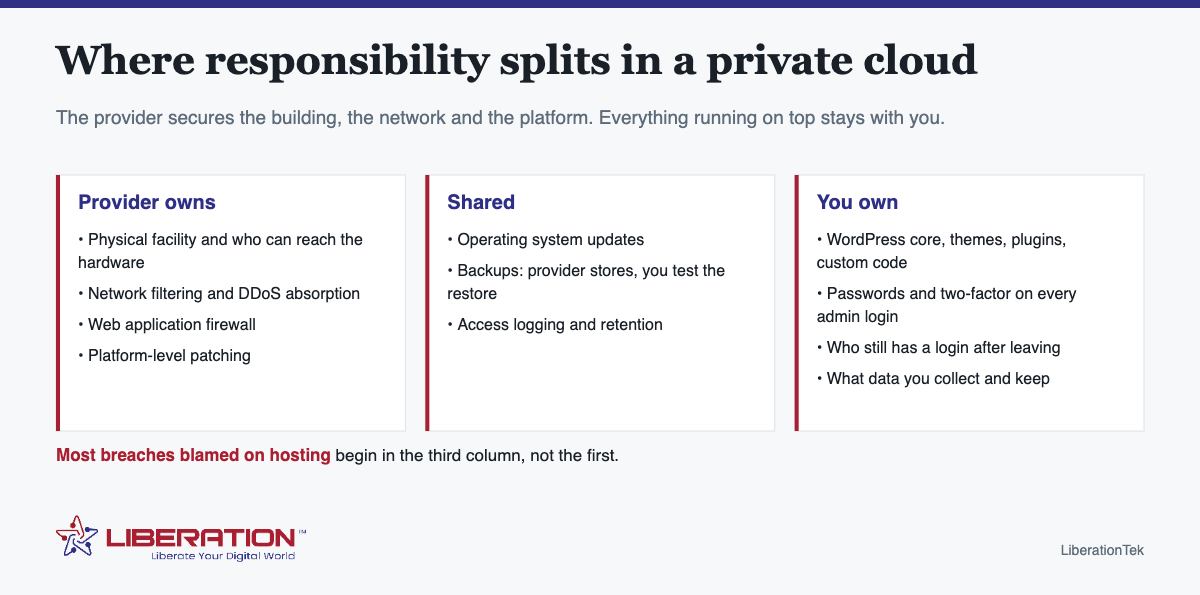
Private cloud security solutions split in two. The provider is responsible for the building, the network, the platform and the firewalls in front of it. You are responsible for the applications, the accounts and the data running on top. Almost every breach that gets blamed on hosting actually happened in the second half – an out-of-date plugin, a reused password, a login without two-factor.
Knowing exactly where the line sits is the difference between being protected and assuming you are.
How private cloud security solutions divide responsibility
| Layer | Who owns it | What that means in practice |
|---|---|---|
| Physical facility | Provider | Who can walk up to the hardware, and what stops them |
| Network | Provider | Filtering, DDoS absorption, segmentation between customers |
| Web application firewall | Provider | Blocks known attack patterns before they reach your site |
| Operating system patches | Shared | Platform-level on managed plans; yours on an unmanaged server |
| Your application | You | WordPress core, themes, plugins, custom code |
| Accounts and access | You | Passwords, two-factor, who still has a login after leaving |
| Your data | You | What you collect, how long you keep it, who can export it |
| Backups | Shared | Provider stores them; you are the one who must test a restore |
Read that table against any hosting provider, including this one. A provider who will not tell you which rows are theirs is telling you something.
What private cloud security solutions actually remove
It removes the neighbor. On shared hosting your site sits alongside many others, and while accounts are isolated, you are sharing a machine with sites whose security practices you cannot see. Dedicated resources end that particular risk.
What it does not do is make your application safe. A WordPress install two years out of date is equally vulnerable on a $7.99 plan and a $65.95 one. If the reason you are considering a private cloud is a previous compromise, find out first whether the entry point was the infrastructure or the application – because if it was the application, moving it will move the problem with it.
The five private cloud security controls that matter most
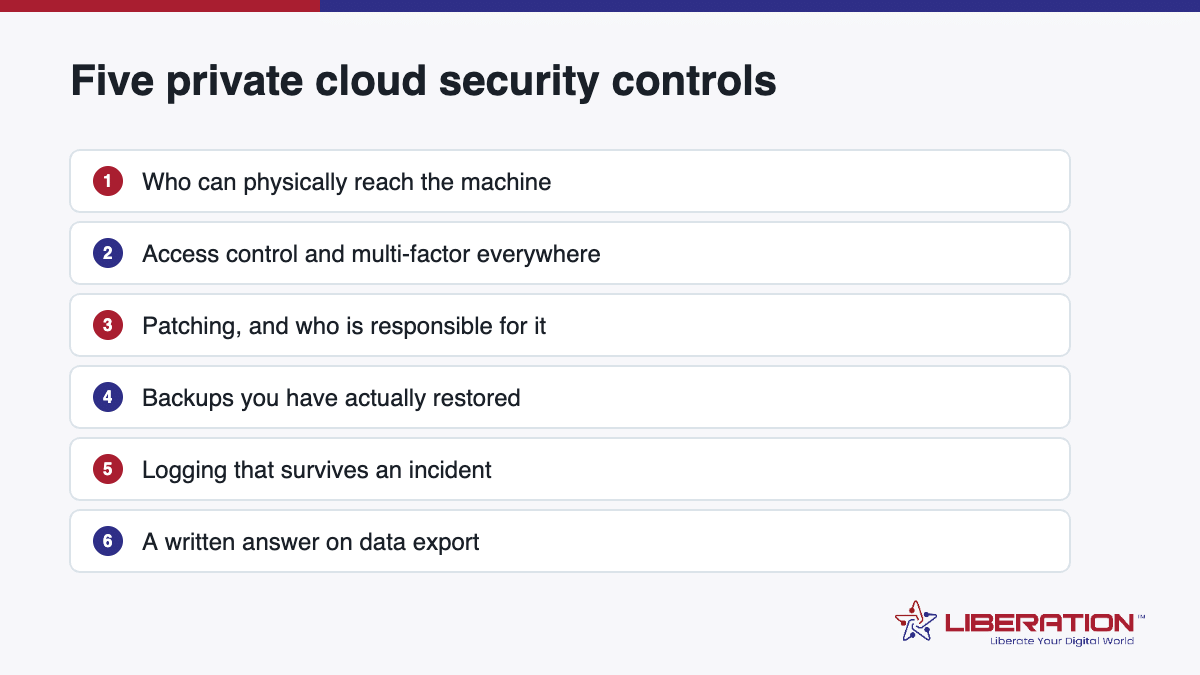
- Two-factor authentication on every admin login. Hosting control panel, site admin, domain registrar, email. The registrar is the one people forget and the one that hurts most.
- Updates applied within days, not quarters. Most exploited vulnerabilities have had a patch available for some time.
- A backup you have restored. An untested backup is a belief, not a control. Restore one to a staging site once a year.
- Access that gets removed. Contractors, ex-staff and old agency logins accumulate quietly. Review them twice a year.
- Knowing what you store. You cannot protect data you have forgotten you collected – old form submissions, exported reports, a database of leads from 2019.
What is included in our private cloud security solutions
- Multi-tiered security with web application firewalls on every plan.
- Free SSL and advanced site security included, not sold as an upgrade.
- Servers we own and operate in the United States – not resold capacity on a platform we do not control.
- Your cloud data is not tracked or shared. There is no advertising business here that would require it.
- cPanel and WHM included, which is where you will set up two-factor and manage access.
If you would rather not own the operating-system row of that table at all, managed services are available separately. That is the honest answer to “is it managed” – the control panel and platform are handled; taking the server administration off your hands is a separate arrangement.
Questions to ask any provider about private cloud security solutions
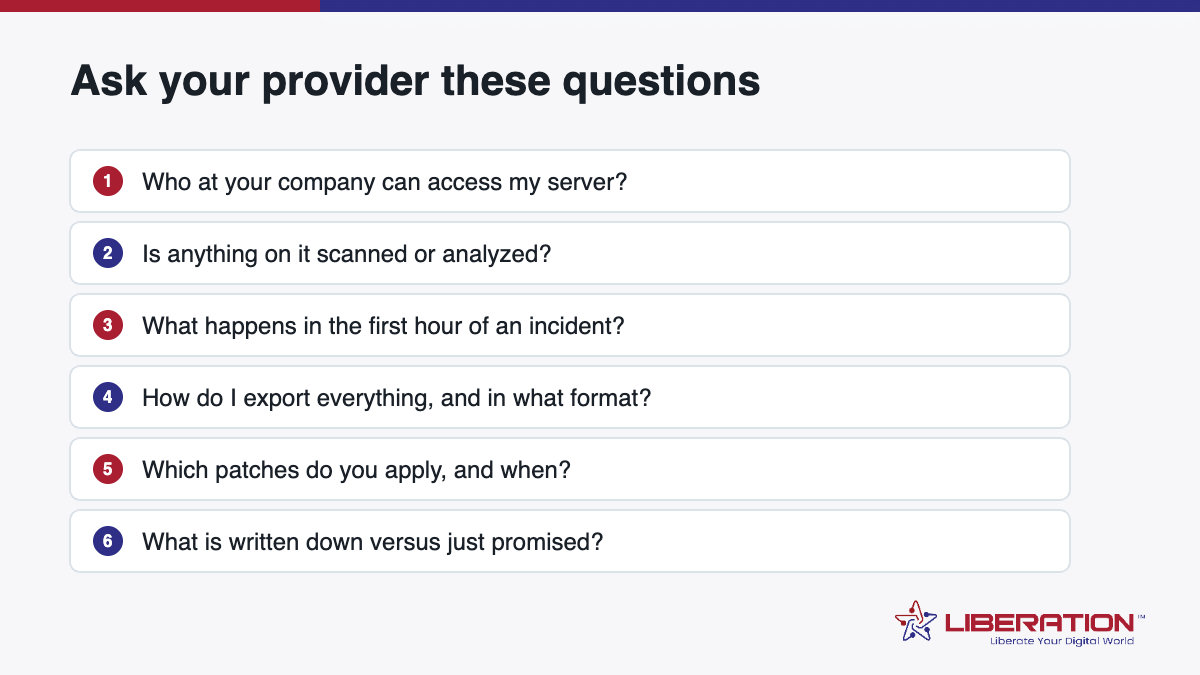
- Who owns the hardware, and where does it physically sit?
- Who can access it, and is that logged?
- How are backups stored, and have you tested a restore?
- Where is the responsibility split written down?
- What happens to my data if I cancel – and can I export all of it?
Any provider should answer all five without hesitation. See Dedicated Cloud plans, or ask us these questions directly.
What private cloud security solutions actually cover
“Private cloud security solutions” is sold as though it were a single product. It is not – it is five separate things, bought from different places, and knowing which you already have stops you paying twice for the same protection.
| Layer | What it does | Usually comes from |
|---|---|---|
| Network filtering and DDoS absorption | Drops hostile traffic before it reaches your server | The hosting platform |
| Web application firewall | Blocks known attack patterns aimed at your application | The hosting platform, or a proxy in front of it |
| Isolation | Ensures no other customer shares your compute | Dedicated resources – this is what “private” buys |
| Application hardening | Updates, removing unused plugins, least-privilege accounts | You, or a maintenance agreement |
| Backup and recovery | Getting back to yesterday when something goes wrong | Platform stores it; the restore test is yours |
The first three come with Dedicated Cloud. The last two are where most of the real risk lives, and neither is something you buy once and forget.
Private cloud data security: the four questions that decide it
Who can physically reach the machine my data is on?
The provider’s staff, and whoever they contract for the facility. That list should be short and access should be logged. This is also where reselling matters: if your provider rents capacity from a larger platform, the list includes a company you have no relationship with. Ours does not – we own and operate the hardware in the United States.
Is anything scanned, analyzed or sold?
Ask in those words, and get the answer in writing rather than from a marketing page. Cloud data here is not tracked or shared with third parties, and there is no advertising business attached that would create a reason to.
What happens when there is an incident?
Ask who tells you, how quickly, and through which channel. A provider who has thought about it has an answer ready. One who has not will improvise – during the incident.
Can I get everything out?
A full export, in a format you can use, without asking permission. If the answer comes with conditions, those conditions are the actual policy.
Private cloud security solutions versus public cloud security
The honest comparison is narrower than the marketing on either side suggests. Large public clouds have more security engineering behind them than any independent host. What they also have is complexity, a shared-responsibility model that small businesses routinely misread, and a bill that grows in ways nobody predicted.
A private cloud gives you a smaller, more comprehensible surface: dedicated resources, one control panel, and a support team that can see the whole account. For a business without a security engineer, comprehensible usually beats sophisticated – because the failures that actually happen are misconfigurations, not exotic attacks.
Public cloud wins on scale and specialist services. Private cloud wins when a small team needs to understand and verify what it has.
A private cloud security review you can run this quarter
Two references worth keeping beside any security review: the CISA Cyber Essentials checklist for small organizations, and the NIST Cybersecurity Framework, which is the vocabulary most auditors and insurers use.
- List every admin login across hosting, site, registrar and email, and confirm two-factor is on for each. The registrar is the one people forget and the one that hurts most.
- Remove access nobody needs – former staff, old agencies, the contractor from two years ago.
- Restore one backup to a staging site. If it fails, you have learned something important cheaply.
- Update everything, then check the site still works. Monthly, not annually.
- Write down what personal data you hold and where. Old form submissions and exported reports count.
- Re-read your host’s acceptable use and data policies. They change, and nobody announces it.
Six steps and a morning will tell you more about your real exposure than any product page. If you want the infrastructure half handled properly while you work through the rest, Dedicated Cloud starts at $65.95 a month with the firewall, SSL and isolation included.
Frequently asked questions
What is private cloud security?
Private cloud security is the set of protections applied to infrastructure dedicated to one organization. The provider secures the physical facility, the network and the platform; the customer remains responsible for the applications, accounts and data running on it. Neither side can cover the other’s half.
Are private cloud security solutions better than shared hosting?
It removes one specific risk: the neighbor. On dedicated resources no other customer’s compromised site sits beside yours. It does not make an out-of-date application safe, and most breaches begin with the application.
Who is responsible for security in a private cloud?
Responsibility is split. The provider handles physical security, network protection, web application firewalls and the platform. The customer handles software updates, passwords and two-factor authentication, user access, and what data is stored. Ask any provider to state the split in writing.
What security is included with Dedicated Cloud hosting?
Every plan includes multi-tiered security with web application firewalls, free SSL and advanced site security, on servers owned and operated in the United States. Cloud data is not tracked or shared with third parties.
What should I ask a provider about private cloud security solutions?
Who owns the hardware, where it physically sits, who can access it, what is logged and for how long, how backups are stored and tested, what the split of responsibility is in writing, and what happens to your data if you cancel.
Related reading
- Private Cloud Hosting: What You Get That Shared and VPS Don’t
- Sovereign Cloud — Infrastructure you can point at on a map.
- Cloud Computing for Small Business — The wider picture, by use case.