
Facebook and social media is one of the most powerful tools for business growth. Among the top platforms, Facebook remains a leading space for connecting with customers, showcasing products, and building brand credibility. Whether you’re a small business owner, freelancer, or marketer, having a professional business page is essential. This guide walks you through how to create and manage your page effectively for long-term success.
Step 1: Setting Up Your Business Page
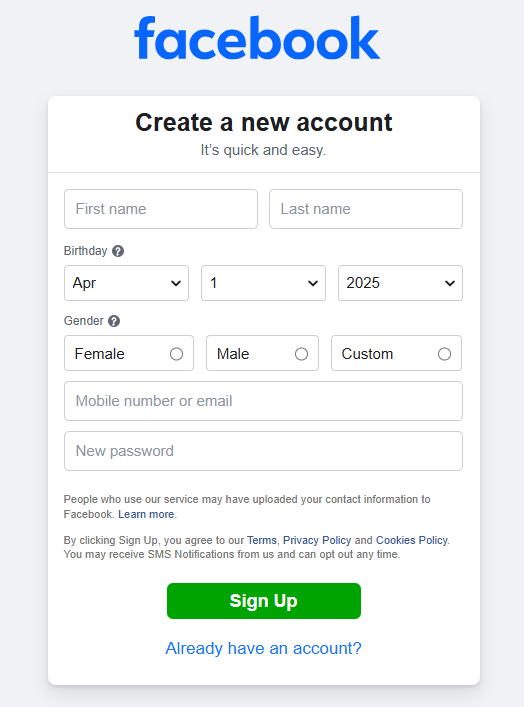
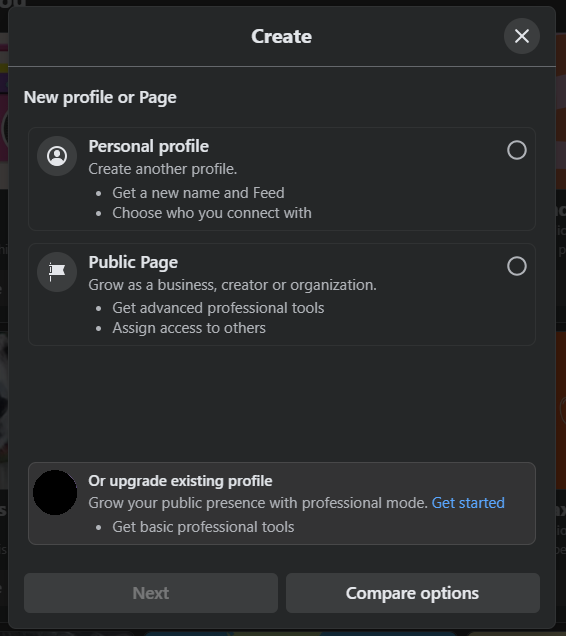
To begin, log in to your personal account and click the “Create” button. From the options that appear, choose “Page.” You’ll then need to select a page category—either Business or Brand or Community or Public Figure.
Next, fill in key details such as your page name, category, and a short description. Choose a name that clearly represents your brand or service. For instance, if you run a cloud company called “LiberationTek,” that should also be the name of your page to maintain consistency and brand recognition.
After that, upload a profile picture and cover photo that align with your visual identity. High-quality images help your page look professional and trustworthy. Your profile image can be your logo, while the cover photo can highlight your products or team.
Step 2: Completing Page Details
Once your page is live, it’s time to fill in the finer details. Go to the “About” section and add your business address, contact information, website link, and hours of operation. This section often helps customers make purchasing decisions, so make sure everything is accurate and up to date.
You can also create a custom username (like @liberationtek), which makes your page easier to find and tag across the platform.
Step 3: Creating Your First Posts
Before inviting anyone to follow your new page, publish a few posts that reflect your brand’s voice. These could include a welcome message, photos of your products, behind-the-scenes images, or short videos. Consistency is key, so plan to post regularly.
When writing captions, keep them conversational and engaging. Use a mix of images, videos, and stories to keep your followers interested. Adding hashtags and tagging relevant accounts can also increase visibility.
Step 4: Building an Audience
Once your page has a few posts, start growing your audience. You can invite friends, share your page link on your website, or include it in your email signature. Paid promotions are another effective way to reach potential customers.
Using the platform’s built-in Ad Manager, you can run targeted campaigns based on age, location, interests, and behavior. This ensures your message reaches the people most likely to engage with your business.
Step 5: Managing and Monitoring Your Facebook Page
Creating the page is just the first step—the real work lies in managing it consistently. Respond to messages and comments promptly, as timely communication builds trust. Use the Inbox tab to handle both direct messages and comments in one place.
To measure performance, explore the Insights section. It provides valuable analytics on reach, engagement, and audience demographics. Regularly reviewing this data helps you understand what type of content performs best and what your audience prefers.
You can also assign page roles to team members—such as Admin, Editor, or Moderator—so that responsibilities are shared effectively. This is especially helpful for larger businesses or marketing teams.

Step 6: Keeping Your Content Fresh
Social media success relies on creativity and consistency. Keep experimenting with new post formats like Reels, live videos, and polls. These interactive features boost engagement and make your page stand out. Seasonal promotions, contests, and user-generated content can also help maintain audience interest.
It’s important to keep your branding cohesive across all posts. Use similar colors, fonts, and tone to strengthen your identity and make your content instantly recognizable.
Creating and managing a business page on Facebook is an investment in your brand’s digital presence. With a well-structured profile, regular posting schedule, and active engagement, you can attract loyal customers and grow your community over time. The key is to stay authentic, monitor results, and adapt to what your audience responds to best. Start today, and you’ll soon see how a strong social media presence can take your business to the next level.
Facebook Business Pages in Brief: Quick Answers
- Do you need a Facebook page for your business? Most local and consumer-facing businesses benefit, because customers search for and check Facebook pages before they buy.
- How much time does it take? Setup takes an hour or two. Keeping it active takes a few short sessions per week.
- What should you post? Helpful tips, behind-the-scenes updates, customer stories, offers and answers to common questions.
- Is Facebook enough on its own? No. Your website and email list are assets you own, while a Facebook page is on rented ground.
- What is the biggest risk? Account takeover, so protect every admin login with multi-factor authentication.
Facebook Profile, Page and Group Compared
Many owners start on the wrong Facebook feature. The table below shows how a personal profile, a business page and a group differ, and which one fits each goal.
| Feature | Meant for | Best used for | Watch out for |
|---|---|---|---|
| Personal profile | Individuals | Connecting with friends and family | Not designed for business use and can break platform rules if used that way |
| Business page | Brands and organizations | Public presence, contact details, posts, messaging and ads | Organic reach can be limited, so plan other channels |
| Group | Communities | Discussion, support and loyalty among customers | Needs active moderation and clear rules |
An 8-Step Checklist for a Strong Facebook Page
- Set the goal. Decide whether the Facebook page should bring calls, visits, bookings, sales or sign-ups.
- Create the page under the right category. Use a clear name that matches your brand and website.
- Complete every detail. Add hours, location, phone, email, website link and a short description with your main keywords.
- Add visuals. Use a clean logo as the profile image and a cover image that explains what you do.
- Add admins carefully. Give roles to trusted people and remove access when someone leaves.
- Publish a posting plan. Aim for a steady rhythm you can sustain, such as three posts per week.
- Link to your website. Point posts and the page button to a useful landing page, instead of the home page.
- Review results monthly. Check which Facebook posts get replies, clicks and messages, then repeat the winners.
Content Ideas That Work on Facebook
Consistent content is easier when you have a set of repeatable formats. Try a weekly tip, a customer question answered in a short video, a photo of your team at work, a limited-time offer and a post that links to a helpful article on your site. Use plain language and clear calls to action, such as “Send us a message” or “Book a time.” Reply to comments quickly, because responsiveness signals reliability to potential customers. Pin an important post, such as a current offer, so visitors see it first.
Security and Account Protection for Your Facebook Page
A hijacked page can damage your reputation and cost you your audience. Turn on multi-factor authentication for every person with page access; CISA explains the process in its guide to turning on MFA. Use a password manager, as described in our guide to password managers, so each account has a unique password. Be cautious about messages claiming that your page will be disabled unless you click a link, because these are common phishing tactics. Review page roles regularly and keep a written record of who has access.
Connecting Facebook to Your Website and Email
Facebook works best as a front door that leads to assets you control. Add a sign-up offer to your website and promote it in your posts, so followers become email subscribers. Our email marketing platform makes it simple to follow up, and the online marketing guide shows how the channels fit together. If you need a professional site to receive that traffic, our web development team can help, and our overview of how search results work explains why your website still matters for discovery.
Advertising and Disclosure Basics
Paid promotion can help a new Facebook page reach local customers, but start small. Test one audience and one offer, measure the results and expand only what works. If you work with influencers or reward reviews, be transparent. The FTC explains how to disclose material connections in its disclosures guide. Honest, clear labeling protects your reputation as well as your compliance.
Common Mistakes on Facebook
- Using a personal profile as a business. Create a proper page so you have business tools and stay within the rules.
- Posting only promotions. Mix helpful and personal content with offers.
- Ignoring messages. Slow replies lose customers.
- Leaving details incomplete. Missing hours or contact information reduces trust.
- Relying on Facebook alone. Build your website and email list too.
- Sharing logins. Assign individual roles instead of passing around one password.
Facebook Page Launch Checklist
- Page name, category, description and contact details are complete.
- Logo, cover image and call-to-action button are set.
- Admin roles are assigned and MFA is enabled.
- Three weeks of posts are planned.
- Website link and email sign-up are ready.
- A monthly review is on the calendar.
Frequently Asked Questions About Facebook Business Pages
Is a Facebook page free?
Creating and running a page is free. Paid promotion is optional, and you control the budget.
How often should I post on Facebook?
Choose a schedule you can keep, such as two to five posts per week. Consistency matters more than volume.
Can I use my personal profile instead of a page?
A page is the right tool for business, because it offers professional features and keeps business activity separate from your private account.
How do I keep my Facebook page secure?
Enable multi-factor authentication for all admins, use unique passwords, review roles and be wary of phishing messages that claim there is a problem with your page.
Should I still have a website if I have a Facebook page?
Yes. A website gives you ownership, search visibility and a place to collect email addresses, which protects you if platform rules or reach change.