
Understanding a Cyber Attack
In a hyperconnected world, digital threats are becoming increasingly common—and more sophisticated. From personal data breaches to global ransomware campaigns, no one is immune. But what exactly is a cyber attack, and why should businesses and individuals be concerned?

Let’s break down what a cyber attack really is, how it works, and why understanding it is critical to protecting yourself and your organization.
A cyberattack is a deliberate attempt by hackers or malicious actors to breach the information systems of individuals, businesses, or governments. These attacks are designed to steal, alter, disable, or destroy data, disrupt operations, or gain unauthorized access to sensitive systems.
Attacks can be carried out by various entities—ranging from lone hackers and criminal organizations to state-sponsored groups. The motivations behind them vary as well: some aim for financial gain, others for political influence, espionage, or even sabotage.

Common Types of Cyber Attacks
Understanding the types of threats out there is the first step in preparing for them. Some of the most common forms include:
-
Phishing: Deceptive emails or messages designed to trick users into revealing personal or financial information.
-
Ransomware: Malicious software that locks users out of their systems until a ransom is paid.
-
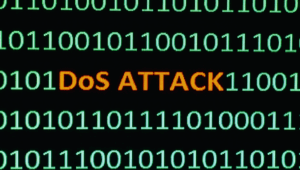
DDoS (Distributed Denial of Service): Flooding a system with traffic to make it inaccessible.
-
Man-in-the-Middle Attacks: Intercepting data between two parties to steal or manipulate information.
-
Zero-Day Exploits: Attacks that target unknown software vulnerabilities before developers can fix them.
Each of these methods can cause significant harm to personal privacy, corporate finances, or national security.
Why Cyber Attacks Are Increasing
With more businesses moving operations online and individuals relying heavily on digital services, the potential targets for a cyber attack have expanded dramatically. Remote work, cloud computing, and mobile technology—while incredibly useful—also introduce more entry points for attackers.
Moreover, tools for launching cyber attacks have become more accessible. Some hackers even offer “cybercrime-as-a-service” kits on the dark web, making it easier for even non-technical individuals to carry out attacks.
Real-World Consequences
The aftermath of a successful cyberattack can be devastating. For individuals, it may mean stolen identities, drained bank accounts, or compromised social media. For businesses, the fallout could involve massive data loss, legal consequences, reputational damage, or financial ruin.
Large-scale incidents—like the WannaCry ransomware attack or the SolarWinds breach—serve as reminders of how severe these threats can be. In some cases, recovery from a cyber attack can take months or even years.
How to Protect Against Cyber Attacks
Fortunately, there are practical steps that individuals and businesses can take to reduce their exposure to threats:
-
Use strong, unique passwords and enable multi-factor authentication wherever possible.
-
Keep software and systems updated to patch known vulnerabilities.
-
Educate employees or family members about phishing tactics and social engineering.
-
Regularly back up important data to minimize damage in the event of an attack.
-
Invest in cybersecurity tools such as firewalls, antivirus software, and threat detection systems.
Being proactive rather than reactive is the key to mitigating the risk of a cyberattack.
A cyber attack is no longer an abstract concept reserved for tech experts or IT departments. It’s a real, growing threat that affects everyone—from small businesses and multinational corporations to everyday internet users.
By understanding what a cyber attack is and taking preventive action, we can all play a role in creating a safer digital environment. The goal isn’t just to protect data, but to ensure trust, stability, and resilience in a world that’s increasingly online.
As cyber threats continue to evolve, so too must our approach to digital security. It’s no longer enough to rely solely on antivirus software or basic security measures. Businesses should consider conducting regular security audits, investing in employee training, and staying informed about the latest threats. Cybersecurity is an ongoing process, not a one-time fix. The more aware and prepared you are, the better your chances of preventing or minimizing the impact of a potential cyber attack.
Cyber Attack Basics in Brief: Quick Answers
- What is a cyber attack? A deliberate attempt to steal, alter, lock or destroy data or to disrupt systems.
- Who gets targeted? Everyone. Attackers use automation, so small businesses are hit as often as large ones.
- How do most attacks start? With phishing emails, stolen passwords or unpatched software.
- What is the best first defense? Multi-factor authentication, updates and tested backups.
- What should you do during an incident? Isolate affected systems, preserve evidence, notify the right people and restore from clean backups.
Common Types of Cyber Attack Compared
The table below compares the attacks businesses meet most often, how they typically work and the defenses that matter most for each.
| Attack type | How it works | Typical target | Key defense |
|---|---|---|---|
| Phishing | Deceptive messages trick people into revealing logins or opening malware | Email users | MFA, training, email filtering |
| Ransomware | Malware encrypts files and demands payment | Servers and shared drives | Offline or versioned backups, patching |
| Credential stuffing | Reused passwords from past leaks are tried on other sites | Login pages | Unique passwords, MFA, rate limits |
| Website malware and injection | Attackers exploit vulnerable plugins or code | Public websites | Updates, scanning, web firewall |
| Denial of service | Traffic floods overwhelm a service | Websites and APIs | Capacity, filtering, provider protection |
| Business email compromise | Impersonation changes payment instructions | Finance teams | Call-back verification, MFA |
An 8-Step Plan to Reduce Your Cyber Attack Risk
- Know what you have. List devices, accounts, websites and the data they hold.
- Turn on multi-factor authentication. Start with email and administrator accounts. CISA explains how to turn on MFA.
- Use a password manager. Unique passwords stop one leak from opening every door. See our guide to password managers.
- Patch quickly. Update operating systems, plugins and themes as soon as fixes are released.
- Back up and test. Keep versioned copies and practice restoring. CodeGuard automates website backups.
- Scan for malware. Continuous scanning with SiteLock finds infections early.
- Train your people. Short, regular lessons on phishing and safe sharing prevent many incidents.
- Write a response plan. Decide who leads, who is called and how you communicate before an incident happens.
Using a Recognized Framework
You do not have to design a security program from scratch. The NIST small business cybersecurity resources and the NIST Cybersecurity Framework break the work into five ideas: identify, protect, detect, respond and recover. Use them as a checklist to spot gaps in your defenses. For a broader view of services that can help, see our cybersecurity solutions overview.
What to Do in the First Hour of a Cyber Attack
Speed matters, but so does staying calm. Disconnect affected devices from the network without powering them off if you can, so evidence is preserved. Change passwords and revoke sessions for any account that may be exposed, starting with email and administrator logins. Notify the people who need to know, such as your IT provider, leadership and, where required, customers or regulators. Do not delete logs. Restore from a clean backup only after you understand how the attacker got in, otherwise the same weakness can be used again. Afterward, record what happened and update your plan.
Protecting Websites From a Cyber Attack
Public websites are constant targets because attackers scan for known weaknesses. Keep WordPress core, themes and plugins updated, delete anything unused and limit administrator accounts. Add a firewall and malware scanning, and keep restorable backups. Choosing secure WordPress hosting and isolated environments such as VPS hosting can limit how far a single compromise spreads.
Common Mistakes Before a Cyber Attack
- Assuming you are too small to matter. Automated attacks do not choose by size.
- Relying on passwords alone. A stolen password should never be enough to get in.
- Delaying updates. Known vulnerabilities are exploited quickly once published.
- Never testing backups. A backup you cannot restore is not protection.
- Having no plan. Improvising during an incident wastes critical time.
- Ignoring staff training. People are the most frequent way in.
Cyber Attack Readiness Checklist
- Inventory of systems, accounts and data is current.
- MFA is enforced on email, admin and cloud accounts.
- Updates are applied on a schedule.
- Backups run automatically and a restore has been tested.
- Malware scanning and firewalls protect public sites.
- An incident plan names roles and contacts.
Frequently Asked Questions About a Cyber Attack
What is the most common type of cyber attack?
Phishing remains one of the most common ways in, because it targets people instead of technology. Stolen credentials and unpatched software follow closely.
How can I tell if I have been hit by a cyber attack?
Warning signs include unexpected password resets, unfamiliar logins, files that will not open, sudden slowness, unknown admin accounts and warnings from your host or scanner.
Should I pay a ransom?
Authorities generally advise against it, because payment does not guarantee recovery and can encourage more attacks. Restoring from tested backups avoids the choice, and legal or law enforcement guidance can help in serious cases.
How much does a cyber attack cost a small business?
Costs vary widely and include downtime, recovery work, lost sales and reputational harm. Prevention measures such as MFA and backups cost far less than most incidents.
What is the single best protection?
There is no single fix, but multi-factor authentication combined with updates and tested backups stops a large share of common attacks.
Related reading
- Robust Cyber Security: Protecting the Digital World and Understanding the Risks
- Importance of a Secure Website Builder
- How to Optimize Your Team Collaboration Tools for Security and Privacy
- No 1 Cybersecurity Solutions and Information Technology Security
- Ransomware Statistics 2025: FBI Data on Who Is Being Hit