
Short on time? If you think you have a WordPress site hacked, skip to the steps below and act on them first, then read the signs.
The clearest signs a WordPress site has been hacked are visitors redirected elsewhere, browser or Google warnings, spam links inside your pages, administrator accounts you did not create, and search results listing pages you never published. Much of this malware hides from logged-in administrators, so check in a private browser window before concluding your site is fine.
Most compromised small business sites are not defaced. Defacement is rare because it is useless to the attacker. What is valuable is a site that keeps working normally for its owner while quietly serving spam, redirecting search visitors, or sending mail. That is why these compromises often run for weeks before anyone notices.
What visitors see before you do
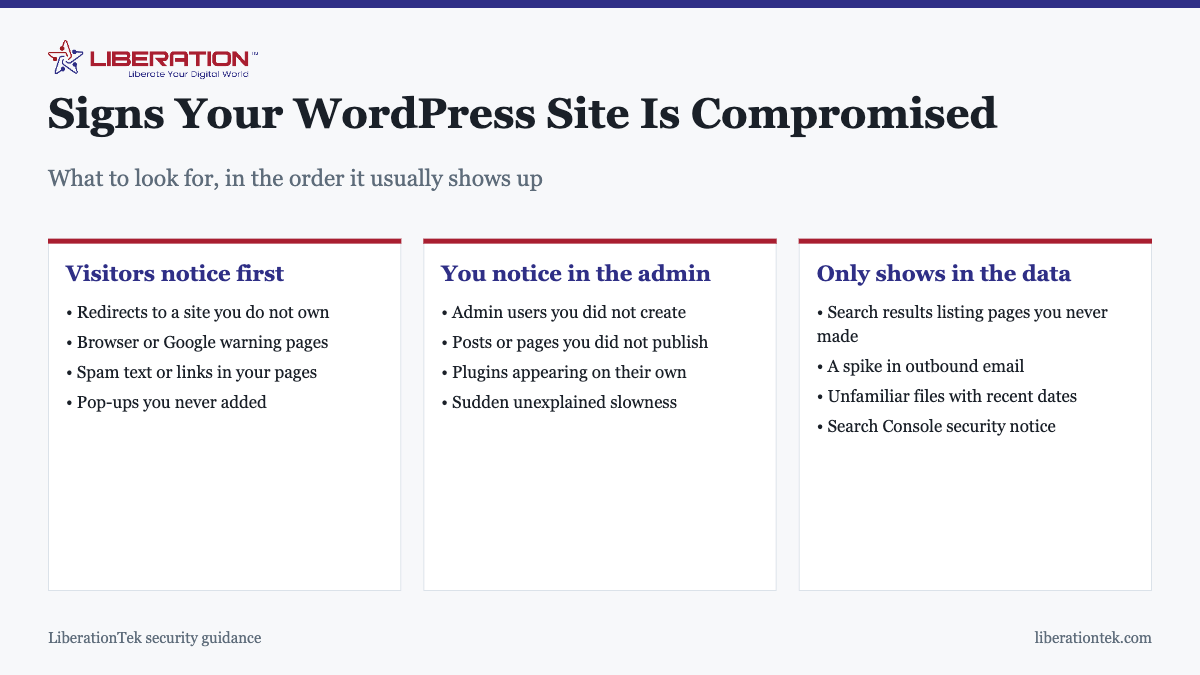
The first report usually comes from a customer, which is the worst way to find out. Watch for:
- Redirects to a site you do not own, often only from search results or only on mobile devices.
- Browser warnings or a red Google interstitial before the page loads.
- Spam text or links inside your pages, frequently hidden in the footer or styled to be invisible.
- Pop-ups or adverts you never added.
- Your site appearing in search results with titles in another language, or advertising products you do not sell.
Why it looks fine to you
This is the part that causes the most confusion, so it is worth stating plainly: a great deal of this malware is written specifically to hide from the site owner. It checks whether the visitor is logged in as an administrator, or whether they arrived from a search engine, and serves the clean page in the first case and the malicious one in the second.
So “it looks normal to me” is not evidence. Check your site in a private browser window, from a phone on mobile data, and by searching for your business name and clicking through from the results rather than typing the address directly.
What shows up in the admin area
| Sign | What it usually means |
|---|---|
| Administrator accounts you did not create | Attacker has established persistent access |
| Posts or pages you did not publish | Spam content injection |
| Plugins you did not install | A backdoor, sometimes disguised with a plausible name |
| You cannot log in with a known-good password | Credentials changed |
| Files modified at odd hours | Check dates against when you last worked on the site |
| Sudden slowness with no other explanation | The server is doing work for somebody else |
| A spike in outbound email, or mail being rejected | The site is sending spam |
The user list is the highest-value thing to check, and it takes thirty seconds. Any administrator account you cannot account for should be treated as a compromise until proven otherwise.
What only shows in the data
Google Search Console will tell you things your own browsing will not. The security issues section reports detected malware directly. The coverage report showing hundreds of indexed URLs you never created is a classic symptom of injected spam pages. A sudden unexplained traffic collapse is worth investigating for this reason, not just as an SEO event.
Your hosting control panel is the other place to look: unfamiliar files with recent modification dates, particularly in the uploads folder, which should contain media and nothing executable.
Checking properly takes about five minutes
If you only suspect a problem and want to confirm it, this sequence covers the realistic cases without any special tools:
- Open your site in a private browser window, logged out, and click through several pages including the homepage and a blog post.
- Search Google for your business name and click through from the results rather than typing your address, because redirect malware frequently triggers only on search referrals.
- Repeat on a phone using mobile data. Some payloads target mobile visitors only.
- Search Google for site:yourdomain.com and look for pages you do not recognize. Injected spam pages show up here clearly.
- Check your WordPress user list for administrator accounts you cannot account for.
- Check Search Console for security notices and for a jump in indexed URLs.
Clean results across all six mean it is very unlikely you have an active compromise. A problem in any one of them is worth treating seriously straight away, because these infections spread through the file system and get harder to remove the longer they run.
What to do, in order
- Back up the compromised site before touching anything. This feels wrong, but you may need it to work out how they got in, and deleting the evidence first is a common and costly mistake.
- Change every administrator password, plus the hosting and database passwords, and force all other sessions to log out.
- Take the site offline if it is actively serving malware, so it stops harming visitors while you work.
- Find out how they got in, which is almost always an outdated plugin or a weak password. Skipping this step is why sites get re-compromised within days.
- Restore a known-clean backup from before the compromise, which is generally more reliable than manual cleaning.
- Patch the entry point immediately, before the restored site goes back online.
- Request a review in Search Console if Google flagged the site.
- Watch closely for a few weeks. Re-compromise is common and usually means a backdoor was left behind.
Restoring a backup without patching the vulnerability restores the vulnerability along with the site. That sequence is the single most common reason a clean-up does not hold.
How it happened, almost certainly
The causes are boring and consistent: an outdated plugin or theme with a published vulnerability, a weak or reused administrator password, an abandoned plugin nobody maintains any more, a dormant account belonging to a developer who finished the job two years ago, or credentials harvested from the owner’s own computer.
Compromise through a neighboring account on shared hosting is genuinely rare on a properly configured server, and we cover why in is shared hosting safe. The realistic threat has always been the front door.
Preventing the next one
The measures that actually work are unglamorous and take about an hour a month: update core, themes and plugins monthly with a backup taken first; use unique passwords and two-factor authentication on every administrator account; delete rather than deactivate plugins you no longer use; review the user list twice a year; and keep tested backups stored somewhere other than the hosting account itself. More detail is in how to secure your WordPress website.
Hosting contributes the floor rather than the whole answer. LiberationTek shared hosting includes free SSL and server-level patching at $7.99 a month, and managed VPS hosting adds dedicated resources and fuller control where that is warranted. Neither substitutes for keeping your own plugins current.
A WordPress site hacked: the first hour
When you suspect a WordPress site hacked by an outsider, the first hour matters more than the first week. Stay calm, work through a short list, and avoid deleting anything you may need later.
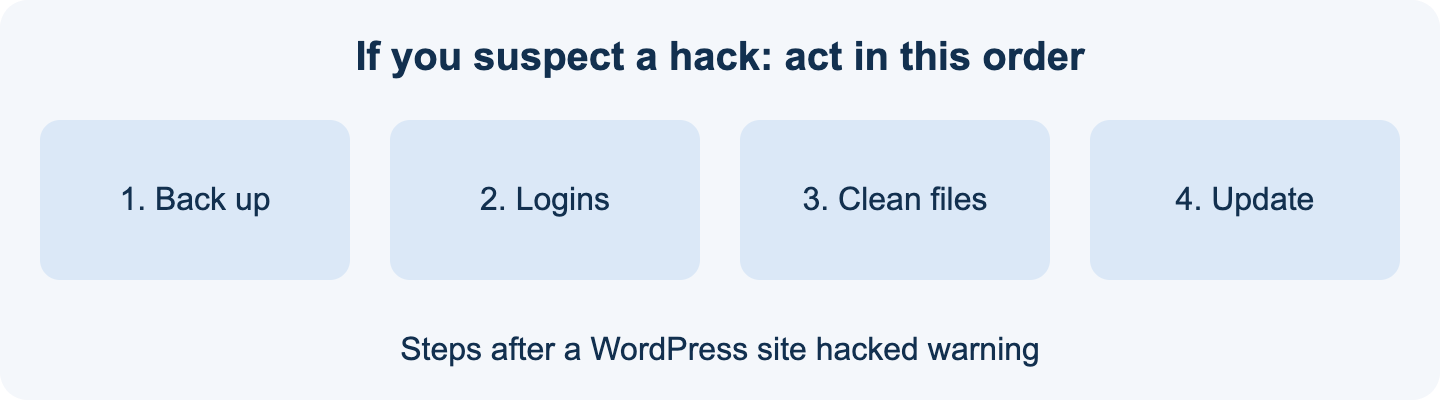
- Take a full backup of the current state, even if it is infected. You may need it to trace the cause.
- Change every password tied to the site: WordPress admins, hosting, database, FTP and email.
- Remove admin accounts you did not create, since a WordPress site hacked this way often keeps a hidden account for return visits.
- Update WordPress core, the theme and every plugin, and delete anything you no longer use.
- Ask your host whether they can scan for malicious files. A cleaned WordPress site hacked once is at risk again if the original hole is still open.
Our guide on how to secure your WordPress website covers the steps in more depth, and is shared hosting safe explains how your hosting setup affects risk.
Why a WordPress site hacked once gets hacked again
Many owners clean the visible damage and move on. A WordPress site hacked through an outdated plugin is hacked again if that plugin is still installed. The cause has to be found and closed, not just the symptoms.
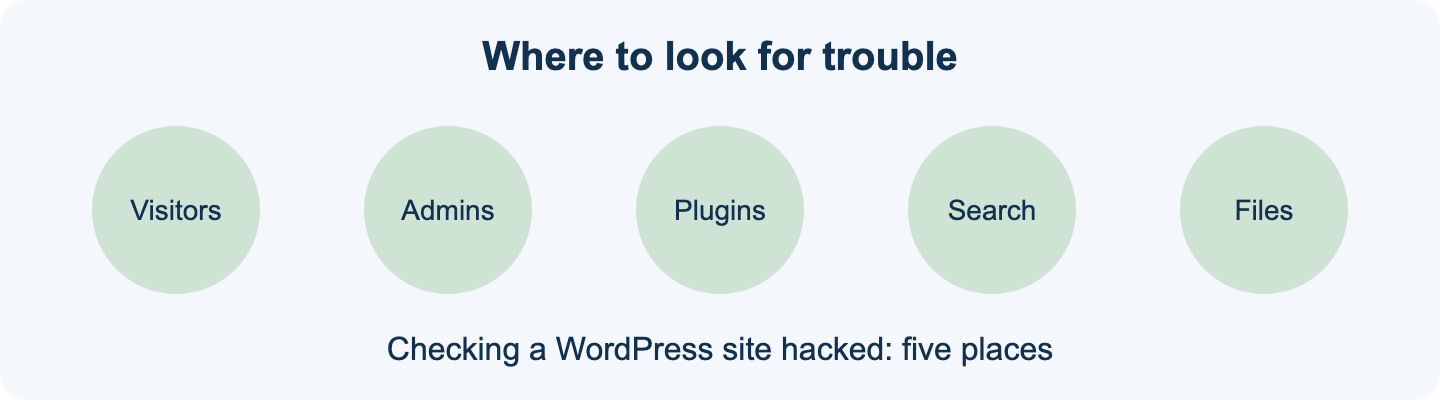
- Outdated plugins and themes are the most common way in.
- Reused or weak passwords let attackers log in directly.
- Stolen credentials from a personal device can expose the site. Our article on infostealer malware explains how.
- Nulled or pirated themes often arrive with hidden code.
The WordPress project publishes its own hardening guide, which lists practical steps to reduce the odds of a WordPress site hacked in future. The FTC also offers cybersecurity guidance for small businesses, including what to do if customer data may be exposed. This is general information, not legal advice, and reporting duties depend on where you operate.
If your WordPress site hacked problem keeps returning, a managed setup on our VPS hosting gives you isolation from other sites. Treat every WordPress site hacked incident as a prompt to review updates, passwords and backups, and keep a recent backup stored somewhere separate from the site.
Signs a WordPress site hacked leaves behind
Knowing the signs of a WordPress site hacked helps you notice sooner. Slow pages, new users, strange emails sent from your domain and warnings in search results all deserve a closer look. A WordPress site hacked quietly can run for weeks before anyone sees it, so a monthly check of users, plugins and search results is a cheap habit. If you find a WordPress site hacked in more than one place, such as files and the database, treat the whole install as untrusted and restore from a backup taken before the first sign appeared.
One more habit helps. Keep a short written plan for the day you find a WordPress site hacked: who to call, where the backups live and which passwords to reset first. A WordPress site hacked on a Friday evening is much easier to handle when the plan already exists. Review the plan each quarter, because a WordPress site hacked months from now may involve plugins and accounts that do not exist today.
Frequently asked questions
How do I know if my WordPress site has been hacked?
The most common signs are visitors being redirected to a site you do not own, browser or Google warnings, spam links appearing in your pages, administrator accounts you did not create, and search results listing pages you never published. Many compromises are deliberately invisible to a logged-in administrator, so check your site in a private browser window and from a phone.
Why does my site look fine to me but hacked to everyone else?
Because a lot of malware is written to hide from you specifically. It commonly checks whether the visitor is logged in as an administrator, or arriving from a search engine, and shows the clean page in the first case and the malicious one in the second. This is why checking in a private browser window, and from a device not logged in, matters.
What should I do first if my WordPress site is hacked?
Take a backup of the compromised site before changing anything, because you may need it for evidence or recovery. Then change all administrator passwords and your hosting password, and force all other sessions to log out. Do not simply delete files you find suspicious until you have that backup, and do not restore an old backup before you know how the attacker got in.
Can I clean a hacked WordPress site myself?
Sometimes, if you find it early and it is a simple case. The reliable route is usually to restore a known-clean backup from before the compromise, then immediately patch whatever allowed it. The risk in manual cleaning is leaving a backdoor behind, which is why sites are frequently re-compromised within days of an apparently successful clean-up.
How did my WordPress site get hacked?
Nearly always an outdated plugin or theme with a published vulnerability, or a weak or reused administrator password. Abandoned plugins and dormant user accounts from developers or staff who have left are also common routes. Compromise through a neighboring account on shared hosting is rare on a properly configured server.
Will being hacked hurt my Google rankings?
It can, and quickly. Google flags sites serving malware or spam, which can produce a warning in search results or in the browser, and that costs traffic immediately. Recovery involves cleaning the site thoroughly and then requesting a review in Search Console. Finding it early is what limits the damage.
How do I stop it happening again?
Update core, themes and plugins monthly. Use unique passwords with two-factor authentication on every administrator account. Delete plugins you are not using rather than deactivating them. Review the user list twice a year and remove anyone who no longer needs access. Keep tested backups stored somewhere other than the hosting account.