
Scaling a business is a major milestone, but it often brings a familiar dilemma: your workload is expanding rapidly, but your budget isn’t quite ready to support a larger workforce. Traditionally, handling more clients meant hiring more people to manage the administration. Today, smart businesses are taking a different route. Instead of increasing their headcount, they are leveraging technology to optimize their existing resources.
Implementing the right collaboration platforms allows your current team to work smarter, automate repetitive tasks, and handle a significantly higher volume of business without burning out.

The Operational Friction That Slows Down Growth
When a business attempts to scale without the right digital infrastructure, communication quickly breaks down. Teams find themselves trapped in endless email threads, searching through multiple chat apps for misplaced files, and losing track of project deadlines. This administrative friction eats up valuable hours that should be spent on client delivery or business development.
Modern collaboration platforms solve this problem by centralizing your entire operational workflow. By bringing project tracking, team chats, file sharing, and video conferencing into a single, cohesive ecosystem, you eliminate the hidden time-wasters that stall growth. When your team spends less time searching for information, their capacity to handle new client work naturally expands.

Mapping the Current Market Landscape
The digital market offers several well-known tools designed to streamline teamwork. When exploring your options, you will find major players like Microsoft 365, Google Workspace, and Slack dominating the industry conversation.
-
Microsoft 365: A robust, deeply entrenched ecosystem favored by enterprise corporations for its advanced spreadsheet functionality and traditional desktop app integration.
-
Google Workspace: A highly accessible, browser-based suite popular for real-time document editing and straightforward cloud storage.
-
Slack & Asana: Specialized tools that focus heavily on instant messaging and visual project boards, respectively.
While these mainstream collaboration platforms are incredibly feature-rich, they come with significant compromises. They operate on closed, proprietary ecosystems that lock you into escalating monthly subscription fees. More importantly, they subject your sensitive company data, client communications, and intellectual property to invasive data-mining policies and corporate surveillance.
Why Liberation Tek Hub for Teams is a Powerful Alternative
For businesses that refuse to sacrifice data privacy for operational efficiency, LiberationTek – Hub for Teams stands out as a formidable contender. Built on the principles of digital sovereignty and data freedom, their platform offers a secure, independent alternative to standard tech monopolies.
Mainstream Platforms          vs.          LiberationTek Hub
--------------------                       -----------------
Proprietary & Closed                       Open-Source Core
Data-Mining/Profiling                      100% Private, No Tracking
Foreign Data Centers                       U.S.-Owned Infrastructure
Escalating Seat Pricing                    Fair, Scalable Costs
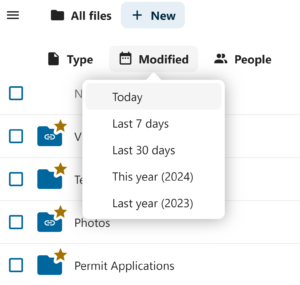
Liberation Tek Hub for Teams consolidates all your essential business utilities—including secure video calling, shared calendars, project boards, and collaborative document editing—into one unified interface. Because they build on secure, open-source technology, you get the seamless usability of mainstream giants without the corporate tracking. They operate on independent, U.S.-based server infrastructure, ensuring that your strategic discussions, financial planning, and client files belong entirely to you.
Unlocking Leverage for Sustainable Growth
To scale efficiently, your business needs leverage. Choosing privacy-first collaboration platforms gives you that leverage by automating project handoffs and clarifying team responsibilities. Because Liberation Tek doesn’t build profiles on your operational data, your business remains insulated from sudden platform policy shifts or unexpected service disruptions.
Replace Microsoft and Google with Liberation’s secure and feature rich platform designed for teams and individuals.
Investing in high-performance collaboration platforms is ultimately an investment in your company’s self-sufficiency. By replacing fragmented, insecure tools with a unified, sovereign hub like Liberation Tek, you give your current team the organization they need to boost output. You can confidently onboard new clients, streamline daily workflows, and grow your revenue—all while maintaining a lean, highly efficient workforce.
Collaboration Platforms in Brief: Quick Answers
- What are collaboration platforms? Collaboration platforms are shared workspaces that combine messaging, file sharing, task tracking and meetings so teams can coordinate without juggling separate apps.
- How do collaboration platforms help you grow without hiring? They cut time spent searching for information, chasing updates and repeating manual work, so the same team can handle more.
- What should you look for? Simple navigation, strong security controls, useful integrations and pricing that stays predictable as you grow.
- Where should you begin? Map your current workflow, pick the biggest bottleneck and test a platform on that one problem first.
Where Collaboration Platforms Save the Most Time
The value of collaboration platforms shows up in everyday friction points. This table compares common bottlenecks with how a well-set-up platform addresses them.
| Bottleneck | Typical Cost to the Business | How Collaboration Platforms Help |
|---|---|---|
| Endless email threads | Lost context and slow decisions | Channels and threads keep conversations organized by topic |
| Scattered files | Time wasted searching, duplicate versions | One shared location with permissions and version history |
| Unclear task ownership | Missed deadlines and repeated follow-ups | Assigned tasks with due dates and visible status |
| Repetitive admin work | Staff hours spent on low-value tasks | Templates, reminders and simple automation |
| Onboarding new people | Long ramp-up and repeated explanations | Searchable knowledge base and documented processes |
| Client communication | Inconsistent updates and missed requests | Shared spaces and clear points of contact |
How to Implement Collaboration Platforms Step by Step
- Document how work flows today. Sketch who hands what to whom, and where things get stuck.
- Choose one bottleneck. Solving a single visible problem builds momentum.
- Define what success looks like. Examples include fewer status meetings, faster client replies or fewer missed deadlines.
- Select a platform that fits. Compare security, usability, integrations and total cost with your requirements.
- Set up a simple structure. Create a few clear channels, folders and task boards rather than dozens.
- Pilot with a small group. Use the platform on real work for a few weeks and gather feedback.
- Train and document. Write a one-page guide that explains where each kind of information belongs.
- Review and refine. Adjust the setup monthly and retire anything nobody uses.
Security and Control on Collaboration Platforms
Collaboration platforms store conversations, contracts and customer details, so protect them accordingly. Require multi-factor authentication, give people access only to the spaces they need and review guest access regularly. The CISA multifactor authentication guidance is a practical starting point for securing accounts.
Consider where your data is stored and how you can export it if you ever change platforms. Options such as Hub for Teams are designed for organizations that want more control over their information, and our overview of team collaboration tools and Slack alternatives can help you compare approaches.
Common Mistakes With Collaboration Platforms
- Launching without a plan. Without clear guidelines, a new platform becomes another inbox.
- Creating too many channels. A cluttered structure makes information harder to find.
- Skipping training. People revert to old habits if they are not shown a better way.
- Ignoring security settings. Default permissions are often broader than necessary.
- Measuring nothing. Without a baseline you cannot tell whether the platform is helping.
Collaboration Platforms Readiness Checklist
- Current workflow and bottlenecks documented
- One target problem and success measure chosen
- Security requirements and data-export needs listed
- Small pilot group selected
- Simple channel and folder structure drafted
- Multi-factor authentication enabled
- One-page usage guide written
- Monthly review scheduled
Growing Sustainably With the Team You Have
Growth without extra headcount does not mean working harder. It means removing wasted effort so skilled people spend their hours on work that matters. Clear communication, shared visibility and consistent processes let small teams serve more clients with fewer errors. Pair a well-chosen workspace with regular reviews and honest feedback, and you create a foundation that scales as demand rises. When the time does come to hire, new team members arrive into an organized system that makes them productive faster.
Training Your Team to Use the Platform
Adoption depends on making the new workspace easier than the old habits. Hold a short kickoff session, demonstrate two or three everyday tasks and share a simple cheat sheet. Nominate a friendly champion who can answer quick questions, and celebrate early wins publicly so others see the benefit. Check in after two weeks to hear what feels awkward, then adjust the structure. People adopt tools they help shape far more readily than tools that simply arrive unannounced.
Collaboration Platforms FAQ
What is the best way to choose collaboration platforms?
Start with your biggest workflow bottleneck, compare a few options on security, usability and cost, then pilot the finalist with a small group before rolling out.
Can collaboration platforms really replace hiring?
They cannot replace every role, but they reduce administrative work so existing staff can handle more, which can delay or reduce the need to hire.
How do I keep a collaboration platform secure?
Enable multi-factor authentication, limit access to necessary spaces, review guest permissions and train the team on phishing awareness.
How long does it take to adopt a new platform?
A small team can pilot within a couple of weeks and be fully adopted in a month or two, depending on training and how much existing work must move.
What if my team resists the change?
Involve them early, solve a problem they actually feel, keep the structure simple and share quick wins to show the benefit.