
Every VPS decision eventually comes down to one question: when something goes wrong with the server, who fixes it? That is the real difference in managed vs unmanaged VPS hosting. The hardware might be similar and the specs might look identical, but the responsibilities are not. This guide walks through the jobs that come with running a server, including patching, security, backups, monitoring and the dreaded 3 a.m. outage, so you can decide which model your business actually needs.

Managed vs Unmanaged VPS: The Short Definition
A virtual private server gives you a dedicated slice of CPU, memory and storage on a physical machine. What happens above that slice depends on the service model.
- Unmanaged (self-managed) VPS: The provider keeps the physical server, network and virtualization layer running. You get a fresh operating system and root access. Everything after that, including software installs, updates, security, backups and troubleshooting, is your job.
- Managed VPS: The provider also takes care of the server layer: operating system patches, security hardening, the control panel, backups and monitoring. You focus on your websites, email and applications.
Neither model is “better” in the abstract. The right choice depends on your skills, your time and how much risk you can tolerate.
The Responsibility Checklist
Here is who does what under each model. The right-hand column reflects what is included with Liberation’s fully managed VPS hosting.
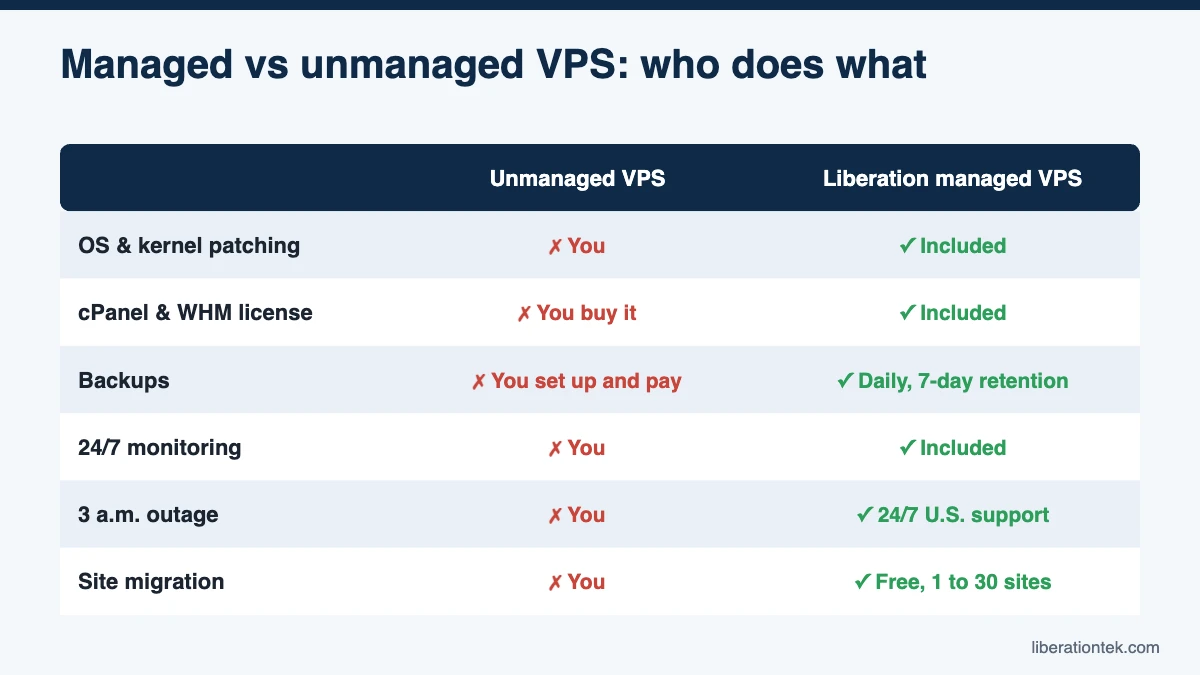
| Task | Typical unmanaged VPS | Liberation managed VPS |
|---|---|---|
| OS and kernel patching | You | Included |
| Control panel | You install and license cPanel (or go without) | cPanel & WHM license included, kept on stable release |
| Firewall configuration | You | Multi-tiered firewalls included |
| DDoS protection | Varies by provider | Standard DDoS protection included |
| Backups | You enable, pay for and test them | Daily automated backups, 7-day retention |
| Monitoring | You set up alerts and respond | 24/7 hardware and uptime monitoring |
| 3 a.m. outage | You (or whoever you can reach) | 24/7 U.S.-based human support by ticket and chat |
| Moving existing sites | You | Free migration, 1 to 30 sites by plan |
| Your website content, plugins and apps | You | You |
That last row matters. Even on a managed plan, you still own your website: your content, your themes and the applications you choose to run. Managed hosting takes the server off your plate, not your business decisions.
Patching, Security, Backups and Monitoring
Patching
Linux distributions, kernels, web servers, PHP and cPanel all ship security updates on a regular basis. On an unmanaged VPS, applying them is on you, along with deciding when a reboot is safe and cleaning up if an update breaks something. Skip a few months and your server is running software with publicly known vulnerabilities.
Layered security
Security is more than patches. It includes firewall rules, blocking brute-force login attempts, limiting exposed services and absorbing traffic floods. On a managed plan, those layers come preconfigured. Liberation VPS plans include multi-tiered firewalls and standard DDoS protection, and our team keeps the operating system and kernel patched. If you want a refresher on what attackers are actually doing, read our overview of today’s most common cyber security threats.
Backups
Many unmanaged providers sell backups as an add-on. DigitalOcean, for example, prices Droplet backups at 20% of the server cost for weekly backups or 30% for daily backups, according to its Droplet pricing page (September 2026). That is a fair price, but you still have to turn backups on, confirm they succeed and practice a restore. Liberation includes daily automated backups with 7-day retention on every plan.
Monitoring
A server that goes down at 9 p.m. on a Friday should not stay down until Monday. With an unmanaged VPS, you need your own monitoring service, an alert routed to a phone and someone willing to answer it. Liberation provides 24/7 hardware and uptime monitoring backed by a 99.9% uptime SLA.
The 3 a.m. Outage Test
Here is a simple way to decide. Imagine your online store or church giving page stops loading at 3 a.m. the night before a big sale or a holiday service. Walk through what happens next:
- Who gets the alert, and how?
- Who has the skills and server access to diagnose it?
- If a restore is needed, who knows where the backups are and how to use them?
- Who talks to the host if the problem is hardware or network related?
If the honest answer to each question is “me, and I know exactly what to do,” an unmanaged VPS may suit you well. If the answer is “I’m not sure” or “our volunteer, if he’s awake,” you need a managed plan with humans on call around the clock.
Which Model Fits Your Business?
When an unmanaged VPS makes sense
Self-managed servers are a solid choice for:
- Developers and IT teams who are comfortable with Linux administration.
- Test, staging and development environments where downtime is low-stakes.
- Container-based or custom software stacks that do not need a control panel.
- Organizations with in-house staff who already carry an on-call rotation.
Independent U.S. clouds such as American Cloud and Patmos sell self-managed VMs, so cPanel and administration are on you, which works well if you have that expertise in-house. The same is true of large platforms like DigitalOcean and AWS Lightsail. The cPanel license alone runs $35.99 per month for up to five accounts or $53.99 for up to 30, per the official cPanel pricing page (September 2026).
When a managed VPS makes sense
A managed VPS is usually the better fit when:
- You run a small business, agency, church or nonprofit without a full-time system administrator.
- Your website takes orders, donations or registrations, so downtime costs real money or trust.
- You host several client or ministry sites and want cPanel to manage them.
- You would rather spend your hours on customers than on security updates.
Liberation’s managed plans run on NVMe SSD storage and high-frequency vCPUs, on servers we own and operate in the United States. We never lease capacity from third-party clouds, and we never track, sell or share customer data. Plans start with Foundation (4 vCPU, 8 GB RAM, 200 GB NVMe) at $79 per month, or $59 per month billed annually, with cPanel included.
What “Fully Managed” VPS Hosting Should Include
“Fully managed” is a marketing phrase until a host puts specifics behind it. Before you buy managed VPS hosting, hold the provider to this checklist:
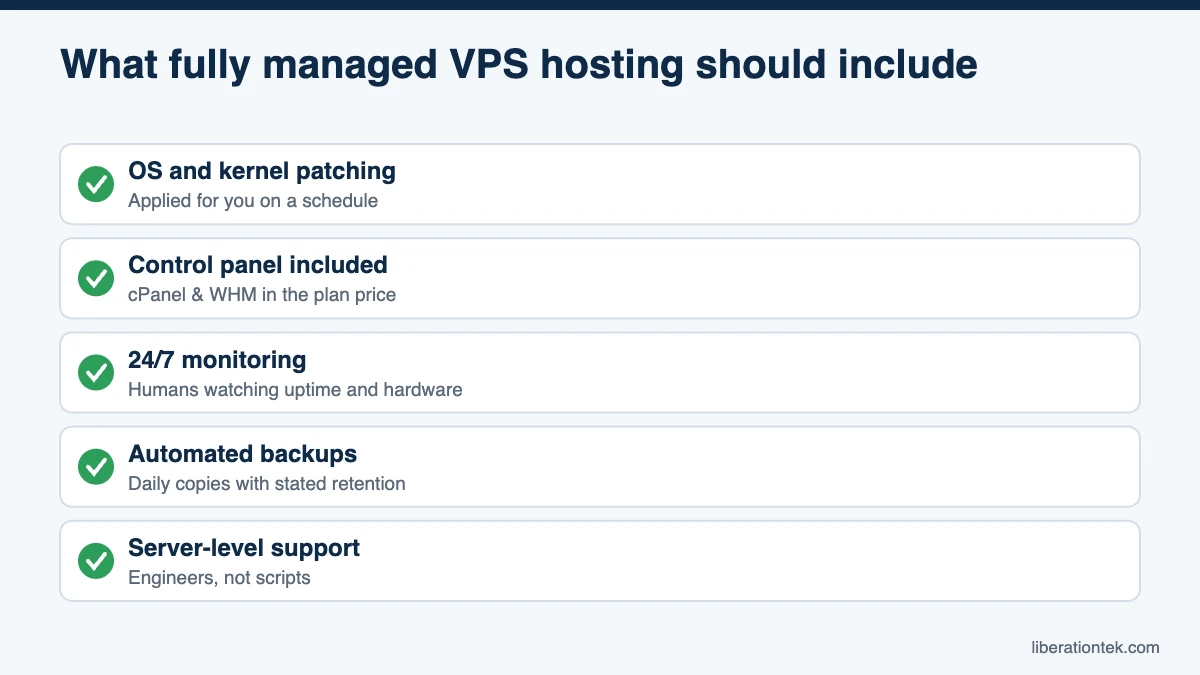
- OS and kernel patching: security updates applied for you on a regular schedule, not left for you to discover.
- A real control panel included: cPanel and WHM (or an equivalent) in the plan price, not billed as a separate monthly add-on.
- 24/7 monitoring with humans behind it: someone watching uptime and hardware, not just an automated alert you have to act on yourself.
- Automated backups with real retention: daily copies kept for a stated number of days, not a “set it up yourself” option.
- Support that can fix server-level problems: engineers who can troubleshoot the server, not scripted first-tier replies.
Questions to ask before you buy
- Is the control panel included, or billed separately?
- What is the support response target, and is it published?
- Are backups automated, and how long are they kept?
- Who patches the OS and kernel, and how often?
- What is excluded from “managed”? Read the fine print, not just the marketing page.
Frequently Asked Questions
What is the main difference in managed vs unmanaged VPS hosting?
Responsibility. With an unmanaged VPS, the provider keeps the hardware and network running and you handle everything from the operating system up: patching, security, backups, monitoring and the control panel. With a managed VPS, the provider takes on that server-level work so you can focus on your websites and your business.
Is an unmanaged VPS less secure?
Not inherently. An unmanaged VPS is exactly as secure as the person maintaining it. The risk is that patching and firewall work get postponed when the owner is busy, and unpatched software is one of the most common ways servers are compromised.
Do I still need technical skills with a managed VPS?
Much less. On a Liberation managed VPS, OS and kernel patching, cPanel updates, monitoring, backups and DDoS protection are handled for you. You manage your sites through cPanel, and 24/7 U.S.-based human support is available by ticket and chat when you need help.
Can I switch from an unmanaged VPS to a managed one?
Yes. Liberation includes free website migration for 1 to 30 sites depending on your plan, so moving from a self-managed server does not require you to rebuild everything yourself.
Does a managed VPS mean I lose root access?
No. A properly managed VPS still gives you full root and SSH access. “Managed” describes who handles the underlying maintenance, such as patching, monitoring and backups, not what access you have. Every Liberation VPS includes root access alongside full management.
How can I verify a host’s “fully managed” claim?
Ask for specifics in writing: patching schedule, backup frequency and retention, monitoring coverage and support response times. If a host will not commit to specifics, treat “fully managed” as a label rather than a guarantee. Liberation VPS plans include OS and kernel patching, daily backups with 7-day retention, cPanel and WHM, and 24/7 U.S.-based support.
Making the Call
The managed vs unmanaged VPS decision is really a decision about who carries the pager. If you have the skills and the time, unmanaged hosting gives you maximum control at a low sticker price. If you would rather know that patching, backups, monitoring and a real person at 3 a.m. are covered, a managed plan is the safer business choice.
Explore Liberation’s managed VPS plans to see what is included, or contact our U.S.-based team with questions. Every plan comes with a 30-day money-back guarantee, so you can try managed hosting without the risk.
Related reading
- How to Choose a Web Host — The decision framework, without the spec sheet.
- WordPress Hosting — Managed WordPress priced on visitors.