
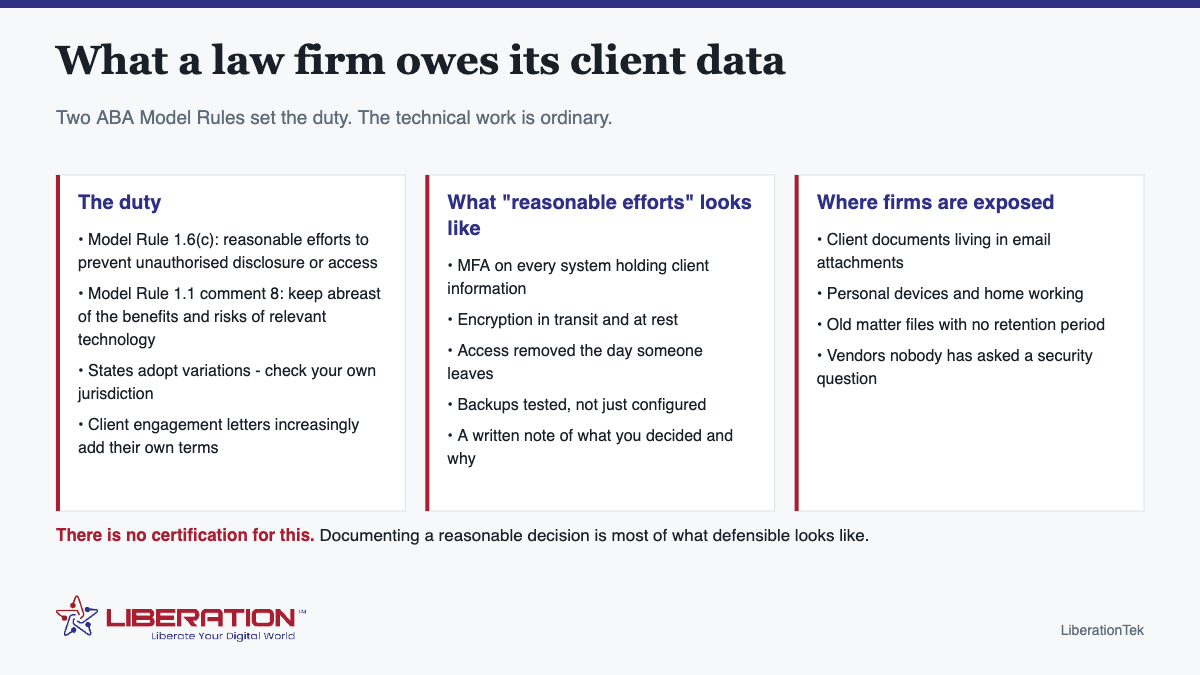
Secure hosting for law firms starts with a duty rather than a product: two ABA Model Rules, not from a technical standard. Rule 1.6(c) requires reasonable efforts to prevent unauthorised disclosure of or access to client information, and comment 8 to Rule 1.1 makes understanding the risks of relevant technology part of competence. There is no certification to buy. What exists is a decision you make, implement and write down.
States adopt their own variations of the Model Rules, so confirm your own jurisdiction’s wording – but the shape of the obligation is consistent, and so is the practical work.
What “reasonable efforts” actually means
The standard is deliberately not a checklist, because what is reasonable for a two-partner practice handling conveyancing differs from a firm holding sealed settlements. That flexibility is useful and it is also why firms freeze – there is no list to complete.
A workable reading: reasonable efforts means the controls a competent professional would expect, applied consistently, with a record of the decision. In practice that is six things.
- Multi-factor authentication on every system holding client information – practice management, email, document storage, the hosting control panel, and the domain registrar. The registrar is the one firms forget and the one with the widest blast radius.
- Encryption in transit and at rest, confirmed with each vendor rather than assumed.
- Access removed the day someone leaves. Departing associates, contract staff, the IT contractor from three years ago.
- Backups that have been tested by restoring one, not merely configured.
- Client documents out of email attachments and into something with expiry and an access log.
- A written note of what you decided and why. This is the part that makes the rest defensible.
The email problem, stated directly
Most firms’ largest concentration of client information is not the practice management system. It is years of email attachments – drafts, statements, identity documents, medical reports – sitting in mailboxes on both sides of every matter.
An attachment cannot be recalled, expires never, propagates to every device either party syncs, appears in both parties’ backups indefinitely, and leaves no record of who opened it. Against a standard of reasonable efforts, that is difficult to defend once someone asks the question directly.
The fix is not complicated. Send a link rather than a file, from a system where the link expires, access can be revoked and openings are logged. Give clients an upload route rather than inviting them to attach documents, say so in the engagement letter, and repeat it at the start of each matter.
Where small firms are actually exposed
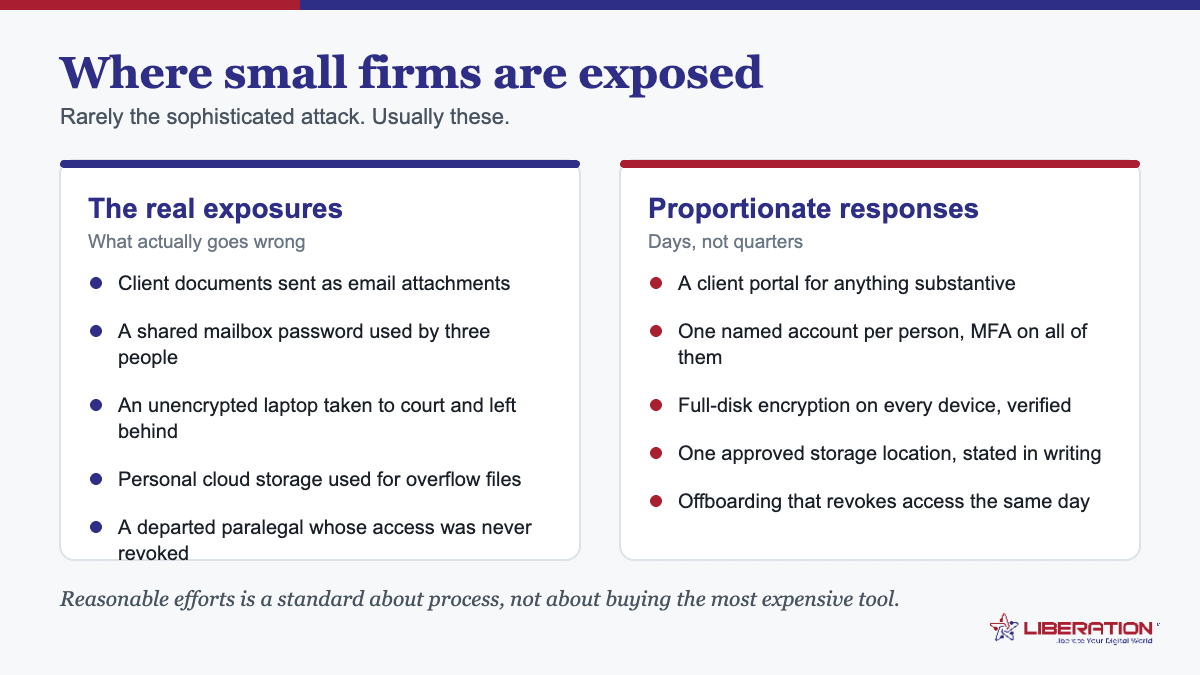
| Exposure | Why it persists | What to do |
|---|---|---|
| Client files in email | Path of least resistance for everyone | Secure file share with expiry and logging |
| Personal devices | Work happens at home and on trains | Decide what may be stored locally; use MFA regardless |
| Old matter files | Retention obligations are real, but so is indefinite drift | Set a period per matter type; dispose on schedule |
| Unvetted vendors | Tools adopted individually, never reviewed | List every system holding client data; ask each the same questions |
| The website, if it takes intake forms | It feels like marketing | Treat intake submissions as client information from the moment they arrive |
That last row surprises firms. An online intake or consultation form collects information relating to a potential representation, and it typically lands in two places at once – the website database and an inbox. Both are then systems holding client information.
Secure hosting for law firms: the questions to ask any provider
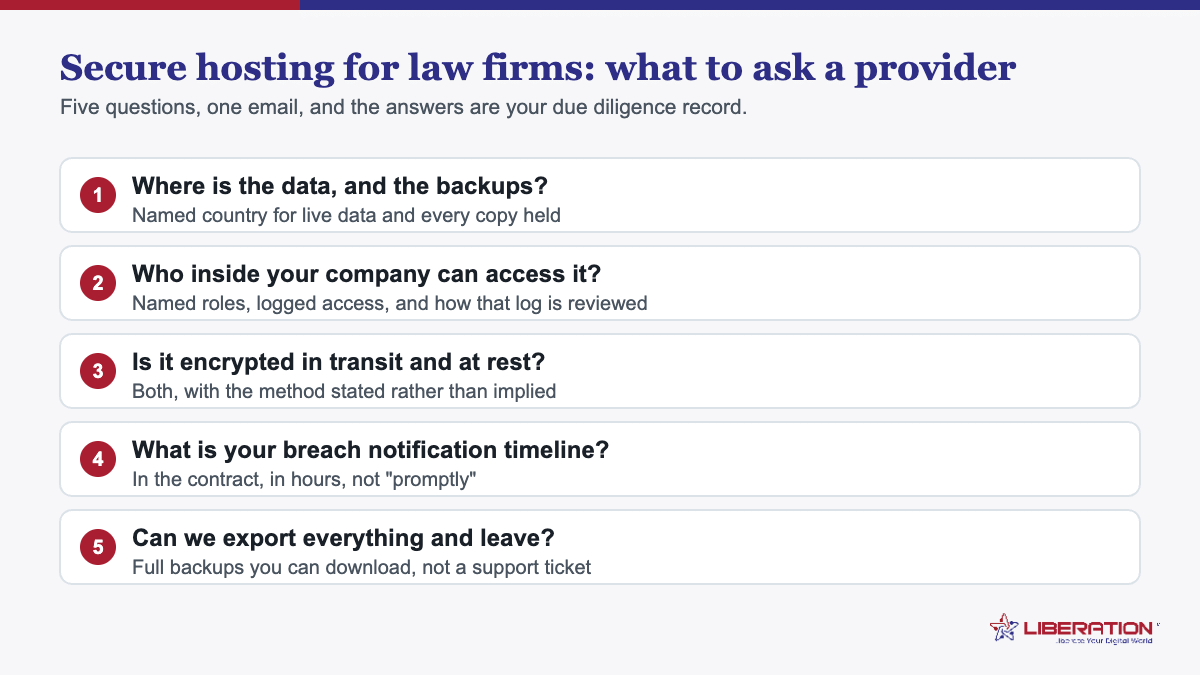
You are not looking for a certificate. You are collecting the answers that make your own decision defensible:
- Who owns the hardware, and which country does it sit in?
- Do you resell capacity from a larger platform, or operate your own?
- Is data encrypted in transit and at rest?
- Who can access it, and is that access logged and retrievable?
- How are backups held, and when was a restore last tested?
- What is the breach notification process and timeframe?
- What can we export if we leave, and how quickly?
File the written answers with your own notes. That file is the single most useful document a small firm can have if the question is ever asked.
What we can and cannot offer
We are a hosting and email provider. We cannot certify a firm, write your policies, or advise on your jurisdiction’s rules – and no provider can, whatever a marketing page says.
What we can do is answer all seven questions above in writing. Hosting runs on hardware we own and operate in the United States, with encryption in transit and at rest, free SSL, backups, and multi-factor authentication configured in cPanel. Liberation Email from $1.95 per user per month keeps correspondence on your own domain with nothing scanned for advertising or passed to a data broker. Hub For Teams from $7.49 per user adds secure file sharing with access control – the practical answer to the attachment problem – plus shared inboxes so a client email to the firm is not trapped in one person’s mailbox.
For firms wanting resources no other customer shares, Dedicated Cloud starts at $65.95 a month, which is also a simpler thing to describe to a client who asks.
Put the seven questions to us and you will get them answered in writing.
A practical week-one plan for secure hosting for law firms
- Inventory. Every system holding client information: practice management, email, document storage, cloud accounts, laptops, phones, backups, paper, and the website if it has an intake form.
- Turn on multi-factor authentication everywhere, starting with the domain registrar and email.
- Remove access nobody needs. Former staff, old contractors, anyone whose matter finished long ago.
- Restore one backup to confirm the control exists in practice rather than in configuration.
- Write two paragraphs recording what you decided and why – the step that converts good practice into a defensible position.
Client expectations are moving faster than the rules
Increasingly the pressure comes from clients rather than regulators. Corporate clients pass their own security obligations down through outside counsel guidelines; insurers ask during underwriting; individual clients in sensitive matters simply ask. A firm that answers immediately looks competent; one that cannot looks like a risk, regardless of what any rule requires.
That is worth weighing when considering the effort. The work is modest and the return is increasingly commercial rather than merely defensive.
The firm website, if it takes enquiries
An online consultation or intake form collects information relating to a potential representation, which means from the moment it is submitted it exists as client information in two systems – the website database and an inbox. Two straightforward fixes: collect a name and a contact route only, taking the detail through a secure channel once contact is established; and set a retention period on submissions so the database is not quietly holding years of enquiries about sensitive matters.
Working from anywhere, securely
Most small firms now work partly from home and on the move, which is where the realistic exposure sits rather than in sophisticated attacks. Three decisions cover it: what may be stored on a personal device, whether client documents are accessed rather than downloaded, and whether the firm’s mail is reachable from a phone that has no passcode. None of those require a policy document – they require a decision, applied consistently, and written down once.
A closing note on proportion. Nothing here requires a security department or a consultant. It requires deciding once, applying it consistently, and keeping a short record – which is precisely what “reasonable efforts” is asking for, and precisely what a firm that has never thought about it cannot demonstrate.
What the ethics rules actually say, and what they leave to you
Lawyers are in the unusual position of having a professional duty that predates and outlasts any particular technology, expressed in deliberately general terms. That generality is why secure hosting for law firms is genuinely a judgement call rather than a checklist – but the guidance is more specific than most practitioners realise.
Competence now includes technology. The comment to the ABA Model Rule on competence expects lawyers to keep abreast of the benefits and risks associated with relevant technology, and the great majority of states have adopted some version of it. That does not require expertise; it requires not being wilfully unaware of how your own systems work.
Confidentiality requires reasonable efforts, not guarantees. The rule asks you to make reasonable efforts to prevent unauthorised disclosure. The ABA has addressed cloud services and electronic communication in a series of formal opinions – its Model Rules of Professional Conduct and the accompanying commentary are the starting point, and your own state bar’s opinions govern in practice.
Reasonable is contextual, and that cuts both ways. The sensitivity of the information, the cost of additional safeguards, and the extent to which safeguards hinder the work all bear on what is reasonable. A firm handling routine conveyancing is held to a different practical standard than one handling a sealed matter – and the same firm may owe more on one file than another.
Client agreement matters. Where a client instructs you to communicate in a particular way, or agrees to a method after being informed of the risk, that changes the analysis. Record it. A note in the file that the client asked for documents by ordinary email, having been told it is not secure, is worth a great deal.
Supervision extends to vendors. The duty to supervise covers non-lawyer assistance, and that includes the companies holding your files. This is precisely why secure hosting for law firms is a professional-responsibility question and not only an IT one: choosing the provider is an exercise of professional judgement you may be asked to justify.
What this means practically. Nobody expects a solo practitioner to run an enterprise security programme. What is expected is that you thought about it, asked the vendor sensible questions, wrote down the answers, and can explain your reasoning. That is a considerably lower bar than most lawyers fear, and a considerably higher one than doing nothing and hoping.
What clients and insurers are now asking firms directly
The pressure to improve on this front is increasingly coming from clients rather than from bar regulators, and it arrives in a form that is difficult to deflect: a questionnaire, with a deadline, attached to work you want.
Corporate clients send outside counsel guidelines. Larger organisations now routinely require their law firms to meet specified security standards – encryption, access control, breach notification within a stated number of hours, sometimes restrictions on where data may be stored or which subcontractors may touch it. These are contractual obligations, enforced commercially, and they frequently exceed what the ethics rules require. A firm that has already sorted out secure hosting for law firms answers the questionnaire in an afternoon; one that has not may lose the panel place.
Insurers ask before they quote. Professional indemnity and cyber applications include specific questions about multi-factor authentication, backups, encryption and incident response. Answering optimistically on a form and accurately in reality is a discrepancy that surfaces at exactly the wrong moment.
Individual clients ask too, increasingly. A client in a sensitive matter – a family dispute, an employment claim, anything reputational – may simply ask how their documents are stored. Being able to answer plainly, without defensiveness, is reassuring in a way that most firms underestimate.
Which changes the economics of doing this. If this were only about avoiding a disciplinary risk that rarely materialises, procrastination would be rational. Once it affects which work the firm can accept and what the insurance costs, secure hosting for law firms becomes a business decision with a return rather than an overhead.
Produce the document once. A two-page summary of the firm’s security posture – what systems hold client data, where they are, what controls apply, what happens in an incident – answers most questionnaires with light editing. Write it once, keep it current, and the next request takes twenty minutes instead of a week.
The firms handling this comfortably are not the ones spending the most. They are the ones that wrote the answers down before anybody asked.
Frequently asked questions
What are a law firm’s obligations for client data security?
ABA Model Rule 1.6(c) requires a lawyer to make reasonable efforts to prevent inadvertent or unauthorised disclosure of, or unauthorised access to, information relating to the representation of a client. Comment 8 to Model Rule 1.1 makes keeping abreast of the benefits and risks of relevant technology part of competence. States adopt their own variations.
What counts as reasonable efforts?
The standard is deliberately not a checklist, because what is reasonable varies with sensitivity and firm size. In practice it means multi-factor authentication everywhere, encryption in transit and at rest, access removed promptly, backups that have been tested, and a written record of what you decided and why.
Is there such a thing as compliant hosting for law firms?
No certification exists for legal practice. What exists is whether a provider will state in writing who owns the hardware, where it sits, who can access it, how backups are handled and what the breach notification route is – and whether you recorded those answers.
Can law firms use email for client documents?
It is common and it is the weakest option available. An attachment sits in both mailboxes indefinitely, propagates to devices and backups, and offers no expiry, revocation or access log. A secure file share with expiry and logging is materially better and easier to defend.
What should a small firm do first?
Inventory where client information actually lives – practice management software, email, cloud storage, laptops, backups and paper. Then turn on multi-factor authentication everywhere and remove access nobody needs.
Related reading
- PCI Compliant Hosting: 5 Essential Things It Covers
- SSL Certificates — The baseline every public-facing site is expected to have.
- How to Protect Your Business Online — The controls that apply whatever the regime.