
Building a website no longer has to feel overwhelming or overly technical. Today’s website builders make it possible for anyone—beginner or expert—to create a polished, functional site without touching a single line of code. With intuitive interfaces and drag-and-drop tools, designing your online space can be as simple as arranging pieces on a digital canvas.
Many platforms even integrate with marketing tools, automation systems, and other business software, making it easier to stay connected with your audience. Mobile optimization is also standard, ensuring your website looks sleek on phones, tablets, and desktops. Some builders go further by offering private cloud hosting options for those who want additional control and privacy.
When choosing the right platform, think about how comfortable it is to use, the overall cost, and which features matter most to your goals. Whether you prefer builders like Wix, Liberation Site Builder, or Squarespace, each offers its own strengths. With the right choice, creating your online presence becomes less of a task and more of an exciting project.
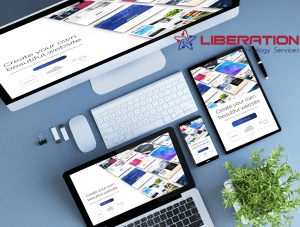
Key Features That Make Website Builders Stand Out
Website builders simplify the process of establishing a digital footprint by offering an array of tools packed into one platform. Most include design themes that can be adapted to match your brand’s style—giving you a strong starting layout that you can tailor as you go. These platforms often support easy integration with external services, making it simple to connect email platforms, automation tools, and other must-have business apps.
Responsive design is another major advantage. As mobile browsing continues to grow, having a site that automatically adjusts to different screens is essential. Many builders also come with built-in SEO tools to help improve visibility on search engines, enhancing your chances of being discovered online.
Altogether, these features give creators an efficient, practical way to launch a professional website without needing specialized skills.
Why Website Builders Are a Game-Changer
Beyond convenience, website builders offer several real advantages. They significantly reduce development time, meaning you can launch quicker and without the typical delays of custom design work. Cost-wise, they’re also more accessible than hiring a full-scale web development team, making them ideal for startups, small businesses, and creatives.
Ease of use is another highlight. Even individuals with little technical experience can build a site with confidence. Security is usually managed by the platform itself, with regular updates, encryption, and built-in protections that help safeguard your information. The result? A professional, secure website that reflects your vision and helps attract more visitors.

Comparing Today’s Leading Website Builders
Different platforms offer different strengths. Some focus on user-friendly design with simple drag-and-drop systems, while others emphasize deep customization for users who want more creative control. Prices vary widely, so it’s important to compare plans to find what fits your needs.
Customer support can also be a deciding factor. Some builders provide round-the-clock assistance, which is a lifesaver if you’re working on your site outside of typical business hours.
Certain platforms even include extras like privacy-focused hosting options or enhanced data protection features. Ultimately, the best builder is the one that helps you achieve your goals smoothly and confidently.
Designing With Website Builders
Modern website builders give you an impressive amount of creative freedom. With a wide collection of templates, color palettes, font options, and layout tools, you can shape your website to match your style. Adjusting elements is as easy as dragging items into place or switching settings—no coding required.
Advanced tools such as image editors, animation options, and layout controls offer even more refinement. If you get stuck, most platforms also include tutorials or help guides so you’re never left guessing.
Customization Options You Can Expect
Today’s builders provide everything you need to customize your site from top to bottom. You can rearrange layouts, add interactive elements, integrate apps, and even insert custom code if you want additional control. These features allow businesses to create a site that truly represents their brand while delivering a user-friendly experience.

Whether your style is bold and creative or clean and minimal, the tools are there to help you bring your imagination to life.
Templates give your website a reliable framework so you aren’t starting from scratch. They ensure consistency throughout your pages and provide a clear structure to build upon. With so many styles available—corporate, artistic, minimalist, and more—it’s easy to find a starting point that feels right.
These templates help streamline the entire building process and free you up to focus on content, storytelling, and user experience.
Connecting your website to your email marketing tools can dramatically enhance engagement. Integration makes it simple to manage subscriber lists, send automated greetings, create campaigns, and track results. These features turn your website into a powerful communication hub, helping you maintain ongoing relationships with your audience.
With so many users browsing on smartphones, a website that adapts to different screen sizes is essential. Website builders handle this automatically by providing responsive templates that adjust layout, spacing, and images for a smooth mobile experience. This not only keeps visitors happy but also improves search engine performance.

Exploring Private Cloud Options
Some businesses prefer to host their sites on private cloud environments for extra control and privacy. Providers like Liberation Technology Services offer customizable setups that give you greater oversight over your data. When comparing cloud solutions, consider security, pricing, and the level of support offered.
Prices vary across website builders, so it’s important to evaluate plans carefully. Entry-level options usually cover basic needs, while advanced plans offer tools for scalability and e-commerce. Also consider domain costs, renewal fees, add-on services, and any hidden expenses. Taking advantage of free trials can help you make an informed decision.
Website Builders Guide: Quick Answers
- Website builders bundle design tools, templates and hosting so you can publish without writing code.
- Your site’s purpose should choose the tool. A portfolio, a blog, a service business and a store have different needs.
- Always test how a builder handles speed, mobile layouts, accessibility and content export.
- A builder is a good start, not a permanent commitment. Plan how you would move if you outgrow it.
Choosing Website Builders by Site Type
The table matches common site types to the features that matter most.
| Site type | Must-have features | Nice to have | Watch for |
|---|---|---|---|
| Portfolio | Image galleries, fast loading | Custom domain email | Heavy images that slow pages |
| Blog | Easy publishing, categories, comments | Newsletter signup | Limited export of posts |
| Service business | Contact forms, booking, local SEO basics | Reviews and testimonials | Booking fees and add-ons |
| Online store | Checkout, taxes, shipping, inventory | Discount tools and abandoned cart emails | Transaction fees |
| Membership site | Gated content and recurring billing | Community features | Whether members can be exported |
Questions to Ask Before You Commit
| Question | Why it matters |
|---|---|
| What does the plan cost after the first year? | Promotional prices often rise at renewal |
| Can I export my pages, posts and media? | Protects you if you switch |
| Who owns the domain? | You should control it |
| How fast do demo sites load on a phone? | Speed affects visitors and search visibility |
| What support is included? | Help matters most when something breaks |
Eight Steps to Build Your First Site
- Write one sentence describing what the site is for.
- Choose a builder using the tables above.
- Register your domain in your own name.
- Pick a simple template and set your colors and fonts.
- Write the core pages first: home, about, services and contact.
- Add images with descriptive alt text.
- Test on a phone, a tablet and a laptop.
- Publish, then check the site every month.
Trusted Guidance for Builders
Google’s Web Vitals guide explains the speed and stability measures behind a good page experience, and the W3C’s accessibility guidelines explain how to make a site usable for more people. Google also publishes advice on creating helpful content, which matters more than any template.
On this site, read our guides to site builder platforms, which builder to use and choosing a domain name. For bigger projects, see web development.
Common Mistakes With Website Builders
People often choose a builder before deciding what the site needs. Others skip the export check and learn later that they cannot take their content with them. Some publish without testing on phones, and some forget accessibility basics such as alt text and readable contrast. A written goal and a short test build prevent most of this.
Website Builders Checklist
- Site purpose is written down.
- Domain is registered in your name.
- Renewal price is known.
- Export options are confirmed.
- Mobile layout is tested.
- Alt text and contrast are checked.
Website Builders FAQ
What is the best way to choose website builders?
Start with your site type and must-have features. Then compare two or three options using the same sample page.
Do I need to know how to code?
No. Builders use visual editors, although some allow custom code when you want more control.
Can a builder handle a business site?
Yes, for many small businesses. Check that it supports your forms, bookings or store needs and lets you export your content.
How much does it cost to run a site?
Plan for the subscription, the domain, email and any paid apps or templates. Add them up for a yearly figure.
How do I improve my site’s search visibility?
Write helpful pages, use clear titles and headings, keep the site fast and make sure it works on phones.
What if I outgrow my builder?
You can move to a larger platform or a custom site. Keep your content backed up and your domain under your control to make that easier.