Secure Video Meetings
Video Conferencing Built for Small Teams
Video conferencing works best when it is part of the tools your team already uses, not one more subscription and login. Hub for Teams Talk puts video conferencing, screen sharing and group chat in the same workspace as your mailbox, calendar and files for $14.95 per user per month, run by a US-based company on its own network. This page explains what is included, how to judge video conferencing for a small team, and how to roll it out without friction.
What Teams+ Talk includes
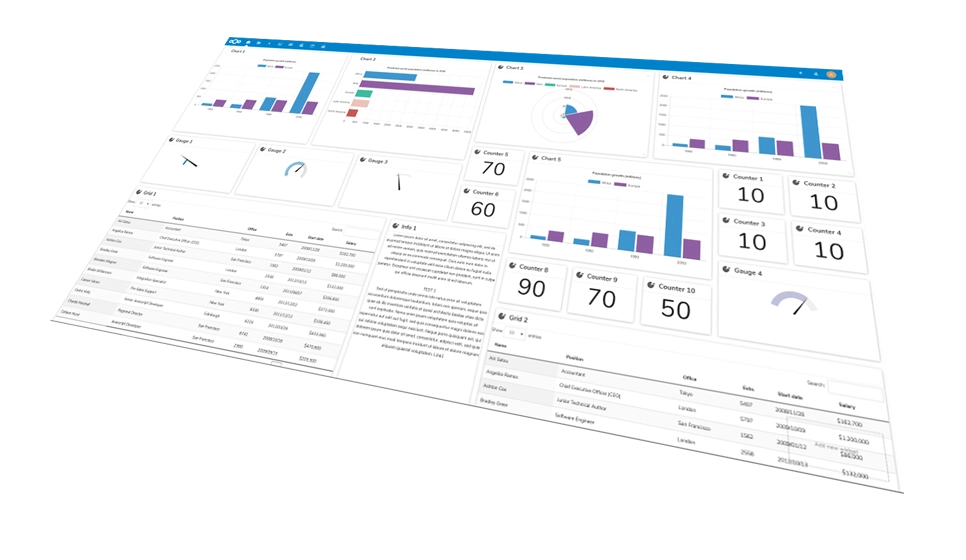
Teams+ Talk is the top Hub for Teams plan. Per the plan details on our Hub page, it includes:
Video conferencing.
Secure, feature-rich video meetings with your team.
Screen sharing.
Show your work instead of describing it.
Individual and group chat.
Keep the side conversation next to the meeting.
Custom workflows, storage and mail.
25GB of file storage and a 25GB professional mailbox per user.
Video conferencing is available on Teams+ Talk and Enterprise only, so choose that plan for anyone who needs video conferencing every week. If you just need chat and project tracking, the cheaper Teams+ plan at $9.75 covers that, and you can read about it on our project management software page. Teams Starter at $7.49 covers mailbox, calendar, contacts and an office suite.
No extra app to run a meeting
In the Hub comparison table, the line "requires app for video conferencing" is marked NO for Hub. Video chat is part of the platform, so your staff do not need a separate meeting product alongside it. For a small business, that means one fewer vendor to manage, one fewer set of accounts to remove when someone leaves, and one place to look for the link.
Hub for Teams is described on our site as a truly independent alternative to Teams 365, Workspace and Zoom. If you are comparing, our Zoom alternative page lays out the differences in principle, and the guide to alternatives to Zoom covers other options. Check any provider's current plans and pricing on its own website.
How to choose online meeting software for a small business
Feature lists for online meeting software look alike, and most online meeting software now offers the basics. The differences that matter to a ten-person company are practical, so test these before you commit:
Joining.
Can staff join quickly from a laptop, a phone or a tablet without a long setup?
Guests.
What does a client or contractor need to do to join your meeting?
Sharing.
Is screen sharing simple enough that people actually use it?
Chat history.
Does the conversation stay with the team after the call ends?
Calendar.
Do meetings appear where your staff already plan their day?
Ownership.
Who runs the service, and where does your data go?
Hub's calendar, chat and video conferencing tools sit in one workspace, which covers the last three points by design. For the first three, run a trial and see how your own people get on. We do not publish meeting size limits or recording details on this page, so ask us before you plan a large event.
Comparing virtual meeting platforms without the hype
When you compare virtual meeting platforms, resist choosing on name recognition alone. A familiar brand helps with guests who already have the app, but it also means another subscription, another account directory and another place where your meeting data lives. Among virtual meeting platforms, a bundled workspace trades some of that familiarity for simplicity and control.
Ask each virtual meeting platform the same questions in the same order: what is the per-user price at your team size, which features need a higher plan, what are the terms if you cancel, and who do you call when something breaks. Write the answers down side by side. Our comparison page and the Slack alternative page follow this same approach for chat. Keep in mind that vendors change plans often, so verify current details on each provider's site.
Video conferencing with privacy and US-based hosting
Liberation is a US-owned and US-based company that runs its own platform. For Hub, the site states that your data is encrypted, never shared and never leaves its US-based network. Hub also lists two-step authorization and AES-256 encryption. For a team that talks about client work in meetings, knowing where the platform runs is a fair thing to ask any vendor.
The Cybersecurity and Infrastructure Security Agency publishes plain-language guidance on staying safe online at cisa.gov. Whichever web meeting software you choose, including ours, the basics apply: give each person their own login, turn on two-step authorization, and keep meeting links out of public posts.
Web meeting software habits that make meetings shorter
The software matters less than the habits around it, and good web meeting software cannot fix a meeting with no purpose. Teams that get value from video conferencing usually follow a few simple rules:
Step 1
Send an agenda with the invitation, even if it is three lines.
Step 2
Start on time and name a person who will write down decisions and owners.
Step 3
Share your screen only when it helps, and close unrelated windows first.
Step 4
Use group chat during the meeting for links and side questions so the call stays on topic.
Step 5
End with a recap: who does what by when. Post it in the team chat.
None of this depends on a particular product, but it is easier when chat, calendar and video share one workspace, because the recap lands where the team will see it.
Secure video conferencing: talk to an engineer.
Try video conferencing in Hub, 30 days freeHow video conferencing fits with the rest of Hub
A video conferencing call is rarely the end of the work. Decisions become tasks, tasks need owners and dates, and documents need a home. In Hub, video conferencing in the Teams+ Talk plan sits alongside the Project Manager's tracking, shared storage and the office suite, so a meeting can lead directly to a task and a shared file without switching products. If you want the bigger picture, read our guide to team collaboration tools, and estimate what consolidating subscriptions might save with the savings calculator.
One customer, Dustin Beck, says Hub for Teams has been "great for my church livestream as well." Hub's own feature list focuses on team meetings, so treat that as one customer's experience rather than a promise for every use. For streaming, see our streaming video page.
Audio, video and bandwidth: a quick preparation guide
Most poor meetings are caused by setup, not software. Before a client call over video conferencing, check the basics: a headset or a decent microphone matters more than an expensive camera, a wired connection or a spot close to the router beats a weak signal, and a window behind you makes you hard to see. Ask attendees to mute when they are not speaking. If a participant's connection struggles, turning off their camera often helps more than anything else. These tips apply to any online meeting software, including Hub.
For regular meetings, have a fallback plan. Share a phone number in the invitation or move the conversation to group chat if the video fails, so a technical hiccup does not cancel the meeting.
How it works
Step 1
Choose Teams+ Talk for the people who need meetings. Your account count decides whether you use personal plans (one to nine accounts) or business plans (ten or more).
Step 2
Start the 30-day free trial.
Step 3
Invite your team and set up the calendar so meetings sit where people already plan their day.
Step 4
Start a video meeting, share your screen when needed and keep follow-up in group chat.
What to test during your video conferencing trial
A 30-day trial is long enough to test more than a single call. Treat it like a short pilot with a checklist:
A normal team meeting.
Run your regular weekly meeting in Hub instead of your current tool.
A screen share.
Present a document or a spreadsheet and ask attendees whether it was easy to follow.
A weak connection.
Have someone join from a phone or a slower network and note what happens.
A follow-up.
Use group chat after the call to confirm decisions.
An admin task.
Add a user, remove a user and check the calendar for each.
Write down the results. If the pilot works, you have an evidence-based answer, and you can move more of the team across with confidence. If it does not, you have lost nothing but a month of testing, and you will know exactly what is missing.
Who this video conferencing suits
Teams+ Talk suits small businesses, clinics, consultancies and organizations that want meetings, chat, files and calendar under one login, and want a provider that answers the phone. It is less about chasing every feature of a dedicated video conferencing product and more about keeping your tools consolidated. If you handle regulated information, tell us what rules apply to you before you decide, and we will tell you plainly what we can and cannot confirm.
Replacing a tool your team already knows
Switching video conferencing tools is mostly a people problem. Pick a date to turn the old tool off and tell everyone in advance. Move recurring meeting invitations to the new calendar in one batch, so nobody has to hunt for a link, and keep a short guide with the three steps people need: how to join, how to share a screen and how to open the chat. Expect a week or two of questions, and give someone ownership of answering them. If you want help migrating mailboxes, calendars and files into Hub at the same time, contact us.
Secure Video Meetings FAQs
Which plan includes video conferencing?
Video conferencing is part of Teams+ Talk at $14.95 per user per month, and the Hub page also lists it for Enterprise. Teams Starter at $7.49 and Teams+ at $9.75 do not list video conferencing. Teams+ Talk also includes screen sharing and individual and group chat.
Do my team members need to install a separate meeting app?
Hub’s comparison table marks “requires app for video conferencing” as NO for Hub, meaning video meetings are part of the platform. Hub also has desktop clients and mobile apps for Apple and Android. Check the Hub page for the current list of supported devices before you roll it out.
Can I try it before paying?
Yes, Hub for Teams has a 30-day free trial. Use it to run a few real meetings with screen sharing, test the group chat and see how the calendar fits your routine. If it does not work for your team, you have lost nothing but a month of testing.
Where does the meeting platform run?
Liberation states that Hub data is encrypted, never shared and never leaves its US-based network, and that it is a US-owned and based company. Hub also lists two-step authorization and AES-256 encryption. If you have specific compliance needs, contact us and describe them before you commit.
Is it a good fit for a ten-person team?
Teams with ten or more accounts use Hub business plans, which run in your own private cloud environment with dedicated resources. Per-user prices are the same as the personal plans. Teams+ Talk is $14.95 per user per month, so you can mix plans across accounts depending on who needs video.
What should I test during the free trial?
Run your normal weekly meeting in Hub, share a document on screen, have someone join from a phone or slower connection, and use group chat for follow-up. Also add and remove a user to see how administration works. Write down what worked and what did not, so the decision rests on your own results.
What Our Customers Say
★★★★★ Rated 4.9/5 on Google and 4.7/5 on Trustpilot
Related Services
Our Promise Of Digital Independence
Liberating Your Digital World Is Our Passion
- U.S.A. owned and based
- We own and control our entire platform
- More security to protect your data
- No Censorship Guarantee
- 100% data ownership
- Your data is NEVER shared
Liberation News







LTS News

Global Edge Network
Liberation’s global edge network provides enhanced performance & security.
Freedom Tech News
Stay informed on the latest tech news, new products, promotions, & more!