Zoom Alternative: Hub For Teams
Video meetings, screen sharing and team chat inside the same workspace as your email, files, office apps and projects, on U.S. servers we own. The independent Zoom alternative, with video included from $14.95 per user.
How the move from Zoom works
We handle each step so you can keep working.
The Limit On Every Free Zoom Group Meeting
Zoom's free Basic plan ends group meetings at 40 minutes. Paid plans remove the limit, but video is still one more subscription on top of your email and documents.
See Hub for Teams video meetings in action
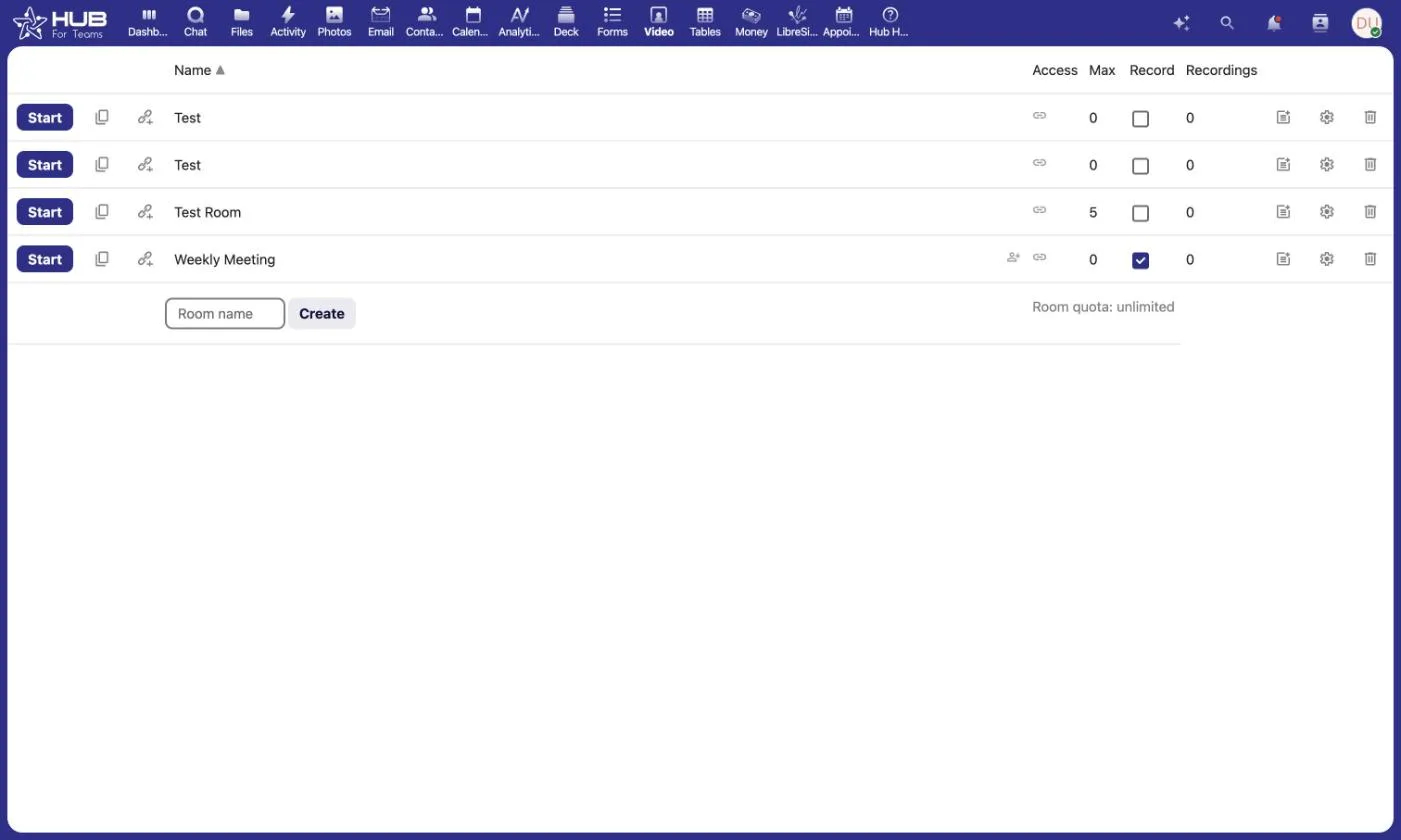
Host video meetings on your own Liberation Technology Services Hub, with built-in moderator controls for your team.
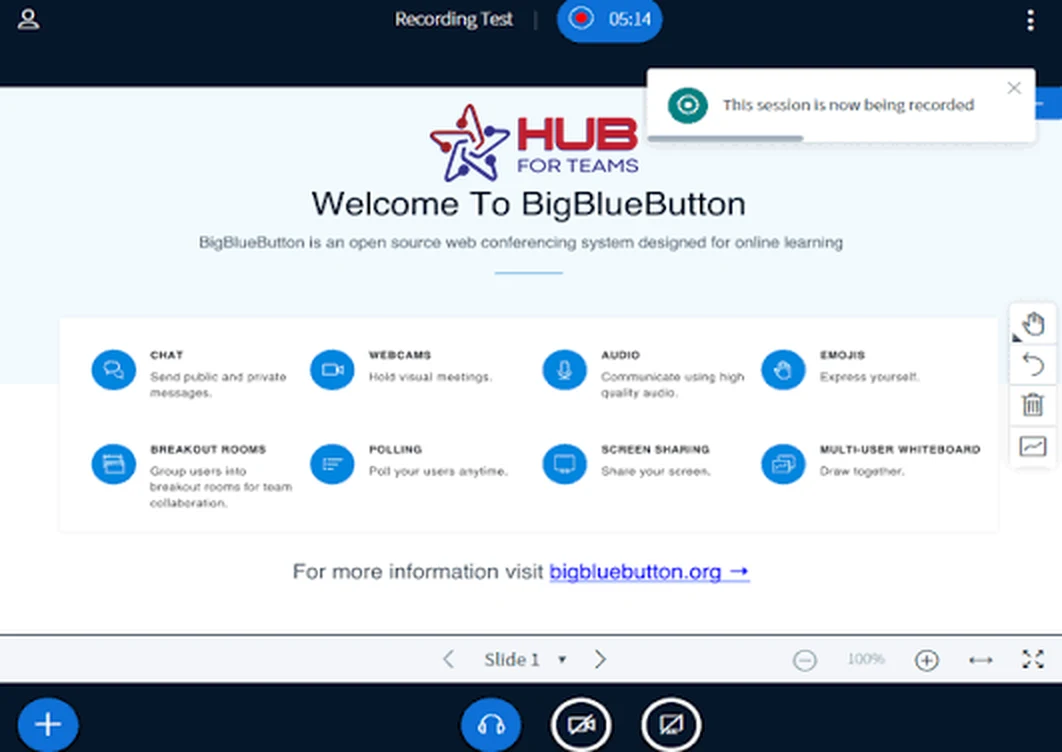
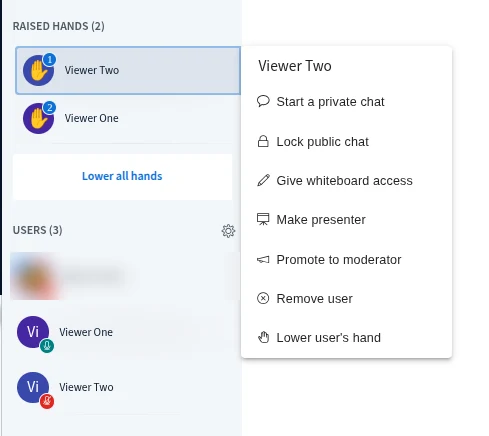
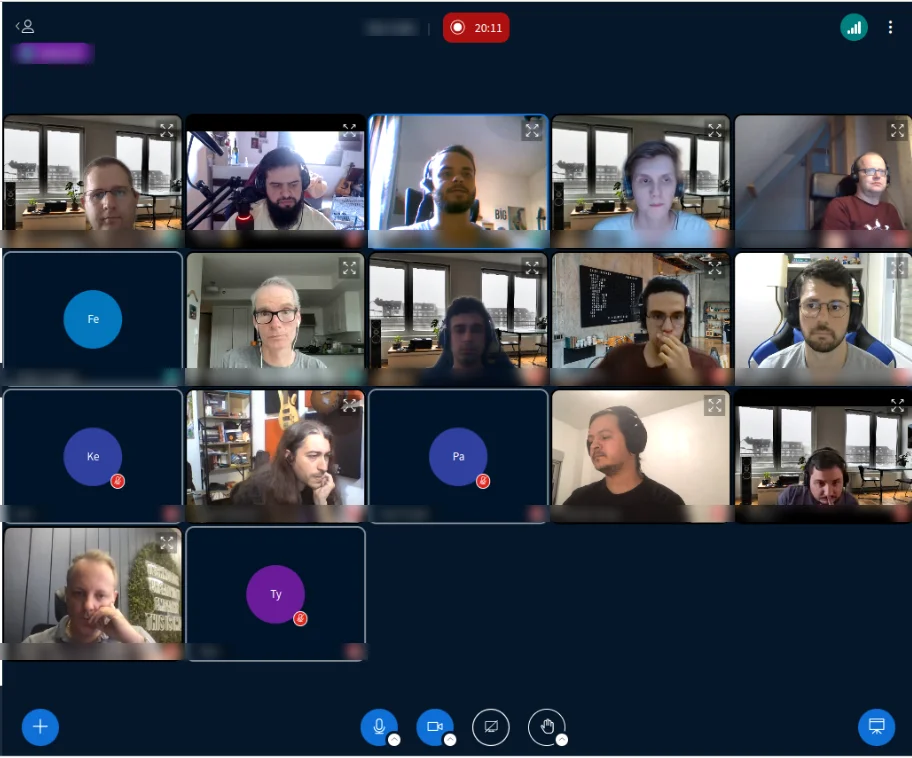

See Hub for Teams in action
Chat, files, boards and calendars in one workspace.
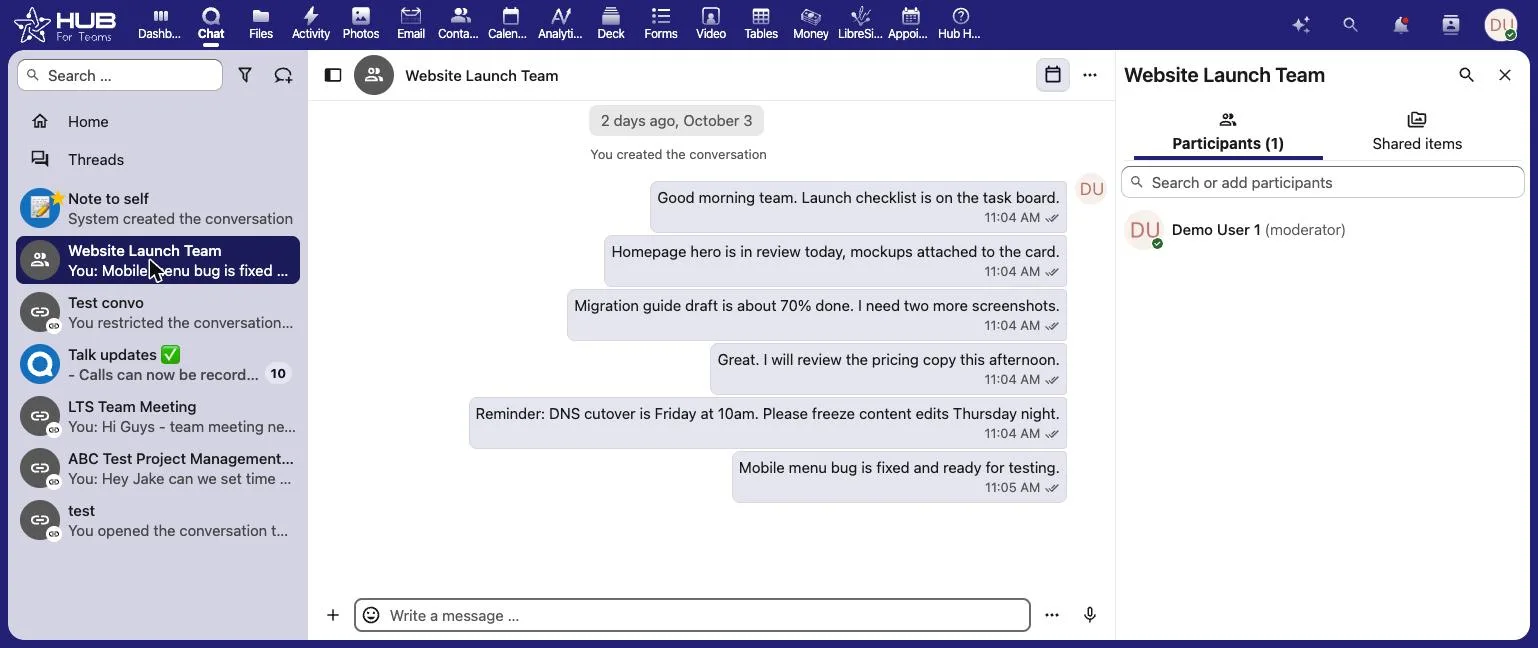
Video Meetings Inside Your Workspace
Hub For Teams puts video conferencing and screen sharing next to the tools your team already uses every day: business email, a shared calendar, file storage, an office suite, team chat and project management. Schedule a call from your Hub calendar, share the link, and pick up the conversation in chat afterward, all in one place.
Everything runs on U.S. servers LiberationTek owns and operates, and your meetings, messages and files are never sold, shared or used to train AI.
Why Teams Look Beyond Zoom
And What Hub For Teams Does Differently
No 40-Minute Cutoff Worries
Video is part of Hub for Teams+ Talk, so your meetings aren't built around a free-plan time limit.
One Tool Instead Of Two
Zoom sits on top of your email and documents. Hub puts video in the same workspace as mail, files and chat.
No AI Add-On Fees
Zoom sells extras like its ZoomMate assistant and AI Productivity Suite as monthly add-ons. Hub has no AI upsell tiers.

Built For Whole Teams
Meetings connect to your Hub calendar, discussion rooms and projects, so follow-up doesn't get lost.
Screen Sharing Included
Share your screen and present from Teams+ Talk without buying a separate meeting tool.
Recordings In Your Files
Keep recordings and meeting documents in Hub's file storage alongside the rest of your work.
Schedule From Your Calendar
Book meetings from the same calendar that holds your email invites and appointments.
Never Used To Train AI
Your meetings, messages and files stay on U.S. servers LiberationTek owns and are never used to train AI.
Hub For Teams vs. Zoom
How Hub for Teams+ Talk compares with Zoom Workplace. Zoom prices and plan details are from Zoom’s pricing page, checked September 2026.
Features |  | Zoom |
|---|---|---|
Plan with video meetings | $14.95/user/mo (Teams+ Talk) | $14.16/user/mo billed annually (Workplace Pro) |
Free option | 30-day free trial | Free Basic plan limits meetings to 40 minutes |
Video meetings & screen sharing | Included on Teams+ Talk | Included |
Team chat | Group and one-to-one chat, discussion rooms | Zoom Chat |
Business email mailbox | 25 GB mailbox per user on Teams+ Talk | Connects Gmail/Outlook; Zoom Mail on paid plans |
File storage | 25 GB per user on Teams+ Talk | 10 GB cloud recording storage per license |
Office suite | Documents, spreadsheets, presentations | AI document tools; full suite sold as an add-on |
Project management | Built in, with custom workflows | Tasks and workflows |
AI extras | No AI upsell tiers | Add-ons such as ZoomMate ($20/mo) and AI Productivity Suite ($10/mo) |
Your data and AI | Never sold, shared or used to train AI | Says it won’t train AI on audio, video or chat content without consent (after 2023 terms backlash) |
Where data is stored | U.S. only, on LiberationTek-owned servers | Zoom’s cloud; multi-region storage controls on Business |
Dedicated private cloud | Included at 10+ users | Hybrid cloud as an Enterprise add-on |
Company | Independent, U.S.-owned and operated | Zoom Communications, Inc. |
Free migration when you choose an annual plan.
One Bill Instead Of Two
10 users on Zoom Workplace Pro plus Google Workspace Business Starter pay $2,539.20 a year at annual list prices. Hub Teams+ Talk covers video, chat, email, files and projects for $1,794, saving $745.20.
- Video Meetings & Screen Sharing
- 25 GB Mailbox + 25 GB Files Per User
- Team Chat & Discussion Rooms
- Office Suite, Calendar & Projects
- 30-Day Free Trial
- No AI Add-On Fees
- U.S.-Only Hosting
What Hub For Teams Customers Say
Real customer reviews. LiberationTek is rated 4.9 out of 5 on Google and 4.7 out of 5 on Trustpilot (September 2026).
Switch From Zoom In 4 Simple Steps
1. Start Your Free Trial
Try Hub for Teams+ Talk for 30 days with your team.
2. Schedule From Hub
Book your next meetings from your Hub calendar.
3. Keep Your Recordings
Download Zoom recordings you need and upload them to Hub's file directory.
4. Cancel Zoom
Once meetings run in Hub, let Zoom lapse at renewal.
Choose Your Zoom Replacement
How many accounts do you need?
Personal Plans
Teams Starter
per user / month
- 5GB Professional Mailbox
- 5GB File Storage
- Professional Calendar
- Appointment Scheduling
- Contact Management
- Office Suite
- + Liberation mail
- + Additional storage
- + Use up to 5 domains
- + Advanced & Premim Support
Teams+
per user / month
All Teams+ Features &
- 15GB Professional Mailbox
- 15GB File Storage
- Team Chat
- Project Manager
- Custom Workflows
- + Liberation mail
- + Additional storage
- + Use up to 5 domains
- + Advanced & Premim Support
Teams+ Talk
per user / month
All Starter Features &
- All Hub Enterprise Features
- 25GB Professional Mailbox
- 25GB File Storage
- Video Conferencing
- Screen Sharing
- Individual & Group Chat
- Custom Workflows
- + Liberation mail
- + Additional storage
- + Use up to 5 domains
- + Advanced & Premim Support
Business Plans
Teams Starter
per user / month
- 5GB Professional Mailbox
- 5GB File Storage
- Professional Calendar
- Appointment Scheduling
- Contact Management
- Office Suite
- + Liberation mail
- + Additional storage
- + Use up to 5 domains
- + Advanced & Premim Support
Teams+
per user / month
All Starter Features &
- 15GB Professional Mailbox
- 15GB File Storage
- Team Chat
- Project Manager
- Custom Workflows
- + Liberation mail
- + Additional storage
- + Use up to 5 domains
- + Advanced & Premim Support
Teams+ Talk
per user / month
All Teams+ Features &
- All Hub Enterprise Features
- 25GB Professional Mailbox
- 25GB File Storage
- Video Conferencing
- Screen Sharing
- Individual & Group Chat
- Custom Workflows
- + Liberation mail
- + Additional storage
- + Use up to 5 domains
- + Advanced & Premim Support
Hub for Teams Enterprise. Grow and scale with confidence
Maximum Security
Two-step Authorization, AES-256 encryption and SSO
Everything your team uses
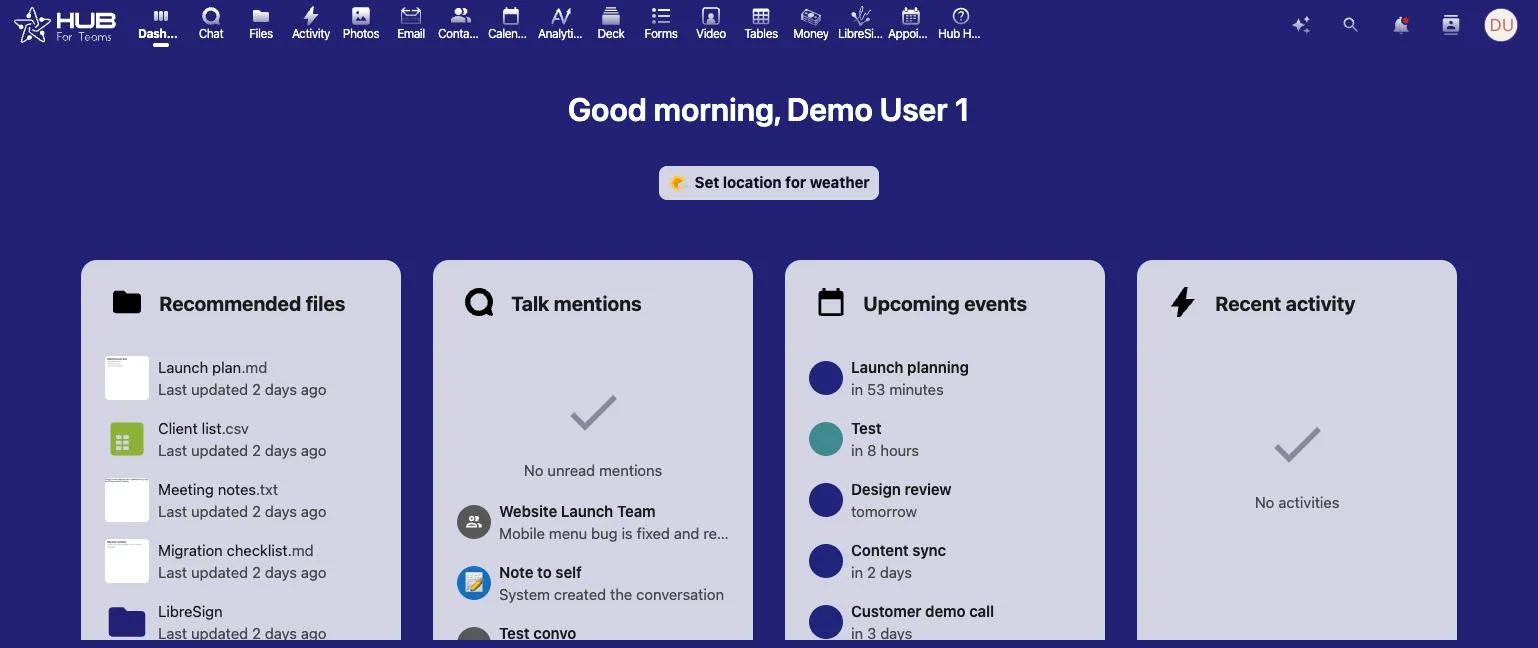
Chat, files and meetings in one workspace.
Zoom Alternative FAQs
For small businesses that want video meetings without another standalone subscription, Hub for Teams+ Talk includes video conferencing and screen sharing along with business email, file storage, an office suite, team chat and project management. It runs only on U.S. servers LiberationTek owns and starts with a 30-day free trial.
Zoom Workplace Basic is free but limits meetings to 40 minutes. Workplace Pro is $14.16 per user per month billed annually, and Workplace Business is $18.33 per user per month billed annually. Enterprise pricing is by quote, and extras such as ZoomMate and the AI Productivity Suite cost more.
Yes. Video conferencing and screen sharing are included on the Teams+ Talk plan, which is $14.95 per user per month. Guests can join calls in the browser without installing an app.
Zoom Workplace Pro costs slightly less per user for video on its own. Hub Teams+ Talk also includes business email, file storage, an office suite, chat and project management. A 10-person team paying for Zoom Workplace Pro and Google Workspace Business Starter spends about $2,539 a year at annual list prices, compared with $1,794 for Hub Teams+ Talk.
Yes. Download the Zoom cloud recordings you want to keep, then upload them to your Hub for Teams file directory through the web interface or the desktop client.
No. Your meetings, messages and files stay on U.S. servers LiberationTek owns and operates, and they are never sold, shared with third parties or used to train AI.
Keep Reading
More comparisons: Google Workspace alternative · Microsoft 365 alternative · Slack alternative · Gmail alternative · GoDaddy alternative · Proton Mail alternative · Private email providers · DigitalOcean alternative · Linode alternative · DigitalOcean vs. Linode vs. Vultr · Vultr alternative · Mailchimp alternative · AWS alternative · HostGator reseller alternative · Wix & Squarespace alternative · Constant Contact alternative · InMotion reseller alternative · Hostinger alternative · Outlook alternative · Bluehost alternative · WP Engine alternative · Zoho Workplace alternative · All comparisons
Hub for Teams plans and features · Communication tools that are leading the way · Skype alternatives · Collaboration platforms
Updated September 11, 2026. Zoom prices, the 40-minute free-plan limit and add-on prices are from Zoom’s pricing page, checked September 2026. The 2023 terms-of-service change was reported by TechCrunch. Google Workspace pricing is from Google. Annual totals are list-price math before taxes and add-ons; prices change, so confirm before buying.
The constraint nobody mentions about meeting software
Video meeting software is the one category where your choice is partly made by other people. Clients, suppliers and partners each have a tool they already use, and the practical requirement is that joining your meeting from a browser has to be effortless for somebody who has never heard of your platform. A tool that makes an external guest install something loses you meetings, whatever its feature list says.
So test the guest experience before the host experience. Send a link to somebody outside your organization, on a phone, and watch what happens. That single test eliminates more options than any comparison table, and it is the thing people usually discover after they have committed.
Then think about recordings, because that is where both the cost and the risk live. Recordings are large, they accumulate, and they frequently contain things you would not want retained indefinitely — client details, candid discussion, occasionally health or financial information. Decide where they are stored, who can reach them and how long they are kept. That is a records policy question rather than a software one, and it matters a great deal more than resolution.
Be realistic about what you need. A great many businesses pay for conference-grade features — webinars, breakout rooms, large attendee ceilings — in order to hold four-person internal calls and the occasional client meeting. Counting what you actually hold in a month, and how many people attend, usually shows the requirement is modest even where the bill is not.
Where we fit: Hub For Teams gives your team shared calendars and contacts on your own domain, which is what makes scheduling work regardless of which meeting tool the other party prefers. Book a call, tell us what you actually run in a typical week, and we will tell you what you need rather than what is available.
Video meetings in Hub for Teams