
Choosing among cloud hosting providers is easier when you know what to compare. This guide covers how cloud hosting providers differ, what they cost and which questions to ask.
For most small businesses in 2026, the right choice in cloud hosting for small business is a managed cloud VPS costing $50–$150 per month — not a $3 shared plan and not a hyperscaler like AWS. Shared hosting runs out of capacity as soon as you get traffic, and AWS assumes you employ someone to run it. The middle of that range is where small businesses actually live, and this guide explains how to tell those options apart, what each one really costs after the first year, and the seven questions worth asking any provider before you hand over your website.

What is cloud hosting, and how is it different from shared hosting?
Cloud hosting runs your website on a pool of networked servers instead of a single physical machine, so resources can be added without migrating and a hardware failure on one node does not take your site down. NIST’s definition of cloud computing (SP 800-145) describes the same idea as on-demand access to a shared pool of configurable resources. Shared hosting puts hundreds of websites on one server and divides its capacity among them. That difference matters most on your worst day, not your average one: a traffic spike or a noisy neighbor on shared hosting shows up as a slow or unreachable site.
The term covers four genuinely different products, and most confusion about pricing comes from comparing across categories rather than within them.
| Type | You manage | Typical monthly cost | Best fit |
|---|---|---|---|
| Shared hosting | Nothing but your site | $3–$15 | Brochure sites, very low traffic |
| Managed cloud VPS | Your site; provider patches the server | $50–$160 | Most small businesses with real traffic or a store |
| Unmanaged cloud VPS | Everything — OS, patching, security | $5–$80 | Businesses with a developer or sysadmin |
| Dedicated / private cloud | Varies by provider | $200+ | Compliance obligations, heavy workloads |
The word “managed” is the single most important distinction on that table, and it is the one most often glossed over. An unmanaged $6 cloud server and a managed $79 cloud server are not competing products. With the first, operating system updates, firewall rules, PHP versions and backups are your responsibility; if the server stops responding at 2am, you are the one who fixes it. With the second, that work belongs to the provider.
What does cloud hosting for small business cost in 2026?
Budget $50–$150 per month for managed cloud hosting, and check the renewal price before you buy. The most common costing mistake is not choosing the wrong tier — it is comparing a heavily discounted first term against a standard rate. Mass-market hosts frequently advertise an introductory price for the first year and renew substantially higher, so a plan that looks like $4 per month can become $12 or more at renewal, and the three-year total is what you are actually signing up for.
Four costs are routinely left out of the comparison:
- Backups. Often a paid add-on rather than an included feature. Confirm frequency, retention period, and whether restoring is self-service.
- SSL beyond the basic certificate. A free certificate is standard now; wildcard or organization-validated certificates are not.
- Migration. Some providers move your site free, some charge per site, some leave it to you.
- Bandwidth overages. “Unmetered” and “unlimited” are policy statements, not technical ones. A stated allowance in terabytes is more useful than either word, because it tells you where the ceiling is.

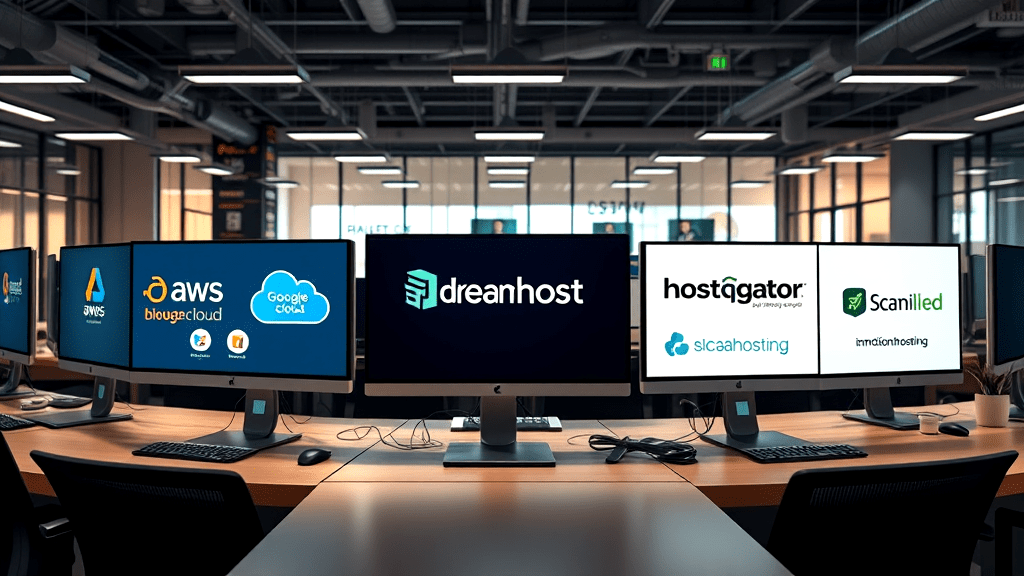
The cloud hosting providers small businesses actually compare
Provider round-ups usually rank hosts from one to ten, which implies there is a single best answer. There is not — the categories below serve genuinely different businesses, and picking the wrong category costs far more than picking the wrong company within it. Work out which group fits you first.
Enterprise cloud platforms: AWS, Google Cloud, Microsoft Azure
These are the platforms the rest of the internet runs on, with service catalogues running to hundreds of products and genuine global reach. They are also built on the assumption that a technical team is operating them. Billing is usage-based and granular, which means costs are flexible but hard to predict, and there is no included equivalent of “call someone and have them fix my website.” A good fit if you have a developer or DevOps engineer; an expensive mistake if nobody on staff wants to be a sysadmin.
Mass-market hosts: Bluehost, HostGator, GoDaddy, Hostinger
The most visible names in hosting, and the cheapest entry point. Their model is high volume at low prices, which works well for a simple site. Two things to check carefully: the renewal rate against the advertised introductory rate, and how support performs on a complicated problem rather than a password reset. A good fit for a brochure site on a tight budget.
Developer clouds: DigitalOcean, Linode, Vultr
Flat, predictable pricing and clean infrastructure, priced low because the plans are primarily unmanaged. You get a server; the operating system, security patching, web server configuration and backups are yours. Excellent value if you have the skills, and the single most common source of “why is my site down” stories among businesses that do not.
Managed cloud VPS: LiberationTek, InMotion Hosting, ScalaHosting
The category most small businesses should be shopping in, and the one that gets the least attention in provider round-ups. You get dedicated resources and root access, but patching, monitoring and server maintenance are the provider’s job, and cPanel or a similar control panel means routine tasks do not require the command line. Costs more per month than shared hosting and more than an unmanaged server, because someone is doing work you would otherwise do yourself. A good fit for any business where the website generates revenue and nobody on staff is a systems administrator.
Seven questions to ask any cloud hosting provider
Ask these before you buy. The answers are more predictive of how the next three years will go than any feature list.
- Is this plan managed or unmanaged? If managed, what exactly does that cover — OS patching only, or the web stack and application layer too?
- What is the actual bandwidth allowance, in terabytes? If the answer is “unlimited,” ask what happens at 5TB in a month.
- Are backups included, how often, how long are they kept, and can I restore one myself?
- What is the renewal price? Get the figure for year two and year three, not just the first term.
- Will you migrate my existing site, and is that free?
- What is the support response target, and are humans available by phone? A stated target beats a promise of “24/7 support.”
- Under what circumstances would you remove my site? Read the acceptable use policy. This matters more than most businesses realize until it applies to them.
What small businesses get wrong about cloud hosting
Five patterns account for most of the regret:
- Buying on the introductory price. The first year is the cheapest year. Compare the three-year cost.
- Treating “unlimited” as a technical guarantee. Every host has a ceiling; the honest ones publish it.
- Assuming the host backs everything up. Many do, on a schedule that may not match what you would accept losing. Verify retention, and test a restore before you need one.
- Buying unmanaged to save money. The saving is real and so is the work. If nobody is going to do it, the saving is theoretical.
- Never reading the acceptable use policy. Businesses in regulated, political or otherwise contested categories find out what their host’s policy says at the worst possible moment.

Where LiberationTek fits
We sell managed cloud VPS hosting, so this is the category we compete in. Being straightforward about that is more useful than claiming to be best at everything: we are not the cheapest option and we are not trying to be. If your budget is $5 a month, a mass-market shared plan is the right answer, and our shared hosting starts there too. If you have a DevOps engineer and want raw infrastructure, a developer cloud will serve you better on price.
If you would rather skip the comparison and just see what we charge, our plans and renewal prices are laid out on the small business web hosting page.
What we do offer is a managed plan with published allowances rather than the word “unlimited,” root access alongside cPanel and WHM at no extra cost, response-time targets that get shorter as plans get larger, and a written acceptable use policy that does not remove customers over lawful speech. Current cloud VPS plans:
| Plan | Annual rate | vCPU | RAM | NVMe storage | Bandwidth | Support target |
|---|---|---|---|---|---|---|
| Foundation | $59/mo | 4 | 8GB | 200GB | 6TB | 8 hours |
| Growth | $99/mo | 8 | 16GB | 350GB | 10TB | 6 hours |
| Commerce | $159/mo | 12 | 24GB | 500GB | 15TB | 4 hours |
| Scale | $239/mo | 16 | 32GB | 750GB | 32TB | 2 hours |
All four are fully managed, include cPanel and WHM, and include root and SSH access. Businesses with compliance obligations or heavier workloads should look at dedicated and private cloud instead — and if you are weighing that decision, our overview of private cloud hosting benefits covers the trade-offs.

Who benefits most from cloud hosting for small business?
Cloud hosting pays for itself fastest when downtime costs you money directly. Four situations make the upgrade from shared hosting worth it:
- Online stores. A store that is slow or down during a promotion loses sales that do not come back, and checkout processes are resource-intensive in a way brochure pages are not.
- Businesses that run campaigns. If an email send, an ad campaign or a media mention can put a thousand people on your site in an hour, you need headroom that shared hosting does not provide.
- Regulated industries. Healthcare, accounting, legal and financial practices generally need encrypted backups, access controls and documented security measures. Those are hard to evidence on shared hosting and straightforward on a dedicated environment.
- Anyone running more than a website. A client portal, booking system, intranet or internal application needs resources reserved for it.
Businesses that do not need it: a single-location service business with a five-page site, a seasonal operation with traffic in one short window, or anyone whose site is essentially a digital business card. Shared hosting handles all three.

Your first week on a cloud server
Getting migrated is the start, not the finish. Five things are worth doing in the first week, and most businesses do none of them:
- Test a restore. Not that backups exist — that you can actually bring one back. A backup you have never restored is an assumption.
- Check that email survived the move. Send and receive from every address, and verify SPF, DKIM and DMARC records. Email is the single most common casualty of a hosting migration.
- Set up uptime monitoring. External monitoring tells you before a customer does.
- Confirm the SSL certificate renews automatically. Expired certificates take sites offline with a browser warning that frightens visitors.
- Write down who to contact and how. Support ticket URL, account number, and what your response target actually is — before an emergency, not during one.
If you run WordPress, also confirm your PHP version is current and that automatic core updates are enabled. Managed providers handle the server; the application on top of it is still yours.

How to compare cloud hosting providers for a small business
There are many cloud hosting providers, and their marketing pages all sound alike. The fastest way to cut through that is to compare cloud hosting providers on the same four points, using your own numbers instead of theirs. Small teams usually care less about benchmark charts and more about whether the bill is predictable and a person answers the phone.
- Price: ask each of the cloud hosting providers for the full monthly cost including backups, bandwidth and any management fee.
- Uptime: read the written commitment and what you receive if the provider misses it.
- Backups: confirm how often they run, where they are stored and how a restore works.
- Support: find out whether cloud hosting providers offer real people at the hours you work.
Writing the answers in one table makes the differences obvious. Cloud hosting providers that avoid a straight answer on any of the four have told you something useful.
Questions to ask cloud hosting providers before you sign
Once you have a shortlist, put the same questions to every one of the cloud hosting providers on it. Where are the servers located? Can you leave easily if you are unhappy? Is migration from your current host included? Do you pay extra for security features? Good cloud hosting providers answer these in writing without fuss.
For a neutral definition of what you are buying, the NIST definition of cloud computing is short and clear, and it is a helpful reference when cloud hosting providers use the same terms to mean different things. It also helps to read our own breakdown of shared hosting versus VPS so you know which tier fits before talking to any of the cloud hosting providers.
Where LiberationTek fits among cloud hosting providers
LiberationTek is one of the smaller cloud hosting providers, and that is deliberate. Our servers are in the United States, we migrate your site from another provider for free, and you can reach our team directly. Our VPS hosting and dedicated cloud hosting cover most small business needs, and the shared plans suit simple sites. Church and nonprofit organizations receive a 15% discount.
Whichever of the cloud hosting providers you choose, start with a small trial, move one site first and keep your old hosting live until you are satisfied. Comparing cloud hosting providers takes an afternoon, and it saves months of regret.
Red flags when reviewing cloud hosting providers
Some warning signs show up quickly. Cloud hosting providers that hide pricing until you call, lock you into long contracts without a trial, or cannot say where your data lives deserve extra caution. The best cloud hosting providers publish clear terms, explain what is and is not included, and make leaving as easy as joining.
Trust your own testing. Open a support ticket with each of the cloud hosting providers on your list before you buy, and see how fast and how clearly they respond. Cloud hosting providers that answer well before you are a customer usually keep doing so afterward, and that matters more than any feature list.
Frequently asked questions
How much does cloud hosting cost for a small business?
Expect $50 to $150 per month for managed cloud hosting in 2026. Unmanaged cloud servers start around $5 per month but require you to administer them. Shared hosting runs $3 to $15 per month and suits low-traffic sites. Always confirm the renewal rate, since introductory pricing commonly covers only the first term.
Is cloud hosting better than shared hosting for a small business?
It is better when your website earns money or gets meaningful traffic, and unnecessary when it does not. Cloud hosting gives you dedicated resources, so another site on the same machine cannot slow yours down, and you can add capacity without migrating. For a five-page brochure site with modest traffic, shared hosting is adequate and considerably cheaper.
Do I need a managed or an unmanaged cloud server?
Choose managed unless someone on your team is comfortable administering a Linux server. Unmanaged plans are cheaper because operating system updates, security patching, firewall configuration and backups are your responsibility. Managed plans move that work to the provider, which is why they cost more.
Which cloud service providers are best for small business?
It depends on which of four categories fits you. Enterprise platforms such as AWS, Google Cloud and Azure suit businesses with technical staff. Mass-market hosts such as Bluehost, HostGator and Hostinger suit simple sites on tight budgets. Developer clouds such as DigitalOcean, Linode and Vultr suit businesses with a sysadmin. Managed cloud VPS providers, LiberationTek among them, suit businesses whose website matters but who have no one to run a server. Identify your category before comparing companies.
How much bandwidth does a small business website need?
Most small business websites use well under 1TB per month. A typical page view transfers 2–3MB, so 100,000 monthly page views is roughly 250GB. Bandwidth becomes a real constraint only with video, large downloads, or podcast and media files, where a single popular file can move terabytes. Ask for the allowance as a number rather than accepting “unmetered.”
Can I move my existing website to cloud hosting without downtime?
Yes, if the migration is staged rather than switched. The site is copied to the new server and tested there before DNS is changed, so visitors continue reaching the old server until the new one is confirmed working. Ask whether your provider performs the migration, whether it is included, and how they handle email during the cutover — email is where most migrations go wrong.

Which cloud provider is best for hosting a small business website?
The best fit is one with clear pricing, real support, automatic backups and room to grow, not simply the biggest name. For most small sites, managed WordPress hosting or a small private cloud plan gives you that without the complexity of a large cloud account. Read our full guide to the best small business cloud provider.
What are the best cloud hosting options for small businesses?
In order of size: shared hosting for simple sites, managed WordPress hosting for business sites built on WordPress, and private cloud for larger or busier sites. Pick the smallest option that fits, since you can move up later.
Is there cheap managed cloud hosting for small businesses?
Yes. Liberation’s managed WordPress hosting starts at $29 a month on annual billing and includes staging, daily backups and a CDN, so maintenance is handled for you.
Does managed cloud hosting include a CDN and a firewall?
Ask before you buy, because many plans do not. A CDN speeds up your site for visitors and a web application firewall blocks common attacks. Liberation’s managed WordPress hosting includes a CDN, and our team can explain the security options.
Do cloud hosting providers offer good customer support for small businesses?
Support varies a lot. Check the hours, whether you reach a person, and whether migration help is included, and ask before you sign up.
What are the best cloud virtual machines for small business?
For most small businesses, a managed VPS or private cloud plan is the simplest virtual machine: you get your own resources without running the server alone. Liberation offers private cloud hosting, and our small business cloud provider guide explains how to choose.
What is managed cloud hosting and how much does it cost?
It means the provider handles updates, backups, security and support. Liberation managed WordPress hosting starts at $29 a month on annual billing. Read our full guide to managed cloud hosting.
Choosing well
The decision that matters is the category, not the brand. Work out whether you need shared hosting, a managed cloud VPS, an unmanaged server or dedicated infrastructure, then compare two or three providers inside that category on renewal price, bandwidth allowance, backup terms and support response. A business that gets the category right and the brand wrong will be fine. A business that buys an unmanaged server with nobody to manage it will not.
If you want help working out which category you are in, talk to us — we would rather tell you that shared hosting is enough than sell you something you do not need.
Related reading
- The LiberationTek Team
- Should You Buy Your Own Domain and Hosting, or Let Your Web Designer?
- SSL Certificates
- Vultr Alternative: Fully Managed U.S. VPS Hosting
- When to Move From Shared Hosting to a VPS: 7 Signs It’s Time
- Finding the Right Web Hosting Solution for Your Business
- Understanding Secure Hosting in 2026
- Understanding a Cloud Migration Strategy
- A Guide to the Best Core Cloud Resources
- Powerful No 1 Ecommerce Cloud Solution
- Secure Web Hosting
- Rise in Demand for Decentralized Data Storage in 2026
- Succeed with These Cloud Migration Practices
- Cloud Adoption Accelerates as Hybrid Strategies Dominate