Ditch Microsoft & Google Today!

Move From Hostinger To Liberation

A person moves your site and mailboxes, tests everything before it goes live, and schedules the cutover around your schedule, not ours.

How the move from Hostinger works

We handle each step so you can keep working.

Your Hostinger account
Copy site and data
Test on Liberation
Go live

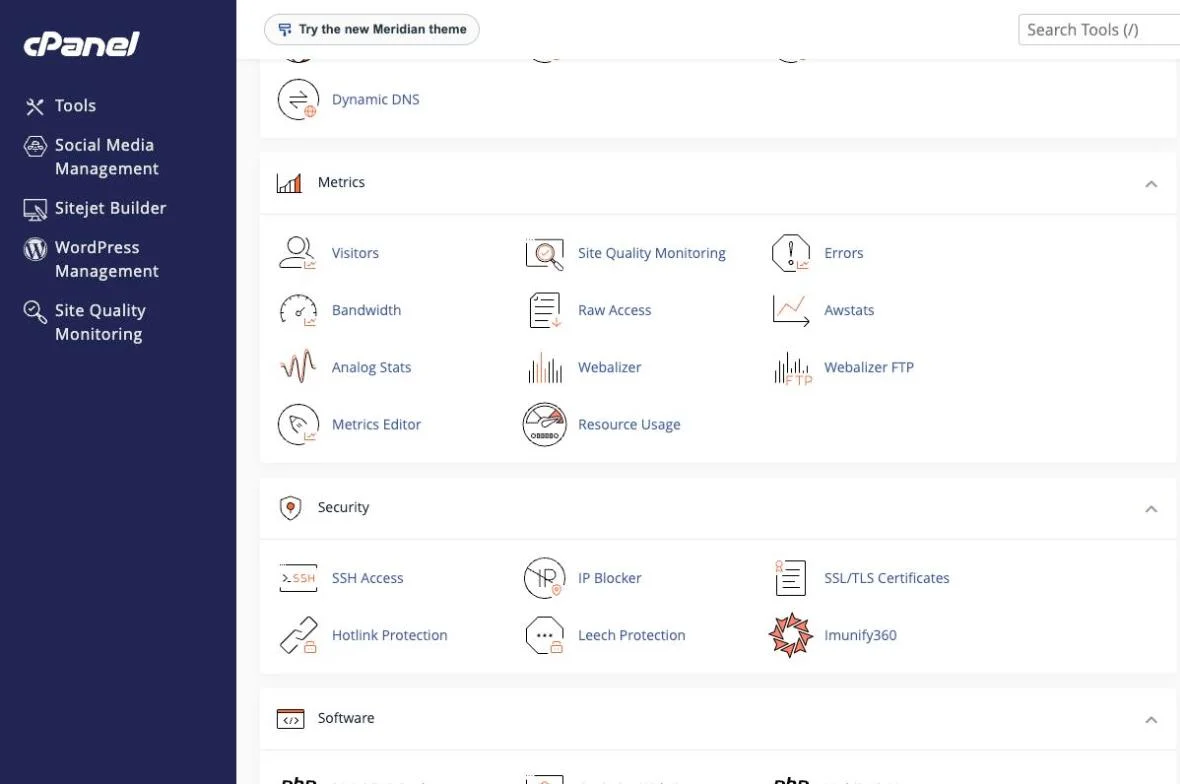
Manage your hosting in cPanel

The control panel most site owners already know: files, backups, databases, email, domains and security in one place.
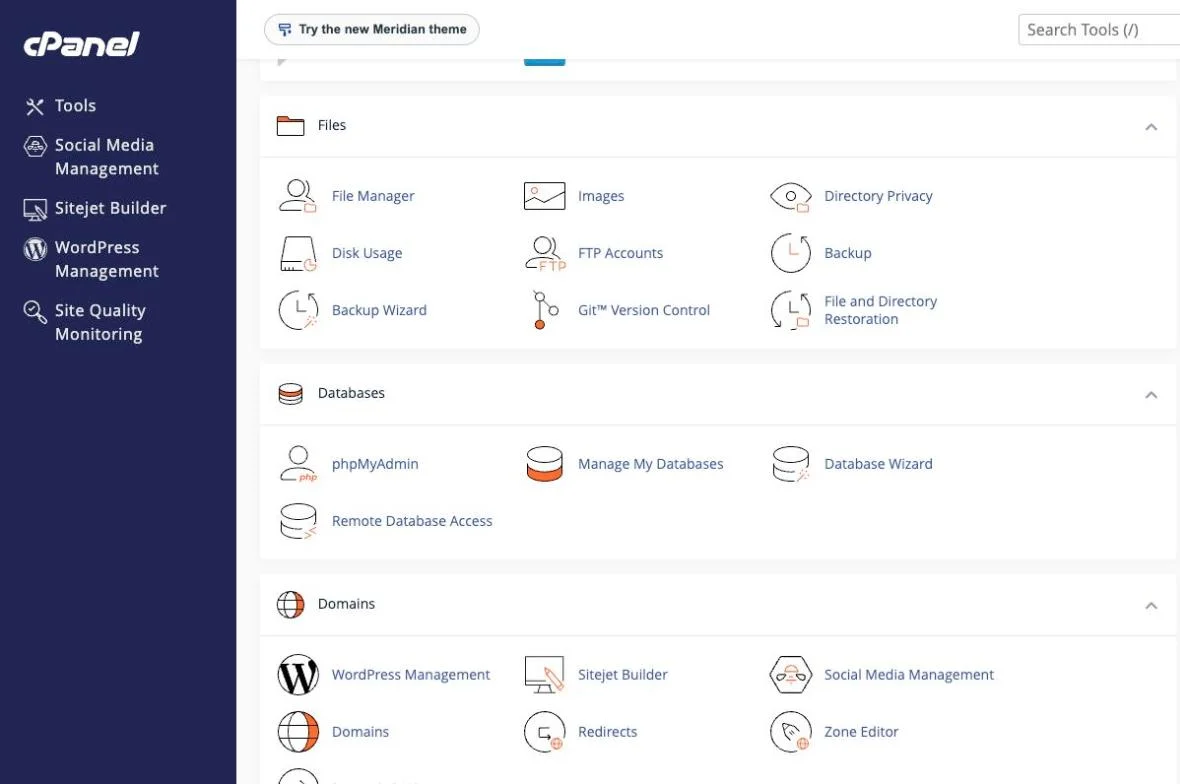
cPanel hosting control panel with file manager, backups, databases and domains
Files, backups, databases and domains
cPanel hosting control panel with visitor metrics, resource usage, SSH access and security tools
Metrics, resource usage and security
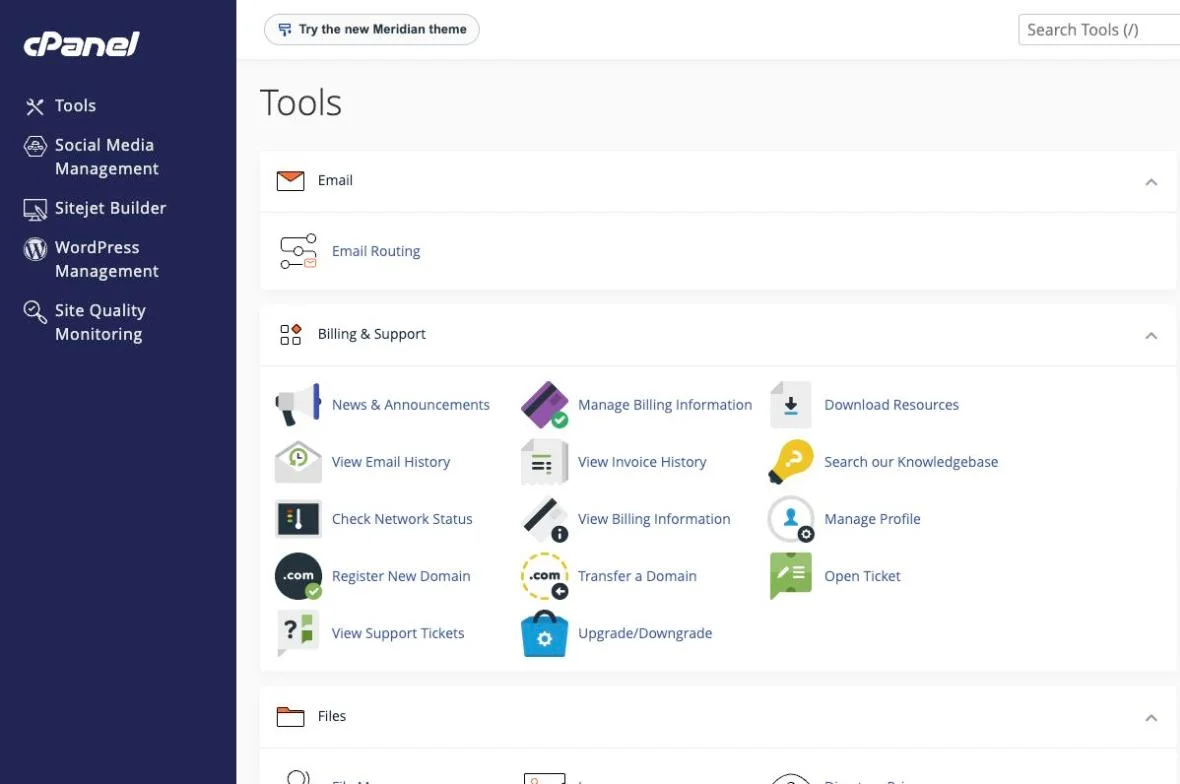
cPanel hosting control panel with billing, support and domain tools
Billing, support and domain tools

The short answer

Moving off Hostinger means two things: the website (files, database, DNS) and, if you use it, Hostinger email (mailboxes, contacts, calendar). Both move as part of one free migration, handled by a person on our team rather than a self-service import tool.

To move from Hostinger, gather your site files, a database export, your DNS records and a list of every email address and alias before you start. If the site runs WordPress, note your plugins and theme versions so the new copy can be checked against the old one. Keep the Hostinger account active until the new site and email have been running cleanly for a few days, and lower your DNS TTL ahead of the cutover.

Our shared web hosting is managed with cPanel, and the cPanel documentation explains its migration tools. For WordPress sites, our guide on migrating WordPress yourself or hiring help can help you decide how much to hand off.

Teams that move from Hostinger usually want to know three things: what moves, in what order, and when the old account can be closed. The graphic below summarizes the process, and the same steps are explained in more detail further down this page.

Move from Hostinger to Liberation: what is included in the migration, from setup to cutover

If you are weighing whether to move from Hostinger now or wait, the timing is yours to choose. You can move from Hostinger in one window or in stages, and the old account stays live until you confirm the new one works for everyone.

People who move from Hostinger often ask about cost first. Our migration team walks through the plan with you before anything starts, so you know what it takes to move from Hostinger before you commit.

Some questions come up on almost every move from Hostinger. Can we move from Hostinger without downtime? Yes, because the old account stays live until the cutover. How long does it take to move from Hostinger? We confirm the timeline with you before anything starts. Will we lose anything when we move from Hostinger? We confirm what moves before we begin, and anything that cannot move is listed up front.

If you would rather talk it through, tell us what you use today and we will explain what it takes to move from Hostinger for your team.

Most single-site migrations complete within a few business days of you approving the plan, with a scheduled cutover window so there’s no unexpected downtime.

What actually happens

We copy, we don't cut over yet

Your Hostinger site stays live and untouched while we build the copy on Liberation’s servers.

We test on our servers first

The migrated copy is checked against the live Hostinger site — pages, forms, plugins, email — before anything is pointed at it.

We schedule the cutover with you

DNS changes happen at a time you choose, and we monitor for propagation issues after the switch.

You keep your domain name and, if you’re moving Hostinger email too, your existing addresses — nothing changes for the people emailing you or visiting your site.

Why teams leave Hostinger

The most common reason: the headline rate requires a 48-month commitment, and the renewal after that term is roughly 3–4x the intro price — Premium’s published rate runs from about $1.99/mo to $10.99/mo on renewal, Business from about $2.99/mo to $16.99/mo. See the full price comparison on our Hostinger Alternative page if that’s what’s driving the move.

What moves, what doesn't have to

WordPress sites

Files, database, plugins and themes move as-is; we flag anything incompatible with our servers before the cutover, not after.

Hostinger email

Mailboxes, contacts and calendar entries move to Liberation Email or Hub for Teams, your choice.

Domain registration

You can keep your domain registered at Hostinger and just point it at us, or transfer registration too — either works.

Priced the way a business buys

Starting prices, billed monthly. Migration itself is free regardless of which plan you choose.

What It Costs

Starting prices, billed monthly unless noted. Anything larger gets a written quote.

Step-by-step: back up your Hostinger site and switch DNS

We copy, we don't cut over yet

  1. Log in to hPanel and open the site you’re moving.
  2. Go to Files → Backups and generate a full account backup, or use Files → File Manager and phpMyAdmin to export your files and database directly.
  3. If Hostinger also hosts your email, note the current MX records under Domains → DNS / Name Servers — you’ll want them on hand until your new mailboxes are confirmed live.
  4. Once we’ve built and tested your new site and mailboxes on Liberation, go to that same DNS screen and update your nameservers (or the individual records we send you) to point at us.
  5. Save and confirm. Changes usually show within an hour; full worldwide propagation can take up to 48 hours, and we keep both old and new mail flowing during that window so nothing gets lost.

We test on our servers first

The migrated copy is checked against the live Hostinger site — pages, forms, plugins, email — before anything is pointed at it.

We schedule the cutover with you

DNS changes happen at a time you choose, and we monitor for propagation issues after the switch.

You keep your domain name and, if you’re moving Hostinger email too, your existing addresses. See the full Hostinger vs. Liberation comparison →

Where your site lands

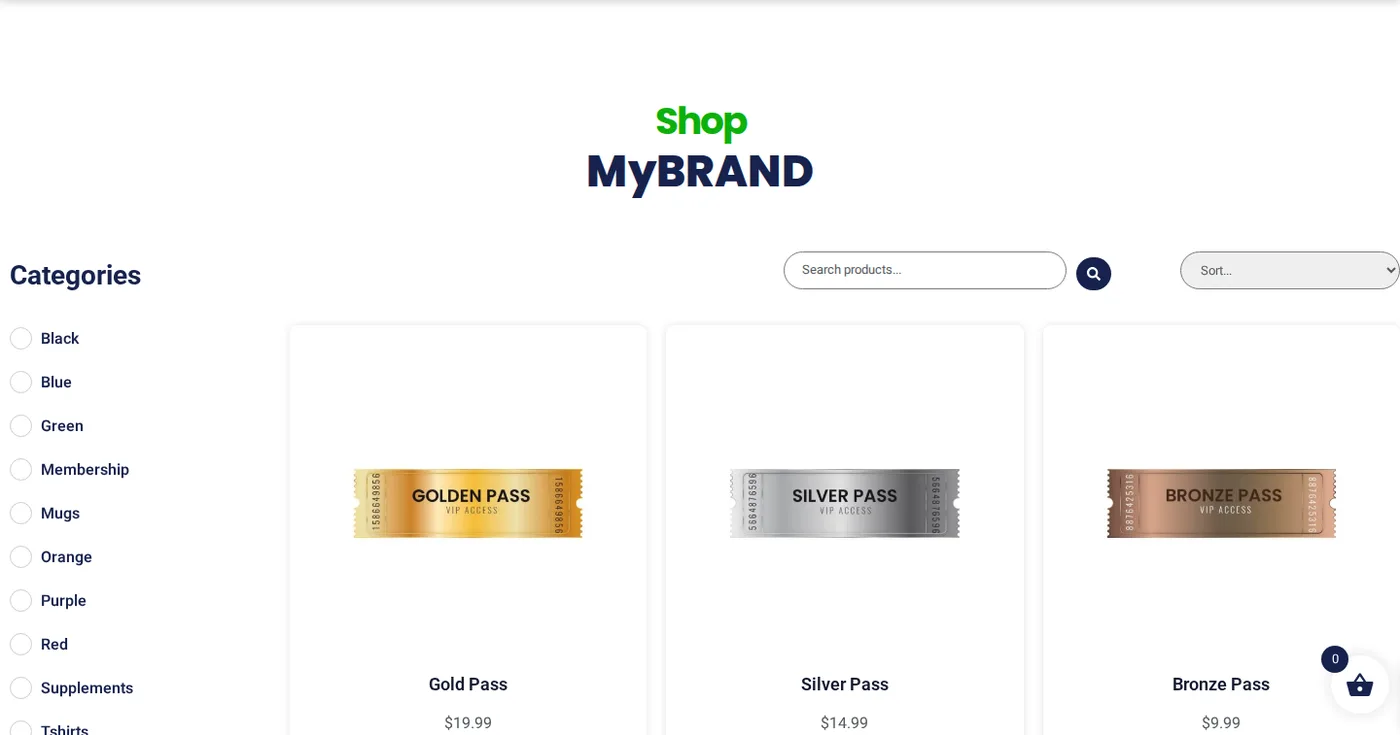
A working demo site on our platform.

Open the live demo site
demo.ltshosting2.us
Move from Hostinger demo homepage
Move from Hostinger demo shop page
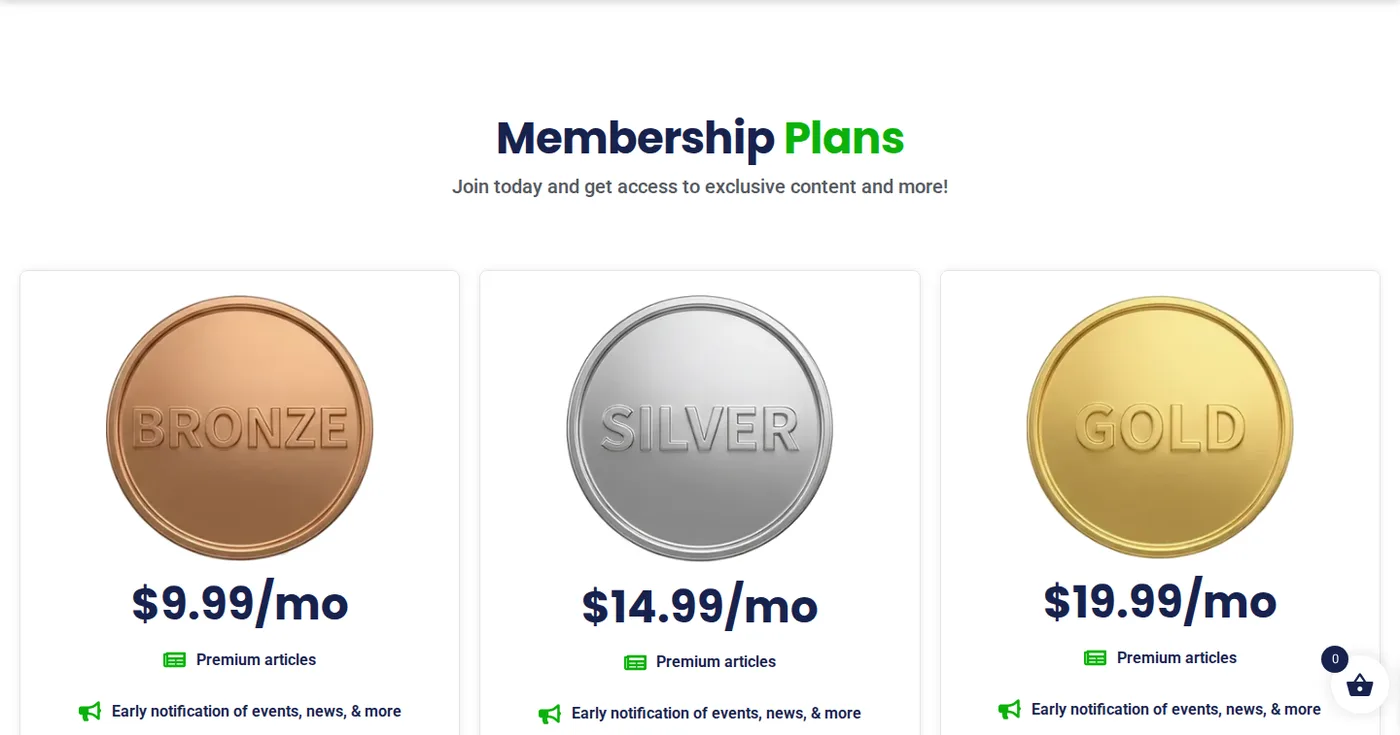
Move from Hostinger demo membership page
Hosting demo site

Leaving Hostinger: your export steps

What the vendor documents for getting your data out, in order.
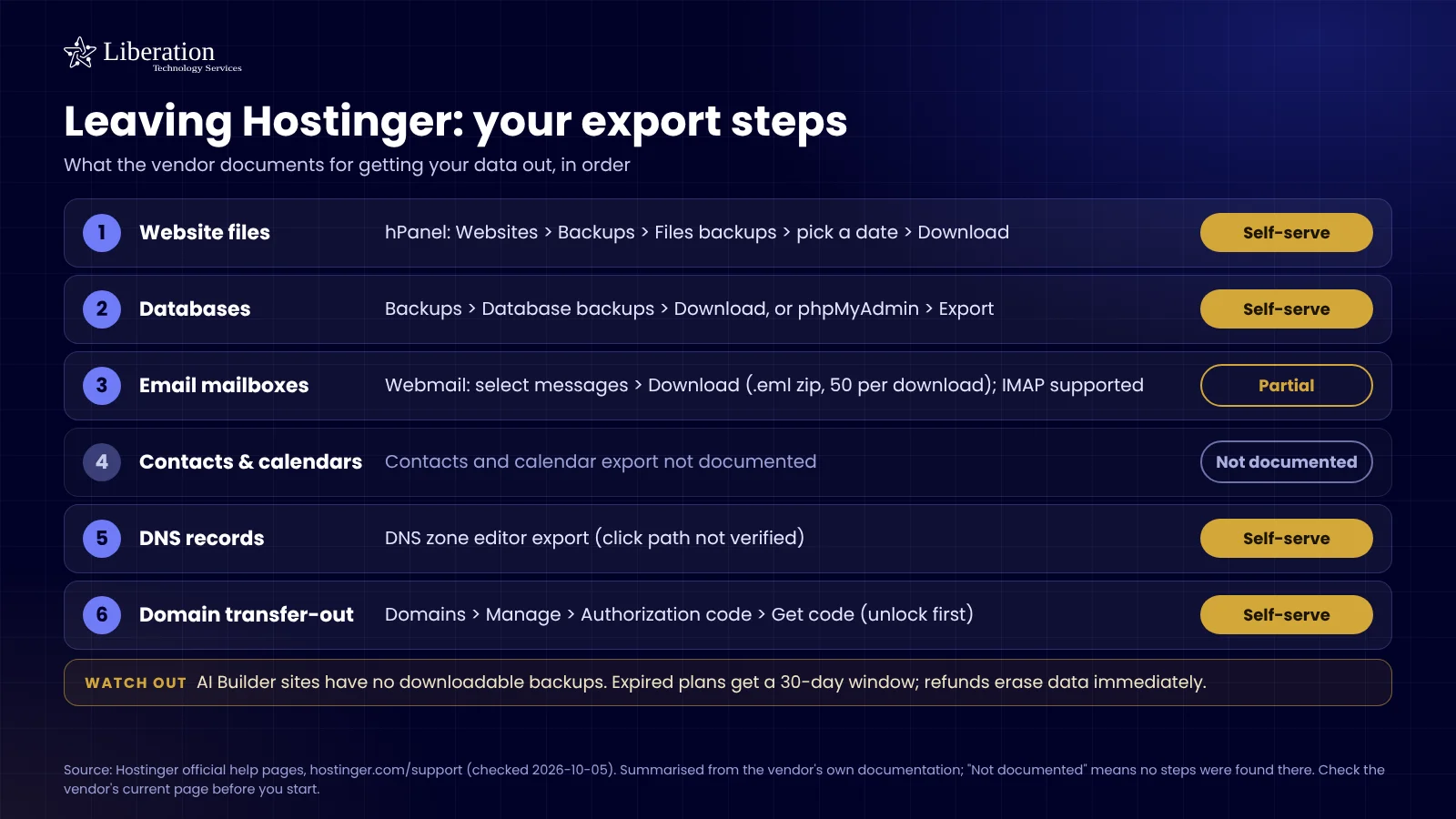
Checklist of what Hostinger documents for exporting your website files, databases, email, DNS and domain, with what is self-serve and what is not offered

Common questions

Accordion Content
Accordion Content
Accordion Content
Accordion Content

Ready to leave Hostinger?

Book a call and tell us what you’re running — we’ll give you a migration timeline and a written quote, no obligation.

What actually makes leaving Hostinger hard

Hostinger runs its own control panel rather than cPanel, and that single difference shapes the entire migration. There is no standard full-account backup file to hand a new host and have restored. The move is an explicit extraction instead — site files, a database dump, mailbox contents and the DNS zone, each pulled separately and reassembled on the other side.

That is not harder, but it is more manual, and it means “just send us your cPanel backup” is the wrong instruction. Anyone quoting a migration should establish which panel you are on before they quote, because the work genuinely differs. If a provider does not ask, they have not looked at your account.

The next thing to check is where the server physically is. Plans are sold by region, and a site serving customers in the United States is sometimes running on hardware on another continent because that was the cheapest option at signup. If your pages feel slow and nothing has changed, that may be the entire explanation — worth measuring before you assume you need a bigger plan.

Mail deserves its own look. Depending on when you signed up, mailboxes may be a bundled feature or a separate product, and email included with hosting is frequently the only copy of that correspondence anywhere. It gets copied while the old server is still accepting mail, before any MX record is touched.

How we handle it: we extract files, database, mailboxes and the complete DNS zone individually rather than relying on a backup file that does not exist, rebuild on our side, and test on a temporary address before cutover. Website Migration is included with hosting, email and Hub plans. If you are not on a plan, or you want a one-off move, it is $250. Book a call and tell us which plan and region you are on.

Fast hostingBackupsSSLEmailUS-based supportFast hostingBackupsSSLEmailUS-based supportFast hostingBackupsSSLEmailUS-based supportFast hostingBackupsSSLEmailUS-based support

Custom Solutions

Take your business to the next level with Liberation's full suite of services & solutions.

Custom Management

Don’t like managing? We offer managed services for hosting, ecommerce, web sites, and more.

Custom Websites

We build custom, professional websites for small to large organizations. 

Custom Apps

Our team of expert developers can design custom applications for a wide variety of purposes.

Payment Processing

Cancel-Free payment processing for a variety of industries and custom solutions.

Expert Consulting

Liberation offers consulting on strategy, infrastructure, e-commerce, and more.

Custom Ecommerce

We customize your e-commerce to fit your business needs and goals for maximum profits.

Our Promise Of Digital Independence

Liberating Your Digital World Is Our Passion

LiberationTek global edge network map

Global Edge Network

Liberation’s global edge network provides enhanced performance & security.

Population Reach
90 %
Countries
90 +
Networks
2500 +

Freedom Tech News

Stay informed on the latest tech news, new products, promotions, & more!

Ready For Digital Liberation?