
Healthcare website development starts with two jobs. It has to be easy for patients to use, and it has to be built and hosted so that anything patients send you stays protected. Most practices get the first job right and forget the second until a form, an email or a tracking script causes a problem. We build and host sites for healthcare practices on servers we own in the United States, so this guide covers both jobs: what to build, how to plan it, and what to settle with your host before launch.
It is written for practice owners, office managers and clinic administrators who are not web developers. Where a technical term matters, we explain it once and move on.
TL;DR
- Start with goals and the level of interaction. An informational site is cheaper and simpler than one with patient forms, payments or a portal.
- Patients expect staff information, appointment requests, forms and bill payment, and the site has to work on phones and be accessible to people with disabilities.
- HIPAA security is an ongoing process of risk analysis, not a label on a hosting plan. Anything that collects health information needs a written agreement with each vendor that handles it.
- Check your host’s backups, recovery plan, support and data location before you sign, and keep tracking tools off pages where patients may reveal health information.
- Our Website Builder starts at $10.99 per month, managed WordPress hosting at $35 per month, and custom development is quoted per project.
Table of Contents
- What a healthcare website needs to do
- How to plan your healthcare website development project
- HIPAA and your website: what actually applies
- What to look for in medical website hosting
- Email belongs in the plan
- What healthcare website development costs
- A practical launch checklist
- Where we fit
- FAQ
- Sources
What a healthcare website needs to do
The American Medical Association calls the practice website the center of a practice’s digital presence. It is where you show your team and what sets the practice apart, and where patients can use practical tools such as appointment requests, forms and online bill payment.
In plain terms, a patient who lands on your site should be able to answer five questions in under a minute:
- What do you treat, and who are the providers?
- Where are you, when are you open, and how do I reach you?
- Do you take my insurance?
- How do I book, or ask a question?
- How do I fill out forms or pay a bill?
If your homepage answers those, you have covered most of what patients came for. Everything else is secondary.
Features worth building first
The American Dental Association advises defining the features you want before you hire anyone, and making sure each one serves a useful purpose rather than being added because it is trendy. That is good discipline for any practice. A reasonable first-release list:
- Provider pages with photos, credentials and a short note on each clinician’s focus.
- Service pages, one per service, written in the words patients use rather than billing terms.
- Location and hours, with a click-to-call phone number on mobile.
- A contact or appointment request form. Keep the fields to what scheduling needs, such as name, phone and preferred time. Do not ask patients to describe symptoms in an open text box unless the form is built and hosted for protected health information.
- Insurance and billing information, including a link to payment.
- A privacy notice that matches how the site actually behaves.
Patient portals, secure messaging and online intake are features you can add later. The NC Medical Board notes that costs vary with the capabilities you pick, and it contrasts basic information sites with the more expensive interactive patient portals. Launching with a clean informational site and adding interaction in stages is a sound way to control spending.
Design basics that affect patients
The American Dental Association recommends a professional, easy-to-navigate, responsive website that works on desktop, tablet and smartphone. Responsive means the layout adjusts to the screen. Many patients will find you on a phone, often while looking for a phone number, so test that first.
Accessibility belongs in the same conversation. The AMA says practices should check their websites for accessibility in type and design. Practical steps: readable font sizes, strong contrast between text and background, descriptive text on images, labels on every form field, and pages that work with a keyboard alone. If your organization is a state or local government entity, such as a county health department, a federal rule applies directly: the Department of Justice’s 2024 Title II rule adopted WCAG 2.1 as the standard for covered web content and mobile apps. WCAG is the widely used set of web accessibility guidelines, and it is a sensible target for any practice.
How to plan your healthcare website development project
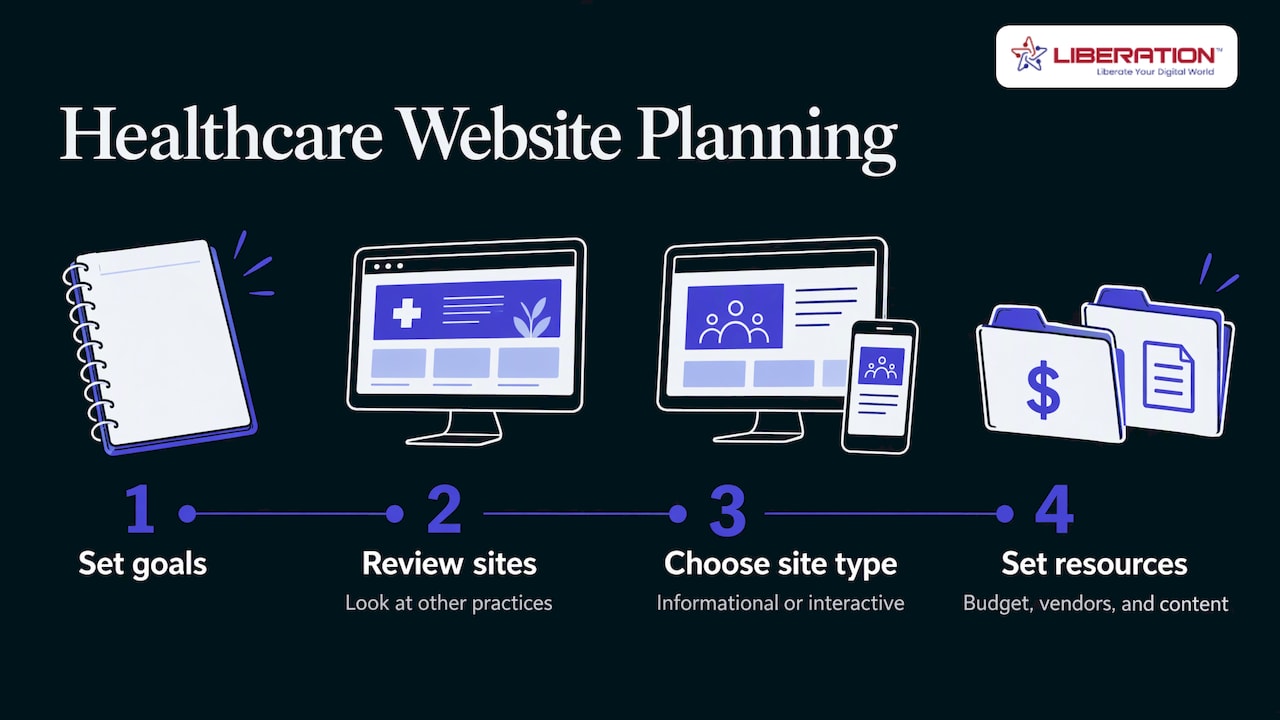
The NC Medical Board’s planning advice follows a staged order: set goals, look at other practices’ sites, decide whether the site is informational or interactive, then settle budget, vendors and content. Here is that order turned into a working plan.
Step 1: Write down the goals
Pick two or three, not ten. Examples: more new-patient calls, fewer front-desk calls about hours and forms, faster bill payment. Each goal tells you which features matter. If the goal is fewer phone calls, forms and clear FAQs come first. If it is new patients, provider pages and service pages come first.
Step 2: Decide how interactive the site will be
This is the decision that most affects cost and compliance. There are three levels:
| Level | What it includes | Compliance weight |
|---|---|---|
| Informational | Providers, services, hours, location, phone number | Light: no patient data is collected |
| Request-based | Appointment or contact forms, newsletter signup | Moderate: forms may carry personal details |
| Interactive | Portals, online intake, secure messaging, payments | Heavy: protected health information is stored and moves through the site |
A practice can start at the first or second level and move up. Skipping straight to the third level without a plan for storage, access and vendor agreements is where projects go wrong.
Step 3: Choose how to build it
There are three common routes, and the right one depends on your size and how much you plan to change the site yourself.
- Website Builder, for a practice that wants a clean informational site and wants to edit it without a developer. Our Website Builder starts at $10.99 per month.
- Managed WordPress hosting, for a practice that wants more control over layout, plugins and content. Our WordPress hosting plans are WP Starter at $35 per month, WP Growth at $69 per month and Commerce at $129 per month.
- Custom development, for portals, special integrations or a brand that needs a one-of-a-kind design. Our custom web development is quoted per project, and we do not publish a fixed price for it.
Step 4: Gather content before design begins
The most common cause of a late launch is missing content: provider bios, photos, service descriptions, insurance lists. Assign each item to a named person with a due date. Have a clinician review any page that makes a medical statement.
Step 5: Plan what happens after launch
A site needs someone responsible for updates, backups and security patches. A site that was accurate on launch day goes out of date the first time a provider leaves or hours change. Decide who owns each of those tasks. If you will also send patient newsletters or reminders, think about how those fit in. For the wider question of how healthcare marketing is coordinated alongside the website, see how healthcare marketing agencies compare.
HIPAA and your website: what actually applies
HIPAA is the federal law that protects patient health information. Its Security Rule covers electronic protected health information, usually shortened to ePHI. The rule applies to covered entities and, under the HITECH Act, to their business associates. A covered entity is a health plan, a clearinghouse or most healthcare providers. A business associate is a vendor that handles ePHI on your behalf, which can include a host or an email provider if patient information passes through their systems.
Three practical points follow from that.
An informational site holds no ePHI. A form might
A page listing your hours does not carry patient data. A form where a patient types a name, a condition and a phone number does. Decide for each form whether it needs to collect health details at all. Often a request for a callback is enough, and the clinical conversation can happen by phone or in a secure channel.
Security is a process, not a hosting label
HHS frames the Security Rule as ongoing risk analysis and management across administrative, physical and technical safeguards. No plan name or badge on a hosting page settles that for you. HHS offers a risk assessment tool and guidance on remote access to ePHI that a practice can use to document its own analysis. Your host is one part of that analysis, along with staff access, devices, passwords and email.
Vendors that handle ePHI need a written agreement
HHS’s cloud computing guidance says a covered entity may use a cloud service provider to handle ePHI provided they enter into a HIPAA-compliant business associate agreement. A business associate agreement, or BAA, is a contract that sets out how the vendor may use and protect the information. Settle this in writing before any form that carries patient information goes live, not after.
Tracking tools and patient privacy
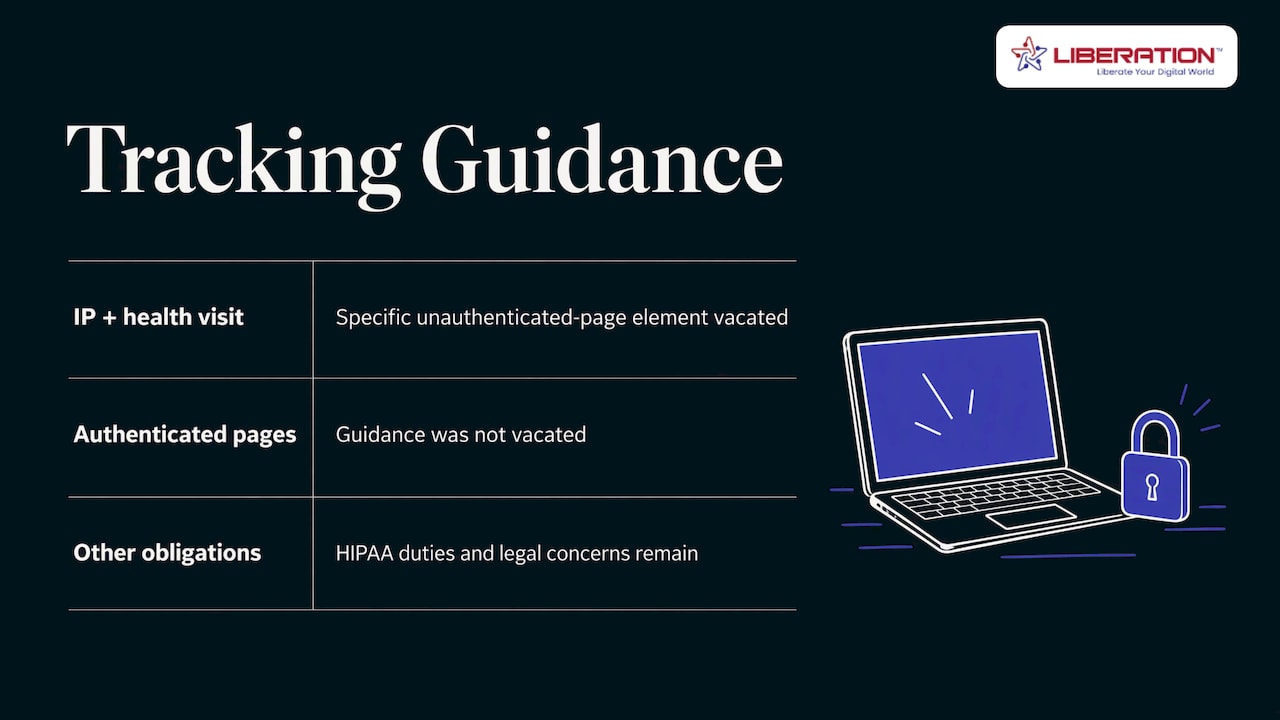
Marketing scripts such as analytics tags and advertising pixels can send visitor data to outside companies. HHS issued guidance on tracking technologies, and in 2024 a federal court in the Northern District of Texas vacated the specific element covering an IP address combined with a visit to an unauthenticated page about a health condition or provider. The same analysis notes that guidance on authenticated pages, such as patient portals, was not vacated, and that the ruling did not remove other HIPAA obligations or related state and federal law concerns.
The safe habit is simple: keep third-party tracking off portal, login, intake and scheduling pages, and review every script on the site once a year. We do not track or share customer data on our platform, which makes the question easier to answer for your own site.
Rules are changing
On December 27, 2024, HHS proposed Security Rule changes that would require stronger cybersecurity protections from health plans, clearinghouses, most providers and their business associates. The proposal includes written policies and procedures that are regularly reviewed, tested and updated. It is a proposal, and the current Security Rule stays in effect while rulemaking proceeds. Check the HHS page for the status when you plan, and build the habits now: written procedures, a yearly review and a named owner for security.
This section is general information, not legal advice. For questions about your own obligations, talk to your healthcare attorney or compliance officer.
What to look for in medical website hosting
The hosting is where the site lives and where any submitted data lands. Use this checklist when you compare options.
| Question | Why it matters |
|---|---|
| Where are the servers, and who owns them? | You should know whose hardware holds your data and in which country |
| Will the vendor sign a BAA for the services you use? | Required before ePHI is handled |
| How often are backups made, and how are restores tested? | A backup you cannot restore is not a backup |
| What happens in an outage or disaster? | You need a recovery plan you can read |
| Who answers support, and how fast? | A form that stops working on Monday morning costs you patients |
| Is migration included? | Moving an existing site is the point where most downtime happens |
| What does the vendor do with your data? | Tracking, ads and data sharing do not belong near patient information |
Backups, recovery and reliability
HHS’s Security Rule materials list a contingency plan with a data backup plan, a disaster recovery plan and an emergency mode operation plan as required parts, with testing and revision of those plans as an addressable item. In practice, ask your host for these in writing:
- How often backups run and how long they are kept.
- Where backups are stored.
- How long a restore typically takes.
- How you contact a person during an outage.
Keep your own copy of your content, such as text, photos and forms, so the practice is never dependent on one system.
Matching hosting to the size of the site
A simple informational site does not need heavy infrastructure, and a portal should not run on the cheapest tier. Here is how our plans line up:
| Need | Plan | Price |
|---|---|---|
| Small informational site | Shared Cloud Hosting, Starter | $14.99 per month |
| Growing site with more traffic | Shared Cloud Hosting, Ramping Up | $19.99 per month |
| Larger shared site | Shared Cloud Hosting, Growth | $29.95 per month |
| Managed WordPress site | WP Starter | $35 per month |
| Busier WordPress site | WP Growth | $69 per month |
| Online payments and store | Commerce | $129 per month |
| Dedicated resources for portals and custom apps | Private Cloud, Sentinel | $179 per month |
Private Cloud includes unmetered monthly data transfer with no egress fees. Larger Private Cloud plans, Steward at $299, Sovereign at $479 and Citadel at $679 per month, add capacity for heavier workloads.
Email belongs in the plan
Patients reply to your appointment confirmations, send insurance cards and ask questions that contain health details. If your site sends or receives mail, the email system is part of the same risk analysis. Liberation Email offers end-to-end encryption, and plans run from $1.95 per user per month for Mail Starter to $7.95 for Mail Pro. Our guides for dentists, pediatrics and direct primary care explain how practices set it up.
What healthcare website development costs
Price depends on the capabilities you choose. The NC Medical Board contrasts basic information sites with more expensive interactive patient portals. The main cost drivers are:
- Scope: number of pages and number of features.
- Interaction: forms, scheduling, payments and portals.
- Design: a template-based design versus a custom design.
- Content: who writes, photographs and reviews it.
- Ongoing care: hosting, updates, backups and security monitoring.
On our side, a template-based site on the Website Builder starts at $10.99 per month, and hosting starts at $14.99 per month. Custom development has no published price, because it depends on the scope you define in step 2. Get the scope in writing before you request a quote from any developer.
A practical launch checklist
- Goals written down, with one person responsible for the site.
- Level of interaction decided for each form.
- Business associate agreements signed with each vendor that handles ePHI.
- Tracking scripts reviewed and removed from sensitive pages.
- Mobile layout and accessibility tested on real phones.
- Backups running, with a restore tested once.
- Provider bios, hours and insurance lists reviewed by a clinician.
- A yearly date on the calendar to review security and content.
Where we fit
We are a U.S.-owned provider based in Seminole, Florida, and we run on servers we own in the United States rather than capacity resold from another cloud. Our healthcare customers include practices that want a site, hosting and email from one provider. Every plan includes direct U.S.-based support, free migration from your current provider and a 30-day money-back guarantee. If you are moving an existing practice site, migration is the stage where most downtime happens, and we handle it at no charge.
Our healthcare solutions page shows how hosting and email fit together for practices. For help with managed IT for healthcare and protecting your website, see those guides.

If you are ready to plan your practice site, talk to us about custom web development or start with managed WordPress hosting.
FAQ
How much does a healthcare website cost?
It depends on what the site does. A basic informational site costs much less than an interactive one with a patient portal. With us, the Website Builder starts at $10.99 per month, WordPress hosting at $35 per month, and custom development is quoted per project.
Does my practice website need to be HIPAA compliant?
If the site collects, stores or transmits patient health information, the HIPAA Security Rule applies to how that information is handled, and vendors that handle it need a business associate agreement. A site that only lists hours and providers holds no patient data. Your compliance officer or healthcare attorney can confirm what applies to your forms.
What should I look for in medical practice website hosting?
Look for clear server ownership and location, a signed BAA where ePHI is involved, documented backups and recovery, responsive support and free migration. Match the plan to the size of the site, and review the setup each year.
Can I use analytics and advertising tags on a healthcare site?
Keep third-party tracking off login, portal, intake and scheduling pages. A 2024 court ruling narrowed one piece of HHS tracking guidance but left other HIPAA obligations in place, so have your compliance officer review any script before it goes live.
How long does it take to build a healthcare website?
A template-based informational site can move quickly once your content is ready. Custom sites with forms or portals take longer, and the most common delay is gathering bios, photos and approvals rather than the build itself.
Sources
- AMA: Draw patients to your practice with the right digital footprint
- NC Medical Board: Developing a website for your practice
- ADA: Considerations when outsourcing development
- DOJ Title II rule summary
- HHS Security Rule rulemaking record
- HHS Security Rule guidance material
- HHS: Guidance on HIPAA and cloud computing
- HHS: HIPAA Security Rule proposed rulemaking
- HHS: HIPAA Security Series, Administrative Safeguards
- National Law Review: HHS web-tracking guidance ruling