
Secure Website Builders
Creating a secure website is like building a fortress for your online presence. With rising digital threats, choosing the right builder is crucial. Enter the world of secure website builders. These builders offer robust protection and features like zero-knowledge encryption and military-grade security.
Imagine having complete control over your data with 100% ownership. That’s not all. They also provide strategic alliances through the Freedom Tech Partner program. With tools like team collaboration tools, users can enhance security and streamline operations.
Liberation Technology Services, for instance, focuses on freedom-focused tech, supporting privacy and free speech. If you’re a Christian conservative entrepreneur, explore conservative email marketing options to safeguard your communication. Whether you’re considering a private cloud provider or tech partner program, the right choice awaits.
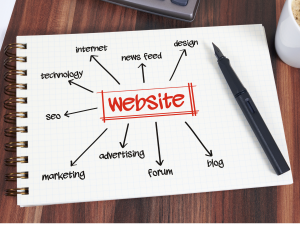
Key Features of Liberation Technology’s Secure Website Builders
Zero-knowledge encryption and complete data ownership are key in secure website builders. LiberationTek offers these, promoting user privacy and control. Military-grade security adds multiple protection layers. Joining a strategic alliance like the Freedom Tech Partner enhances growth. Liberation Technology Services emphasizes freedom-focused tech, supporting privacy and free speech.
Comparing Security Protocols in Platforms
Exploring how different security measures stack up, it’s clear that secure website builders offer unmatched protection. Military-grade protocols provide solid defense against threats. These builders champion zero-knowledge encryption and ensure user control over data. With strategic alliances like the Freedom Tech Partner, businesses benefit from enhanced security and shared growth. Choosing the right email marketing software enhances security even further.
Benefits of Freedom Tech Partner Programs
Joining Freedom Tech Partner initiatives brings strategic alliances and profit-sharing options. This collaboration supports growth and secure partnerships with like-minded organizations. Think of it as a dynamic dance, where everyone benefits. Aligning with these partners can enhance your business’s reach and security. It’s a win-win for all parties involved.
Enhancing Security with Team Collaboration Tools
Optimizing collaboration tools boosts security and privacy, enabling seamless data exchange. This approach strengthens productivity and safeguards sensitive information. Tools designed for this purpose integrate easily with secure website builders, ensuring robust protection. Aligning with a freedom tech partner further enhances these benefits, fostering secure business growth.
Private Cloud Providers for Enhanced Privacy
Choosing between public and private cloud solutions affects privacy. Private options amplify security, backing free speech. They excel in protecting sensitive data. Secure website builders leverage these benefits, ensuring robust protection against threats. Consider joining a strategic alliance like the Freedom Tech Partner for added growth and collaboration.
Understanding Liberation Technology Services
Liberation’s freedom-focused offerings include a secure network, empowering users with complete control. Zero-knowledge encryption and private cloud networks protect privacy. They prioritize data ownership, ensuring users maintain full access to their digital assets. Aligning with them supports secure, growth-oriented partnerships, offering a unique tech ecosystem. Are you ready to secure your digital world?
Importance of Data Ownership and Control
Ow, the art of owning your own data! With secure website builders, you’re not just a visitor; you’re the master of your digital realm. They prioritize user control, ensuring your data stays yours. Zero-knowledge encryption? Check. Military-grade security? Double-check. Your information remains safe, sound, and right where it should be—with you.

How 100% Data Ownership Protects Users
Understanding how total ownership of data shields users involves control over digital assets. Secure website builders ensure data remains safe, defending against breaches and unauthorized access. With these builders, users aren’t left in the dark. They’re well-protected, maintaining privacy and security, and standing guard over their own digital domain.

Military Grade Security: What It Means
Military-grade security in secure website builders means adopting top-tier protection protocols. These protocols are akin to armor, safeguarding your digital assets. Encryption layers act as shields, preventing breaches. Users enjoy peace of mind, knowing their information is secure, much like a fortress guarding its treasures. Choose wisely and stay protected.
Custom Solutions for Unique Security Needs
Addressing distinct protection challenges, secure website builders offer diverse, tailored strategies. They emphasize privacy with advanced encryption, ensuring comprehensive user data control. Users experience seamless safety, allowing peace of mind. Such customizable solutions adapt effortlessly to specific business demands, integrating seamlessly for robust security.
| Solution Type | Key Feature | Benefit | Example Platform |
|---|---|---|---|
| Custom Encryption | Zero-Knowledge Encryption | Enhanced Privacy | LiberationTek |
| Data Control | 100% Data Ownership | User Control | Liberation |
| Security Protocols | Military-Grade Security | Multi-Layer Protection | Secure Website Builders |
| Collaboration Tools | Safe Data Sharing | Improved Productivity | Various Platforms |
| Cloud Services | Private Cloud Networks | Increased Privacy | Liberation |
Exploring Conservative Email Marketing Options
Searching for new email strategies? Consider software prioritizing security and reliability. These tools cater to conservative businesses, ensuring safe communication channels. A secure website builder can offer email solutions with stringent security protocols. Explore options that align with privacy goals, offering peace of mind and robust protection for all digital correspondence.
Choosing the Right Email Marketing Software
Finding the perfect tool for your email campaigns means aligning with your security needs. Secure website builders often provide email solutions with top-notch safety features. Prioritize tools that protect against breaches and unauthorized access, ensuring peace of mind. Let your emails breathe freely, secured by the best.
Supporting Christian Conservative Entrepreneurs
Meeting the distinct needs of Christian conservative business owners requires secure builders. Such tools ensure robust protection and privacy for online presence. Opt for builders that offer military-grade security, safeguarding ventures from threats. Explore alternatives that allow full control over digital assets, reinforcing trust and commitment to values.
Applying to Tech Partner Programs
Applying for tech partnerships opens doors to exciting collaborations. Secure Website Builders offer invaluable resources and networking opportunities. Aligning with these programs can skyrocket your visibility and business growth. Leverage these partnerships to expand your reach and strengthen your market position, ensuring a secure and innovative digital future.
Security for Every Business Need
Accommodating diverse business requirements, secure builders ensure robust protection. They offer unique solutions for organizations, guaranteeing comprehensive security. Emphasize zero-knowledge encryption and 100% data ownership. These features are essential for safeguarding sensitive information. With military-grade security, businesses enjoy peace of mind, knowing their digital assets are protected.
Conclusion
The digital world offers abundant opportunities for businesses, but security remains a key concern. Secure website builders address these issues with robust solutions, ensuring peace of mind for users. They combine advanced security features like zero-knowledge encryption and private cloud networks. This guarantees data ownership and control, shielding users from prying eyes.
These builders are not just about security; they provide comprehensive solutions. From custom security options to tailored email marketing tools, every business need is covered. Tech partner programs add another layer of strategic advantage. Aligning with the right partners can open doors to growth and innovation.
For businesses seeking a safe digital presence, secure website builders are a wise choice. They are like a trusted ally, guiding you through the complexities of online security.
Quick Answers: Choosing Secure Website Builders
- Secure website builders protect your site with HTTPS, regular platform updates, strong login options and reliable backups.
- The builder handles the platform. You still handle passwords, user accounts, plugins or apps and the content you publish.
- Turn on multi-factor authentication for every account that can edit the site.
- Ask how you can export your site and what happens to your data if you cancel.
Security Features to Compare
| Feature | What it does | What to ask |
|---|---|---|
| HTTPS certificate | Encrypts traffic between visitors and your site | Is it included and renewed automatically? |
| Multi-factor login | Blocks most stolen-password attacks | Can I require it for all users? |
| User roles | Limits what each person can edit | Can I create an editor role with no admin rights? |
| Backups | Lets you undo mistakes or recover after an attack | How often, how long kept, and how do I restore? |
| Platform updates | Patches known weaknesses | Are updates applied automatically? |
| Payment handling | Keeps card data off your own systems | Does a payment processor handle card details? |
| Data export | Lets you leave without losing your work | What can I download, and in what format? |
How to Evaluate Website Builder Security in 8 Steps
- Write down what data your site will collect, such as contact forms, bookings or payments.
- Read each provider’s security page and terms, and note what they say they cover.
- Confirm HTTPS is automatic on every page, including your custom domain.
- Test the login process and turn on multi-factor authentication during your trial.
- Create a limited user role and check that it cannot reach settings or billing.
- Check the backup and restore options, and run a test restore if the plan allows it.
- Review any apps or add-ons you plan to install, and remove the ones you do not need.
- Write down who has access, and review the list every quarter.
Trusted Guidance on Website and Payment Security
The Cybersecurity and Infrastructure Security Agency explains how to turn on multi-factor authentication and how to recognize and report phishing. If your site takes card payments, the PCI Security Standards Council publishes the payment card security standards. This is general information and not legal or compliance advice, so check your own obligations with a qualified professional.
Next Steps for a Safer Website
Compare platforms in which website builder to use. Add monitoring with SiteLock and automatic backups with CodeGuard. If you run WordPress instead, read about secure WordPress hosting.
Common Mistakes With Website Builder Security
- Assuming the platform handles everything, including weak passwords and unused accounts.
- Sharing one admin login among several people.
- Installing add-ons that are never updated or used.
- Skipping backups because the builder “takes care of it.”
- Ignoring marketing claims that cannot be checked, such as unverified security labels.
Builder Security Checklist
- HTTPS on every page.
- Multi-factor authentication on all editors.
- Separate logins and limited roles.
- Backups confirmed and restore understood.
- Unused apps and old accounts removed.
- Export options reviewed.
FAQ About Secure Website Builders
Are website builders secure?
Reputable builders handle server updates and certificates for you. Your own settings still matter, especially passwords, user roles and add-ons.
What makes a website builder secure?
Automatic HTTPS, regular platform updates, multi-factor login, role-based access, backups and clear terms about your data.
Is a builder safer than WordPress?
It depends on how each is managed. A builder shifts many updates to the provider, while WordPress gives more control but more upkeep.
Can I accept payments safely on a builder site?
Yes, if card details are handled by a payment processor rather than stored on your own pages. Review the processor’s security documents.
What should I do if my builder account is compromised?
Change your password, sign out other sessions, turn on multi-factor authentication and contact the provider’s support.
Related reading
- The Best Collaboration Tools to Use in Secure Web Hosting
- How Much Does It Cost to Hire a WordPress Developer?
- Introduction to the Best Website Builders
- Regulatory Relief & Innovation Acceleration: Balancing Growth and Safety in AI Development
- Here’s Why Internet of Things (IoT) Is So Important for Businesses!
- What Website Builder Is All About
- Top Secure Web Builders | The Solution for your Business
- News Update: Trump Campaign Data Breach
- Importance of a Secure Website Builder
- How to Optimize Your Team Collaboration Tools for Security and Privacy
- No 1 Cybersecurity Solutions and Information Technology Security