
Email hosting with cPanel means running mailboxes on the same account as your website, included with the hosting plan at no extra cost. It works, and for a few low-volume addresses it is the sensible choice. The catch is that storage, sending reputation and account status are all shared with the website – so if the hosting has a bad day, so does your mail.
This covers what cPanel email actually gives you, where it runs out, and how to move when it does.
What email hosting with cPanel gives you
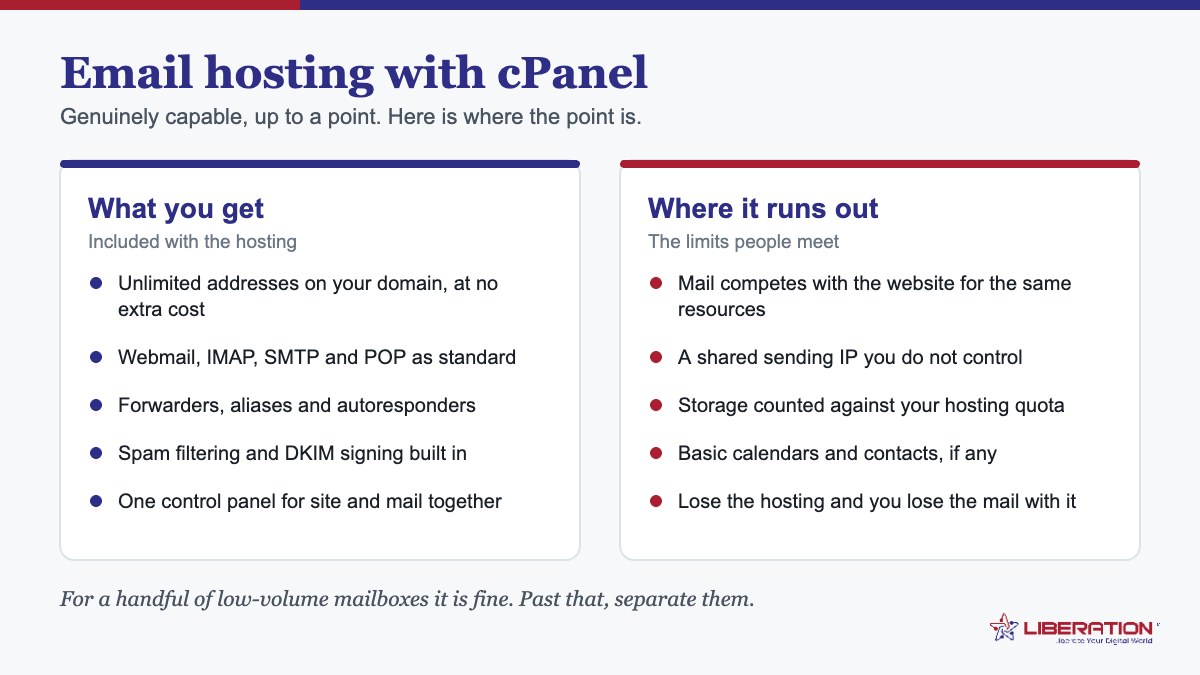
- Email accounts on your domain, created in the control panel in about a minute.
- Forwarders and aliases, so info@ can land in a person’s mailbox.
- Autoresponders for out-of-office replies.
- Webmail, plus IMAP and SMTP so Outlook, Apple Mail and phones connect normally.
- Spam filtering, with the quality depending on the host.
- DNS management in the same place, which makes SPF, DKIM and DMARC straightforward to configure.
For a sole trader or a small team with two or three addresses, that is a complete email setup that costs nothing beyond the hosting you were buying anyway.
Where email hosting with cPanel runs out
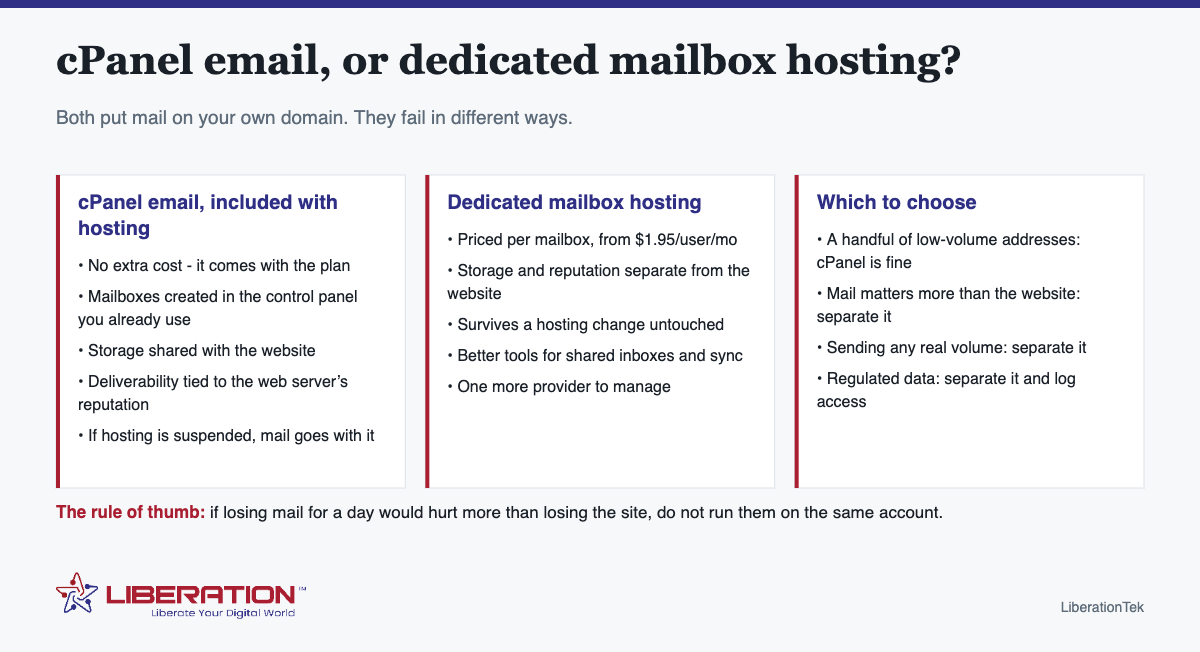
Storage is shared with the website
Mailboxes consume the same disk allowance as your site. A few years of attachments can quietly fill a plan, and the symptom is usually a website problem rather than an obvious mail problem – which makes it confusing to diagnose.
Sending reputation is shared
Mail sent from a web hosting account carries the server’s reputation, which is affected by other activity on that server and by anything your website sends. If a contact form starts misbehaving, or a neighboring account sends something it should not, your ordinary business mail can be caught in the consequences.
Account status is shared
This is the one that actually hurts. If hosting is suspended – a billing mix-up, a dispute, a compromise – mail goes with it. For most businesses email is more operationally critical than the website, so tying the two together concentrates risk in the wrong place.
Tooling is basic
Forwarders are not shared inboxes. Once more than one person answers support@, you want a shared mailbox where replies come from the role and everyone can see what has been answered. cPanel does forwarding well and collaboration not at all.
How to decide on email hosting with cPanel
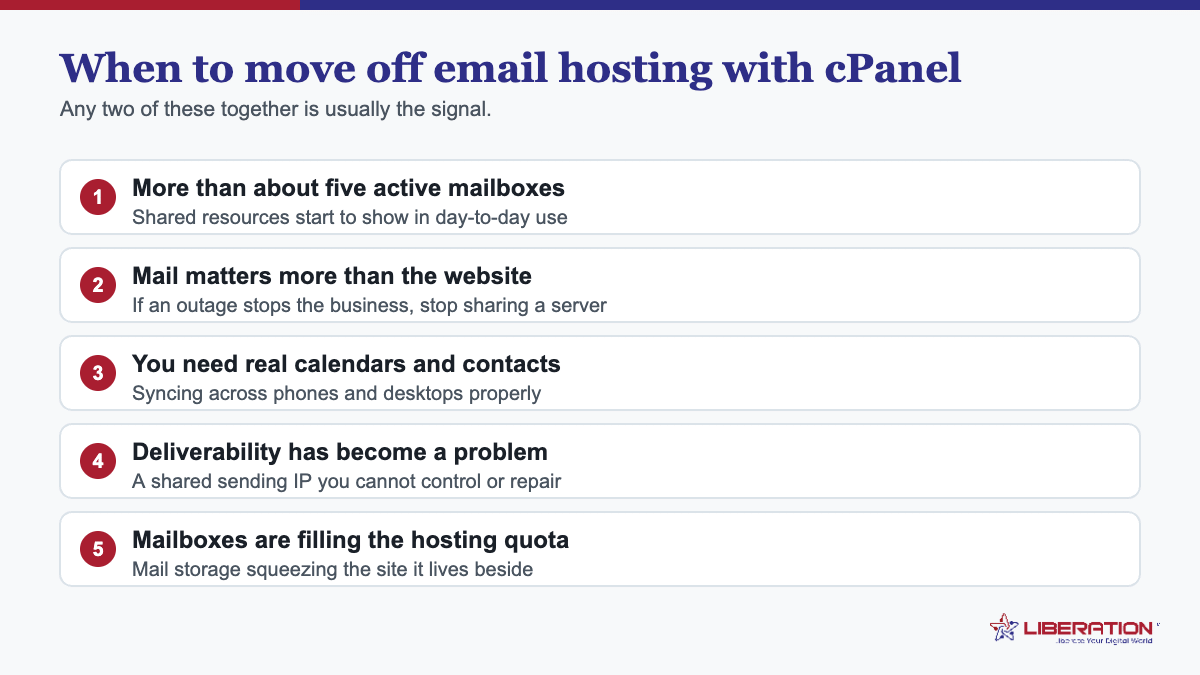
| Situation | Use |
|---|---|
| Two or three addresses, modest volume, mail is convenience | cPanel email. It is included; use it. |
| Losing mail for a day would hurt more than losing the site | Separate mailbox hosting. |
| Several people sharing info@ or support@ | Separate, for shared inboxes. |
| Sending real volume, or deliverability already shaky | Separate, so reputation is independent. |
| Regulated data – client records, health, financial | Separate, with access logging and retention you can evidence. |
| Planning to change hosts at some point | Separate. Mail then survives the move untouched. |
Getting email hosting with cPanel right if you stay
- Set SPF, DKIM and DMARC. Not optional. Without them your mail will start landing in spam as volume grows.
- Use IMAP, not POP3, unless you have a specific reason – POP3 pulls mail onto one device and creates a single point of loss.
- Watch the disk quota and set mailbox limits before they surprise you.
- Do not send bulk mail from it. Newsletters and campaigns belong on a platform built for them, so a bad send cannot damage your ordinary business mail.
- Turn on two-factor authentication in cPanel, and use unique passwords for each mailbox.
- Check your backups include mail, not just files and databases.
Moving to dedicated mailboxes later
Straightforward, because the addresses belong to your domain rather than to either service. Create the mailboxes on the new platform, copy mail across by IMAP while the old ones still receive, verify, then change the MX records – keeping the cPanel mailboxes live for a couple of weeks afterwards.
Liberation Email starts at $1.95 per user per month with no long-term contract, speaks IMAP, SMTP, CalDAV and CardDAV so nothing about your mail apps changes, and runs on hardware we own and operate in the United States with nothing scanned for advertising. Hub For Teams from $7.49 per user adds shared inboxes, chat, video and file sharing if the team needs more than mailboxes.
Both work alongside shared hosting from $7.99 a month – the website stays where it is, and only the MX records change. We handle the migration.
The deliverability side, in more detail
Whichever route you choose, three DNS records decide whether your mail is trusted, and all three are configured at the domain rather than at the mail server.
- SPF lists which servers may send as your domain. If you use cPanel mail and a newsletter platform and an invoicing tool, all three need to be included – a common cause of mail failing authentication is an SPF record that only names one of them.
- DKIM signs outgoing messages so a receiving server can verify they really came from you and were not altered.
- DMARC tells receiving servers what to do when SPF or DKIM fails, and can report back on who is sending as your domain.
Set all three regardless of where the mailboxes live. The difference between cPanel mail and dedicated hosting is not whether you need them – it is whose sending reputation you are sharing once they are in place.
A common middle path
Plenty of small businesses end up running both, deliberately. The website’s transactional mail – contact forms, order confirmations, password resets – goes out through the hosting account, while the people’s mailboxes sit on dedicated hosting.
That split works well. Automated mail and human correspondence have different volumes, different failure modes and different consequences when something goes wrong, and separating them means a misbehaving form cannot affect whether your reply to a customer arrives.
Storage, in practical numbers
Mail storage is the constraint people meet first with cPanel email, and it is worth looking at before it becomes a problem rather than after.
Attachments are what fill mailboxes – a few years of invoices, photographs and documents adds up steadily, and nobody deletes mail. On a shared hosting plan that storage is the same allowance your website uses, so the first symptom is often a website that cannot write files rather than an obvious mail failure. Check your usage in cPanel now: if mail is already a large share of the total, that is the signal to separate them.
The wider point is that a mailbox is a growing thing and a brochure website is not, so pairing them on one fixed allowance means one of them will eventually squeeze the other.
Migrating without losing anything
If you decide to separate mail later, the sequence is the same one that applies to any mailbox move: create the new mailboxes, copy mail across by IMAP while the cPanel mailboxes are still receiving, verify folder counts and attachments, then change the MX records – keeping the old mailboxes live for a fortnight afterwards.
The website does not move and does not need to. Only the MX records change, which is why separating mail is a much smaller project than people expect.
A quick email hosting with cPanel self-check
Three questions settle it for most businesses. Would losing email for a day hurt more than losing the website for a day? Does more than one person need to see the same inbox? Are you sending anything beyond ordinary one-to-one correspondence? Two yeses means separating mail is worth the few dollars a mailbox, and one no means cPanel email is doing its job perfectly well.
Authentication: the part of email hosting with cPanel most people never configure
Deliverability problems get blamed on the provider more often than they deserve. In practice, most mail from a cPanel server lands in spam because three DNS records were never set up properly, and all three are within your control.
SPF is usually present but wrong. cPanel will generate an SPF record for you, and it is correct for mail sent by the server itself. What it does not know about is everything else that sends as your domain – a marketing platform, an invoicing system, a CRM. Each needs to be added to the same single SPF record. Two separate SPF records is a misconfiguration that breaks the check entirely, and it is one of the commonest faults in email hosting with cPanel setups.
DKIM is generated but sometimes not published. cPanel creates the key; it only takes effect if the DNS record actually exists at your DNS host, which is frequently somewhere other than the hosting account. If your domain’s nameservers point elsewhere, copying the record across is a manual step that is easy to skip.
DMARC is usually missing altogether. Without it, receiving servers have no instruction about what to do with mail that fails the first two checks. Publish a record at p=none with a reporting address to begin with; the reports will show you every source sending as your domain, including the ones you had forgotten. Tighten it once the picture is clean. The specification is in RFC 7489 if you want the precise syntax.
Then there is the shared IP. This is the genuine limitation of email hosting with cPanel rather than a configuration error. Your mail leaves from an address shared with other accounts on the server, and their sending behaviour affects your reputation. A well-run host manages this actively; no host can eliminate it entirely on shared infrastructure. If deliverability is business-critical, that argument alone justifies separating mail from hosting.
Check it from the outside. Send a message to an account on a different platform and look at the headers: they will tell you whether SPF, DKIM and DMARC all passed. Five minutes of checking beats weeks of wondering why invoices are not arriving.
Configured properly, email hosting with cPanel delivers perfectly well for ordinary business volumes. Left at the defaults, it develops a reputation for unreliability that is mostly undeserved.
Running email hosting with cPanel well, if you are staying
Plenty of businesses are perfectly well served where they are, and the advice to move is not universal. If you are staying, a handful of habits keep email hosting with cPanel dependable rather than gradually annoying.
Use IMAP, never POP. POP downloads mail to one device and removes it from the server, which is how people end up with half their correspondence on an old laptop. IMAP keeps everything synchronised across the phone, the desktop and webmail.
Watch the quota before it bites. Mail storage comes out of the same allowance as the website, and a full quota does not fail politely – the site can stop accepting uploads and incoming mail can start bouncing. Set per-mailbox limits deliberately rather than leaving everything unlimited, and check usage occasionally.
Archive rather than hoard. Years of attachments in a mailbox slow down every client that syncs it. Move old mail into a local archive once a year and the whole system feels faster.
Do not send bulk mail through it. Newsletters and campaigns from a shared server are the fastest way to damage the sending reputation you share with the website. Use a proper sending platform for anything going to more than a handful of people at once – this is the single most important rule for email hosting with cPanel.
Turn on two-factor authentication. A compromised mailbox on a shared server gets used to send spam within hours, and the consequence is a blacklisted IP affecting everyone on it, including you.
Take your own backups. Host backups are for the host’s benefit first. Download a copy of the mailboxes periodically, so that email hosting with cPanel failing, or a hosting account lapsing, is an inconvenience rather than a loss.
Followed consistently, these six habits remove most of the reasons people give for disliking email hosting with cPanel. The remaining reasons – the shared IP, the shared resources, the coupling of mail to hosting – are structural, and those are the ones that eventually justify moving.
Frequently asked questions
Can I use cPanel for business email?
Yes. cPanel includes email account creation, forwarders, autoresponders and webmail, and mailboxes run on the same account as your website at no extra cost. It suits a small number of low-volume addresses. The trade is that storage, deliverability reputation and account status are shared with the website.
What is the difference between cPanel email and dedicated email hosting?
cPanel email lives on your web hosting account; dedicated mailbox hosting is a separate service. Dedicated hosting keeps storage and sending reputation independent of the website, survives a hosting change untouched, and offers better tooling for shared inboxes and sync – at a per-mailbox price.
Is cPanel email good enough for a small business?
For a handful of addresses with modest volume, yes. Move to dedicated mailbox hosting when mail matters more than the website, when you are sending real volume, when several people need shared inboxes, or when a regulation requires access logging and retention you can evidence.
Does cPanel email affect deliverability?
It can. Mail sent from a web hosting account shares the server’s sending reputation, which is influenced by other activity on that server and by anything your website sends. SPF, DKIM and DMARC still need configuring either way.
Can I move from cPanel email to dedicated hosting later?
Yes. The addresses belong to your domain, so moving means creating mailboxes on the new service, copying mail across by IMAP while the old ones still receive, then changing the MX records.
Related reading
- Business Email Without Microsoft 365: 5 Simple Checks
- Migrate From Microsoft 365: 4 Things That Have to Move
- Migrate From Google Workspace: 4 Essential Steps
- Business Email Setup — Putting business email on your own domain.
- Big Tech Alternatives — The full set of replacements, by category.