
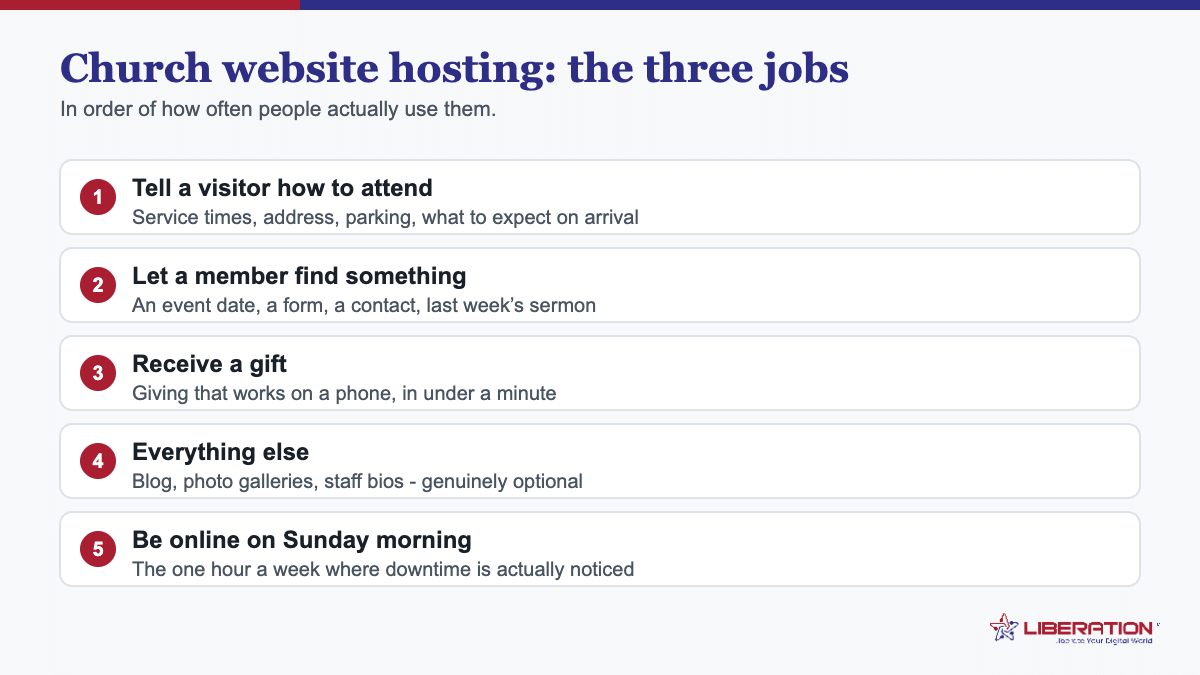
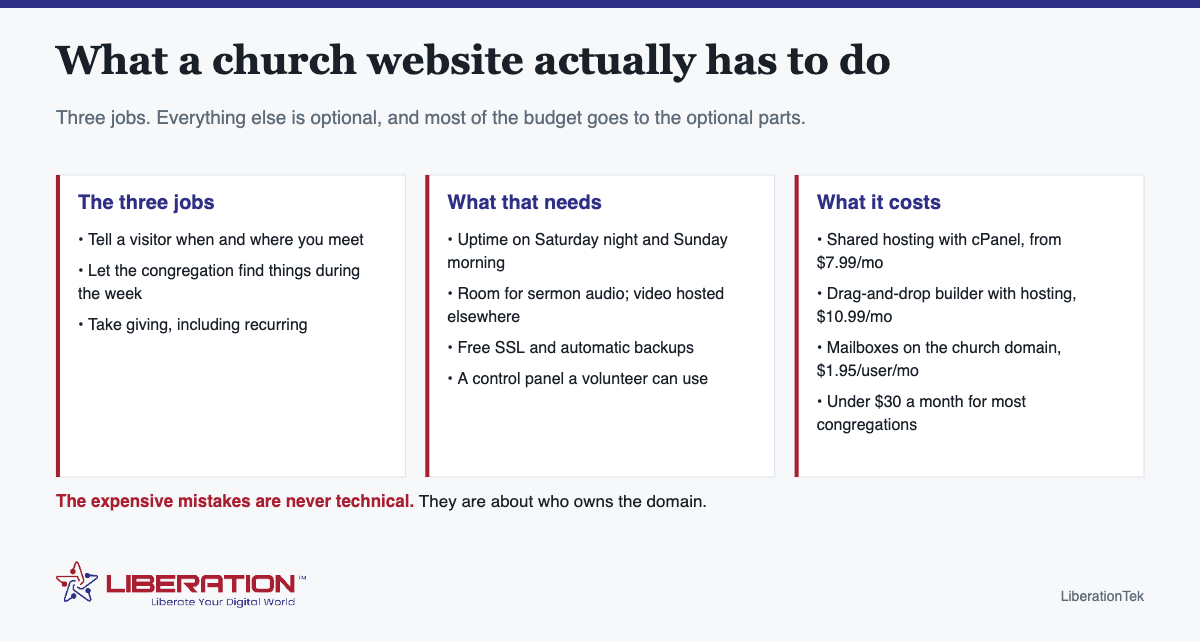
Church website hosting has to support three jobs: tell a visitor when and where you meet, let the congregation find what they need during the week, and take giving. Hosting that supports those three well costs about $7.99 a month. The expensive mistakes in church websites are almost never technical – they are about who owns the domain and who can update the site when the person who built it moves away.
The three jobs, in order of how often they are used
- Service times and location, findable in ten seconds. This is what a visitor searches for on a Saturday evening. It should be on the homepage, not behind a menu, and it should be right – an out-of-date service time does more damage than an ugly website.
- The week’s information for people who already attend. Small groups, rotas, the newsletter, sermon audio, the calendar.
- Giving. Increasingly the main transactional purpose of the site, and the one place where the technology genuinely matters.
Almost everything else – photo galleries, staff biographies, a blog nobody updates – is optional, and optional features are where church website budgets quietly go.
What that actually requires from church website hosting
- Reliability when it counts. Saturday evening and Sunday morning. That is the uptime window a congregation genuinely cares about.
- Room for sermon media. Audio adds up steadily; video should live on a streaming platform and be embedded, not uploaded to the web host.
- Free SSL. A browser security warning on a church website is a trust problem and entirely avoidable.
- Automatic backups. Volunteer-maintained sites break in ordinary ways, and a tested backup turns a rebuild into an afternoon.
- A control panel a volunteer can use. cPanel is worth choosing precisely because it is common – whoever inherits the site will have heard of it.
- Email on the church domain, so roles can be handed over rather than tied to whoever set them up.
The three mistakes that actually cost churches
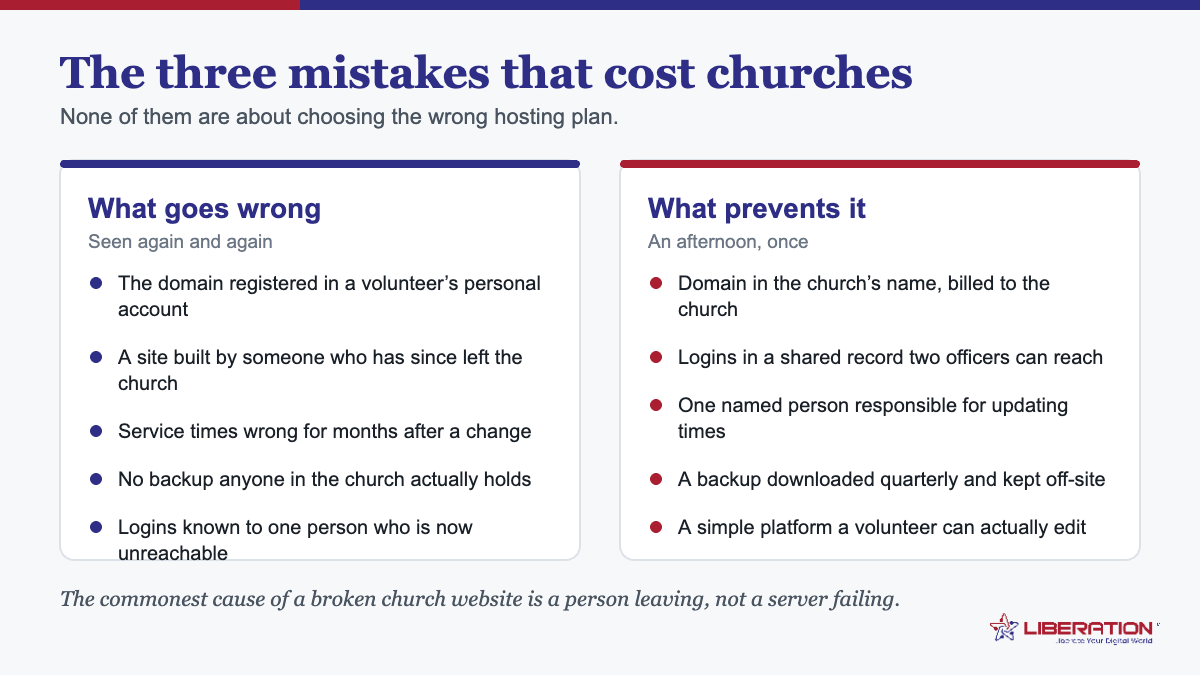
1. The domain is in a volunteer’s personal account
This is the big one. When that person moves away, changes church or simply loses interest, the domain and hosting go with them – and recovering a domain from a former member is far harder and slower than anyone expects. The church should own the domain and the hosting account, in the church’s name, with the leadership able to reach the logins. If that is not currently true, fixing it is the most valuable hour anyone will spend on the website this year.
2. Only one person can update it
Church websites rarely fail technically. They fail because the only person who knew how to change the service times moved away two years ago. Two people, minimum, should be able to publish – and the instructions should be written down somewhere other than in one person’s head.
3. Building something nobody can maintain
A custom-built site that needs a developer for every change becomes a site with last Christmas still on the front page. Choose the tool the next volunteer can use, not the one the current volunteer enjoys.
What the whole church website hosting stack costs
| What you need | Option | From |
|---|---|---|
| Hosting for the site | Shared hosting with cPanel, up to 9 sites, free SSL | $7.99/mo |
| Building it without a developer | Drag-and-drop builder, hosting and SSL included | $10.99/mo |
| Email on your domain | Mailboxes for staff and ministry roles | $1.95/user/mo |
| Shared files, calendars and video for the team | Hub For Teams | $7.49/user/mo |
| Online giving | One-time and recurring, integrated with the site | Discuss |
Most congregations need the first row, some mailboxes, and giving. That is under $30 a month for a church that is not running a school or a broadcast ministry.
WordPress or a site builder
WordPress is more capable and needs looking after – plugins update, things occasionally break, somebody has to care. A drag-and-drop builder does less and needs almost nothing, because hosting, SSL and updates come with it.
The deciding question is not which is better. It is: who is maintaining this in two years, and how technical are they? If the answer is “a volunteer we have not met yet”, the builder is usually right. If a member does this professionally and intends to stay, WordPress gives you more room to grow.
When a congregation outgrows shared church website hosting
Three signals, and none of them is congregation size:
- You are hosting livestream archives yourself rather than embedding them. This outgrows shared hosting quickly, and is usually better solved by moving the video than the hosting.
- There is a members area or a database behind the site – directories, rotas, booking – which needs guaranteed resources rather than a shared pool.
- Several ministry sites with real traffic between them.
Until one of those is true, a bigger plan buys headroom nobody uses.
A sensible first month of church website hosting
- Confirm who owns the domain, and move it into the church’s account if it is anywhere else.
- Write down every login and store it where two leaders can reach it.
- Check the service times and address are correct and visible without scrolling.
- Confirm SSL is active and backups are running.
- Set up mailboxes on the church domain for the roles that need them.
- Make sure a second person can publish a change, and have them do one.
Where we fit in church website hosting
We host on servers we own and operate in the United States, with triple-layered security, backups and disaster recovery, and we do not track or sell what is on them. For a congregation the practical consequence is simple: the people answering your support ticket work for the company that owns the hardware, so there is nobody upstream making decisions about your site.
Beyond hosting, church solutions covers giving integrated with your site, memberships, merchandise and self-hosted analytics – useful once a congregation grows past what a brochure site can carry. There is also a free risk assessment, which is most useful for finding out whether the domain is registered where you think it is.
The visitor nobody plans for
Church websites are built for the congregation and found by strangers. Two groups deserve more thought than they usually get.
The first-time visitor wants to know what happens when they arrive: where to park, what people wear, whether their children go with them, how long the service lasts. None of that is on most church websites, and all of it determines whether someone comes. A single honest “what to expect” page does more for attendance than a redesign.
The visitor with a screen reader or poor eyesight. Congregations skew older than the population, so accessibility is not an abstraction here. Real text rather than words baked into images, sensible heading order, meaningful alt text, and adequate color contrast cover most of it – and all of them help search engines and AI assistants read the site too.
Neither costs anything to get right at the start, and both are tedious to retrofit.
Keeping the church website current without a rota
The realistic failure of a church website is not a hack or an outage. It is drift – service times that changed, an event from last spring, a staff member who left. Three habits prevent nearly all of it.
- Tie updates to something that already happens. Whoever prepares the weekly notices is already gathering the information; publishing it to the site is five extra minutes at the same desk, rather than a separate job nobody remembers.
- Put a date on anything time-bound. An event page with a visible date ages honestly. A page saying “coming soon” is embarrassing within a month and invisible to whoever wrote it.
- Review four pages twice a year. Service times, the address and map, the staff list, and the giving page. Fifteen minutes, in the diary, at the start and middle of the year.
That is the whole maintenance plan for a congregation site. Everything else is optional, and a site that is merely accurate beats a beautiful one that is six months out of date.
Accessibility and the people your church website leaves out
This rarely appears in a hosting discussion and it should, because a church website exists to welcome people and a surprising number of them quietly fail at it for part of the congregation.
Text on a photograph is the commonest failure. Service times set as part of an image cannot be read by a screen reader, cannot be enlarged, and cannot be copied into a calendar. They also cannot be found by search engines. Put times in actual text; use images for pictures.
Size and contrast matter more than in most sectors. Congregations skew older than the general population. Small grey type on a white background is a real barrier for a meaningful share of the people you are trying to reach, and fixing it costs nothing.
Everything has to work on a phone. Most visits to a church website happen on a phone, frequently in the car park minutes before a service. If the giving page, the service times or the map are awkward on a small screen, that is the experience most people actually have.
Captions on sermon video help more people than you think. Hard of hearing members, anyone watching without sound, and anybody searching for something that was said. Most video platforms generate captions automatically now; the work is reviewing them, not creating them.
Describe images in alt text. A line of description per photograph makes the site usable with a screen reader. It is a small habit for whoever updates the site, and the W3C’s introduction to web accessibility covers the basics in plain language if your volunteer wants a reference.
Keep the path short. A first-time visitor should find service times and the address without scrolling far or opening a menu. Churches often bury this under a mission statement; the person deciding whether to come on Sunday needs the practical information first.
None of this requires a particular platform or a larger budget. It is a set of habits for whoever maintains the site, and good church website hosting simply makes it possible to implement them without asking a developer.
Who maintains it, and why that decides your church website hosting choice
The technical specification matters far less than the honest answer to one question: who is going to change the service times when they change? Every other decision follows from that, and it is the question churches most often skip.
If it is a volunteer with limited time. Choose the simplest platform that does the job, even if it is less capable. A site a volunteer can confidently edit on a Tuesday evening stays current; a technically superior site they are nervous about touching goes stale within a year. Church website hosting that includes a straightforward editor is worth more here than raw performance.
If it is a member who builds websites professionally. Wonderful, and plan for their departure from day one. The domain, the hosting account and the logins belong to the church, and a second person should know where they are. This is not a comment on anyone’s commitment; people move away, change jobs and fall ill.
If it is paid help. Agree what “maintenance” includes before you sign. Updating content, applying platform updates and renewing certificates are different jobs, and churches regularly discover they were paying for one while assuming all three.
If the honest answer is nobody. That is common and worth admitting. Choose a very simple site with few pages, get service times and giving right, and accept that it will not change often. A small accurate site beats an ambitious neglected one, and it costs far less to host.
Write down the handover. One page: where the domain is, where the hosting is, who holds the logins, who to call, when the backup was last taken. Keep it with the church’s other records. This single page prevents the majority of the problems churches actually experience with their websites.
Then choose the hosting to match. Church website hosting for a volunteer-maintained site should be managed, straightforward and supported by people who will answer the phone to a non-technical caller. That is a different product from the cheapest plan on a comparison table, and for a congregation it is usually the better buy.
The short version: buy church website hosting for the congregation you have, not the one in the brochure. Get the service times right, make giving work on a phone, keep the domain in the church’s name, and make sure two people can log in. Churches that get those four things right rarely think about their church website hosting again, which is exactly the point.
Frequently asked questions
What is the best hosting for a church website?
For most congregations, shared hosting with cPanel is the right answer – reliable, inexpensive at around $7.99 a month, and manageable by a volunteer. A larger church running livestream archives, a members area or several ministry sites has outgrown that and should look at a VPS.
How much does church website hosting cost?
A typical congregation site runs on shared hosting from $7.99 per month, including cPanel, free SSL and space for up to nine sites. Add a website builder at $10.99 per month if nobody wants to maintain WordPress, and mailboxes from $1.95 per user per month. Most churches land under $30 a month all in.
Should a church use WordPress or a website builder?
It depends on who maintains it in two years. WordPress is more capable and needs regular attention. A drag-and-drop builder with hosting included does less but needs almost nothing. If the next volunteer is unknown, choose the builder.
Where should sermon videos be hosted?
On a streaming platform, embedded into your site, rather than uploaded to your web host. Video consumes bandwidth and storage quickly. Sermon audio is small enough to host directly.
Who should own the church’s domain name?
The church, on an account the leadership can access – never a volunteer’s personal account. Losing control of the domain when a volunteer moves on is the most common and most damaging failure in church websites, and it is entirely preventable.
Related reading
- Online Giving for Churches: 5 Essential Checks
- Christian Web Hosting: 3 Essential Questions to Ask
- Big Tech Alternatives — Replacing the platforms a ministry depends on.
- Building a Business Website — Structure and accessibility decisions that apply to any site.