Ditch Microsoft & Google Today!

Move From Fastmail To Liberation Email

A person sets up your Liberation Email mailboxes, imports your mail and contacts, and schedules the cutover around your schedule, not ours.

How the move from Fastmail works

We handle each step so you can keep working.

Your Fastmail mailboxes
Copy mail and contacts
Test delivery
Switch over

See Liberation Email in action

Business email, contacts and calendar on your own domain, all in one place.
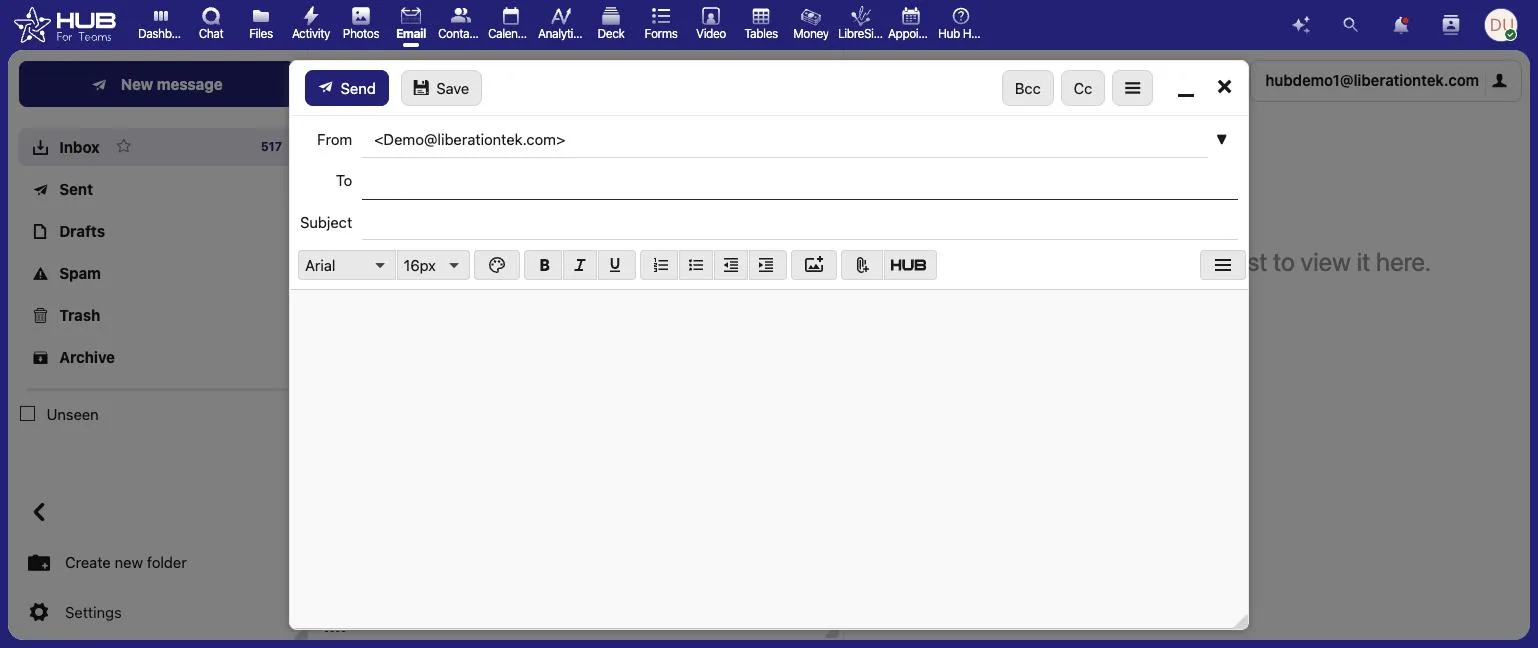
Hub for Teams email composer sending from a custom domain address
Send from your own domain
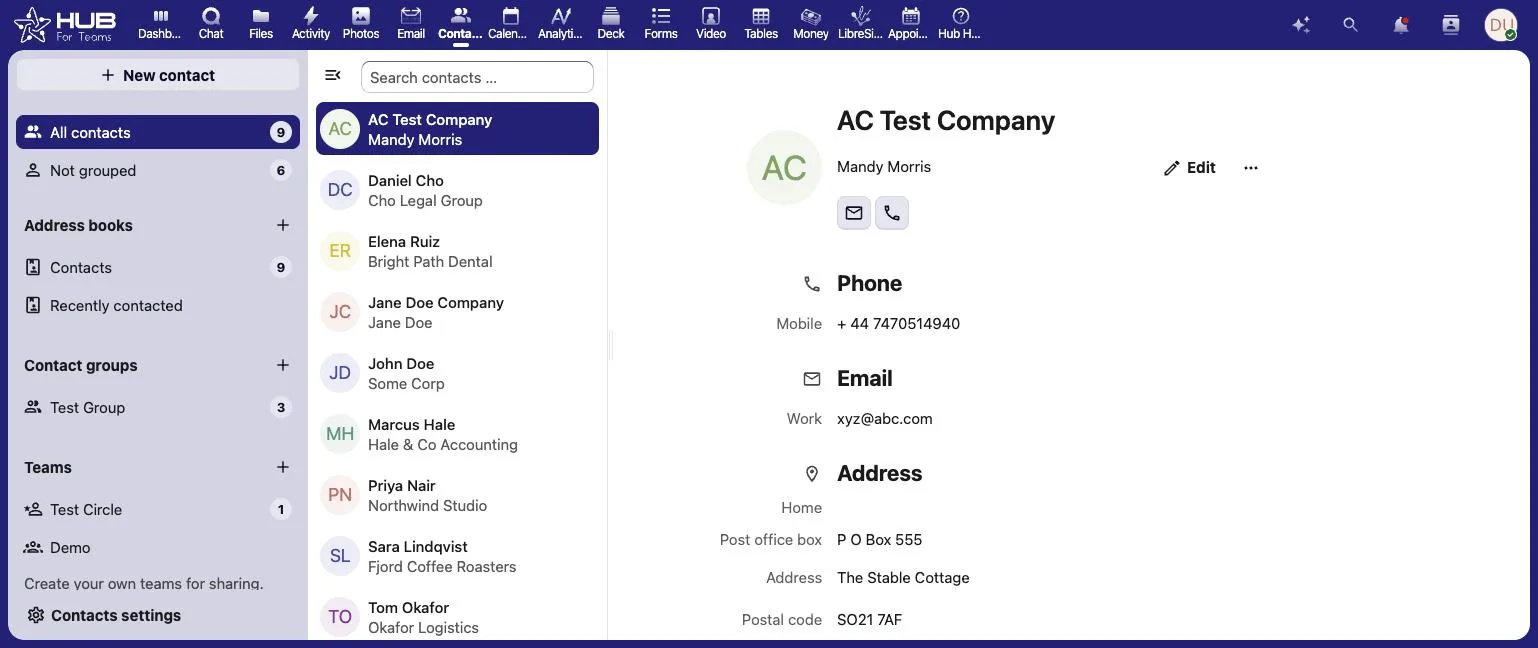
Hub for Teams contacts app with shared address book
Shared contacts and address books
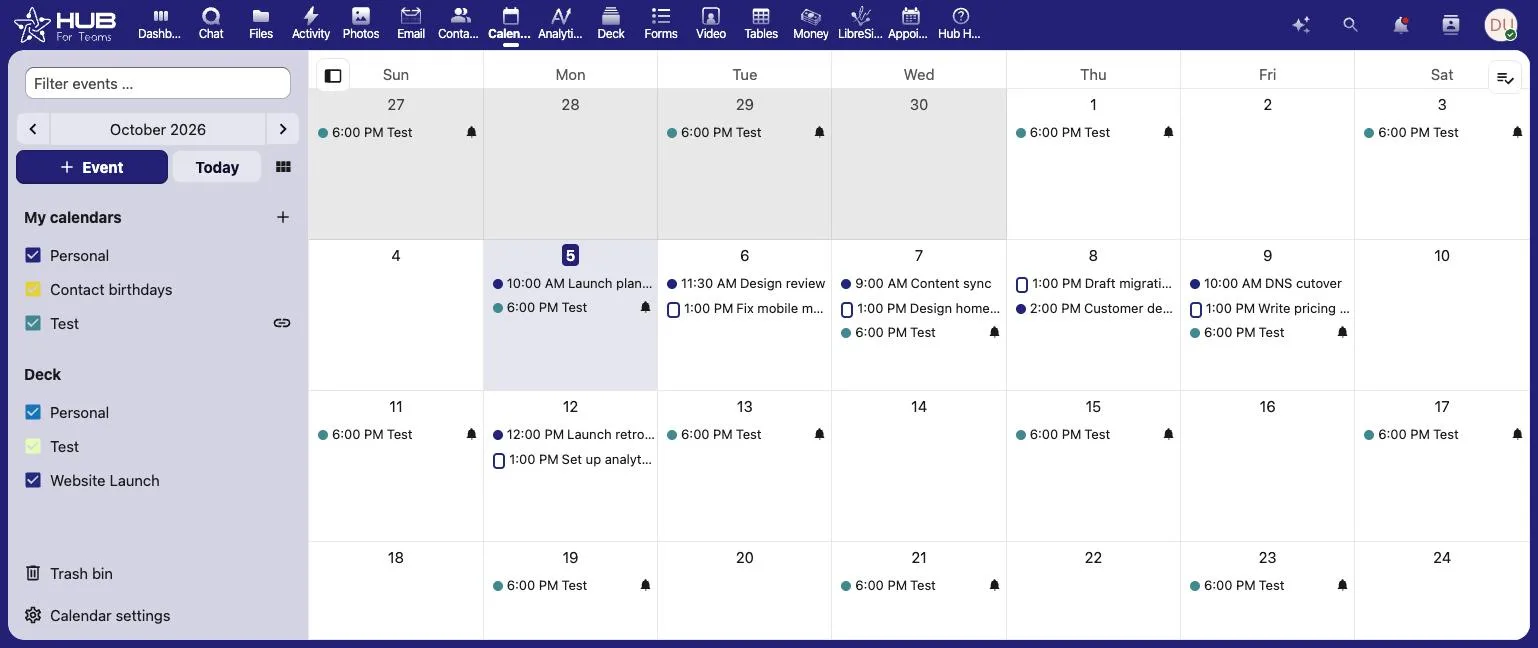
Hub for Teams calendar month view with team events
Calendars your whole team can share

The short answer

Moving off Fastmail means moving your mailboxes, contacts and calendar into Liberation Email — U.S.-owned, U.S.-hosted business email, with encryption at rest on every plan and phone support if you need it.

Before you move from Fastmail, list every address, alias and shared mailbox you use, and note any rules or forwarding set up on the account. Export your contacts and calendar as well as the mail itself, so nothing is left behind when you close the old account. Keep the old account active until the new one has received mail for a few days.

Email is also where most phishing arrives, so a move is a good time to review your habits. CISA explains how to recognize and report phishing, and our guides on password managers and what cybersecurity means for a small business cover the basics.

Teams that move from Fastmail usually want to know three things: what moves, in what order, and when the old account can be closed. The graphic below summarizes the process, and the same steps are explained in more detail further down this page.

Move from Fastmail to Liberation Email: what is included in the migration, from setup to cutover

If you are weighing whether to move from Fastmail now or wait, the timing is yours to choose. You can move from Fastmail in one window or in stages, and the old account stays live until you confirm the new one works for everyone.

People who move from Fastmail often ask about cost first. Our migration team walks through the plan with you before anything starts, so you know what it takes to move from Fastmail before you commit.

Some questions come up on almost every move from Fastmail. Can we move from Fastmail without downtime? Yes, because the old account stays live until the cutover. How long does it take to move from Fastmail? We confirm the timeline with you before anything starts. Will we lose anything when we move from Fastmail? We confirm what moves before we begin, and anything that cannot move is listed up front.

If you would rather talk it through, tell us what you use today and we will explain what it takes to move from Fastmail for your team.

Most mailbox migrations complete within a few business days of you approving the plan, with a scheduled cutover window so there’s no unexpected disruption.

What actually happens

We build your mailbox first

Your Fastmail account stays live and untouched while we build your new Liberation Email mailbox.

We import your mail and contacts

Messages and folders transfer over IMAP, and contacts and calendars export from Fastmail’s own tools and import into Liberation Email — we’ll tell you exactly what’s included before we start.

We schedule the cutover with you

You pick the day you switch over, and we’re online while you sign in for the first time.

There’s no dual system to manage during the transition — once your mailbox is ready and you’ve tried it, your Fastmail subscription can be downgraded or canceled on your schedule.

Why people leave Fastmail

The most common reasons: Fastmail is based in Australia, so Australian law applies to your data and its own transparency report says so; there’s no phone support option at any price; and it doesn’t offer end-to-end encryption. See the full Fastmail vs. Liberation Email comparison →

What moves, what doesn't have to

Mailboxes & folders

Messages, folders and labels transfer over IMAP, so your mail history moves with you.

Contacts & calendar

Contacts and calendar entries export from Fastmail and import into Liberation Email, so nothing has to be re-entered by hand.

Domain & DNS

You can keep your domain registered wherever it is and just point the mail (MX) records at us — no need to transfer the whole domain.

Priced the way a business buys

Starting prices, billed monthly. Migration itself is free regardless of which plan you choose.

What It Costs

Starting prices, billed monthly unless noted. Anything larger gets a written quote.

Step-by-step: access Fastmail, export your records, and switch mail delivery

Export your Fastmail data

  1. Sign in to Fastmail and open Settings → Contacts & Calendars to export your address book and calendars, and note your current MX records under Domains.
  2. Send us IMAP access (or the export files) along with the domain your mail uses today.
  3. We copy your mail, contacts and calendar into your new Liberation Email mailbox and test everything before anything is switched.
  4. We update your domain’s MX records at a time you choose, and monitor for delivery issues after the switch.

We test your new mailbox first

The migrated copy is checked against your live Fastmail account — folders, contacts, calendar — before anything is pointed at it.

We schedule the cutover with you

MX changes happen at a time you choose, and we monitor for delivery issues after the switch.

You keep your domain name and your existing email address — nothing changes for the people emailing you.

See the full Fastmail vs. Liberation Email comparison →

Your new workspace

Mail, chat and files together.
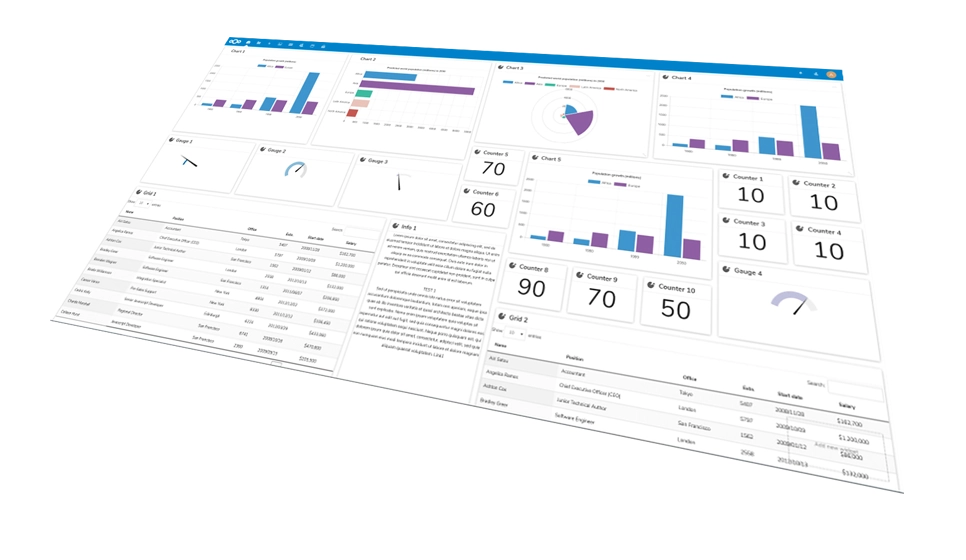
Move from Fastmail: Hub for Teams dashboard
Hub for Teams
Business emailCalendarFiles

Common questions

No, standard IMAP transfers your existing folders and messages. Contacts and calendar entries export from Fastmail’s own tools and import cleanly into Liberation Email.
No. You can keep your domain registered wherever it is and just point the mail (MX) records at us, or transfer registration too — either works.
With Liberation Email, your mail is stored on U.S.-owned servers under U.S. law. Fastmail’s own transparency report states it operates under Australian law.
Yes — migration is included with any plan switch, no setup fee and no surprise line on the first invoice.

Ready to leave Fastmail?

Book a call and tell us about your setup — we’ll give you a migration timeline and a written quote, no obligation.

What actually makes leaving Fastmail hard

Technically, this is the easiest migration on the site. Fastmail is a standards-respecting provider — full IMAP, proper calendar and contact protocols, straightforward exports, no proprietary lock-in. Mail, calendars and contacts copy out cleanly with dates and folders intact. There is no obstacle at all, which means the real question is why you would bother.

Usually the answer is consolidation rather than dissatisfaction. Fastmail does mail very well and deliberately does not do much else, so businesses using it tend to carry a second subscription for file storage, a third for team chat, and a separate arrangement with whoever looks after the website. If you are paying four vendors to assemble what one could provide, the saving is in the consolidation, not in the mail.

The other common reason is administrative. Once you are past a handful of users and want one place to add and remove people, enforce a password policy, hand over a departed employee’s mailbox and manage shared calendars alongside the rest of your IT, that is an argument about management rather than about mail quality. It is a legitimate one, and it is worth naming rather than dressing up as a technical complaint.

What to check before deciding: alias usage. Fastmail users often lean heavily on aliases and per-service addresses, and every one has to be enumerated and recreated or whatever was signed up with it stops reaching you. It is a list-making exercise rather than a technical one, and it is the only part of this migration that can actually go wrong.

How we handle it: we copy mail, calendars and contacts over standard protocols, enumerate and rebuild your aliases, publish SPF, DKIM and DMARC on your domain, and keep the old account live until you confirm everything arrived. If the honest answer is that you should stay on Fastmail for mail and buy only the pieces you are missing, we will tell you that. Book a call with a user count and a rough alias count.

Custom Solutions

Take your business to the next level with Liberation's full suite of services & solutions.

Custom Management

Don’t like managing? We offer managed services for hosting, ecommerce, web sites, and more.

Custom Websites

We build custom, professional websites for small to large organizations. 

Custom Apps

Our team of expert developers can design custom applications for a wide variety of purposes.

Payment Processing

Cancel-Free payment processing for a variety of industries and custom solutions.

Expert Consulting

Liberation offers consulting on strategy, infrastructure, e-commerce, and more.

Custom Ecommerce

We customize your e-commerce to fit your business needs and goals for maximum profits.

Our Promise Of Digital Independence

Liberating Your Digital World Is Our Passion

LiberationTek global edge network map

Global Edge Network

Liberation’s global edge network provides enhanced performance & security.

Population Reach
90 %
Countries
90 +
Networks
2500 +

Freedom Tech News

Stay informed on the latest tech news, new products, promotions, & more!

Ready For Digital Liberation?