
Choosing the right system to manage your life is the difference between feeling like a productivity pro and feeling like you’re just “juggling cats.” While many project management (PM) platforms are designed for massive corporate teams, they can be remarkably effective for solo entrepreneurs, freelancers, or anyone trying to organize a busy personal schedule.
Why Use PM Tools for Personal Projects?
You don’t need a boardroom to benefit from structured workflows. Whether you’re launching a side hustle or just organizing a home renovation, these tools move your “to-do” list from a chaotic brain dump into a strategic plan.
Selecting agile project management platforms guarantees seamless oversight. Scalable solutions optimize task distribution, ensuring milestones remain attainable through robust frameworks and interactive, high-level visualization.
Core Advantages:
-
Visual Clarity: See your entire week or month at a glance.
-
Centralized Data: Keep notes, deadlines, and files in one ecosystem rather than scattered across emails.
-
Scalability: Start solo, but have the infrastructure ready if you eventually hire a virtual assistant or collaborator.
-
Automation: Let the software handle recurring reminders so you don’t have to.
Top Personal Project Management Contenders
Not every tool fits every brain. Here is a breakdown of the heavy hitters and how they serve individual users.
1. Trello: The Visual Organizer
Trello uses a “Kanban” board system (think digital sticky notes). It’s perfect for people who think spatially.
-
Best for: Linear processes, like moving a blog post from “Idea” to “Draft” to “Published.”
-
Personal Perk: Extremely low learning curve and a highly functional free tier.
2. Notion: The “All-in-One” Architect
Notion is a hybrid of a document editor, a database, and a task manager. It is the “Swiss Army Knife” of productivity.
-
Best for: Users who want to build a “Second Brain” to store journals, reading lists, and project trackers in one spot.
-
Personal Perk: Highly customizable templates allow you to build a workspace that looks exactly how you want it.
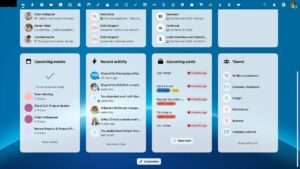
4. LiberationTek – Hub for Teams: The Privacy-First Choice for Project Management
For those wary of big-tech surveillance or corporate data mining, “Liberation” style tools focus on digital sovereignty and security.
-
Best for: Activists, decentralized teams, or privacy-conscious freelancers.
-
Personal Perk: Peace of mind knowing your intellectual property and personal data aren’t being used for ad-targeting.
How to Select Your Perfect Match Project Management tools
Before committing to a platform, evaluate your needs against this quick checklist:
Don’t get “tool fatigue.” Spend less time setting up the software and more time actually doing the work.
Personal Project Management in Brief: Quick Answers
- What is personal project management? Personal project management is applying planning, task tracking and review habits to your own goals, freelance work, side projects and household projects.
- Do I need special software? No. A notebook or simple list works for small needs. Software helps when you juggle several projects, deadlines or collaborators.
- What should I look for? Ease of use, a good mobile app, calendar and email integration, sensible pricing and privacy.
- How many tools should I use? One main tool. Splitting tasks across several apps is the fastest route to tool fatigue.
- Can a personal setup grow with me? Yes, if you choose a tool that supports sharing and collaboration later.
Personal Project Management Approaches Compared
Instead of picking a product first, choose the style of working that fits how you think. The table below compares the main approaches.
| Approach | How it feels | Strength | Weakness | Best for |
|---|---|---|---|---|
| Simple to-do list | Quick and light | Almost no learning curve | Weak for multi-step projects | Daily tasks and errands |
| Kanban board | Visual, like sticky notes moving across columns | Shows progress at a glance | Can get cluttered | Workflows such as content or job searches |
| All-in-one workspace | Notes, databases and tasks together | Highly customizable | Takes time to set up | People who enjoy building systems |
| Calendar and timeline planner | Deadline focused | Makes dates and dependencies clear | Less flexible for ideas | Events, launches and renovations |
| Private collaboration hub | Tasks, chat and files in one secure place | Ownership and privacy of data | Overkill for one-person lists | Freelancers with clients and privacy-minded teams |
Which Personal Project Management Tool Type Fits You?
| Your situation | Recommended style | Why |
|---|---|---|
| Solo freelancer with several clients | Kanban board plus calendar | Shows each client’s stage and upcoming deadlines |
| Side hustle launching a product | Timeline planner | Keeps milestones and dates visible |
| Home renovation or move | Checklist with a calendar | Simple tasks with fixed dates |
| Student or researcher | All-in-one workspace | Combines notes, sources and tasks |
| Freelancer with a virtual assistant | Shared board or collaboration hub | Lets two people see the same tasks |
If you already work with a team or expect to, our guide to project management for small teams explains how to scale up from a personal setup.
How to Set Up Personal Project Management Step by Step
- Collect every commitment. Write down all projects and tasks in one place.
- Group tasks into projects. Each project needs a goal, an end date and a next action.
- Choose one tool. Pick the simplest option that supports your style of working.
- Set weekly priorities. Select the three most important tasks each week.
- Use due dates carefully. Give dates only to tasks that truly have deadlines.
- Automate recurring tasks. Let the software handle repeated reminders.
- Review weekly. Spend fifteen minutes clearing finished tasks and planning the next week.
- Back up your data. Confirm you can export your projects if you change tools.
Privacy and Ownership in Personal Project Management
Your task lists often reveal client names, financial plans and private goals. Read a tool’s privacy terms, see where data is stored and check whether you can export everything. Tools that emphasize ownership and security appeal to freelancers and small teams who prefer to keep their information out of advertising systems. Our Hub for Teams is one example, and our comparison of the Trello alternative shows how the approaches differ in detail. For a wider overview, see the Kanban guide from Atlassian, which explains the board method in depth.
Common Personal Project Management Mistakes
- Chasing the perfect app. Switching tools constantly wastes more time than any tool saves.
- Over-organizing. Complex systems collapse when you are busy.
- Skipping the weekly review. Without review, lists fill with stale tasks.
- Having no next action. Vague tasks such as “website” never get done, so write concrete steps.
- Using several tools at once. Information ends up scattered and duplicated.
- Ignoring rest and margin. A realistic plan leaves room for delays.
Personal Project Management Checklist
- All projects and tasks live in one tool.
- Every project has a goal and a next action.
- Only real deadlines have due dates.
- A weekly review is on your calendar.
- The mobile app works well for quick capture.
- You know how to export your data.
- Privacy settings and terms have been reviewed.
Making Personal Project Management a Habit
The best personal project management system is the one that fits into your day without effort. Start small: capture tasks in one place, choose three priorities each morning and review your projects once a week. After a month, look at what worked and remove anything you never use. Habits matter more than features, so resist the urge to rebuild your setup whenever a new app appears. Over time, a simple routine gives you clarity, reduces stress and helps you finish the projects that matter most to you and your work.
Frequently Asked Questions About Personal Project Management
What is the best personal project management tool?
The best tool is the one you will use consistently. Choose a style first, such as lists, boards or timelines, then compare two or three tools.
Is a free plan enough for personal use?
Often yes. Free tiers usually cover solo use, but check limits on projects, storage and integrations before committing.
How do I stay consistent with a system?
Keep it simple, review it weekly and make capturing tasks effortless with a mobile app or quick-add feature.
Should freelancers use different tools than teams?
Freelancers can start with lighter tools, but choosing one that supports sharing makes it easier to add collaborators or clients later.
How can I protect my project data?
Use strong passwords, turn on two-factor authentication, review privacy terms and keep exportable backups of important projects.
When should I move from personal to team tools?
When you regularly collaborate, need shared visibility or manage client work that others must see, a team-ready tool becomes worthwhile.