
You prevent most data breaches by closing the few doors attackers use most: stolen passwords, phishing emails, unpatched software and accounts that can see more than they should. Add tested backups, a short list of who holds what data, and hosting and email where the provider does not mine or resell your information. At LiberationTek, we run Liberation Email with end-to-end encryption on servers we own in the United States, so a big part of that last piece is handled before you write your first policy.
This guide is written for small business owners, church and nonprofit staff, campaign managers, practice administrators and local government offices. You do not need a security team. You need a routine you will actually follow.
TL;DR
- Most breaches begin with people and passwords, not exotic hacking. Turn on multifactor authentication (MFA), use a password manager and train staff to spot phishing.
- Give each person access only to the data their job needs, and delete data you no longer have a reason to keep.
- Keep software updated, back up critical data, and test that you can restore it.
- Choose hosting and email you control: U.S.-based servers, encrypted email, no tracking and real people answering support.
- Write down your first-hour response plan now. If a breach happens, speed matters.
Table of Contents
- Why breaches keep happening to small organizations
- The four basics that stop most attacks
- Limit who can see what
- Know what data you hold, and delete what you do not need
- Back up your data, then test the backup
- Choose hosting and email that protect you by design
- Check your vendors
- Know the rules that apply to you
- Write your first-hour plan before you need it
- A 30-day starting plan
- Where LiberationTek fits
- FAQ
- Sources
Why breaches keep happening to small organizations
Breaches are rarely clever. Researchers at Harvard’s Berkman Klein Center note that many company break-ins come from con artistry rather than technical wizardry: someone is tricked into handing over access. Researchers at TU Delft add that security failures often come from systems that push people into bad habits, such as reusing a password because remembering dozens of strong ones is hard.
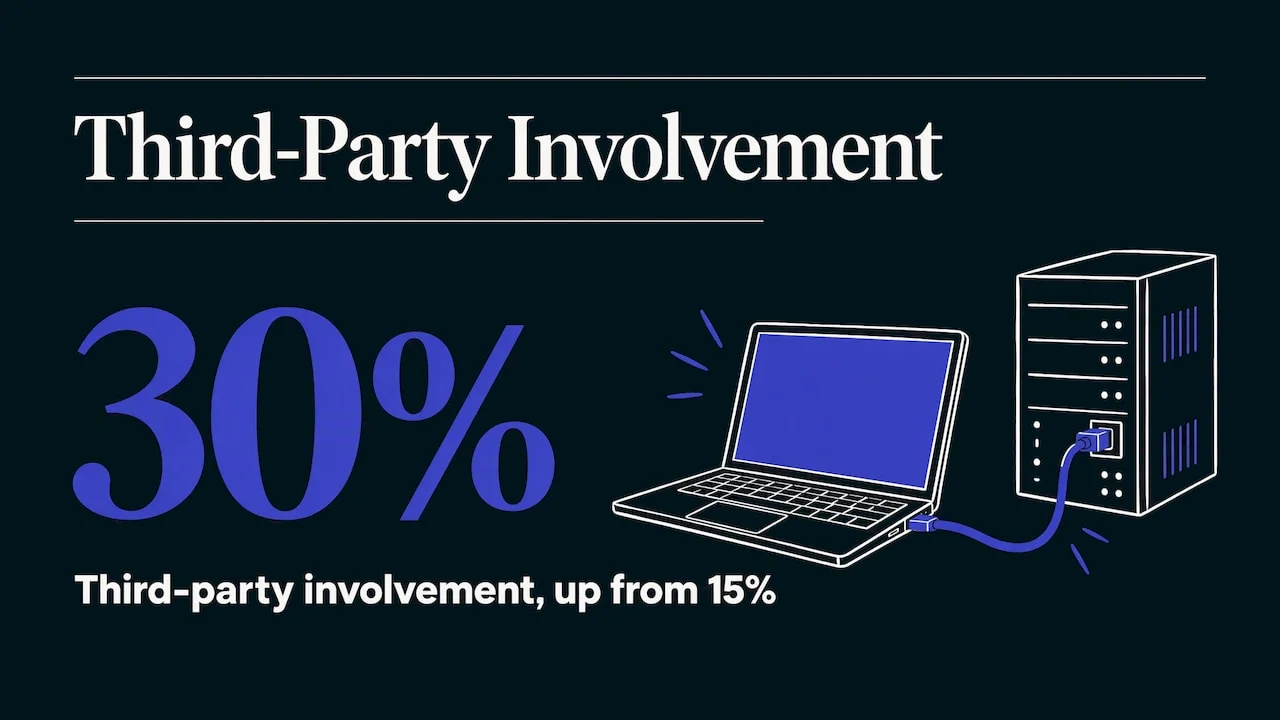
The numbers point the same way. In Verizon’s 2025 Data Breach Investigations Report, stolen credentials were still the most common first step into a network, at 22% of breaches, and third-party involvement doubled from 15% to 30%. In plain terms: attackers log in with a password they obtained, and they often get in through a vendor or partner. Our own summary of the latest report for smaller organizations is in Small Business Cyber Attack Statistics.
That is good news. If the common causes are ordinary, the defenses can be ordinary too.
The four basics that stop most attacks
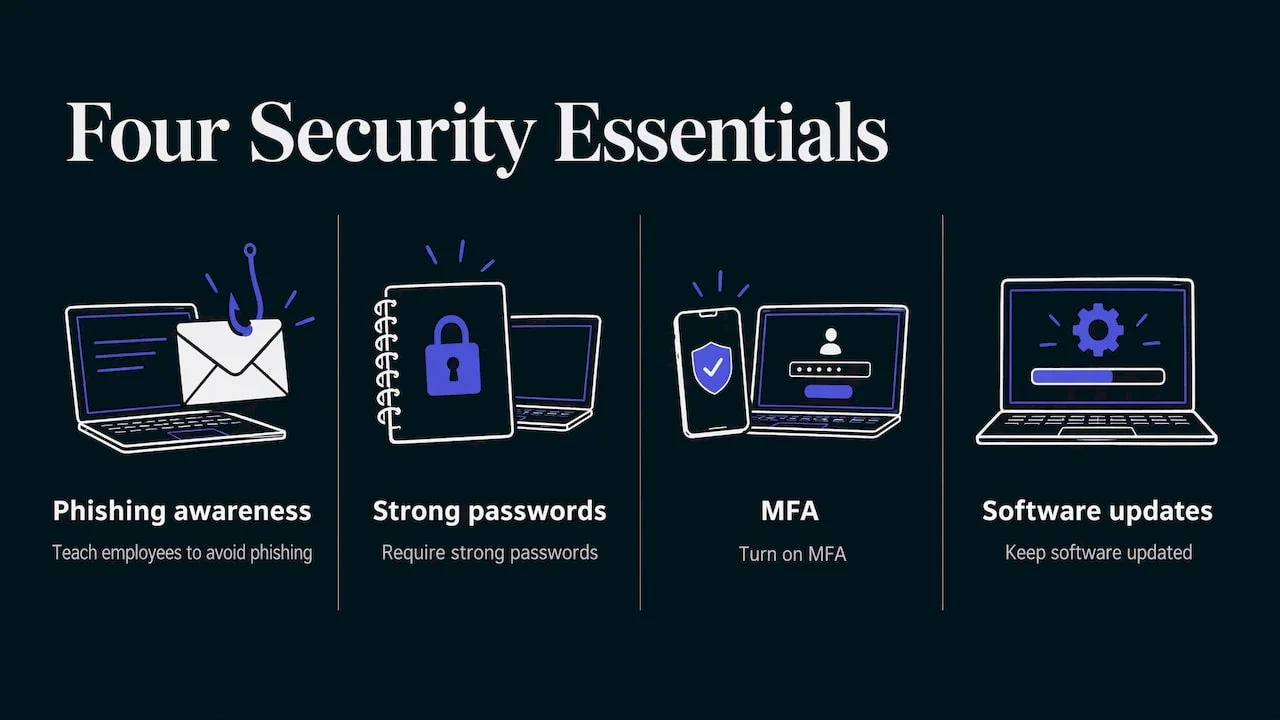
The U.S. Cybersecurity and Infrastructure Security Agency (CISA) tells small businesses to focus on four essentials: teach employees to avoid phishing, require strong passwords, turn on MFA and keep software updated. Here is what each looks like in a ten-person office or a church staff.
1. Turn on multifactor authentication everywhere
MFA asks for a second proof of identity, usually a code from a phone app, after the password. A stolen password alone then stops working. Start with email, since email can reset almost every other account, then your website admin, banking, payroll and file storage. Our article on multi-factor authentication walks through the options.
2. Use strong, unique passwords with a manager
Reuse is the weak spot. When one outside site is breached, attackers try the same email and password on your accounts. A password manager creates and remembers a different long password for every login so nobody has to invent them. If you are choosing one, see password managers for Americans.
3. Keep everything updated
Updates close holes attackers already know about. That covers computers, phones, routers, your website software, plugins and themes. Turn on automatic updates wherever you can, and assign one person to check the rest monthly. On a WordPress site, outdated plugins are a common weak point. Our managed WordPress hosting plans are built so that you are not the one keeping the server layer patched.
4. Train people to spot phishing
Phishing is a fake message, often by email or text, that tries to get you to click a link, open a file or share a login. The Ohio Attorney General’s small business guide says employees should learn to recognize phishing, report suspicious activity right away and lock workstations when they step away.
Training works best when it is short and repeated. Ten minutes at a staff meeting each quarter, with one real example, beats an annual lecture. The same guide recommends building a culture where staff feel safe reporting a mistake, such as a lost phone or a link they clicked. A volunteer who hides a mistake for three days causes far more damage than one who speaks up in three minutes.
Limit who can see what
Every account is a possible way in. Fewer accounts with narrower access mean less to lose when one is compromised.
The Federal Trade Commission’s guide for business recommends the principle of least privilege: each employee gets access only to the resources the job requires. Some practical ways to apply it:
- Use named accounts. No shared logins. When someone leaves, you can switch off exactly one account.
- Separate admin from daily use. The person who manages your website or email should have a regular account for reading mail.
- Review access twice a year. Remove former staff, finished volunteers, old campaign workers and past contractors.
- Share files by permission, not by forwarding. In Hub for Teams, files, email, chat, video and projects sit in one workspace, so you manage who sees what in one place instead of across several unrelated tools.
Know what data you hold, and delete what you do not need
You cannot protect data you have forgotten about. Make a one-page list of the sensitive information you keep: donor records, patient or client files, voter lists, customer payment details, employee records. Note where each lives and who can open it.
Then shrink it. The Ohio Attorney General’s guide advises that organizations securely destroy sensitive data when it is no longer needed and keep a retention schedule for disposal. A breach of five years of old records is far worse than a breach of one year of current ones.
Don’t forget the physical side. The same guide says to lock the cabinets, desks and rooms that hold sensitive files or equipment. Keep guest Wi-Fi, in a church lobby or a clinic waiting room, on a separate network from your business computers.
Back up your data, then test the backup
Backups do not stop an intruder, but they decide whether a ransomware attack or deleted database is an inconvenience or a crisis. CISA recommends that organizations back up critical data regularly and test the backups to make sure they can recover after an incident.
A simple routine:
- List the data you cannot afford to lose: your website, email, accounting files, member or patient records.
- Keep at least one backup copy separate from the systems it protects, so a single attack cannot reach both.
- Once a quarter, restore a few files to confirm they open.
- Write down who does the restore and where the instructions are.
Our guide to backup and disaster recovery covers the four steps in more detail.
Choose hosting and email that protect you by design
Where your email and website live affects your risk. Most free or bundled services earn money from the data and attention of their users. Many hosts also resell capacity from large cloud providers, which adds another company between you and your data. That matters because, as the Verizon figures above show, third parties are increasingly part of breach stories.
We built LiberationTek the other way around. We own and operate our servers in the United States rather than reselling Big Tech capacity. We do not track customers or share customer data. Support comes from real people in the U.S. Here is how that maps to the risks in this guide:
| Risk | What reduces it | Where it fits at LiberationTek |
|---|---|---|
| Email read by others | End-to-end encryption, no ads | Liberation Email: Mail Starter $1.95, Mail+ $4.95, Mail Pro $7.95 per user per month |
| Scattered files and accounts | One workspace, one set of permissions | Hub for Teams: from $7.49 per user per month |
| Website server upkeep | Managed hosting | WordPress hosting: WP Starter $35, WP Growth $69, Commerce $129 per month |
| Shared-environment concerns | Your own isolated environment | Private Cloud: from $179 per month, with unmetered monthly data transfer and no egress fees |
If you run a shop, the stakes on the website side are higher because customer orders pass through it. This overview of why cybersecurity matters for online stores explains the exposure well.
For a deeper look at hosting choices, read our guide to privacy-first cloud hosting.
Check your vendors
Every vendor with access to your data or systems is part of your security. That includes your payment processor, bookkeeper, web developer, marketing tool and IT contractor. Ask each one three things: who on their side can see our data, do they use MFA, and what will they tell us if they are breached? Give vendors access only to what they need, and remove it when the work ends.
Know the rules that apply to you
Breach prevention and notification are partly legal duties, depending on your field. A few U.S. examples:
- Health practices. The HIPAA Breach Notification Rule requires covered entities and their business associates to notify affected individuals of a breach of unsecured protected health information without unreasonable delay, and within 60 days of discovery.
- Publicly traded companies. The SEC’s 2023 rules require domestic registrants to disclose material cybersecurity incidents within four business days of determining they are material. Smaller reporting companies were given an extra 180 days to begin complying, with a deadline of June 15, 2024.
- Everyone else. All states have their own breach notification laws, which depend on where the affected people live. Law firms, campaigns and local governments should ask their attorney or counsel which apply.
If you handle regulated data, talk to your attorney or compliance officer about your obligations. Good prevention habits make that conversation much easier.
Write your first-hour plan before you need it
Prevention lowers the odds, not to zero. A short plan keeps a bad day from becoming a disaster. The FTC’s breach response guide tells organizations to move quickly to secure systems and fix the vulnerabilities that may have caused the breach, lock and change access codes for any physical areas involved, and assemble a team that may include forensics, legal, IT and communications experts.
On one page, write:
- Who is in charge. One name and a backup.
- Who to call. Your IT support, attorney, insurance agent and hosting provider, with phone numbers that work if email is down.
- First actions. Disconnect affected devices, change passwords from a clean device, and revoke access for suspect accounts.
- What to write down. What you saw, when, and which systems were involved.
If you host with us, you can reach people in the U.S. directly rather than a ticket queue. For more on the threat landscape, see Top Cyber Security Threats Businesses Need to Watch.
A 30-day starting plan
| Week | Task |
|---|---|
| 1 | Turn on MFA for email, website admin, banking and file storage. Set up a password manager. |
| 2 | Remove old accounts. Switch shared logins to named ones. List where sensitive data lives. |
| 3 | Turn on automatic updates. Run a test restore from your backup. |
| 4 | Run a 10-minute phishing talk. Write the one-page response plan. |
Where LiberationTek fits
If you are ready to move email and files off services that track you, we handle migration for free on every plan, and every plan carries a 30-day money-back guarantee. Churches and nonprofits receive a 15% discount. Liberation Email starts at $1.95 per user per month, and Hub for Teams starts at $7.49 per user per month.
See the plans on our Liberation Email page, or browse everything we offer at LiberationTek. For a broader checklist, our cybersecurity best practices for small businesses is a good companion to this guide.
FAQ
What is the single most effective way to prevent a data breach?
There is no single fix, but MFA on your email and key accounts comes closest. Since stolen credentials are the most common entry point, a second step after the password blocks the most frequent attack. Pair it with a password manager so every login is unique.
Can a small business or church really be a target?
Yes. Attackers use automated tools to find weak logins and outdated software, whatever the size of the organization. Small organizations also hold donor, patient, client and payment data that has value. The basics in this guide are aimed at exactly that situation.
What should I do first if I think there has been a breach?
Secure your systems quickly: disconnect affected devices, change passwords from a clean device and lock down any affected physical areas, as the FTC’s response guide advises. Then call your response team, including your attorney and your IT support. Write down what you observed.
How often should we review our security?
Check access and updates monthly or quarterly, and run a full review twice a year. Test a backup restore each quarter. Review everything again whenever staff change or you add a new tool or vendor.
Sources
- Data Vu: Why Breaches Involve the Same Stories Again and Again (Harvard Berkman Klein Center)
- Why security problems keep coming back (TU Delft)
- 2025 Data Breach Investigations Report presentation (New York State ITS)
- Secure Your Business (CISA)
- Data Breach Prevention (Ohio Attorney General)
- Protecting Personal Information: A Guide for Business (FTC)
- Data Breach Response: A Guide for Business (FTC)
- Breach Notification Rule (HHS)
- Cybersecurity Risk Management, Strategy, Governance and Incident Disclosure (SEC)