
A slow checkout costs real money. When product pages hang or the cart spins during a flash sale, shoppers leave, and many of them do not come back. WooCommerce VPS hosting fixes the root cause for most growing stores: instead of sharing a crowded server, your shop gets its own guaranteed CPU, memory and fast NVMe storage. Below: how to size a VPS, tune the database and caching, and protect your store before big sales, using Liberation’s Commerce plan as the example.

Why WooCommerce Slows Down on the Wrong Hosting
Much of a WooCommerce site can be served from cache. The pages that make you money cannot. According to WooCommerce’s caching guidance, the Cart, Checkout and My Account pages must stay dynamic because they display information specific to each customer.
Every one of those dynamic requests does real work on the server:
- A PHP worker has to run WordPress, WooCommerce and every active plugin.
- The database answers dozens of queries for prices, stock levels, sessions, coupons and shipping rules.
- Storage has to read and write those records quickly, especially when orders are being created.
On shared hosting, those resources are pooled with other customers, and process or memory limits can kick in right when traffic spikes. With WooCommerce VPS hosting, the CPU, RAM and disk are reserved for your store.
Sizing CPU and RAM for WooCommerce VPS Hosting
A store with 50 products and steady traffic behaves very differently from one emailing a 40%-off sale to 100,000 subscribers. Still, a few principles make sizing predictable.
Start with PHP workers
A PHP worker handles one uncached request at a time. If all workers are busy, new shoppers wait in line. The number of workers you can run is limited by CPU (each worker needs processor time) and by RAM (each worker holds memory while it runs).
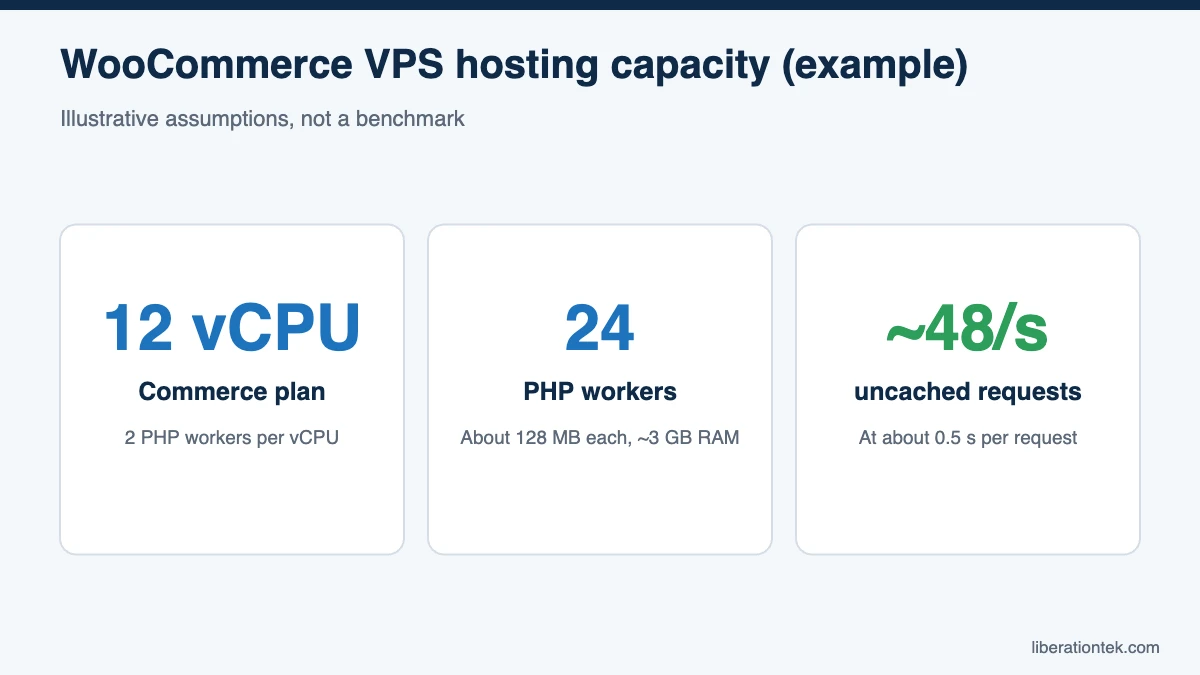
Here is a simple, conservative way to estimate. These are assumptions for illustration, not measurements of your store:
- Assume a typical uncached WooCommerce request takes about 0.5 seconds of server time.
- Each worker can then handle about 2 uncached requests per second.
- A common starting point is 2 workers per vCPU. On a 12 vCPU server, that is 24 workers.
- 24 workers x 2 requests per second = roughly 48 uncached requests per second, before you tune further.
Memory has to fit, too. If each worker uses around 128 MB, 24 workers need about 3 GB. Add a generous database buffer, an object cache and the operating system, and a 24 GB server still has plenty of headroom to add workers as you measure real traffic.
Match the plan to your store
Liberation’s fully managed VPS hosting comes in four sizes. Here is how they typically map to WooCommerce stores:
| Plan | Resources | Price (monthly / billed annually) | Good fit for |
|---|---|---|---|
| Foundation | 4 vCPU, 8 GB RAM, 200 GB NVMe, 6 TB bandwidth | $79 / $59 per month | New or small stores with modest traffic |
| Growth | 8 vCPU, 16 GB RAM, 350 GB NVMe, 10 TB bandwidth | $129 / $99 per month | Established stores or agencies hosting a few shops |
| Commerce | 12 vCPU, 24 GB RAM, 500 GB NVMe, 15 TB bandwidth | $199 / $159 per month | Busy stores that run frequent promotions |
| Scale | 16 vCPU, 32 GB RAM, 750 GB NVMe, 32 TB bandwidth | $289 / $239 per month | High-volume stores or many stores on one server |
For a store that runs regular sales, the Commerce plan is a strong baseline. Twelve high-frequency vCPUs support the worker math above, 24 GB of RAM leaves room for the database and caching, and it includes up to 100 cPanel accounts if you also host staging sites or sister brands. Billed annually, it works out to $1,908 per year versus $2,388 paying month to month, a savings of $480.
NVMe Storage and a Healthy Database
Storage is the most overlooked part of WooCommerce VPS hosting. Orders, sessions, stock updates and scheduled actions all hit the database, and the database lives on disk. NVMe drives connect directly over PCIe instead of the older SATA interface, so they handle many small reads and writes at once with much lower latency. Every Liberation VPS runs on NVMe SSD storage.
Fast disks help, but a tidy database helps just as much:
- Stay on current versions. WooCommerce’s server requirements recommend PHP 8.3 or newer and MySQL 8.0 or MariaDB 10.6 or newer.
- Use High-Performance Order Storage (HPOS), which keeps orders in dedicated tables instead of the general WordPress posts table.
- Clean up regularly. Expired transients, old completed scheduled actions and bloated autoloaded options quietly slow every page load.
Caching Layers That Improve WooCommerce Performance
Good WooCommerce performance comes from stacking several kinds of caching, each doing a different job:
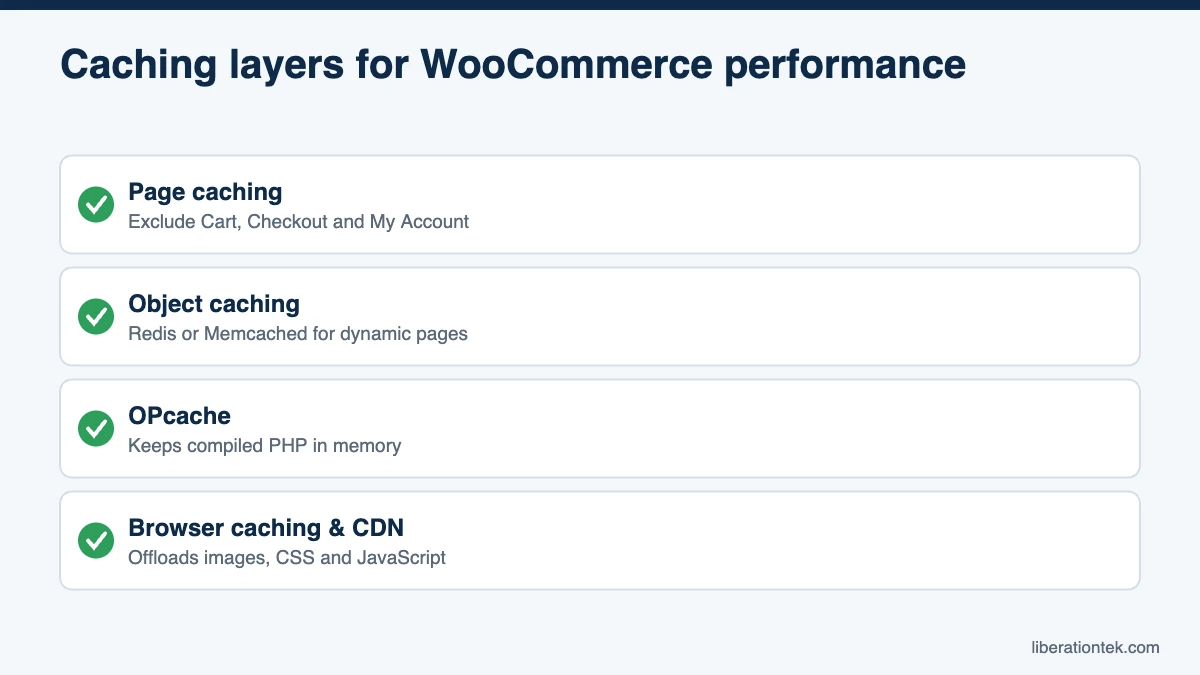
- Page caching serves ready-made HTML for product, category and content pages, so most visitors never touch PHP. Exclude Cart, Checkout and My Account, plus the WooCommerce session and cart cookies (woocommerce_cart_hash, woocommerce_items_in_cart and wp_woocommerce_session_).
- Object caching with Redis or Memcached keeps frequent database results in memory, which speeds up the dynamic pages that cannot be page cached. On a VPS you have the RAM and access to run one.
- OPcache keeps compiled PHP in memory so WordPress does not recompile on every request.
- Browser caching and a CDN offload images, CSS and JavaScript so your server focuses on the requests only it can answer.
Measure before and after each change. Faster uncached checkout requests mean more capacity without a bigger plan.
Backups and Security Before Big Sales Events
Black Friday and flash sales are when a store can least afford downtime, and when last-minute changes are most tempting.
Your pre-sale checklist
- Confirm backups. Liberation includes daily automated backups with 7-day retention on every plan. Download a fresh full backup from cPanel right before the sale, and consider CodeGuard website backup for longer file history.
- Freeze changes. Update plugins and themes one to two weeks ahead, test on staging, then stop making changes until the sale ends.
- Load test a staging copy to see where response times climb, and size up beforehand if needed.
- Check payment and email by placing a real test order and confirming the receipt arrives.
Security basics for online stores
Stores are attractive targets because they process payments and hold customer records. With managed hosting, Liberation handles OS and kernel patching, keeps cPanel on its stable release, monitors hardware and uptime 24/7, and provides standard DDoS protection and multi-tiered firewalls. On your side, use a reputable hosted payment gateway so card numbers never touch your server, enforce strong passwords and two-factor logins for admins, and remove unused plugins. SiteLock security adds malware scanning, and our overview of common cyber security threats explains what attackers look for.
Frequently Asked Questions
How much RAM does a WooCommerce store need on a VPS?
Most small and mid-size stores run comfortably with 8 to 16 GB of RAM when page and object caching are in place. Stores with large catalogs, many concurrent shoppers or heavy plugins benefit from 24 GB or more, which leaves room for more PHP workers and a larger database buffer. WooCommerce itself recommends a WordPress memory limit of at least 256 MB per PHP process.
What is the best VPS for WooCommerce?
The best VPS for WooCommerce is one with dedicated vCPU, NVMe storage, enough RAM for PHP workers and your database, plus daily backups and active security management. A fully managed plan is usually the better value for store owners, because patching, monitoring and backups are handled for you instead of competing with order fulfillment for your time.
Can I cache WooCommerce cart and checkout pages?
No. WooCommerce’s own documentation says the Cart, Checkout and My Account pages must stay dynamic because they show customer-specific data. Cache your product and category pages, exclude those three pages and the WooCommerce session cookies, and use an object cache to speed up the dynamic requests.
Do I need to upgrade my VPS before Black Friday?
Not always. Start by reviewing last year’s peak traffic, current CPU and memory usage, and a load test on a staging copy. If CPU regularly runs high during normal promotions, moving up one plan before the event is cheaper than losing sales to a slow checkout.
Conclusion: Give Your Store Room to Grow
WooCommerce VPS hosting removes the bottlenecks that slow stores down on crowded servers: reserved CPU for PHP workers, enough RAM for the database and caching, and NVMe storage for fast order processing. Pair that with smart caching, backups before every big event and managed security, and your store is ready for its busiest days. Every Liberation plan includes cPanel and WHM, daily backups, free migration, and 24/7 U.S.-based human support, all on servers we own and operate in the United States, backed by a 30-day money-back guarantee. Compare Liberation VPS plans and move your store to hosting built for checkout speed.
Related reading
- cPanel License Prices in 2026 (and Why Ours Are Included)
- The True Cost of a Cheap VPS: cPanel, Backups and Admin Time Added Up
- Managed vs. Unmanaged VPS: Which Does Your Business Actually Need?
- How to Choose a Web Host — The decision framework, without the spec sheet.
- WordPress Hosting — Managed WordPress priced on visitors.