
Cloud data security is the set of habits, settings and provider choices that keep your files, email and customer records private, intact and recoverable while they live on someone else’s servers. You do not need a security department to get it right. You need to know which parts the provider handles, which parts are yours, and to pick a provider that owns its infrastructure and answers the phone. That is how we build LiberationTek: Liberation Email, Hub for Teams and our hosting plans run on servers we own in the United States, with U.S.-based support.
TL;DR
- Cloud data security covers three things: who can reach your data, whether it is encrypted, and whether you can get it back after a mistake or attack.
- Security is shared. Your provider secures the servers; you secure accounts, permissions and settings.
- The highest-value steps are multi-factor authentication, least-privilege access, encryption, and a copy of critical data you control.
- Healthcare practices, law firms and anyone handling personal data face U.S. rules that follow the data into the cloud.
- Choose a provider that owns its servers, does not track or share your data, and offers real support and a clean exit.
Table of Contents
- What cloud data security actually protects
- Who is responsible: you or the provider
- The risks that actually hit small organizations
- Seven controls that do most of the work
- A quick example: a 12-person church office
- Rules that follow your data into the cloud
- How to choose a cloud provider
- Matching the right tool to the job
- What LiberationTek offers
- A 30-day plan to tighten things up
- FAQ
- Sources
What cloud data security actually protects
When your church keeps its giving records in a cloud file system, or your firearms shop stores customer paperwork in hosted email, that data exists in three states: stored (at rest), moving between you and the server (in transit), and open in an application (in use). Good cloud data security protects all three.
Three goals sit behind everything:
- Confidentiality: only the right people can read it.
- Integrity: nobody changes it without you knowing.
- Availability: you can open it when you need it, and restore it when something goes wrong.
Most small organizations focus on the first and forget the third. A deleted donor spreadsheet or a ransomware-locked mailbox is a security failure even if nobody “stole” anything.
Who is responsible: you or the provider
The most common mistake is assuming the provider handles everything. The National Security Agency’s guidance on the cloud shared responsibility model says the provider secures physical resources and keeps customers isolated from each other, while customers secure their own data, devices and accounts and manage who has access. It also warns that customers often assume the provider’s role is broader than it is, and that misconfiguration is among the biggest risks.
Here is how that split looks in plain terms:
| Task | Usually the provider | Usually you |
|---|---|---|
| Physical security of servers and buildings | Yes | |
| Keeping customers’ data separated | Yes | |
| Choosing strong passwords and turning on multi-factor login | Yes | |
| Deciding who can see which folder or mailbox | Yes | |
| Removing access when a volunteer or employee leaves | Yes | |
| Keeping a recoverable copy of critical data | Yes |
How the split works depends on the service. The Department of Defense’s Cloud Security Playbook explains that customers carry the most responsibility when they rent raw server capacity and the least when they use finished software. For a small organization, that is a good argument for ready-made tools with fewer settings to get wrong.
The risks that actually hit small organizations
The federal Cybersecurity and Infrastructure Security Agency (CISA) lists the main risks of cloud services in its guide on getting the most out of cloud storage while minimizing risk:
- A bigger attack surface. One compromised account of a collaborator can expose everything shared with it.
- Less physical control. You cannot see the servers, and a provider headquartered abroad may be compelled by its own government to hand over data.
- Interception. Data that is not end-to-end encrypted can be read along its path.
- Data loss. If you keep no copy of your own, one bad sync or deletion can be permanent.
Notice what is missing: exotic hacking. Most of these come down to accounts, settings and copies, which you can control.
Seven controls that do most of the work
CISA’s guidance and the NSA’s recommendations point to the same short list. Here it is, translated for a small team.
1. Turn on multi-factor authentication for every account
A password alone is a single point of failure. Multi-factor authentication adds a second proof, such as a code from an app. CISA advises strong passwords plus multi-factor login, and the NSA recommends phishing-resistant forms where available. Start with email and admin accounts, because whoever controls email can reset almost everything else.
2. Give people only the access they need
This is called least privilege. Your bookkeeper does not need the member directory, and a campaign volunteer does not need the donor list. Review who can see what at least twice a year, and remove access the day someone leaves.
3. Use end-to-end encryption for sensitive mail and files
Encryption scrambles data so only the intended reader can open it. End-to-end means it stays scrambled from your device to the recipient’s, so nobody in between can read it. CISA recommends it for data in motion and strong encryption for data at rest. Liberation Email offers end-to-end encryption, and it is private and ad-free.
4. Keep a copy you control
CISA advises keeping updated local copies of critical data, and its guidance on managed service providers says to keep your own offsite backups and logs. A practical rule: one copy in the cloud service, one copy somewhere else that you control, and a test restore once a quarter. Our guide to cloud backup for business walks through what to protect first.
5. Check your settings, not just your password
Exposed storage and overly open sharing links are configuration problems, and the NSA names misconfiguration as a dominant risk. Once a quarter, look for shared links that never expire, public folders and accounts nobody uses.
6. Train people to spot phishing
Phishing is a fake message that tricks someone into handing over a login. CISA lists awareness training among its recommendations. Ten minutes at a staff or volunteer meeting is worth more than another tool.
7. Watch the website layer too
If you run a content-managed website, plugins and extensions are part of your attack surface. Keep them updated and remove the ones you do not use; a roundup of security plugins for content platforms shows the kinds of protections that exist at this layer.
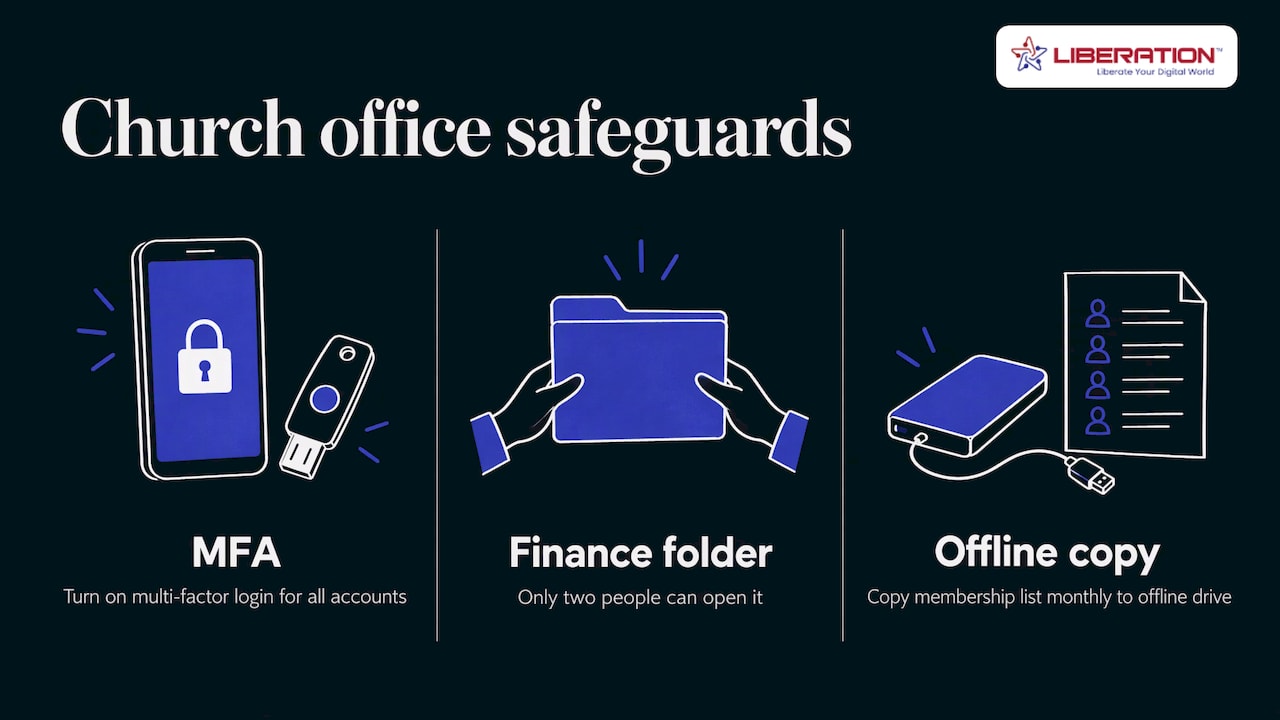
A quick example: a 12-person church office
Imagine a church with a secretary, a bookkeeper, a pastor and volunteers. Their risks are a stolen volunteer password, a shared folder of giving records open to everyone, and a laptop that dies with the only copy of the membership list.
The fix is not expensive. Multi-factor login on all accounts, one shared folder for finance that only two people can open, and a monthly copy of the membership list to an offline drive. None of it needs a security specialist, and all of it maps to the controls above.
Rules that follow your data into the cloud
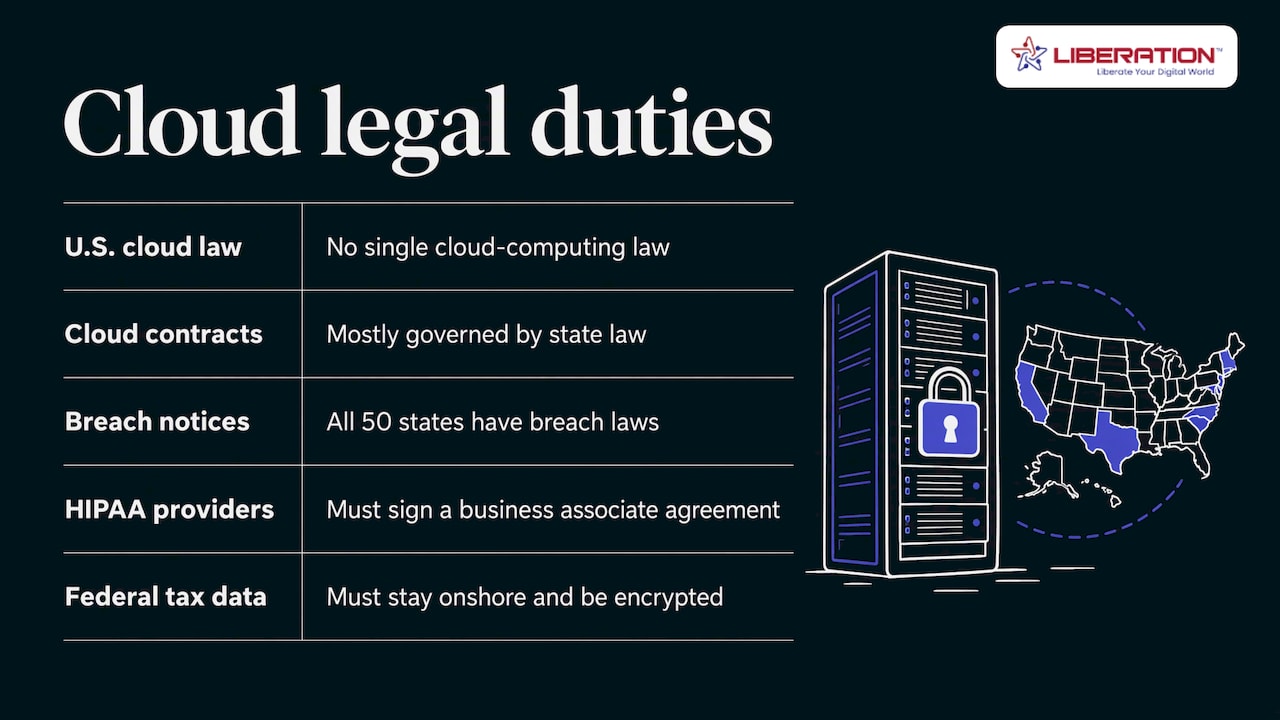
Moving data to the cloud does not move your legal duties. There is no single U.S. law for cloud computing. According to a Lexology legal Q&A on cloud computing law, cloud contracts are mostly governed by state law, with federal rules such as HIPAA layered on top, and all 50 states have breach notification laws. The National Conference of State Legislatures reports that at least 25 states require businesses holding residents’ personal information to keep reasonable security procedures.
Healthcare practices. The Department of Health and Human Services states in its HIPAA and cloud computing guidance that a cloud provider that creates, receives, maintains or transmits protected health information for a covered entity is a business associate, even if it stores only encrypted data. It must sign a business associate agreement. Ask for that agreement in writing before moving patient data, and talk to your compliance officer or healthcare attorney about your specific setup.
Law firms. Client confidentiality duties still apply. Check your state bar’s guidance on cloud use and confirm who can reach your data.
Anyone touching federal tax information. The IRS requires, among other things, that such data stay onshore in U.S. legal jurisdiction and be encrypted. This applies to agencies and their contractors, but it shows why location matters.
Firearms businesses, campaigns and ministries. Your customer, donor and supporter lists are sensitive even where no special statute applies. Keeping them away from advertising-driven platforms is a sound baseline.
How to choose a cloud provider
The Federal Housing Finance Agency’s cloud risk bulletin gives a useful frame, even though it was written for large institutions. It says to weigh operational, legal and compliance risk, have the agreement reviewed, and look at confidentiality, data residency, liability, termination and whether the provider may use your data for its own purposes. CISA adds that outsourcing does not hand off your responsibility for the risk.
For a small organization, that turns into a short checklist:
- Who owns the servers? A provider running its own hardware has fewer parties between you and your data than one reselling someone else’s capacity.
- Where is the data? Ask for the country in writing.
- Does the provider track or share your data, or sell ads against it? The answer should be no.
- Is encryption available for email and files?
- Can you leave? Look for free migration and a money-back window.
- Who answers when something breaks? A named team in your time zone beats a ticket queue.
- Is the price published? Our piece on transparent pricing in cloud service explains why this matters.
For a longer version, see our secure American cloud provider checklist and the guide to privacy-first cloud hosting.
Matching the right tool to the job
Security gets easier when the number of places your data lives goes down. A scattering of free accounts means more logins to protect and more places for a file to hide. Here is how our products map to common needs, with the prices we publish:
| Need | LiberationTek option | Published price |
|---|---|---|
| Private business email | Mail Starter | $1.95 per user per month |
| Private email with more features | Mail+ | $4.95 per user per month |
| Full mail plan | Mail Pro | $7.95 per user per month |
| Email, files, chat, video and projects in one place | Teams Starter | $7.49 per user per month |
| Collaboration with more features | Teams+ | $9.75 per user per month |
| Collaboration with calling | Teams+ Talk | $14.95 per user per month |
| Small website hosting with cPanel | Shared Cloud Hosting, Starter | $14.99 per month |
| Managed WordPress | WP Starter | $35 per month |
| Online store | Commerce | $129 per month |
| Isolated server environment | Private Cloud, Sentinel | $179 per month |
Private Cloud plans include unmetered monthly data transfer with no egress fees, so moving your own data out never carries a surprise charge. Our five controls for private cloud security explain what to look for in that tier.
What LiberationTek offers
LiberationTek is U.S. owned, founded in 2021 and based in Seminole, Florida. We run on servers we own in the United States rather than reselling capacity from Big Tech, and we do not track or share customer data. If you are leaving Google Workspace or Microsoft 365, Hub for Teams brings email, files, office apps, chat, video and projects into one workspace, which means fewer separate accounts to secure.
Every plan includes direct U.S.-based support, free migration from your current provider and a 30-day money-back guarantee. Churches and nonprofits receive a 15% discount. If your priority is private mail, start with Liberation Email; if you need a dedicated environment, look at Private Cloud Hosting.
A 30-day plan to tighten things up
- Week one: list where your data lives (email, files, website, donor or customer system) and who has admin access to each.
- Week two: turn on multi-factor login everywhere, starting with email and admin accounts.
- Week three: prune permissions and shared links, and remove accounts for people who have left.
- Week four: set up a copy you control for your most important data, and restore one file to prove it works.
Then repeat the access review every six months. For more on privacy basics, read data privacy essentials, and for the sovereignty angle, managing sovereign data risks.
FAQ
Is data in the cloud safe?
It can be, when both sides do their part. The provider secures the physical servers and keeps customers separated, and you secure accounts, permissions and settings. Most problems trace back to weak logins, open sharing and missing copies, all of which you can fix.
How do I protect cloud data from being lost?
Keep a copy you control outside the service, and test restoring from it. CISA advises keeping updated local copies of critical data, because a deleted or locked file may not be recoverable from the service alone.
Does a small business really need encryption?
Yes, for anything sensitive such as client records, patient details or donor lists. Encryption means intercepted data is unreadable. Liberation Email offers end-to-end encryption so your messages stay private in transit.
Does it matter where my provider’s servers are?
It matters for control and legal exposure. CISA notes that a foreign-headquartered provider may be compelled by its government to hand over data. Our servers are owned and operated by us in the United States.
Sources
- CISA: Get the Most out of Cloud Storage and Services while Minimizing Risk
- NSA: Uphold the Cloud Shared Responsibility Model
- DoD CIO: Cloud Security Playbook Volume 1
- CISA Insights: Risk Considerations for Managed Service Provider Customers
- HHS: Guidance on HIPAA and Cloud Computing
- IRS: Cloud computing environment
- NCSL: Data Security Laws, Private Sector
- Lexology: Q&A on cloud computing law in the USA
- FHFA: AB 2018-04 Cloud Computing Risk Management
- Security plugins for content platforms