
A conservative email service is an email provider run by a company that will not read, sell or mine your messages, keeps your mail on servers it controls in the United States, and will not shut your account down over lawful speech. For a business, that also means email on your own domain, proper sender authentication and a clear way to leave. Liberation Email is our conservative email service: private email hosting on servers we own and operate, from $1.95 per user a month.
The label gets used loosely. Plenty of services market themselves as “patriot” or “free speech” email while renting space from the same large cloud platforms their customers are trying to leave. This guide covers what actually makes a conservative email service worth switching to, what to check before you move, and how to move without losing a single message.
What Makes a Conservative Email Service Different?
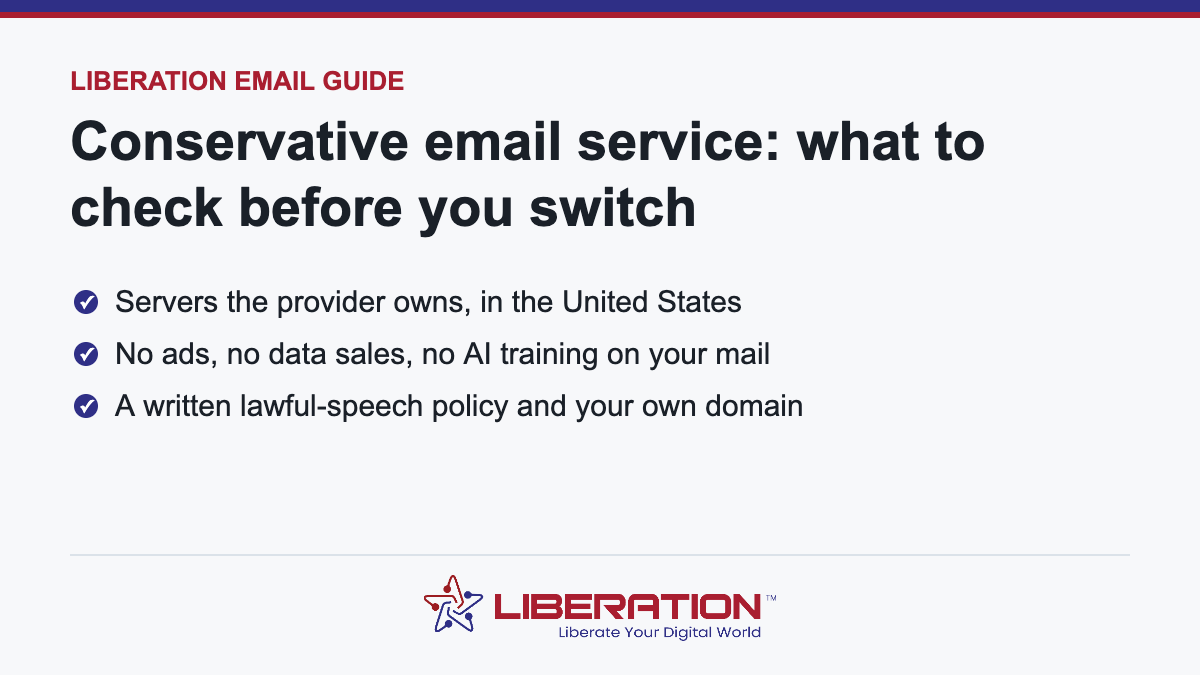
Politics is not a technical feature. What people usually mean when they search for a conservative email service is a set of practical guarantees that mainstream free email does not offer. The ones that matter are:
- Nobody mines your mail. No advertising profile built from your inbox, no sale of your data, and no use of your messages to train AI models.
- The provider controls its own infrastructure. If a company rents its servers, its landlord’s acceptable-use policy sits above its own. A provider that owns its hardware answers only to its own policy and to the law.
- Your data stays in the United States. That keeps it under U.S. law and U.S. legal process rather than whatever jurisdiction a subcontractor happens to use.
- A written promise about lawful speech. The policy should say plainly that accounts are not closed over lawful opinions, and what notice you get before any action is taken.
- You can leave. Standard IMAP access and export mean you are never locked in, including by the provider you just chose.
Email you own, on servers we own
This is the service the guide describes. Pick where to start.
Liberation Email
Business email on your own domain. Your messages are never scanned for ads or used to train AI.
From $1.95 per user a month
Transfer Your Email
Mail, folders, calendars and contacts move over from Google Workspace, Microsoft 365, Exchange, PST files and IMAP.
Moved by a person
Hub For Teams
Email, calendar, files, chat, projects and video in one private workspace, with more than 20 apps.
30-day free trial
What to Check Before You Choose a Provider
Most of these questions can be answered in ten minutes from a provider’s website and policies. If they cannot be answered at all, that is the answer.
Who owns the servers?
Ask directly whether the provider owns and operates its mail servers or resells a larger platform. Reselling is common and not dishonest, but it means your email is subject to two sets of rules, and only one of them is written by the company you are paying.
Where is the mail stored?
Look for a named country, and ideally a named city or data center. “Global cloud infrastructure” usually means the provider does not decide where your data sits.
What does the acceptable-use policy actually say?
Read it. Every provider prohibits illegal activity and spam, and should. Watch for vague categories such as “hateful” or “harmful” content with no definition, and for clauses that let the provider terminate accounts at its sole discretion without notice.
Can you use your own domain?
For any business, the answer must be yes. An address at your own domain is the one part of your email identity that travels with you if you ever change providers. See our guide to what a professional email address is for why this matters.
Is sender authentication set up properly?
SPF, DKIM and DMARC decide whether your messages land in the inbox or the spam folder. A good provider configures them with you rather than leaving it as homework. DMARC is defined in RFC 7489, and our plain-English SPF, DKIM and DMARC guide explains what each record does.
How do you get your mail out?
Confirm IMAP access and a documented export path. A provider that makes leaving difficult is asking you to trust it indefinitely.
Personal or Business: Which Kind Do You Need?
A personal conservative email service replaces a free webmail account for one person. A business one replaces email for a whole organization, and adds requirements a personal account does not have:
- Addresses on your company domain for every staff member
- Shared calendars and contacts
- Admin control over who has access, and what happens to a mailbox when someone leaves
- Deliverability for customer-facing mail, which depends on authentication and sending reputation
Churches, schools, campaigns, small firms and nonprofits almost always need the business version, even when they only have a handful of users. Our overview of business email walks through setup for small organizations.
How Liberation Email Fits
Liberation Email is private email hosting from LiberationTek, a U.S.-owned company. We built it for people and organizations that want the guarantees above in writing rather than in marketing copy:
- Servers we own and operate. Your mail is not stored on a rented public cloud.
- No ads, no data sales and no AI training on your messages.
- Your own domain, with webmail, calendar and contacts included.
- Plans at $1.95, $4.95 and $7.95 per user a month, so a small office pays for the mailboxes it actually uses.
- Help moving your existing mail, plus SPF, DKIM and DMARC configured with you.
You can compare plans and features on the Liberation Email private email hosting page.
How to Switch Without Losing Mail
Moving email sounds risky because people picture the day the old inbox goes dark. Done in the right order, nothing is lost and nobody notices the cutover.
- Create the new mailboxes first on the new provider, using the same addresses.
- Copy existing mail across over IMAP while the old service is still live. Folders, read status and dates come with it.
- Lower the DNS time-to-live on your MX records a day ahead, so the switch takes effect quickly.
- Point your MX records at the new provider and publish SPF, DKIM and DMARC.
- Run a final sync to catch anything that arrived during the change, then reconnect phones and desktop apps.
For a small office this is usually an afternoon of work. Our article on what email migration involves covers the details.
A practical checklist for choosing a conservative email service
Choosing a conservative email service is easier when you judge providers on things you can verify instead of slogans. Four questions cover most of what matters, and they apply to personal inboxes and to company mail alike.
Start with policy. Read the terms of service and privacy policy of any conservative email service you consider, and look for plain statements about scanning, advertising and account suspension. Vague language is a warning sign. Next, ask where mail is stored. A conservative email service that keeps data on servers it controls in the United States gives you a clearer picture of who can access it.
- Use your own domain, so your address stays yours if you ever change provider.
- Confirm that you can export your mail in a standard format at any time.
- Check that the provider supports SPF, DKIM and DMARC so your messages reach inboxes.
- Ask what support looks like and whether you can reach a person.
Our guide to professional email domains explains why owning the domain is the single best protection against being locked in. It matters for any conservative email service, because a provider you can leave is a provider that has to keep earning your business.
Moving to a conservative email service without the stress
Many people delay the switch because they fear losing old messages. The move is simpler than it looks. A good conservative email service will help you copy mail across, and at LiberationTek free migration from another provider is part of the service. Read what email migration is for the full process.
A relaxed three week plan works well. In the first week, set up the new conservative email service and send test messages in both directions. In the second week, move your old mail and turn on forwarding from the old address. In the third week, update the address on your bank, social and shopping accounts, and then retire the old account once nothing important still arrives there.
Plans and pricing should be simple too. Liberation Email starts at $1.95 per user per month, and churches and nonprofits can get a 15% discount. Whatever you pick, a conservative email service should be clear about cost, so that the price you see is the price you pay. If you want the broader picture of how Big Tech platforms differ, see our page on Big Tech alternatives.
Finally, remember that no email provider can promise perfect privacy, and none of this is legal advice. What a good conservative email service can do is state its rules openly, keep your data under its own control, and make leaving easy. That is a reasonable standard, and it is one you can check before you commit.
Conservative Email Service FAQ
What is a conservative email service?
It is an email provider that does not mine or sell your messages, stores mail on infrastructure it controls in the United States, and commits in writing not to close accounts over lawful speech. For businesses it also means email on your own domain with proper authentication.
Is a conservative email service more secure than free webmail?
It can be, but ownership is not the same as security. Look for encrypted connections, sender authentication, spam and malware filtering, and tested backups. The advantage of a conservative provider is control and privacy of your data rather than a different kind of encryption.
Can I keep my existing email address?
If the address is on your own domain, yes. You move the mailbox and update your DNS records, and the address stays the same. Addresses on a free provider’s domain cannot be moved, which is a good reason to use your own domain.
How much does a conservative email service cost?
Liberation Email starts at $1.95 per user a month, with $4.95 and $7.95 plans for more storage and features. Free services are paid for with your data, which is exactly what a conservative email service is meant to avoid.
Will my emails still reach Gmail and Outlook users?
Yes. Deliverability depends on correct SPF, DKIM and DMARC records and a clean sending reputation, not on which provider the recipient uses. We configure authentication with you when you move.
Related reading
- What Is a Professional Email Domain?
- Private Email Providers Compared: Liberation Email vs. Tuta, StartMail More
- Best Conservative Email Marketing Software — The same question for newsletters and campaigns.
- Conservative Web Hosting — Where the site itself lives, under terms that name the risk.
- Big Tech Alternatives — The full set of replacements, by category.