
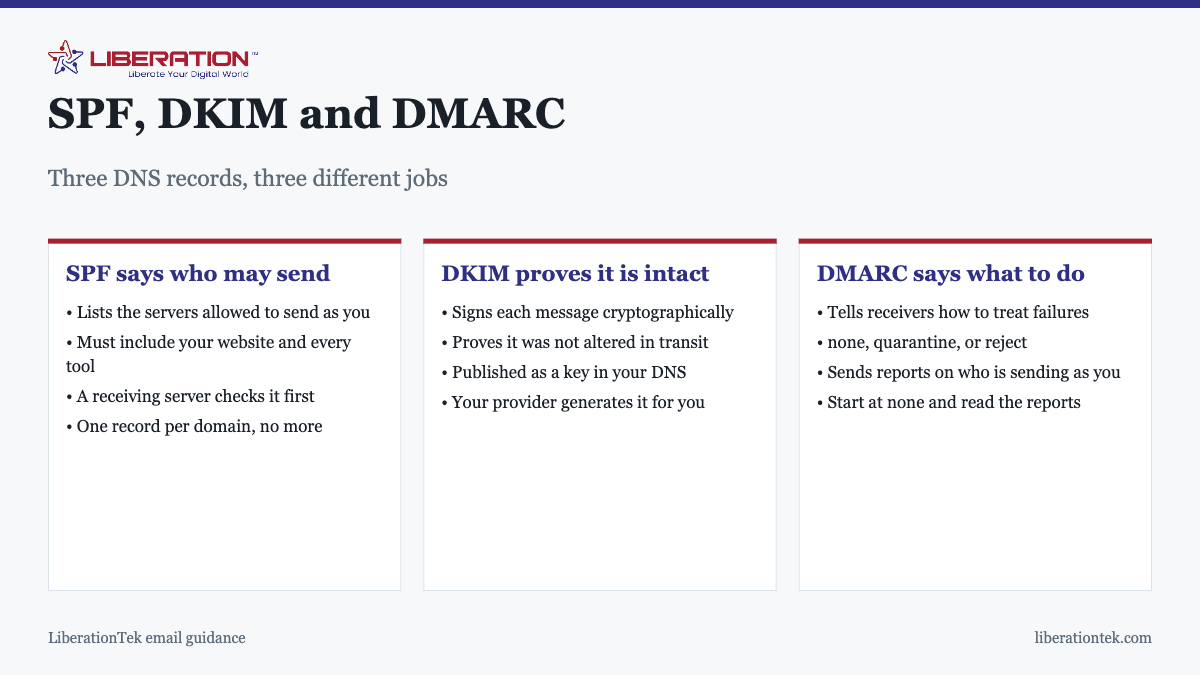
SPF, DKIM and DMARC are three DNS records that together prove mail claiming to come from your domain actually did. SPF lists which servers may send as you. DKIM signs each message so tampering is detectable. DMARC tells receiving servers what to do when either check fails. Without them, your mail is far more likely to be filtered.
These three acronyms are email authentication, and together they are the foundation of business email deliverability, and they are usually explained either too briefly to act on or in RFC-level detail nobody needs. What follows is what a business owner actually has to understand to get them right.
SPF: which servers are allowed to send as you
SPF, Sender Policy Framework, is a public list of the servers permitted to send mail using your domain. It is one TXT record in your DNS. When a receiving server gets a message claiming to be from you, it looks up that list and checks whether the sending server is on it.
The record starts with v=spf1, names the permitted senders, and ends with a policy instruction. ~all means treat anything else as suspicious; -all means reject it outright. Most businesses should use ~all until they are confident the list is complete.
The two mistakes that cause most SPF failures
An incomplete list. Your email provider is not the only thing sending as your domain. Your website sends contact form notifications. Your invoicing software sends invoices. Your CRM sends follow-ups. Your booking system sends confirmations. Every one of those has to be authorized, and adding a new tool without updating SPF is the most common reason mail suddenly starts being filtered.
Two SPF records. The specification allows exactly one per domain. When a new service adds its own record rather than merging into the existing one, the result is a permanent error and authentication fails entirely. If mail broke shortly after adding a service, check for a duplicate record first.
DKIM: proof the message was not altered
DKIM, DomainKeys Identified Mail, adds a cryptographic signature to every outgoing message. Your mail server signs with a private key; the matching public key is published in your DNS. The receiving server verifies the signature, which proves both that the message came from an authorized system and that nothing was changed in transit.
You do not generate this yourself. Your email provider creates the key pair and gives you a DNS record to publish. The practical points to know:
- It survives forwarding, and SPF often does not. When mail is forwarded, the sending server changes and SPF can fail. The DKIM signature travels with the message, which is a large part of why both records matter.
- It breaks quietly during DNS moves. If you change DNS hosting and the DKIM record is not carried across, signing fails silently.
- Each sending service needs its own. Marketing platforms usually provide a separate DKIM record to publish.
DMARC: what to do when a check fails
SPF and DKIM report a result. Neither says what should happen next, so without DMARC every receiving provider decides for itself, which is why the same message reaches the inbox at one company and the spam folder at another.
DMARC closes that gap with a published policy, and gives you reporting in return. It has three settings:
| Policy | What receivers do | When to use it |
|---|---|---|
p=none |
Nothing different, but send reports | Always start here |
p=quarantine |
Failing mail goes to spam | Once reports are clean |
p=reject |
Failing mail is refused outright | When you are confident |
The reporting is the underrated part. With a reporting address in your DMARC record you receive regular summaries of every server sending as your domain, which shows both the legitimate tools you forgot about and anyone spoofing you. Most businesses find at least one forgotten sender in the first fortnight.
Do not start at reject
It is tempting to publish the strictest policy immediately. Do not. Until the reports confirm every legitimate sender passes, p=reject will block your own invoices and order confirmations, and you will find out from a customer. Start at none, read the reports, fix what is failing, then tighten.
Why this matters more than it used to
For years these records were optional in practice. A small business with none of them would see some mail filtered and mostly get away with it. That has changed, and the change is worth understanding because it is not going to reverse.
The large mailbox providers have progressively tightened what they expect from senders, particularly for anyone sending in volume. Requirements that were recommendations a few years ago are now enforced, and the direction of travel is consistently towards stricter checks rather than looser ones. A domain with no authentication is increasingly treated as suspicious by default rather than merely unverified.
There is a second reason beyond deliverability. Without a DMARC policy, anyone can send mail that appears to come from your domain, and the first you hear of it is a customer asking about an invoice you never sent. Domain spoofing is used for exactly this kind of fraud, and DMARC at quarantine or reject is the only practical defense available to you. The reporting alone is worth publishing the record for, because it shows you attempts you would otherwise never see.
Put together, the case is straightforward: an afternoon of DNS work protects both whether your mail arrives and whether your domain can be used against your own customers.
Setting up email authentication, in order
- List every system that sends mail as your domain. Mail provider, website, CRM, invoicing, booking, marketing, helpdesk. This list is the whole job.
- Publish one SPF record covering all of them, ending in
~all. Confirm there is only one. - Publish DKIM records from your mail provider, and from any other service that sends in volume.
- Publish DMARC at
p=nonewith a reporting address. - Send test messages to several providers and check the headers for three passes.
- Read the DMARC reports for a few weeks and fix anything legitimate that fails.
- Move to
quarantine, thenrejectonce the reports are clean.
That is the whole of email authentication for a typical small business. Steps one to four take an afternoon. The waiting in steps five and six is what makes the difference between a policy that protects you and one that blocks your own mail.
Where your provider helps
A competent email host configures SPF and DKIM correctly from the start and tells you exactly what to publish. LiberationTek Email runs on standard IMAP and SMTP from $1.95 per user per month, with no long-term contract and full export whenever you want.
If mail is currently landing in spam, the diagnostic sequence is in why do my emails go to spam. If you are changing providers, get these records planned before the DNS cutover rather than after, as covered in what email migration means.
SPF, DKIM, DMARC: A Quick Recap Before You Change Anything
If you only remember one thing about SPF, DKIM, DMARC, remember that they work as a team. SPF lists the servers allowed to send for your domain. DKIM signs each message so a receiver can tell it was not changed on the way. DMARC tells receivers what to do when those checks fail, and where to send reports.
Many small businesses publish one of the three and assume they are covered. A receiving server looks at all of them, so a gap in your SPF, DKIM, DMARC setup can still send real mail to spam. Our guide on why emails go to spam shows how these checks fit with the other signals mailbox providers use.

A safe order for rolling out SPF, DKIM, DMARC
- List every service that sends mail as your domain: your mailbox provider, your newsletter tool, your invoicing system and your website forms.
- Publish one SPF record that covers all of them. A domain should have a single SPF record, not several.
- Turn on DKIM signing for each sender and publish the keys your provider gives you.
- Add a DMARC record with a policy of none, so nothing is blocked while you learn.
- Read the reports for a few weeks, fix the senders that fail, then tighten the policy.

Take the last step slowly. Moving to quarantine or reject too early is the most common way a SPF, DKIM, DMARC project blocks legitimate invoices or newsletters. The formal specifications are public if you want to read them: RFC 7489 for DMARC is the one that defines policies and reports.
Checking That SPF, DKIM, DMARC Are Working
After you publish records, DNS changes can take a while to spread, so test again the next day. Send a message to a mailbox at a different provider and open the full headers. You should see pass results for SPF and DKIM, and a pass for DMARC when the domain in the visible From address lines up with them.
Keep a short note of your SPF, DKIM, DMARC settings: the sending services you listed, the date you changed each record, and who has access to your DNS. When someone adds a new tool that sends email, update the SPF record and DKIM key first, then start sending.
If you move to a new mail provider, repeat the same checks. Liberation Email includes free migration from another provider, and our email migration guide explains what changes in DNS. Mail setup advice here is general information for business owners, so ask your IT contact if your domain has unusual senders.
For a deeper look at what else protects a message in transit, read about email encryption. Getting SPF, DKIM, DMARC right is a one-time effort with a quiet payoff: fewer missed messages and fewer people pretending to be you.
Frequently asked questions
What are SPF, DKIM and DMARC?
SPF, DKIM and DMARC are three DNS records that together prove mail claiming to come from your domain genuinely did. SPF lists which servers are allowed to send as you. DKIM adds a cryptographic signature proving the message was not altered. DMARC tells receiving servers what to do when either check fails, and can report who is sending as your domain.
Do I need all three records?
Yes, in practice. They do different jobs and each covers a gap the others leave. SPF alone can be defeated by forwarding, DKIM alone does not say what to do on failure, and DMARC does nothing without at least one of the other two passing. Major providers increasingly expect all three from anyone sending business mail at volume.
What does an SPF record look like?
It is a single TXT record on your domain, beginning with v=spf1, listing the servers permitted to send and ending with a policy such as ~all or -all. Your email provider supplies the part that authorizes them; you add entries for anything else that sends as your domain, such as your website or CRM. You should have only one SPF record.
What should my DMARC policy be set to?
Start at p=none, which changes nothing about delivery but generates reports showing who is sending as your domain. Read those for a few weeks, fix anything legitimate that is failing, then move to p=quarantine and eventually p=reject. Going straight to reject before checking the reports can block your own legitimate mail.
Can I set these up myself?
Yes. All three are DNS records added wherever your domain DNS is managed, and your email provider supplies the values for SPF and DKIM. The part that needs care is making sure the SPF record covers every system that sends as your domain, because that list is usually longer than people expect.
What happens if I have two SPF records?
Authentication fails. The specification allows only one SPF record per domain, and a second one causes a permanent error rather than the two being combined. This happens when a new service adds its own record instead of being merged into the existing one, and it is a common cause of sudden deliverability problems.
Does DKIM need to be renewed?
Not on a schedule, but the key lives in your DNS and must stay there. DKIM breaks when a domain is moved to new DNS hosting and the record is not carried across, or when an email provider rotates keys and the DNS is not updated. It is worth re-testing after any DNS or provider change.