
A reseller hosting migration moves every client account you manage, with its sites, databases, DNS and email settings, from one host to another. The safe way to do it is to inventory everything first, lower DNS TTLs, copy accounts with WHM’s Transfer Tool, test each site before DNS changes, and cut clients over in small batches. Done that way, most clients never notice the move.
Key takeaways
- Start with a spreadsheet: every account, domain, where its DNS lives, and where its email lives.
- Lower TTLs 48 hours ahead, then copy accounts with WHM’s Transfer Tool and test through your hosts file.
- Leave MX records alone for clients whose email is hosted elsewhere, and move cPanel mailboxes to a real email service.
- Cut over in batches, run a post-move checklist, and cancel the old host last.

How a Reseller Hosting Migration Differs From Moving One Site
Moving one website is a weekend project. Moving a whole client book means juggling dozens of domains, several DNS providers and registrars, and a mix of email setups. cPanel-to-cPanel moves are well supported, so the work is mostly planning, communication, and careful DNS changes. The steps below apply whether you move 5 accounts or 150.
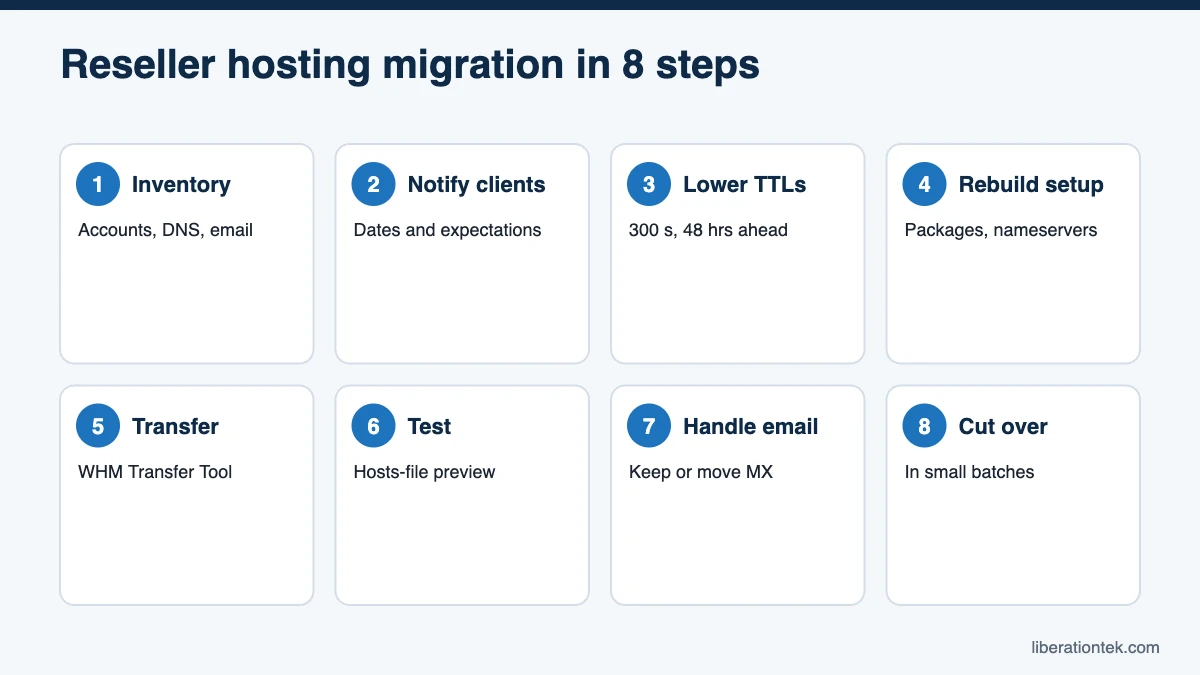
Step 1: Inventory Every Client Account
Before you touch a server, build a spreadsheet with one row per cPanel account. Export the account list from WHM, then fill in the rest.
- Account and package: cPanel username, main domain, addon domains, and the package it uses.
- Registrar: who holds each domain and whether you or the client controls the login.
- DNS location: your old host’s nameservers, your private nameservers, Cloudflare, or the registrar’s DNS.
- Email: cPanel mailboxes on the old server, or an outside provider such as Liberation Mail, Google Workspace or Microsoft 365.
- Special cases: e-commerce, custom PHP versions, cron jobs, SSH keys, IP allowlists, and payment gateway webhooks.
The DNS column matters most. It decides who makes changes at cutover.
Step 2: Pick a Window and Tell Your Clients
Choose a two to four week window that avoids your clients’ busy seasons, such as Easter for churches or December for retailers. Then send a short notice so nobody is surprised.
Subject: Planned hosting upgrade for yoursite.com
Hi Pat, we are moving your website to a faster, private server between March 9 and 13. You do not need to do anything, and we expect no downtime. Please avoid editing your site on March 10 while we copy it. If anything looks odd that week, reply here and we will fix it right away.
Clients who control their own registrar or DNS get a second note listing the exact records to change, and when.
Step 3: Lower DNS TTLs 48 Hours Ahead
TTL, or time to live, controls how long resolvers cache a DNS record. As Cloudflare’s TTL explainer puts it, TTL “determines how long a DNS cache server can serve a DNS record” before fetching a fresh copy. At 14,400 seconds, some visitors could see the old server for hours after you switch.
At least 48 hours before each batch, drop the TTL on A, AAAA, and www records to 300 seconds. Do this wherever each zone lives. Raise TTLs back to normal once the move settles.
Step 4: Rebuild Packages and Nameservers on the New Server
Recreate your hosting packages
Set up the packages your clients are on before you transfer accounts, so each account lands with the right disk, bandwidth, and feature limits. The Transfer Tool can bring packages over, and cPanel’s guide to adding a package in WHM covers building or cleaning them up by hand.
Choose a nameserver strategy
Your nameserver setup decides how controlled your cutover will be. There are three common paths:
- You already use private nameservers (ns1.yourbrand.com): update the glue record IPs at your brand domain’s registrar. Every client on those nameservers moves at once, so migrate and test every account first.
- Clients use the old host’s nameservers: set up your new white-label nameservers and change each domain at its registrar in batches. More clicks, but full control.
- DNS lives elsewhere (Cloudflare or the registrar): change only the A and www records to the new server IP. Nameservers stay put.
Every Liberation plan includes white-label private nameservers and your own server hostname. Our guide to white-label hosting for agencies covers the branding side.
Step 5: Migrate cPanel Accounts With the WHM Transfer Tool
For cPanel-to-cPanel moves, the WHM Transfer Tool does the heavy lifting. cPanel’s documentation says it copies “one or more cPanel accounts, packages, and configurations” from a source server to a destination server, and you can queue many accounts in one session. It requires root access, which you have on your own reseller VPS.
Two cautions before you press start:
- Review the Live Transfer option. It is on by default, and per cPanel’s docs it can update DNS and MX records and suspend accounts on the source server. Handy when every zone lives on the old server, but decide deliberately for clients whose DNS or email lives elsewhere.
- Check source access. If your old host gives you reseller access rather than root, use full cPanel backups or WHM’s Transfer or Restore a cPanel Account interface instead.
Freeze content edits during each copy, or plan a final sync for online stores.
Step 6: Test Every Site Through Your Hosts File
Before any DNS change, preview each site on the new server by pointing your own computer at it. Add a line like this to your hosts file, using the new server IP:
203.0.113.25 clientsite.com www.clientsite.com
On Windows the file is at C:\Windows\System32\drivers\etc\hosts; on macOS and Linux it is /etc/hosts. Load a few pages, log into WordPress, and submit a contact form. A certificate warning is normal here, since the new SSL certificate issues after DNS points at the server. Remove the line when done.
Step 7: Handle Email Carefully
Email causes more migration headaches than websites. Sort clients into two groups.
- Email hosted elsewhere: leave MX records exactly as they are. Copy MX, SPF, DKIM, DMARC, and autodiscover records into the new zone character for character, and do not let the Live Transfer option change them.
- cPanel mailboxes on the old server: use the move to get clients off cPanel mail. Server mailboxes share the web server’s resources and are easy to break during a move. We recommend Liberation Mail private business email, from $1.95 a month per mailbox, which you can attach to each client and resell under your brand.
Step 8: Cut Over in Batches and Confirm AutoSSL
Move your own site first, then two or three low-risk clients. After a clean first day, move the rest in batches of 5 to 15, grouped by DNS type. Save online stores and busy sites for a quiet evening.
After each batch changes DNS, run AutoSSL in WHM. cPanel’s AutoSSL documentation explains that it installs domain-validated certificates automatically, which only works once the domain resolves to the new server. Free AutoSSL is included on every Liberation plan.
A Phased Timeline for Your Migration
| Phase | When | What happens |
|---|---|---|
| Plan | Weeks 1 to 2 before | Inventory accounts, domains, DNS and email; pick the window; choose a plan sized to your account count |
| Prepare | 1 week before | New server ready, packages and private nameservers set up, client notices sent |
| Lower TTL | 48 hours before each batch | Drop A and www TTLs to 300 seconds |
| Copy and test | Days 1 to 3 | Transfer accounts, test every site through the hosts file |
| Cut over | Days 3 to 10 | Change DNS in batches, run AutoSSL, check forms and email |
| Monitor | Weeks 2 to 3 after | Watch logs, backups and tickets; raise TTLs; cancel the old host |
Who Does What When You Switch Reseller Hosting Providers
When you switch reseller hosting providers, clear roles prevent dropped tasks. Here is the usual split.
| Task | You (reseller) | Liberation | Your client |
|---|---|---|---|
| Inventory and schedule | Owns it | Answers questions | Flags busy dates |
| Client notices | Sends them under your brand | Never contacts your clients | Reads and replies |
| Server, WHM and security | Sets packages and branding | Manages the VPS, patching and Imunify360 | Nothing |
| Account copies | Approves the list | Free migrations from cPanel hosts, up to your plan limit | Pauses site edits |
| DNS changes | Changes records you control | Support if something looks wrong | Changes records at registrars they control |
| Testing and sign-off | Hosts-file checks, forms, email | 24/7 U.S.-based support | Confirms the site looks right |
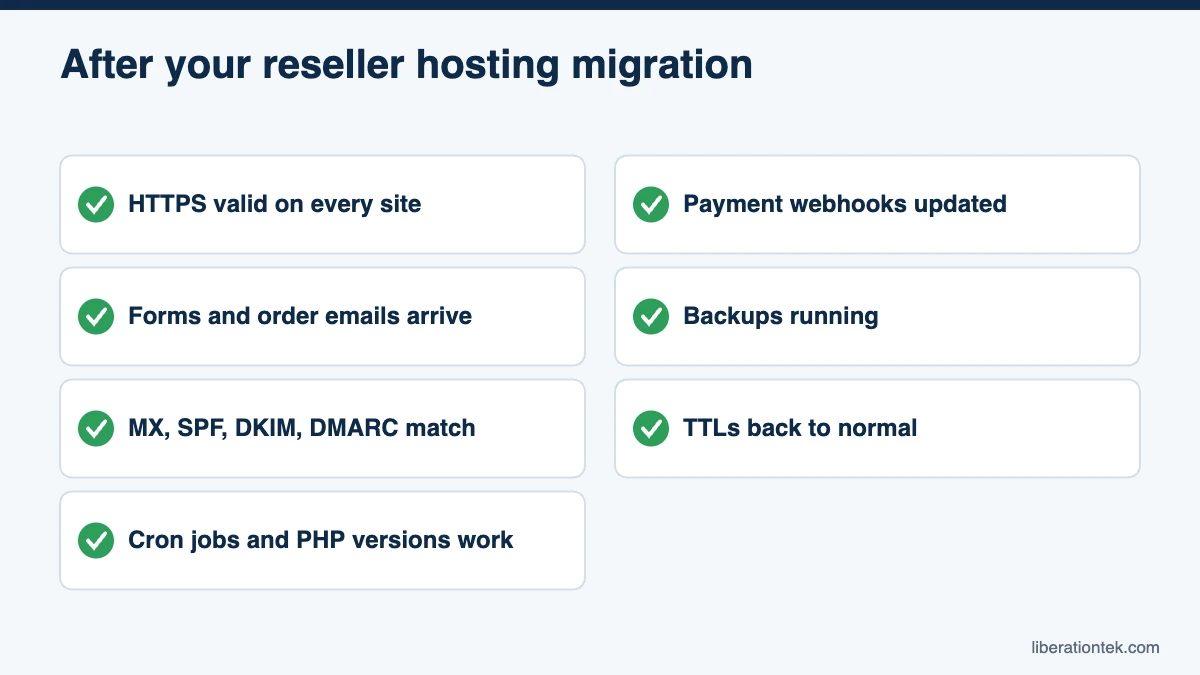
Post-Move Checklist
- Every site loads over HTTPS with a valid certificate.
- Contact forms and WooCommerce order emails send and arrive.
- MX, SPF, DKIM and DMARC records match what they were before.
- Cron jobs, PHP versions, and redirects work as expected.
- Payment gateways, webhooks, and third-party IP allowlists point at the new IP.
- Backups are running. Studio and higher include daily backups with 7-day retention; on Launch, add CodeGuard website backups.
- TTLs are back at normal values.
After a week or two of quiet, download a final full backup from the old host. Cancel the old host last, never first.
How to Move Reseller Hosting to Liberation
If you want to move reseller hosting to a provider built for designers and agencies, Liberation makes the copy step free. Every plan includes free client migrations from other cPanel hosts with no per-site fees, up to the plan’s account limit: 5 accounts on Launch, 30 on Studio, 100 on Agency, 150 on Agency Plus, and 250 on Scale. See how the process works on our website transfer page.
Each plan is your own private, fully managed VPS with WHM and cPanel, Imunify360 on every client account, and price-locked renewals. Your clients belong to you. If you are still weighing options, our comparison of American reseller hosting providers lays out the tradeoffs, or you can see Liberation’s reseller plans and what each one includes.
Frequently Asked Questions
How long does a reseller hosting migration take?
Plan on two to four weeks from inventory to canceling the old host. The account copies themselves often finish in hours, but you also need time to notify clients, lower DNS TTLs, test each site, cut over in batches, and watch for problems. Five simple sites can move faster; 100 clients with mixed DNS setups need the full window.
Will my clients have downtime when I move reseller hosting?
Usually little or none. If you lower DNS TTLs two days ahead, copy every account, and test each site through your hosts file before changing DNS, visitors simply start reaching the new server as caches expire. The riskiest pieces are email and forms, so confirm MX records and outgoing mail for each client before and after each batch cutover.
Can I migrate cPanel accounts if my old host only gives me reseller access?
Yes. WHM’s Transfer Tool needs root access on the destination server, which you have on a Liberation reseller VPS. If the old host does not give you root on the source, accounts can still move through full cPanel backups or WHM’s Transfer or Restore a cPanel Account interface. Liberation’s free migration service for cPanel hosts can also handle the copy for you.
Does Liberation charge to migrate my client sites?
No. Every Liberation reseller plan includes free client migrations from other cPanel hosts, with no per-site fees, up to the plan’s account limit: 5 on Launch, 30 on Studio, 100 on Agency, 150 on Agency Plus, and 250 on Scale. If you are moving more clients than your plan holds, choose a larger plan or upgrade anytime.
Plan Your Reseller Hosting Migration With Confidence
A smooth reseller hosting migration comes down to preparation: a complete inventory, lower TTLs, tested copies, careful email handling, and batch cutovers. Follow that order and your clients will see a faster server, not a week of problems.
Ready to bring your client book home? Start your reseller hosting plan with free client migrations, backed by a 30-day money-back guarantee.
Related reading
- What Is Reseller Hosting? A Plain Guide for Web Designers
- VPS Reseller Hosting vs Shared Reseller Hosting for Agencies
- How to Start a Web Hosting Business in 2026: 10 Steps
- WordPress Hosting — What you are reselling, and how it is priced.
- SSL Certificates — Auto-installed and auto-renewed on client sites.