Website Templates
WordPress Themes And Website Templates You Can Edit Without Code
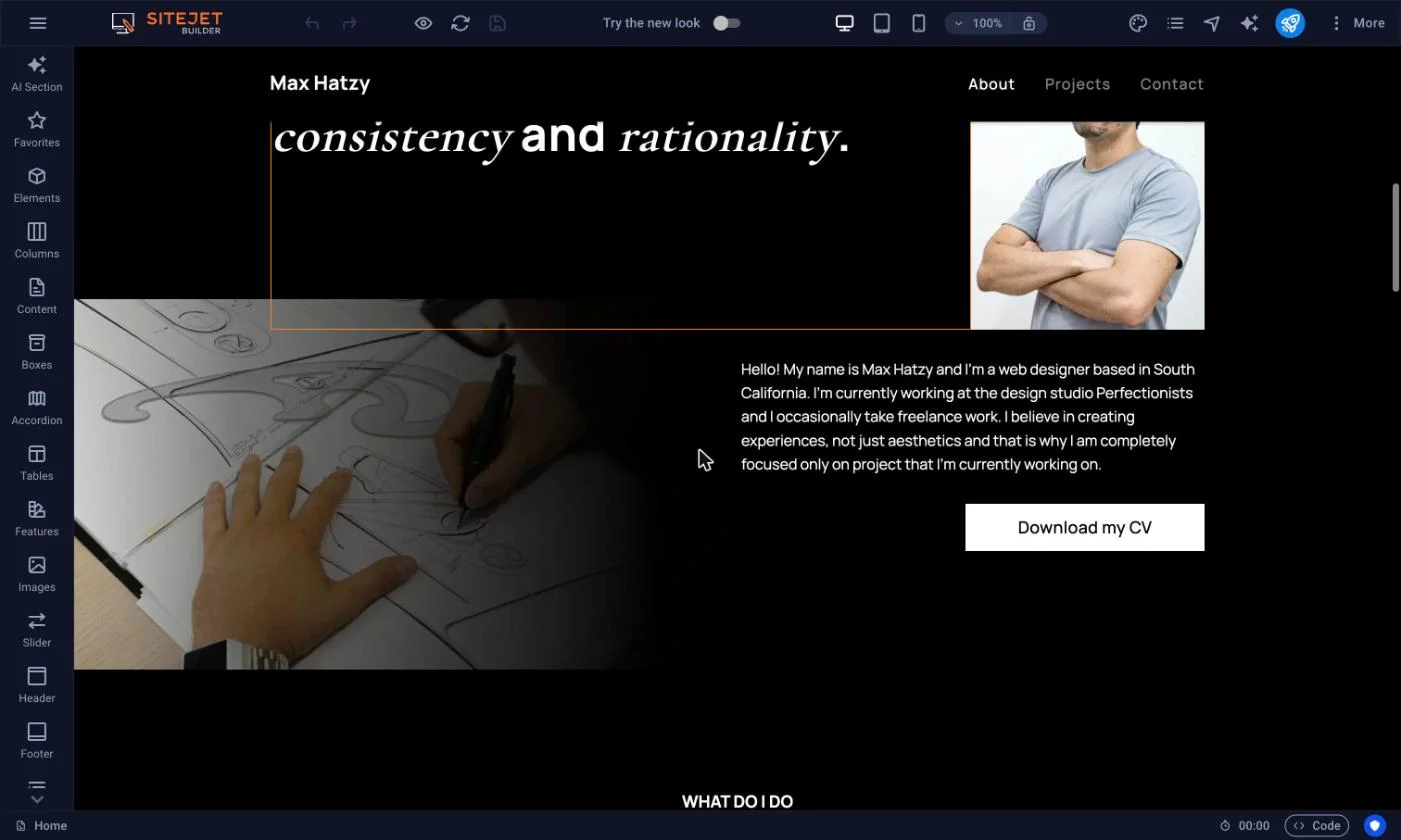
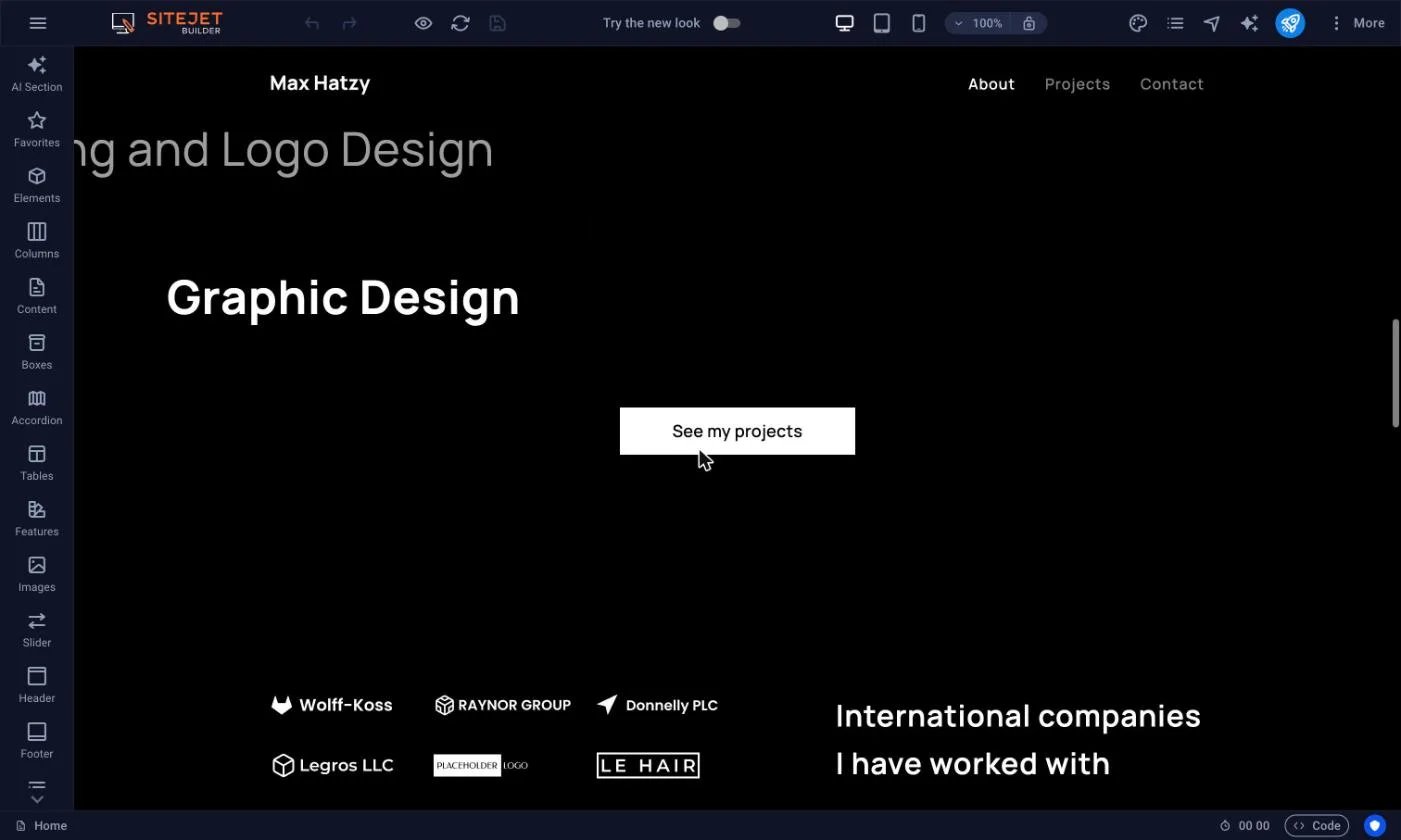
A good set of website templates saves you the hard part of web design: deciding where things go. Liberation Site Builder includes more than 200 professional website templates, and every one of them opens in a drag and drop editor where you change the text, photos, colors and layout yourself. No code, no designer required.
You can also skip the templates and build from a blank canvas. Either way, the site runs on our own U.S.-based network, with hosting, SSL and a free domain included in annual plans.
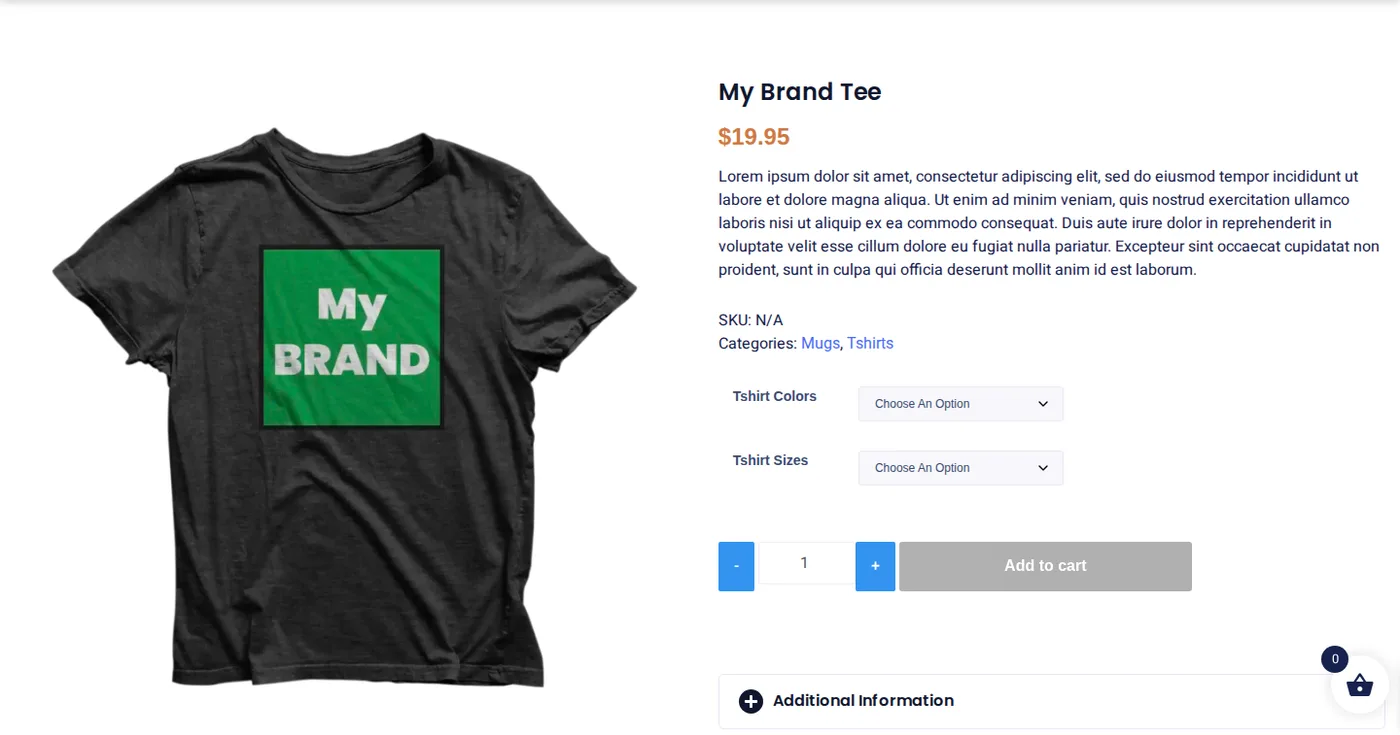
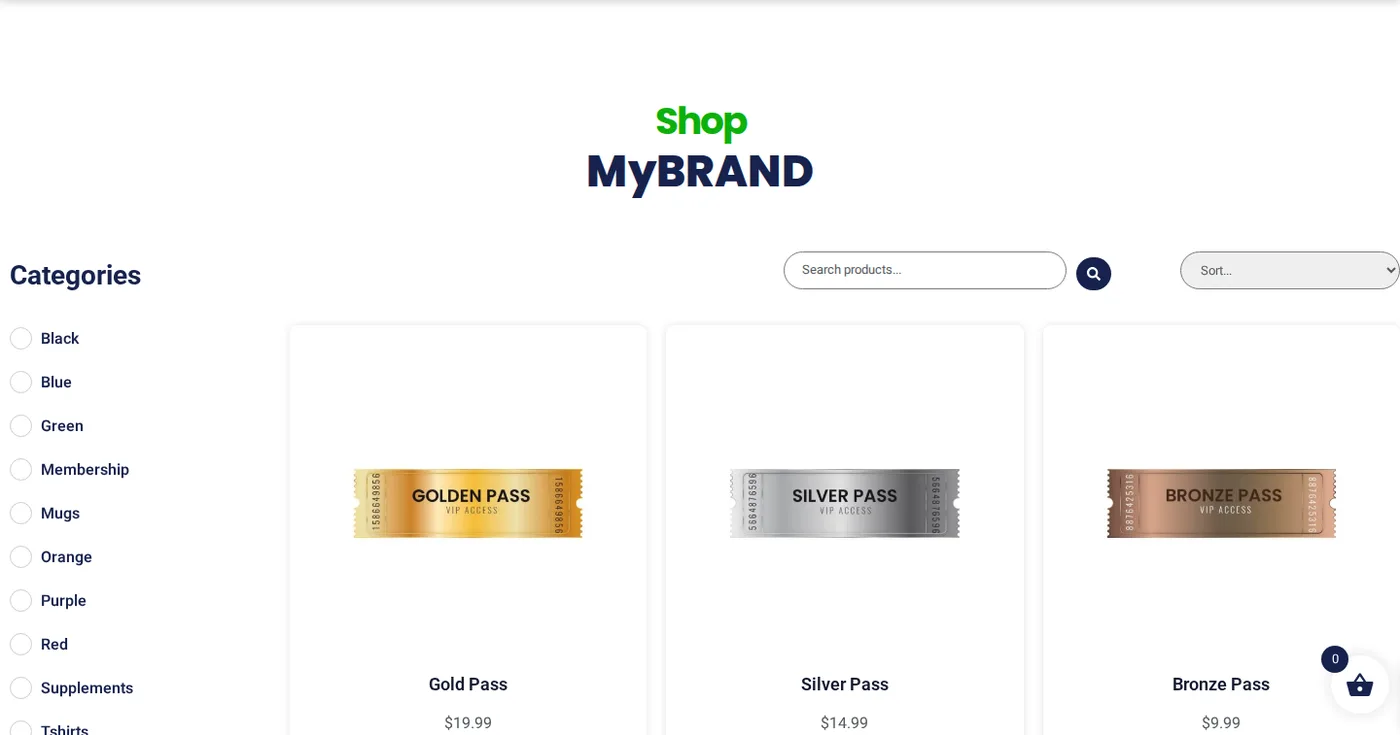
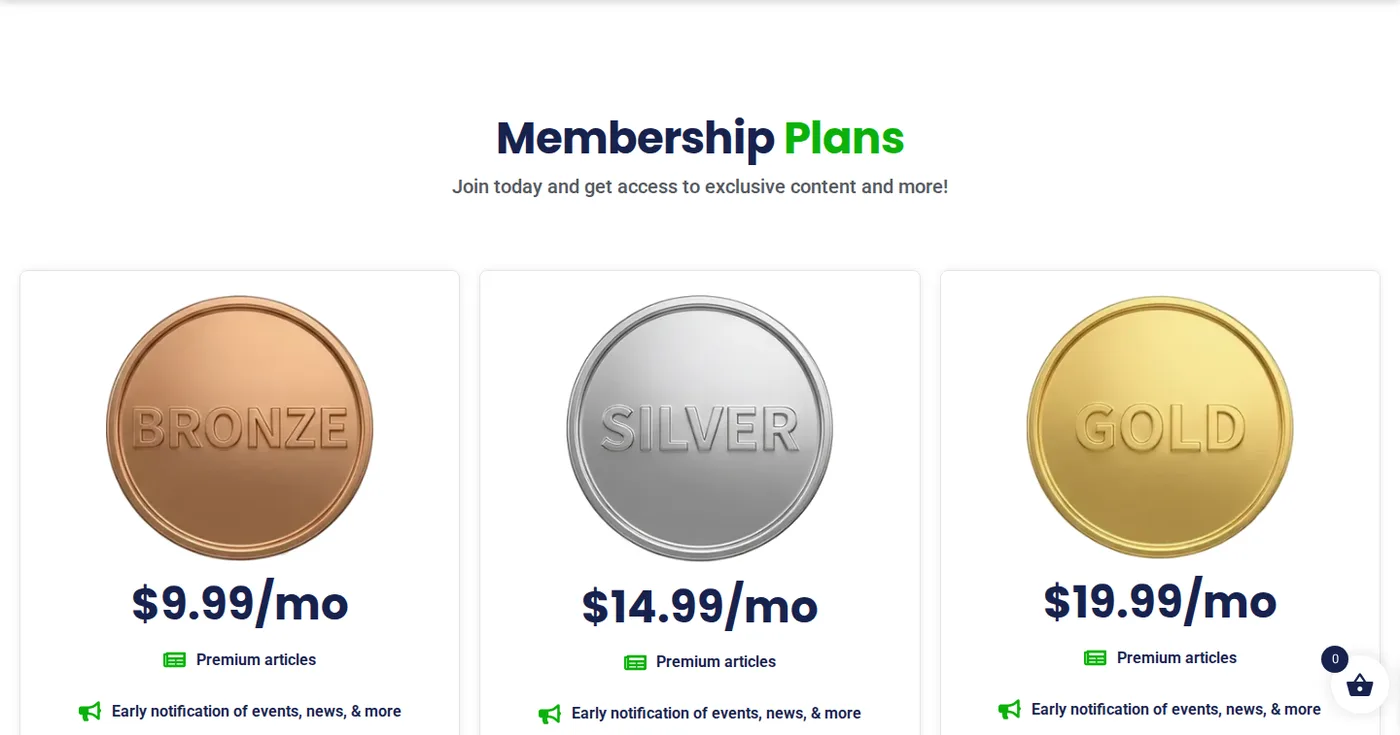
One template, every page type
Home, shop, product and membership pages share one consistent design.
Open the live demo site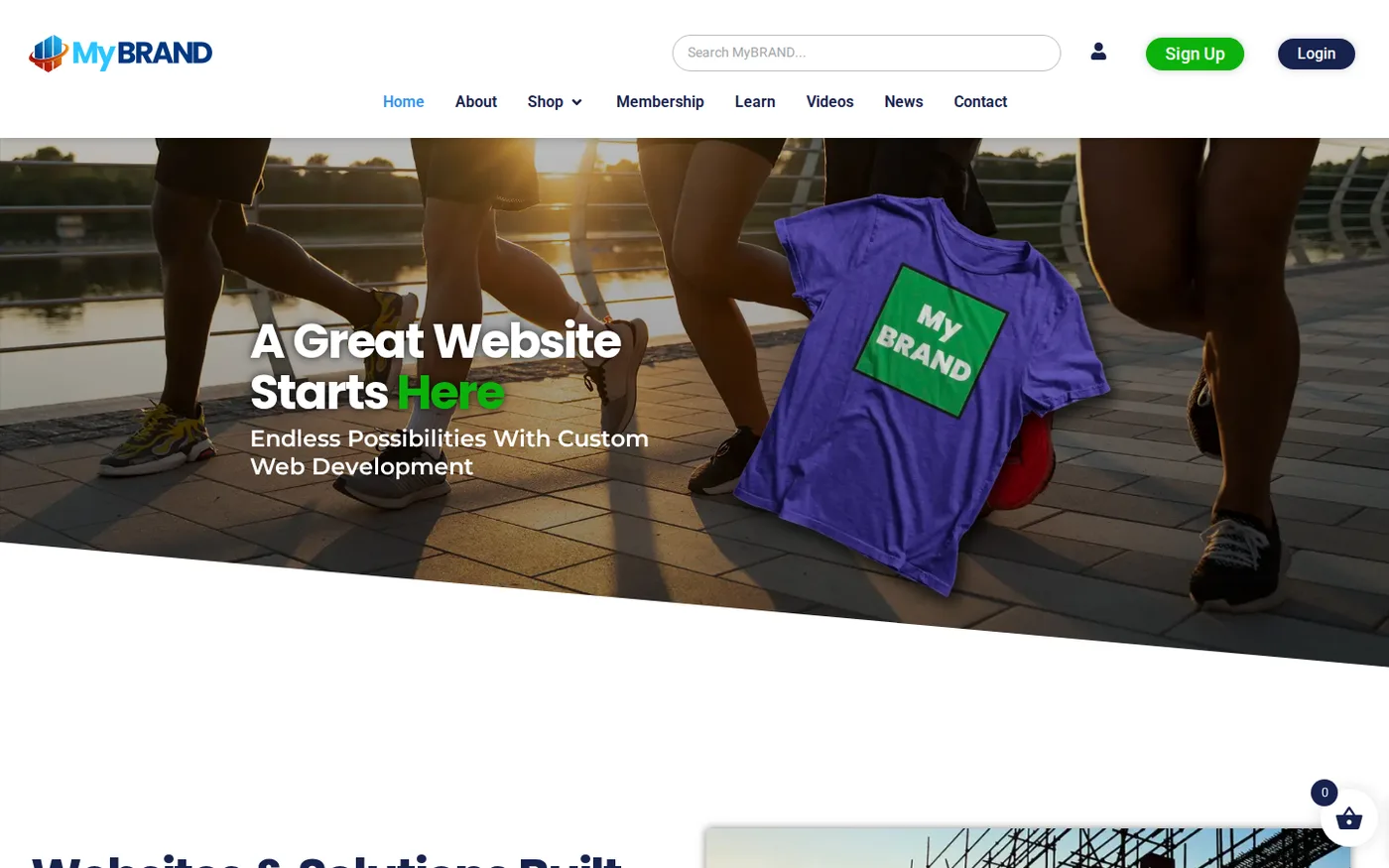
What you get with our website templates
Website templates are only useful if you can make them yours. These are the editing tools built into Site Builder:
- Drag and drop editing for text, photos, galleries, video, audio and maps
- 40+ design widgets and settings, plus global styles that control fonts and colors across the whole site
- Header and footer controls, icons, custom backgrounds and animations
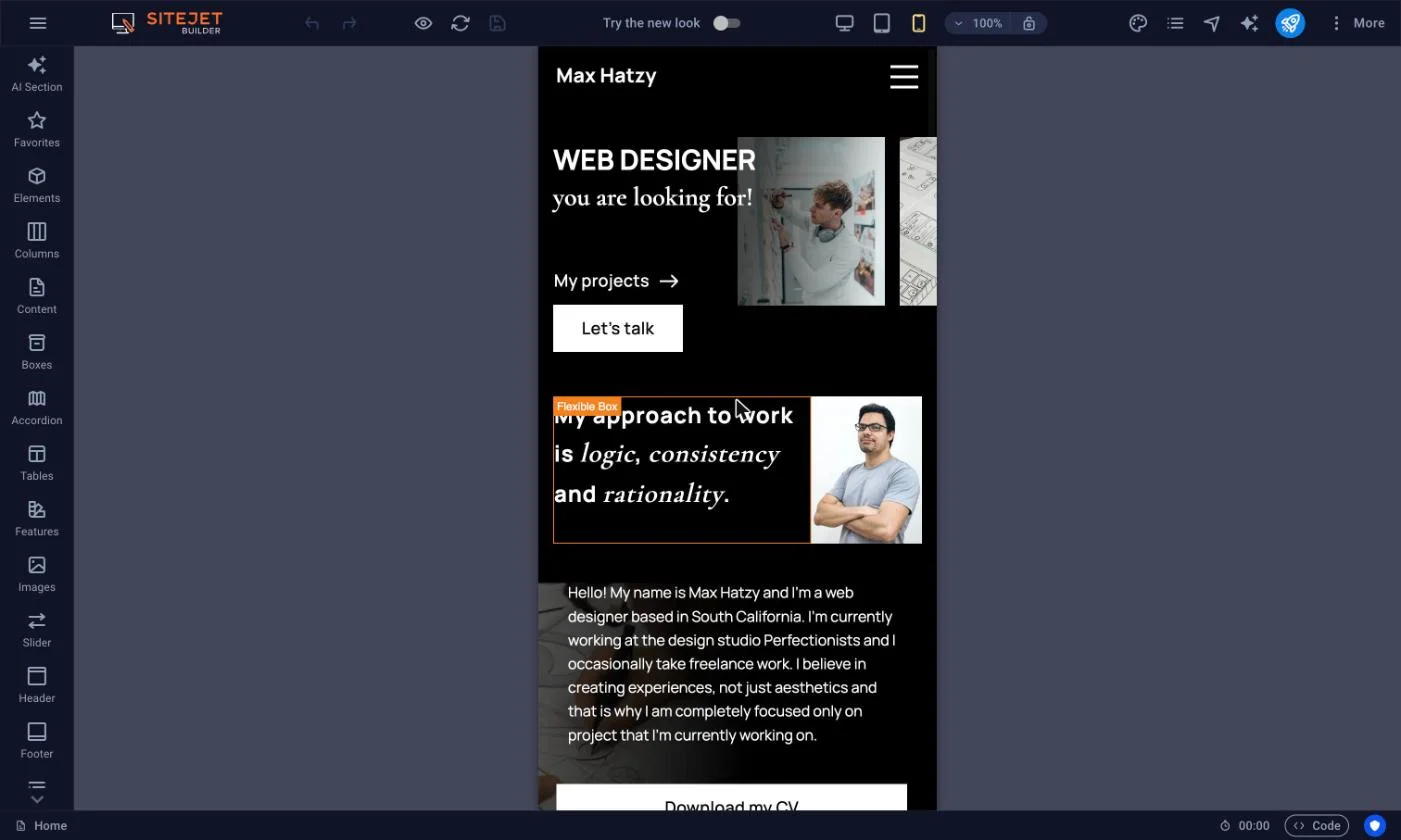
- A responsive preview, so you can check how the layout looks on desktop, tablet and phone before you publish
- Copy and paste between pages, plus backup and restore
Higher plans add forms, a blog, custom menus, multiple languages, predesigned blocks and custom HTML. E-commerce plans add a shopping cart, payment gateways and a product gallery. Check the Site Builder page for which features belong to which plan.
How website templates work
Website templates save time, but they work best when you understand what they are and are not.
Website templates are ready-made designs. Each one gives you a page structure, a color and type style and placeholder content in the right places. You open it in the editor, replace the placeholders with your own words and images and publish. Because the structure of these website templates is already built, you skip the slow part of starting from nothing and spend your time on the part only you can do, which is saying what your business offers.
Website templates are not finished websites. It is a draft with good bones. The more of the placeholder text and stock imagery you replace with your own, the less your site will look like everyone else's.
One page template or a full site?
Most small businesses using website templates fall into one of two camps. Some need a single, focused page: who you are, what you do, how to reach you. A one page template is fast to launch and easy to keep current. Others need several pages, such as services, about, blog and contact, and want a layout that can grow.
Site Builder handles both. Start with a simple homepage template and add pages as the business grows. A one page template suits a new business, a side project, an event or a service with a single offer. It stops working when you need to explain several different services, publish articles or give each topic its own page that search engines can find. If you want a page built around a single goal, such as booking a call or collecting leads, see our landing page builder guide.
Portfolio websites and showcase sites
Photographers, designers, contractors and consultants all need portfolio websites that put the work first. The media gallery, photo and video widgets let you build a clean showcase, and the responsive preview helps you confirm that images look right on a phone, where many visitors will see them first.
Good portfolio websites share a few habits, whichever of our website templates you start from. They show the best work first and cut the rest. They give each project a short caption that says what the job was and what you did. They make the contact button easy to find. And they keep image files a reasonable size, because a gallery that loads slowly loses the visitor before the work is seen.
If you publish articles, the Pro tier includes a blog. It also includes a Collections CMS for structured content such as directories and listings that you curate yourself.
Who website templates suit best
Website templates suit owners who want to be live soon and are comfortable doing their own edits: local service businesses, consultants, clubs, churches, small shops and anyone launching a first site. They are less suited to projects with complex integrations, unusual layouts or heavy custom features. For those, our custom design and development team is the better path, and the work you did in a template is not wasted because it shows us exactly what you want.
Blog templates and content sites
If your plan is to publish regularly, choose blog templates and website templates with that in mind: a clear list of posts, readable text width and an obvious way to move between articles. The blog is a Pro tier feature in Site Builder, so confirm your plan before you build around it. A blog helps a small business answer customer questions in its own words, and each useful post is another page that can be found in search.
Templates, themes and website layout: what is the difference?
People search for web templates, website themes, site themes and website layout, and the words overlap. In practice, a template gives you a starting design: a layout, a style and placeholder content. You replace the placeholders with your own. In Site Builder, global styles let you change the look of the entire site in one place instead of editing every page.
The website layout is the skeleton: where the logo sits, how the menu works, how wide the text is and how sections stack. Colors and fonts are the skin. It is easier to change the skin than the skeleton, which is why we suggest choosing web templates for their structure first. Website templates with a clear structure are easier to keep tidy as you add pages. If you are comparing options, our guides on the best website builder and best web templates cover what to look for.
Website templates: talk to an engineer.
Start with our website templates in Site BuilderChoosing the right website templates
Pick from the website templates for their structure, not its stock photos. Photos and colors take minutes to change. Structure is what you will live with, so look at how the page is organized: where the headline sits, how many sections there are, and whether the navigation suits the number of pages you plan to have.
- Choose a layout close to your content. A template with a large gallery is wrong for a service business with three paragraphs of text.
- Check the mobile preview first. Most visitors will see the phone layout.
- Keep the page count small at the start. You can add pages later.
- Write your own text early. Placeholder copy hides layout problems.
- Look at the first screen. A visitor should know what you do without scrolling.
If you are not sure where to begin, our guide to choosing a website builder covers the questions to ask.
What to gather before you open the editor
The fastest launches start with a short checklist. Collect your logo, two or three brand colors if you have them, and a handful of good photos. Write the headline for your home page, a few lines about each service and your contact details. Decide on the main button, such as call, book or request a quote. Having these ready means you spend your time editing rather than hunting for files, and the layout decisions become obvious because you know how much content you actually have.
Making a template look like your brand
You can make any of the website templates look like your own site in an afternoon. Set your global colors and fonts first, so every page follows them. Upload your logo and put it in the header. Replace every stock photo with a real one, even a phone photo in good light. Rewrite the headings to use the words your customers use. Then delete any section you do not need, since a shorter page almost always beats a longer one. The responsive design basics on web.dev are a useful reference for why layouts must adapt to small screens.
Hosting, SSL and a free domain
Many builders show you the price of their website templates and leave the rest for later. Every Site Builder plan comes with shared web hosting on our own network. Annual plans include a free domain and an SSL certificate. Your site files are yours, and you can download them over FTP at any time.
Security is part of the baseline: HTTPS by default, plus daily backups and malware scanning on every plan. If you later outgrow the builder, our web development team can build a custom site on the same hosting instead of making you start over. You can also read about SSL certificates and domain registration separately.
How to launch a site from website templates
Step 1
Pick a template. Browse the library and choose a layout close to what you need, or start blank.
Step 2
Make it yours. Replace the text and images, set your global colors and fonts, and add the widgets you want.
Step 3
Preview and publish. Check the responsive preview, connect your domain, and go live.
Already have a site somewhere else and want to move it onto one of the website templates? Our team can transfer your content from most builder platforms, including WordPress, Wix, GoDaddy, Squarespace and Shopify. See migration services. After launch, a tool like our SEO tool can check the basics, and Liberation Analytics shows which pages people actually visit.
Common mistakes with website templates
Keeping the demo content.
Leftover placeholder text and stock images make a site look unfinished.
Too many sections.
Every block you keep is one more thing to maintain and one more reason to scroll.
Ignoring the phone view.
Check every page in the responsive preview before you publish.
Choosing by color.
Colors change in seconds. A bad structure does not.
Never updating.
Hours, prices and contact details need a regular look.
If none of the website templates can do what you need, ask us. Sometimes a custom build is the sensible next step.
Website Templates FAQs
How many website templates does Site Builder include?
Liberation Site Builder includes more than 200 professional templates. You can edit any of them with the drag and drop editor, or ignore the library entirely and build from a blank canvas. Templates are a starting point, so you can change the text, images, colors and layout without writing code.
Do I need to know how to code to use a template?
No. Site Builder is drag and drop, so you place elements where you want them and the builder handles the code. If you want to go further, the Pro tier includes custom HTML, so you are not locked out of the underlying code.
Are hosting and a domain included with the templates?
Every Site Builder plan includes shared web hosting on our own U.S.-based network. Annual plans also include a free domain for the first year and an SSL certificate. You can connect a domain you already own instead if you prefer.
Can I build a one page website or a portfolio?
Yes. You can build a single page or a multi-page site from the same editor. Media galleries, photo and video widgets and a responsive preview make it suitable for portfolios, and the Pro tier adds a blog, forms and custom menus.
Can I move my existing website onto a new template?
Yes. Our team can transfer your website content from most builder platforms, including WordPress, Wix, GoDaddy, Squarespace and Shopify. You then choose a template and rebuild the layout around your existing content. We will confirm what can move before work starts.
What Our Customers Say
★★★★★ Rated 4.9/5 on Google and 4.7/5 on Trustpilot
Every template looks good with somebody else’s content in it
The demo version of a template is built around photographs commissioned for it and copy written to fit the boxes. Yours will have three services where the demo had six, one good photo instead of twelve, and a business name four words long. That is the version worth judging. Before you fall for a layout, paste your own headline and your own list of services into it and see whether it still holds together.
The second question is what happens on the second edit — six months in, when you want a page the template never anticipated. Some WordPress themes let you move anything. Others look editable until you try to change the part you actually want to change, and then it is a developer or nothing. Ask specifically whether you can add a section, reorder it and delete it yourself.
The third is what you can take with you. Find out what happens to your pages if you switch template later: whether the content survives the move or comes out as a wall of shortcodes. A template you cannot leave is a design decision you are stuck with for as long as the site lives.
Liberation Site Builder includes more than 200 templates, and every one of them opens in the same drag and drop editor, so changing the text, photos, colours and layout is something you do yourself rather than file a ticket for. You can also ignore the templates entirely and start from a blank canvas. Either way the site runs on our own US-based network, with hosting, an SSL certificate and a free domain on annual plans.
Related Services
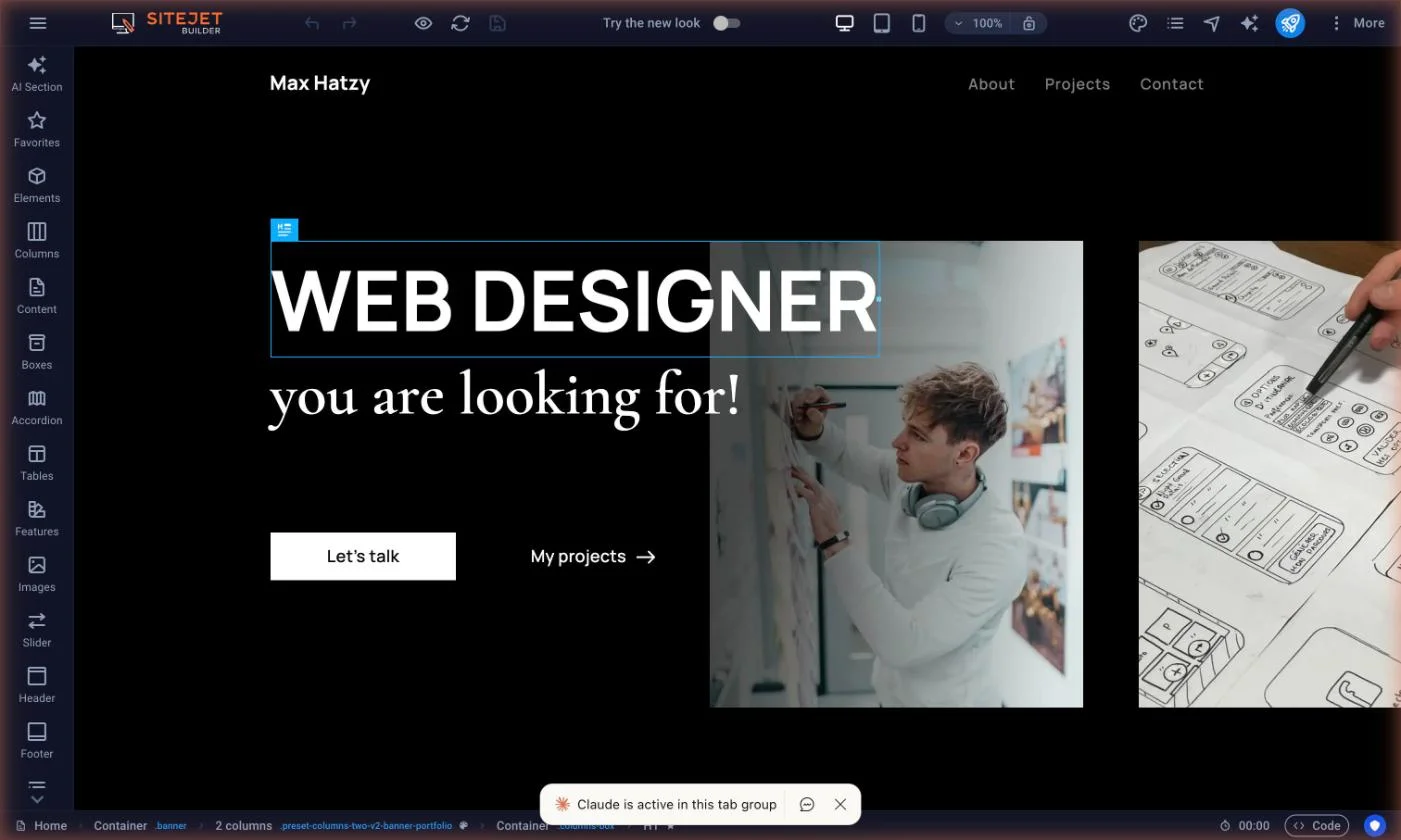
Pick a template and start editing
Browse design templates by category, preview them on desktop, tablet and mobile, then make the site your own.
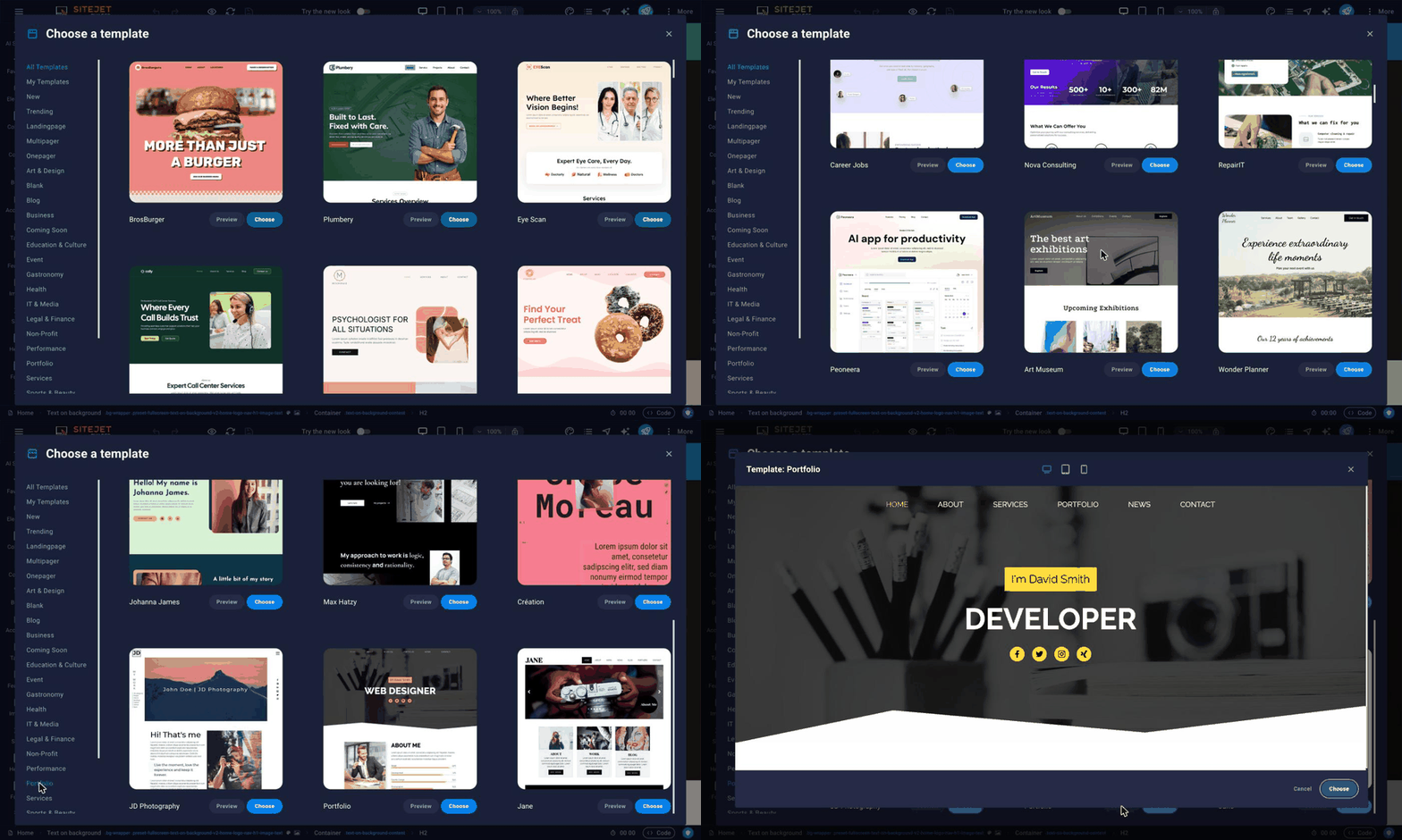
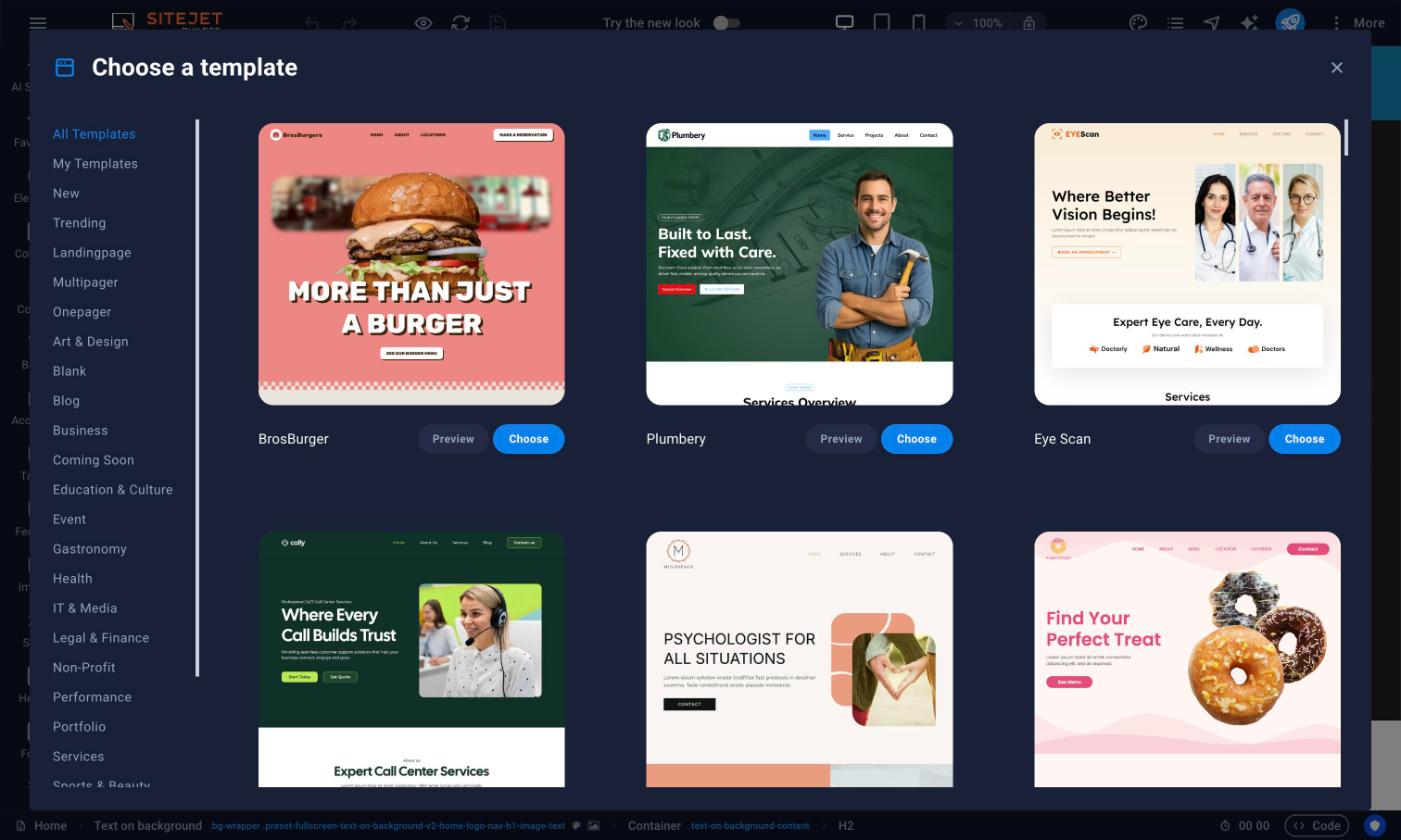
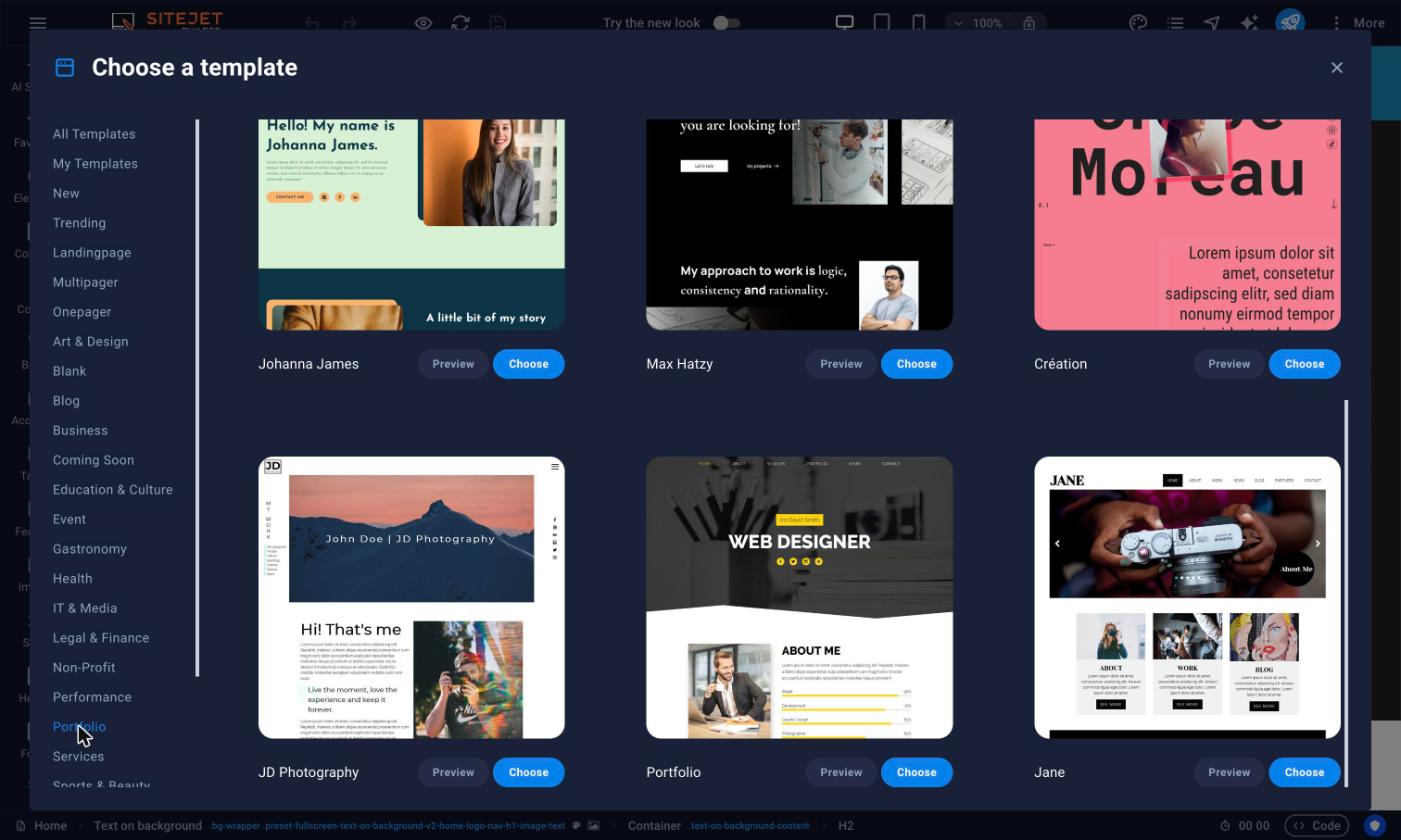
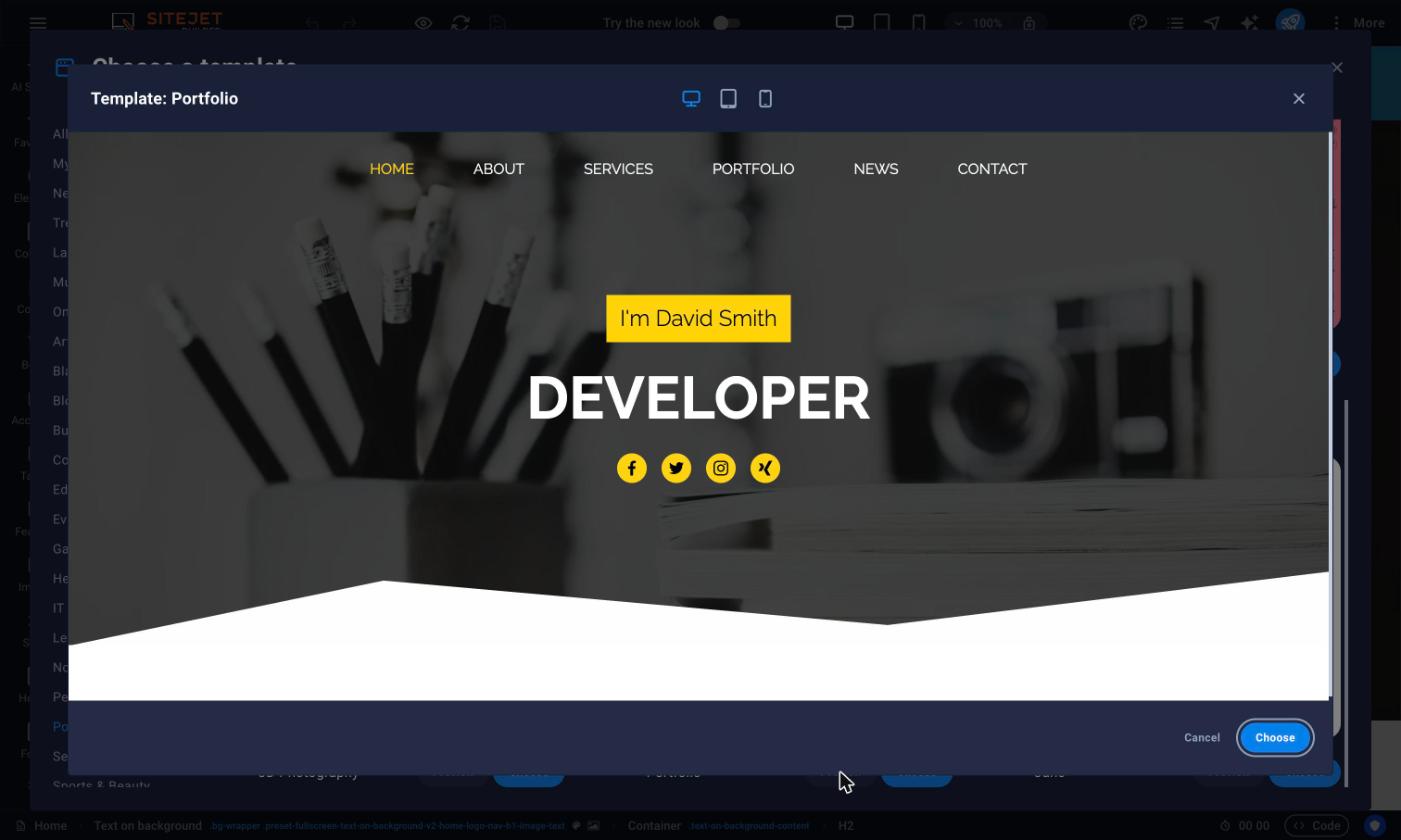
Start from a ready-made template
Our Promise Of Digital Independence
Liberating Your Digital World Is Our Passion
- U.S.A. owned and based
- We own and control our entire platform
- More security to protect your data
- No Censorship Guarantee
- 100% data ownership
- Your data is NEVER shared
Liberation News



LTS News

Global Edge Network
Liberation’s global edge network provides enhanced performance & security.
Freedom Tech News
Stay informed on the latest tech news, new products, promotions, & more!