
Managed website services mean someone else takes responsibility for keeping your site online, secure, backed up and up to date, so you run your business instead of your server. For a small business, church, nonprofit or campaign, the best fit is a provider that owns its own servers, answers the phone with a real person and handles the move for you. That is how we build our hosting plans at LiberationTek, and it is the lens for everything below.
This guide explains what is included, how managed services differ from plain hosting, what to ask before you sign, and how to handle a move or redesign without losing traffic.
TL;DR
- Managed website services bundle hosting, security, backups, updates, monitoring and support. Plain hosting only keeps the server running.
- Ask who does each job, how fast they respond, who owns your domain and content, and how you leave if you need to.
- A redesign or host change is safe when every old page is mapped to a new one with permanent redirects.
- Our plans start at $14.99 per month for Shared Cloud Hosting and $35 per month for managed WordPress. Migration is free and every plan has a 30-day money-back guarantee.
- A site is never finished. Plan for monthly updates, backup checks and a yearly review after launch.
Table of Contents
- What managed website services actually include
- Why the details matter: backups and uptime
- How to assess a managed website provider
- Match the service to your site
- Moving to a managed provider without losing traffic
- Planning a business website redesign
- What to do after launch
- What managed services cost
- Where LiberationTek fits
- FAQ
- Sources
What managed website services actually include
Think of a website as a small piece of equipment. It has software that needs updating, a lock that needs checking, and a spare key (a backup) in case something breaks. “Managed” means a team does that work on a schedule instead of leaving it to you or to a volunteer who built the site years ago.
A solid managed service covers six areas:
- Hosting. The computers that serve your pages to visitors.
- Security. Firewalls, malware scanning and a certificate (SSL) so browsers show your site as secure.
- Backups. Copies of your files and database you can restore from.
- Updates. Patches to your content management system, themes and plugins.
- Monitoring. Alerts when the site slows down or goes offline.
- Support. A person who can fix problems and make small changes.
If you want the deeper version of any one area, we have guides on website security services, website backup services and stopping website malware early.
How this differs from hosting and one-time maintenance
| Basic hosting | One-time maintenance | Managed website services | |
|---|---|---|---|
| Server kept running | Yes | No | Yes |
| Updates and patches | You do them | Once, when hired | Ongoing |
| Backups | Often your job | Sometimes | Scheduled and restorable |
| Monitoring and alerts | Rarely | No | Yes |
| Someone to call | Ticket queue | During the project | Ongoing support |
A one-time cleanup fixes today’s problem. A managed plan prevents the next one.
Why the details matter: backups and uptime
Two items on the list deserve a closer look because they decide how bad a bad day is.
Backups. The U.S. Cybersecurity and Infrastructure Security Agency tells small and medium businesses to back up website and operational databases along with customer records and email. It also advises running scheduled recovery tests, because a backup you have never restored is a guess. When you evaluate a provider, ask how often backups run, where they are stored, and how long a restore takes. Our website backups guide explains what to back up and how often.
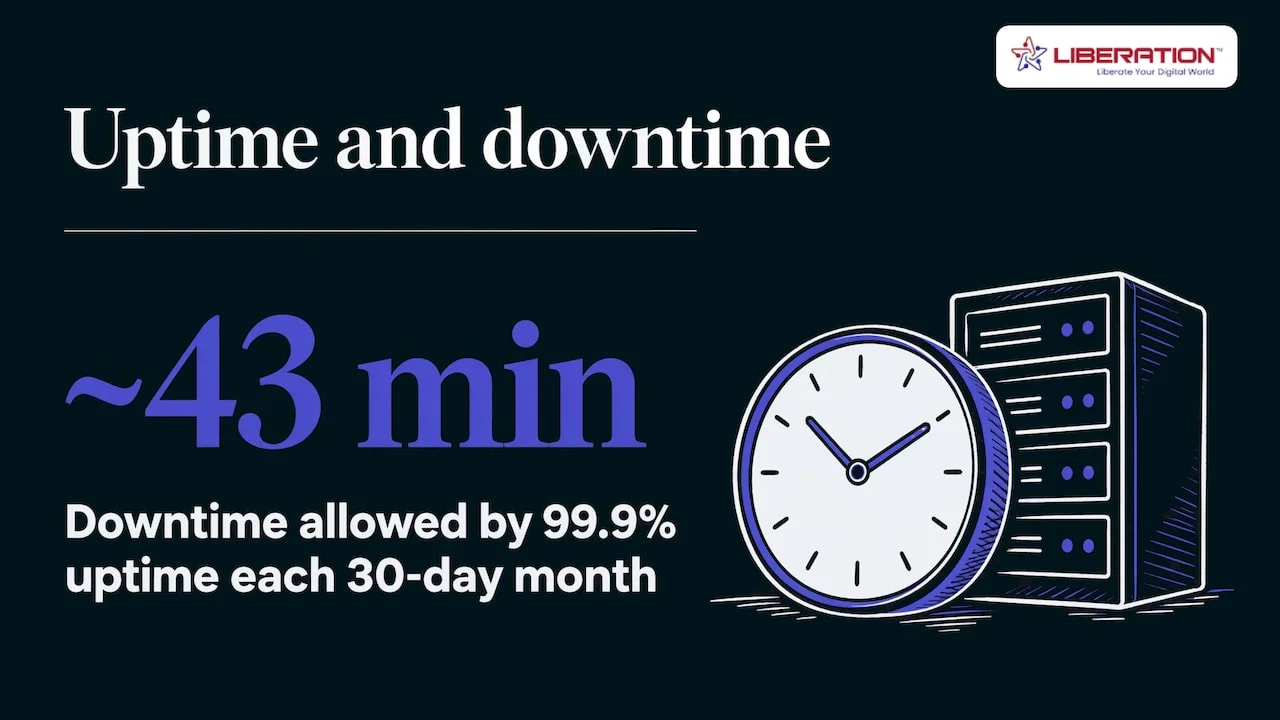
Uptime. Providers love to quote 99.9%. That sounds perfect, but it allows about 43 minutes of downtime in a 30-day month. Read what the promise actually pays out and how the provider measures it. Independent monitoring gives you your own record. We offer 360 Monitoring for instant alerts when a site stops responding.
How to assess a managed website provider
Sales pages blur together. These five questions separate a real service from a hosting plan with a nicer name.
1. Scope: what is covered, in writing
Get a list of what is included and what costs extra. Look for the number of content changes per month, whether plugin and theme updates are included, whether malware cleanup is included, and whether restores are free. Vague phrases like “full care” need to turn into line items.
2. Support: who answers and how fast
Find out whether you reach a person or a ticket queue, what hours they work, and what happens during an outage at 9 p.m. on a Saturday. For a church with Sunday streaming or a campaign in its final week, timing is the whole point. Every LiberationTek plan comes with direct U.S.-based support.
3. Security practices
Ask where your data lives, who can access it, and whether the provider tracks or shares it. We run on servers we own in the United States rather than capacity resold from large cloud companies, and we do not track or share customer data. That matters for law firms, healthcare practices and any organization that handles member or donor information.
4. Ownership
You should own your domain name, your content and your customer data, with the domain registered in your name. If a provider holds the domain in its own account, leaving gets complicated. Ask before you sign.
5. Contract terms
Check the term length, the renewal price (introductory rates often jump), cancellation rules and refund policy. Our plans carry a 30-day money-back guarantee. Our guide to website hosting costs lists the hidden charges worth checking on any quote.
Match the service to your site
Not every organization needs the same level of management. Here is how our plans line up, with the prices we publish.
| Your situation | Good fit | Price |
|---|---|---|
| Simple brochure site, first website | Website Builder | From $10.99 per month |
| Small business site on a standard control panel | Shared Cloud Hosting with cPanel | $14.99, $19.99 or $29.95 per month |
| WordPress site that needs updates handled | Managed WordPress Hosting | $35 (WP Starter), $69 (WP Growth) per month |
| Online store | Commerce plan on WordPress Hosting | $129 per month |
| Heavy traffic, strict control of data | Private Cloud Hosting | $179 to $679 per month |
| Custom features or a new design | Custom Web Development | Quote based |
Private Cloud includes unmetered monthly data transfer with no egress fees. That means no surprise bill when a post or a sermon video gets traffic. If you run WordPress and want to know what upkeep really involves, read our guide to WordPress for small business.
Churches and nonprofits receive a 15% discount.
Moving to a managed provider without losing traffic
A move is where most sites get hurt. The good news is that the rules are well documented, and a careful plan keeps your search visibility intact.
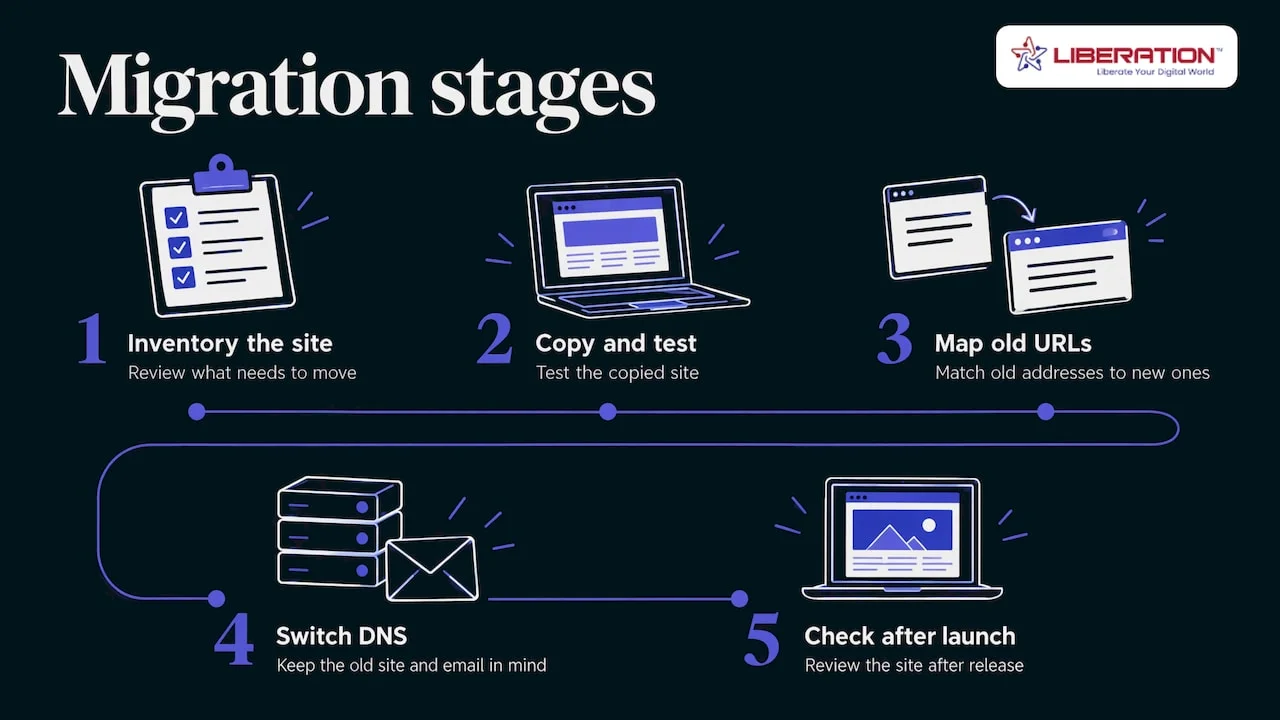
Step 1: Inventory everything
List every page, image, form, email address and third-party connection. Note where your domain is registered and who has the login. Missing this step is how businesses discover on launch day that their contact form or their email stopped working.
Step 2: Copy the site before you switch
The new host should hold a full working copy while the old one is still live. Test forms, checkout, logins and mobile layout on the copy. We handle migration from another provider for free, so the copy-and-test work is on our side, not yours.
Step 3: Map old addresses to new ones
If any page addresses change, every old address needs to point to its new equivalent. Google’s documentation recommends server-side permanent redirects such as 301 and 308 and says these do not cause a loss in PageRank, its measure of link value. It also suggests using Search Console to watch indexing during the move. A short guide to mapping URLs during a migration walks through the planning phases in more detail.
Step 4: Lower the risk at the switch
Change DNS (the setting that tells the internet where your site lives) during a quiet hour. Keep the old site running for a few days. Keep email delivery in mind: if your mailboxes are tied to the old host, move them at the same time. Liberation Email offers private, ad-free business email with end-to-end encryption, from $1.95 per month per user on Mail Starter.
Step 5: Check after launch
Watch for broken links, missing pages and drops in indexed pages over the next few weeks. Fix errors quickly while the old address is still fresh in search results.
Planning a business website redesign
Many people searching for managed services are really planning a redesign. A redesign is worth considering when visitors cannot find what they need on a phone, when the site looks out of date next to your competitors, when updates are painful, or when the platform no longer gets security fixes.
A good redesign follows this order:
- Review what you have. Which pages get visits, which bring inquiries, which are dead weight.
- Set goals. Phone calls, donations, store orders, volunteer sign-ups. Pick numbers you will check later.
- Plan the structure. A simple page map and the messages each page must carry.
- Design and build. Layouts for phone and desktop, readable text and accessible color contrast.
- Test. Forms, speed, links and every redirect from the old site.
- Launch and monitor. Release it, then watch traffic and errors.
For small organizations, a template-based build with a clean design is often the right scale. Our guide to small business web design covers three practical routes, from a builder to a custom project. Pairing the redesign with managed hosting means the new site never sits unpatched.
What to do after launch
A launch is the start of upkeep. Plan for this schedule:
- Weekly or monthly: apply updates, review security alerts, scan for malware.
- Monthly: check that backups completed, and read your uptime report.
- Quarterly: test a restore, review forms and checkout, look for broken links.
- Yearly: review the domain and certificate renewal dates, revisit your goals, and trim pages that no longer earn their keep.
If your organization sends newsletters, Liberation Campaign starts at $10 per month and keeps your list under your control.
What managed services cost
Cost comes from three places: the hosting plan, the care work around it, and any design or development. With us, the plan price covers the hosting and the support. Look at where the extra charges can hide on any quote: migration fees, restore fees, per-change charges and renewal increases. A plan that looks cheap at signup can cost more over several years once those add up.
Where LiberationTek fits
We built our hosting for organizations that want their website, email and tools under their own control: small businesses, churches and ministries, nonprofits, campaigns, healthcare practices, law firms, local government and firearms-related businesses. Our servers are owned and operated by us in the United States. Real people answer support, migration is free, and each plan has a 30-day money-back guarantee.

If you are comparing options, start with WordPress Hosting for a managed WordPress site or Shared Cloud Hosting for a standard site, or talk to us about Custom Web Development for a redesign.
FAQ
What are managed website services?
They are ongoing services where a provider handles hosting, security, backups, updates, monitoring and support for your site. You get a maintained website without needing in-house technical staff.
How is managed hosting different from regular hosting?
Regular hosting provides the server and leaves maintenance to you. Managed hosting adds the routine work: patches, backups, monitoring and help when something breaks. It suits organizations with no full-time web person.
How long does a website move take?
The copy and testing usually take days, and the final switch is quick when DNS is prepared in advance. Old addresses should redirect to their new equivalents so search visibility holds. With us, migration from another provider is free.
How often should a business website be redesigned?
There is no fixed schedule. Redesign when the site is hard to use on phones, hard to update, or no longer reflects what you offer. Between redesigns, steady updates keep it secure and current.
Sources
- Site Moves and Migrations, Google Search Central
- Back Up Business Data, CISA
- What Does 99.9% Uptime Mean?
- Site migration SEO guide