
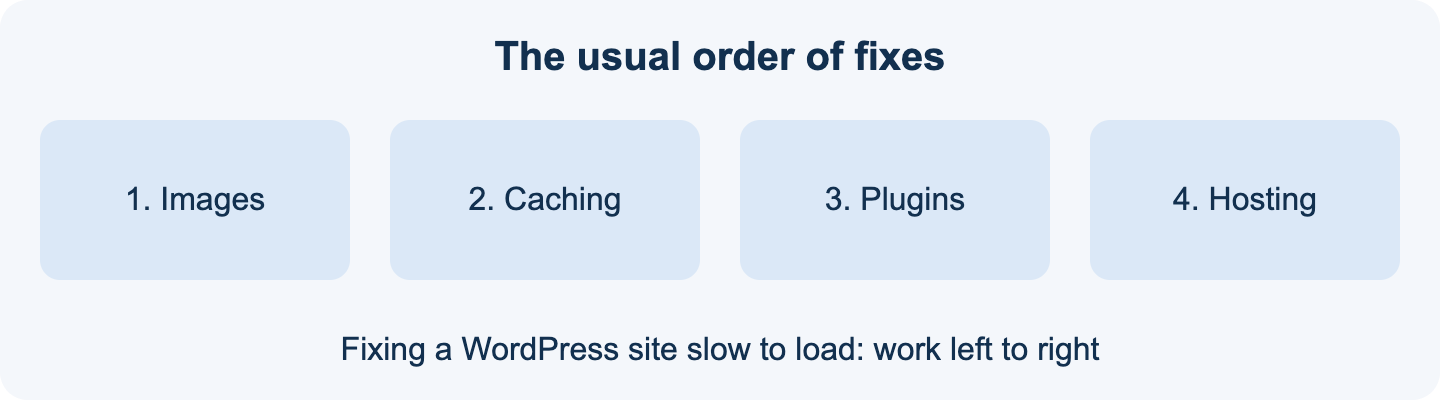
Short on time? If you have a WordPress site slow enough to frustrate visitors, start with images, then caching, then plugins.
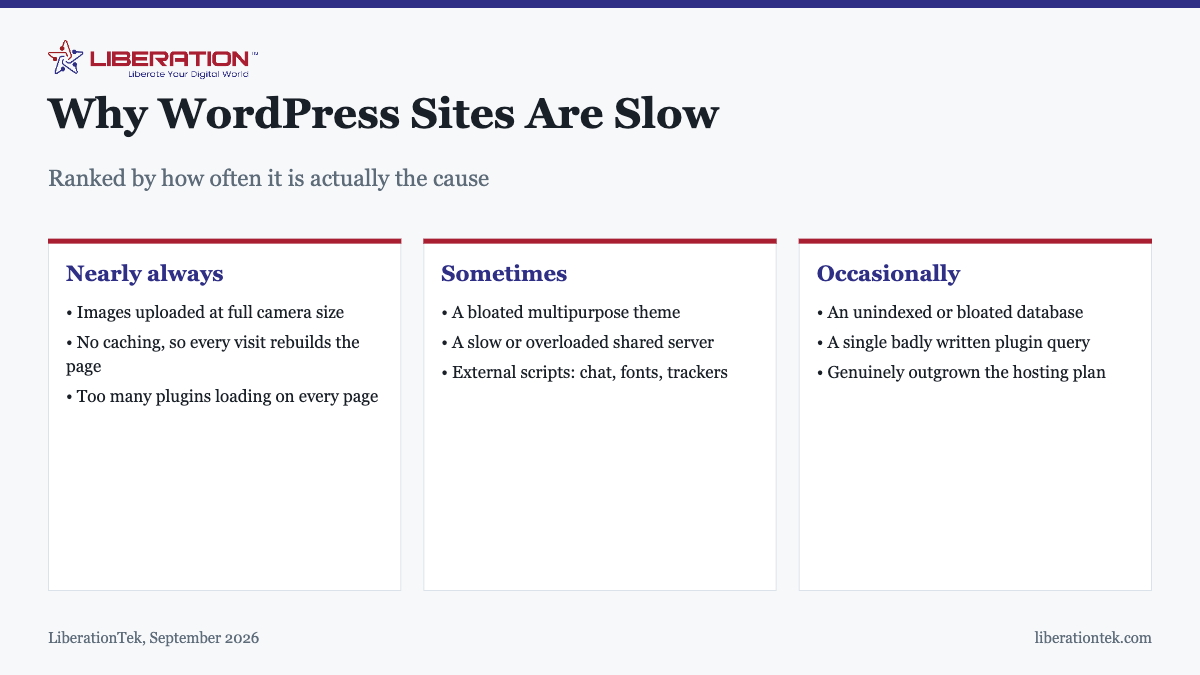
Why is my WordPress site so slow? Almost always three things, in this order: images uploaded far larger than they need to be, no caching, and too many plugins loading on every page. All three are fixable for free in an afternoon. Hosting is the cause far less often than people assume, and upgrading it first is the most common wasted spend.
The frustrating part of diagnosing a slow site is that the obvious suspect is usually innocent. Most owners reach for a hosting upgrade because it is the thing you can buy. It is rarely where the time is actually going.
Measure before you change anything
Two numbers matter, and confusing them is why so many fixes miss:
- Server response time (sometimes called time to first byte). How long the server takes to start sending the page. This one is about your host.
- Page load time. How long until the visitor sees something useful. This is about what the page contains.
If the server responds in under about 200 milliseconds but the page still takes five seconds, your host is fine and the page is heavy. That single comparison will tell you which half of this article applies to you, and it takes two minutes with any free speed testing tool.
The three causes that explain most slow sites
1. Images, which is nearly always the biggest one
A photograph from a modern phone is often 4,000 pixels wide and several megabytes. Displayed in a 600-pixel-wide column, every one of those extra pixels is downloaded and then discarded. A page with six such images is asking visitors to download perhaps twenty megabytes to see something that needed half a megabyte.
What to do: resize images to roughly the largest size they will actually display at before uploading, compress them, and use a modern format such as WebP where you can. An image optimization plugin will handle existing images in bulk. This alone routinely cuts page weight by eighty per cent or more and is the highest-return change available.
2. No caching
Without caching, every single visit makes WordPress query the database, assemble the page in PHP, and send the result. For content that changes weekly at most, that work is repeated needlessly thousands of times.
A caching plugin stores the finished page and serves that instead. Most have a free tier that is entirely sufficient for a small business site, and the improvement is usually immediate and large. If you install one thing from this article, install this.
3. Plugins doing work on pages that do not need them
The count matters less than the behavior. Twenty well-built plugins can be lighter than five badly built ones. The specific pattern to look for is a plugin that loads its scripts and stylesheets on every page of the site to support a feature that appears on one: a contact form library loading on every blog post, a slider loading on pages with no slider, a page builder loading its full asset list everywhere.
Deactivate plugins one at a time and re-test. Delete rather than deactivate anything you are not using, because deactivated plugins still occupy the server and still carry vulnerabilities.
The less common causes
| Symptom | Likely cause | What to do |
|---|---|---|
| Slow across the whole site, evenly | Theme or hosting | Test with a default theme to isolate |
| Only certain pages are slow | A plugin or query on those pages | Compare a slow page with a fast one |
| Fine for you, slow for others | No caching or CDN | Add caching; test from another region |
| Fast most of the day, slow at peaks | Resource limits on shared hosting | Consider a VPS |
| Admin area slow, front end fine | Database bloat or a dashboard plugin | Clean revisions and transients |
| Slow since a specific date | Something changed then | Check what was installed or updated |
| First visit slow, subsequent fast | Caching working as intended | Usually nothing |
The theme
Multipurpose themes that advertise hundreds of demo layouts carry the code for all of them, and a good deal of it loads whether you use those features or not. This is worth checking rather than assuming, because replacing a theme on a live site is disruptive and you want evidence before committing to it.
The test is simple. Temporarily switch to one of the default WordPress themes and re-run your speed test on the same page. If the numbers improve sharply, the theme is a real part of the problem and worth replacing at the next redesign. If they barely move, the theme is exonerated and you can stop wondering about it.
Database bloat
WordPress keeps every revision of every post by default, along with expired temporary data. On a site that has been publishing for years this accumulates into a database that is slow to query, and it shows up most obviously in a sluggish admin area. Cleaning old revisions and expired transients is routine maintenance and a database optimization plugin will do it safely. Back up first.
External scripts
Live chat widgets, font services, analytics, tracking pixels and embedded videos all fetch from other companies’ servers. Your page is then only as fast as their slowest response, and you have no control over it. Audit what is loading, remove what you are not actively using, and host fonts locally where you can.
The order to work through
- Measure and note the starting numbers, so you can tell what worked.
- Fix images. Compress and resize. Largest return, no cost.
- Install caching. Second largest return, also usually free.
- Delete unused plugins and replace any that load everywhere for a feature used in one place.
- Test with a default theme to find out whether your theme is the problem.
- Clean the database of old revisions and expired data.
- Re-measure. Most sites are dramatically faster by this point, at no cost.
- Then consider hosting, if and only if server response is still slow with a light, cached page.
When hosting genuinely is the answer
Sometimes it is. If server response time is consistently slow even for a cached, lightweight page, or if the site is fine at quiet times and slow whenever it is busy, you have hit the limits of the plan rather than the limits of the site.
LiberationTek shared hosting runs on NVMe storage at $7.99 a month, which handles a well-optimized small business site comfortably. When traffic peaks are the problem rather than page weight, managed VPS hosting provides dedicated resources, keeps cPanel and WHM, and includes a free migration of one site. The relationship between hosting and search performance is covered separately in does web hosting affect SEO.
How to tell why a WordPress site slow to load is slow
A WordPress site slow on the first visit and fine on the second usually points to caching. A WordPress site slow on every visit, even for one visitor on a fast connection, points to heavy pages or a busy server. That single observation narrows the search before you touch a setting.
Work through these checks in order, and write down what each one changes.
- Run a test on your slowest page and note the largest element on screen, because a WordPress site slow to show its main image is almost always carrying an oversized file.
- Check whether a caching plugin or host-level cache is active. A WordPress site slow under repeat visits often has none.
- Deactivate plugins one at a time on a staging copy and see which one moves the numbers.
- Look at server response time. If the page is light and cached and the WordPress site slow responses remain, the server is the place to look next, and our guide on whether web hosting affects SEO explains why it matters.
Google explains the main loading measurements in its Web Vitals guide, and its page on time to first byte helps you read server response numbers. They are free and written for site owners as well as developers.
What to avoid when your WordPress site slow problem keeps coming back
Fixes that last come from changing one thing at a time. A WordPress site slow again a month later usually means something new was added, such as a plugin, a large banner or a tracking script.
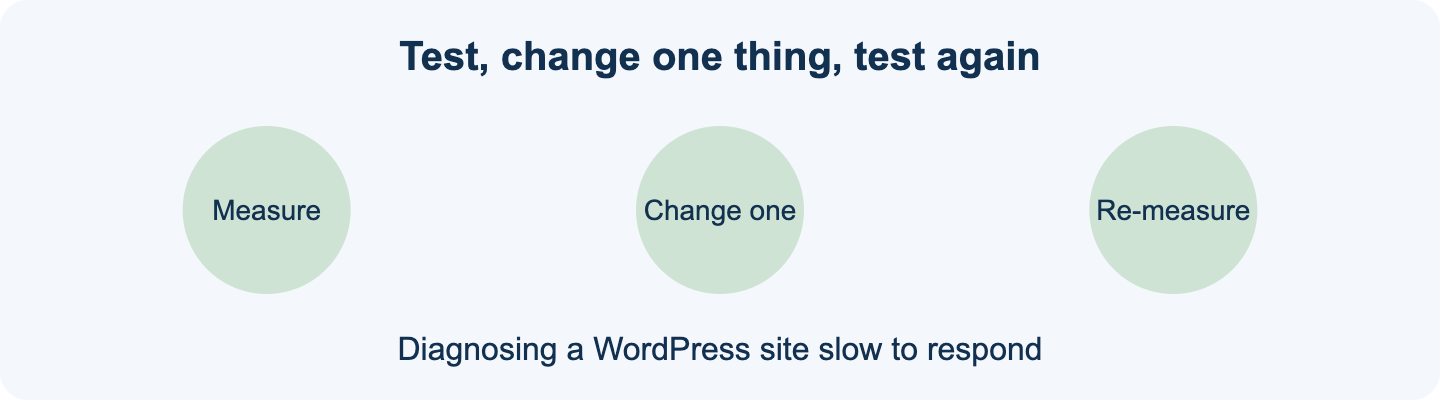
- Do not install several optimisation plugins at once. They can overlap, and a WordPress site slow after a plugin pile-up is harder to untangle.
- Do not upgrade hosting before you have cleared the free causes. Moving a heavy page to a bigger server only hides the problem for a while.
- Do not test only on your own fast connection. A WordPress site slow for visitors on mobile may look fine on your office network.
- Do keep a note of every change, so you can undo the one that made things worse.
If you have done all of this and the WordPress site slow behaviour remains, it may be time to look at the hosting itself. Our shared hosting suits most small sites, and VPS hosting gives a busier site its own resources. If you would rather hand over the work, see our website development services. A WordPress site slow because of the server is a hosting question, but it is the last one to ask, not the first.
Frequently asked questions
Why is my WordPress site so slow?
In most cases the answer is oversized images, no caching, and too many plugins, in that order. Photographs uploaded straight from a phone or camera are often several megabytes each when the page needs a few hundred kilobytes. Fix images and add caching before considering a hosting upgrade, because those two changes account for most of the available improvement and cost nothing.
How many plugins is too many for WordPress?
There is no fixed number. Twenty lightweight plugins can outperform five heavy ones. What matters is what each plugin loads and where: a plugin that adds scripts and stylesheets to every page for a feature used on one page is the real problem. Audit by what loads on your homepage, not by counting entries in the plugin list.
Will a caching plugin actually speed up my site?
Usually dramatically, yes. Without caching, WordPress rebuilds every page from the database on every single visit. Caching serves a prepared copy instead. For a site whose content does not change minute to minute, this is typically the single largest speed improvement available, and most caching plugins have a free tier that is sufficient.
Is my slow website caused by cheap hosting?
Sometimes, but less often than people assume. Check server response time separately from total page load. If the server responds quickly but the page takes seconds to appear, the problem is on the page, not the server. If the server is slow to respond even for a simple cached page, then hosting is genuinely the constraint.
How fast should a WordPress site be?
Aim for server response under roughly 200 milliseconds and the main content visible within about two and a half seconds on a normal mobile connection. Past that point, further optimization is about user experience rather than search performance. Test on mobile data rather than office broadband, because that is where most sites actually lose visitors.
Does site speed affect Google rankings?
Yes, though it behaves more like a threshold than a sliding scale. A site that loads promptly is fine; a site taking many seconds is penalized both in rankings and in whether visitors stay at all. The bigger commercial cost is usually the visitors who leave before the page appears rather than the ranking difference.
Should I upgrade hosting to fix a slow site?
Not first. Upgrading hosting applies a real improvement to the wrong problem when the actual cause is a heavy page, which is why it so often disappoints. Fix images, add caching and remove unused plugins first. If server response is still slow with a cached, lightweight page, then upgrading will genuinely help.
Does converting images to WebP make my site faster?
Usually yes. WebP files are often smaller than JPEGs at similar quality, so pages download faster. See how to convert JPEG to WebP.