
Slack Alternative: Hub For Teams
Team chat plus the email, files, office apps, video and projects Slack leaves to other subscriptions, in one workspace on U.S. servers we own. The independent Slack alternative, with team chat from $9.75 per user.
And What Hub For Teams Does Instead
Per-User Costs Keep Climbing
Slack Business+ went from $12.50 to $15 per user per month in June 2025, and every new hire adds another seat.
Free Plan History Disappears
Slack's free plan hides messages after 90 days, and content older than one year is permanently deleted.
Chat Is Only One App
Slack doesn't include email, file storage or documents, so teams still pay for Google or Microsoft and often Zoom.
Questions About Your Data
In 2024 Slack's privacy principles said customer data trained some machine-learning models unless an admin opted out by email.
One Workspace, 20+ Apps
Chat, email, calendar, files, an office suite, video and projects together, so there's one bill and one login.
Projects & Workflows Built In
A project manager and custom workflows come with Teams+, no add-on apps required.
U.S.-Only, Never Used For AI
Your messages and files stay on U.S. servers LiberationTek owns and are never sold, shared or used to train AI.
Private Cloud At 10+ Users
Teams of 10 or more get their own private cloud environment at the same per-user price.
Team Chat Without Another Subscription
Hub for Teams includes group and one-to-one chat and discussion rooms on Teams+, with video meetings and screen sharing on Teams+ Talk that guests join in the browser. Because chat lives next to your email, calendar and shared files, conversations and the documents they’re about stay in one place.
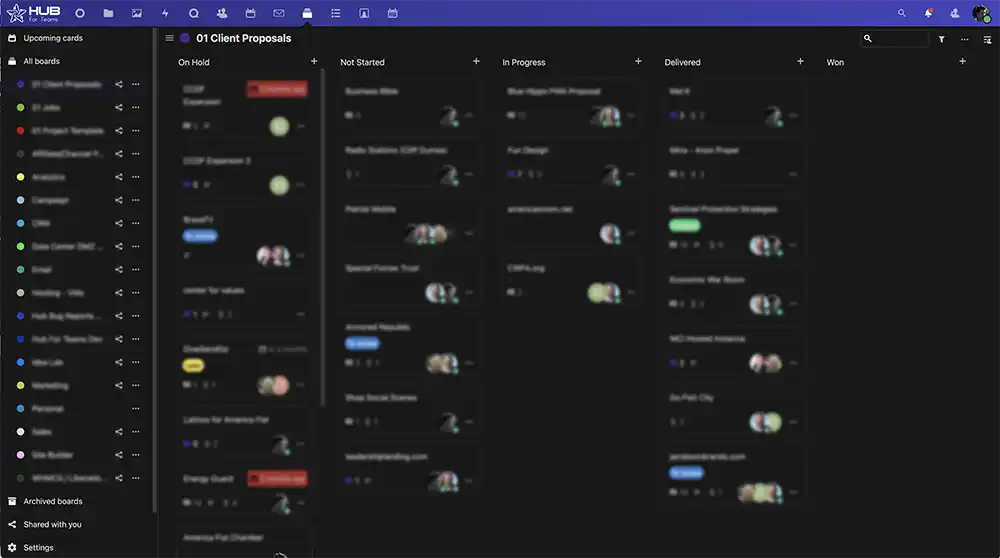
Easy Project Management
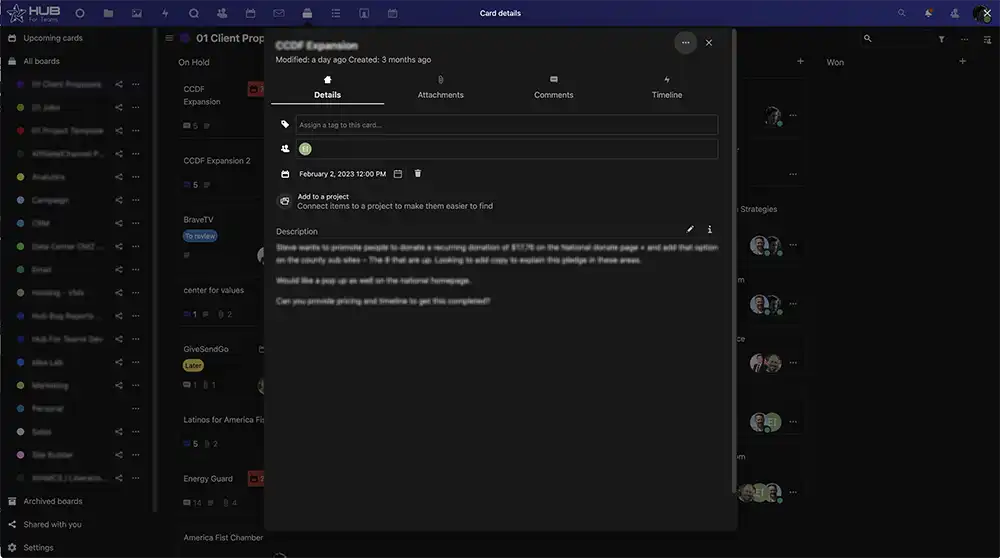
Full Project Details
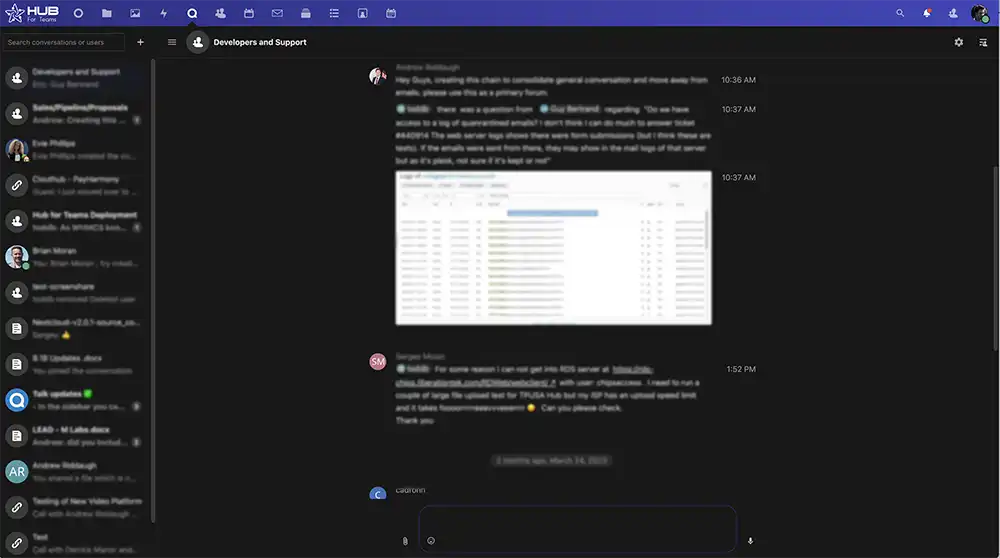

Fully Featured Group Chats
Hub For Teams vs. Slack
How Hub for Teams compares with Slack’s plans. Slack prices and limits are from Slack’s pricing page and help center, checked September 2026.
Features |  | Slack |
|---|---|---|
Plan with team chat | $9.75/user/mo (Teams+) | $7.25/user/mo annual, $8.75 monthly (Pro) |
Upper business plan | $14.95/user/mo (Teams+ Talk, adds video) | $15/user/mo annual (Business+, up from $12.50 in June 2025) |
Free option | 30-day free trial | Free plan hides messages after 90 days; deletes content older than 1 year |
Team chat & channels | Group and one-to-one chat, discussion rooms | Channels and direct messages |
Video meetings | Teams+ Talk; guests join in the browser | Huddles on paid plans |
Business email | Included | Not included |
File storage & office suite | Included | Needs Google Drive, Microsoft 365 or similar |
Project management | Built in from Teams+ | Third-party apps |
Your data and AI | Never sold, shared or used to train AI | 2024 policy used customer data for some ML models unless an admin opted out |
Where data is stored | U.S. only, on LiberationTek-owned servers | Slack’s cloud |
Dedicated private cloud | Included at 10+ users | Shared multi-tenant platform |
Company | Independent, U.S.-owned and operated | Salesforce, Inc. |
Replace Two Subscriptions With One
10 users on Slack Pro plus Google Workspace Business Starter pay $1,710 a year at list prices. Hub Teams+ covers chat, email, files and projects for $1,170, saving $540.
- Team Chat & Discussion Rooms
- 15 GB Mailbox + 15 GB Files Per User
- Office Suite & Shared Calendars
- Project Manager & Workflows
- 30-Day Free Trial
- U.S.-Only Hosting
- Real U.S. Support
What Hub For Teams Customers Say
Real customer reviews. LiberationTek is rated 4.9 out of 5 on Google and 4.7 out of 5 on Trustpilot (September 2026).
Move From Slack In 4 Steps
1. Start Your Free Trial
Try Hub for 30 days with the people who chat most.
2. Recreate Your Channels
Set up discussion rooms for each team or project.
3. Bring Your Files
Download your workspace data or files from Slack and upload them to Hub's file directory.
4. Switch Off Slack
Once everyone is working in Hub, cancel Slack at renewal.
Choose Your Slack Replacement
How many accounts do you need?
Personal Plans
Teams Starter
per user / month
- 5GB Professional Mailbox
- 5GB File Storage
- Professional Calendar
- Appointment Scheduling
- Contact Management
- Office Suite
- + Liberation mail
- + Additional storage
- + Use up to 5 domains
- + Advanced & Premim Support
Teams+
per user / month
All Teams+ Features &
- 15GB Professional Mailbox
- 15GB File Storage
- Team Chat
- Project Manager
- Custom Workflows
- + Liberation mail
- + Additional storage
- + Use up to 5 domains
- + Advanced & Premim Support
Teams+ Talk
per user / month
All Starter Features &
- All Hub Enterprise Features
- 25GB Professional Mailbox
- 25GB File Storage
- Video Conferencing
- Screen Sharing
- Individual & Group Chat
- Custom Workflows
- + Liberation mail
- + Additional storage
- + Use up to 5 domains
- + Advanced & Premim Support
Business Plans
Teams Starter
per user / month
- 5GB Professional Mailbox
- 5GB File Storage
- Professional Calendar
- Appointment Scheduling
- Contact Management
- Office Suite
- + Liberation mail
- + Additional storage
- + Use up to 5 domains
- + Advanced & Premim Support
Teams+
per user / month
All Starter Features &
- 15GB Professional Mailbox
- 15GB File Storage
- Team Chat
- Project Manager
- Custom Workflows
- + Liberation mail
- + Additional storage
- + Use up to 5 domains
- + Advanced & Premim Support
Teams+ Talk
per user / month
All Teams+ Features &
- All Hub Enterprise Features
- 25GB Professional Mailbox
- 25GB File Storage
- Video Conferencing
- Screen Sharing
- Individual & Group Chat
- Custom Workflows
- + Liberation mail
- + Additional storage
- + Use up to 5 domains
- + Advanced & Premim Support
Hub for Teams Enterprise. Grow and scale with confidence
Maximum Security
Two-step Authorization, AES-256 encryption and SSO
Slack Alternative FAQs
For small businesses that want team chat without paying for several separate tools, Hub for Teams combines chat and discussion rooms with business email, file storage, an office suite, video meetings and project management. It runs only on U.S. servers LiberationTek owns, includes team chat from $9.75 per user per month, and starts with a 30-day free trial.
Slack Pro is $7.25 per user per month billed annually or $8.75 billed monthly. Business+ is $15 per user per month billed annually or $18 monthly, after Slack raised it from $12.50 and $15 in June 2025. Enterprise+ pricing is by quote.
On Slack’s free plan you can only view and search the last 90 days of messages and files. Since August 26, 2024, Slack permanently deletes messages and files older than one year in free workspaces.
Yes. Hub for Teams includes group and one-to-one chat and discussion rooms on the Teams+ plan, and video meetings with screen sharing on Teams+ Talk. Guests can join calls in the browser without installing an app.
Chat history can’t be migrated from Slack. You can download your Slack workspace data or specific files, then upload them directly into your Hub for Teams file directory through the web interface or the desktop client.
Slack Pro costs less per user, but it only covers chat. Hub Teams+ is $9.75 per user per month and includes chat plus business email, file storage, an office suite and a project manager. A 10-person team paying for Slack Pro and Google Workspace Business Starter spends about $1,710 a year at list prices, compared with $1,170 for Hub Teams+.
No. Your messages and files stay on U.S. servers LiberationTek owns and operates, and they are never sold, shared with third parties or used to train AI.
Keep Reading
More comparisons: Google Workspace alternative · Microsoft 365 alternative · Gmail alternative · GoDaddy alternative · Zoom alternative · Proton Mail alternative · Private email providers · DigitalOcean alternative · Linode alternative · DigitalOcean vs. Linode vs. Vultr · Vultr alternative · Mailchimp alternative · AWS alternative · HostGator reseller alternative · Wix & Squarespace alternative · Constant Contact alternative · InMotion reseller alternative · Hostinger alternative · Outlook alternative · Bluehost alternative · WP Engine alternative · Zoho Workplace alternative · All comparisons
Hub for Teams plans and features · Collaboration platforms · Zoom alternatives and communication tools · Email and workspace migration service
Updated September 11, 2026. Slack prices are from Slack’s pricing page and the June 2025 change from Slack’s announcement. Free plan limits are from Slack’s help center. The 2024 privacy-principles controversy was reported by TechCrunch. Google Workspace pricing is from Google. Annual totals are list-price math before taxes and add-ons; prices change, so confirm before buying.