Dropbox Alternative: Hub For Teams
A Dropbox alternative that adds the business email, office suite, chat, video and project tools Dropbox leaves to other subscriptions — in one workspace, on U.S. servers we own. Compare the plans below.
How the move from Dropbox works
We handle each step so you can keep working.
And What Hub For Teams Does Instead
File Storage You Pay For Twice
Dropbox Standard is $15 per user a month for files. Email, documents, chat and projects are still separate subscriptions on top.
Per-User Pricing With Minimums
Dropbox Advanced is $24 per user a month and requires at least three users, so a small team pays for capacity it never uses.
Storage Is Only One App
Dropbox does not include business email, an office suite, team chat or project management, so most teams run three vendors to cover one workflow.
Someone Else’s Cloud
Your files sit on infrastructure you do not control, under terms that can change, with AI features you did not ask for.
One Workspace, 20+ Apps
Files, email, calendar, an office suite, chat, video and projects together, so there is one login and one bill.
Office Suite And Projects Built In
Documents, spreadsheets, presentations, a project manager and workflows come with Teams+, with no add-on apps required.
U.S.-Only, Never Used For AI
Your files and messages stay on U.S. servers LiberationTek owns and are never sold, shared or used to train AI models.
Private Cloud At 10+ Users
Teams of 10 or more get their own private cloud environment at the same per-user price.
See Hub for Teams in action
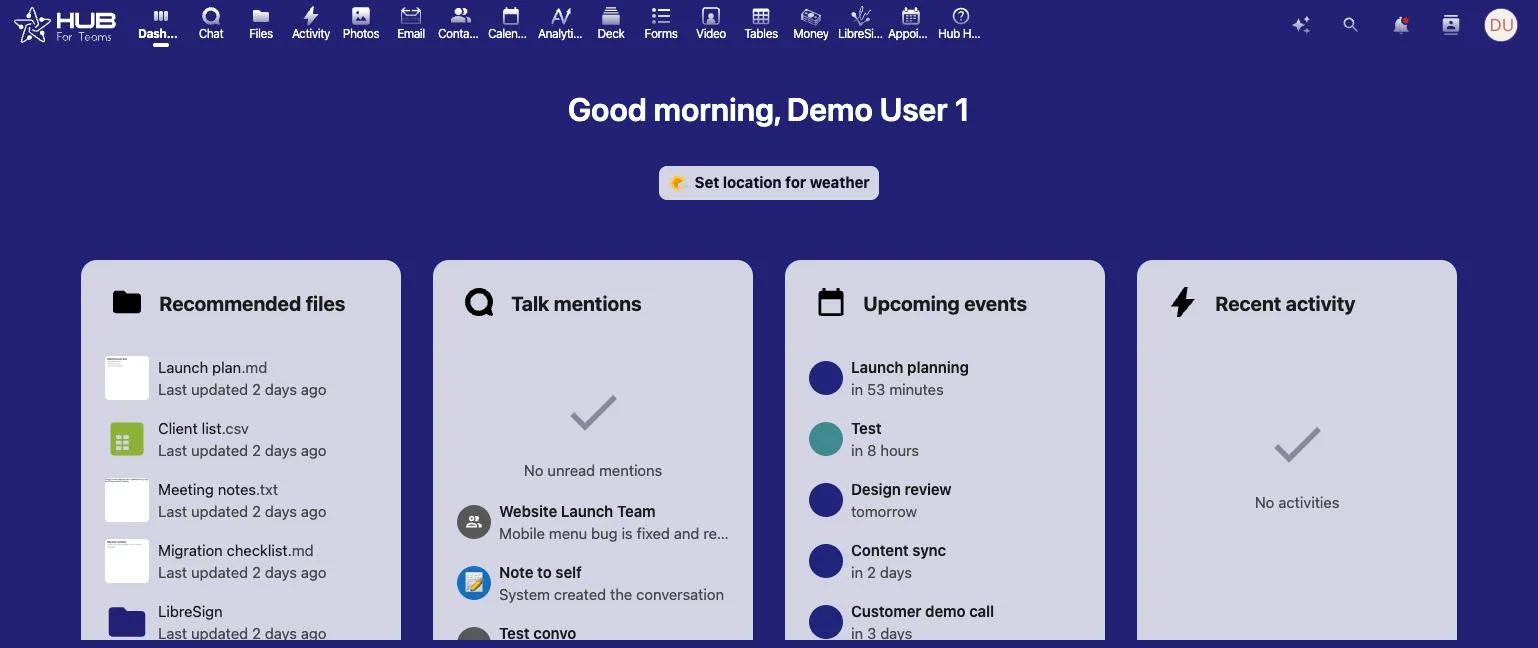
Chat, files, boards and calendars in one workspace.
File Storage Without Another Subscription
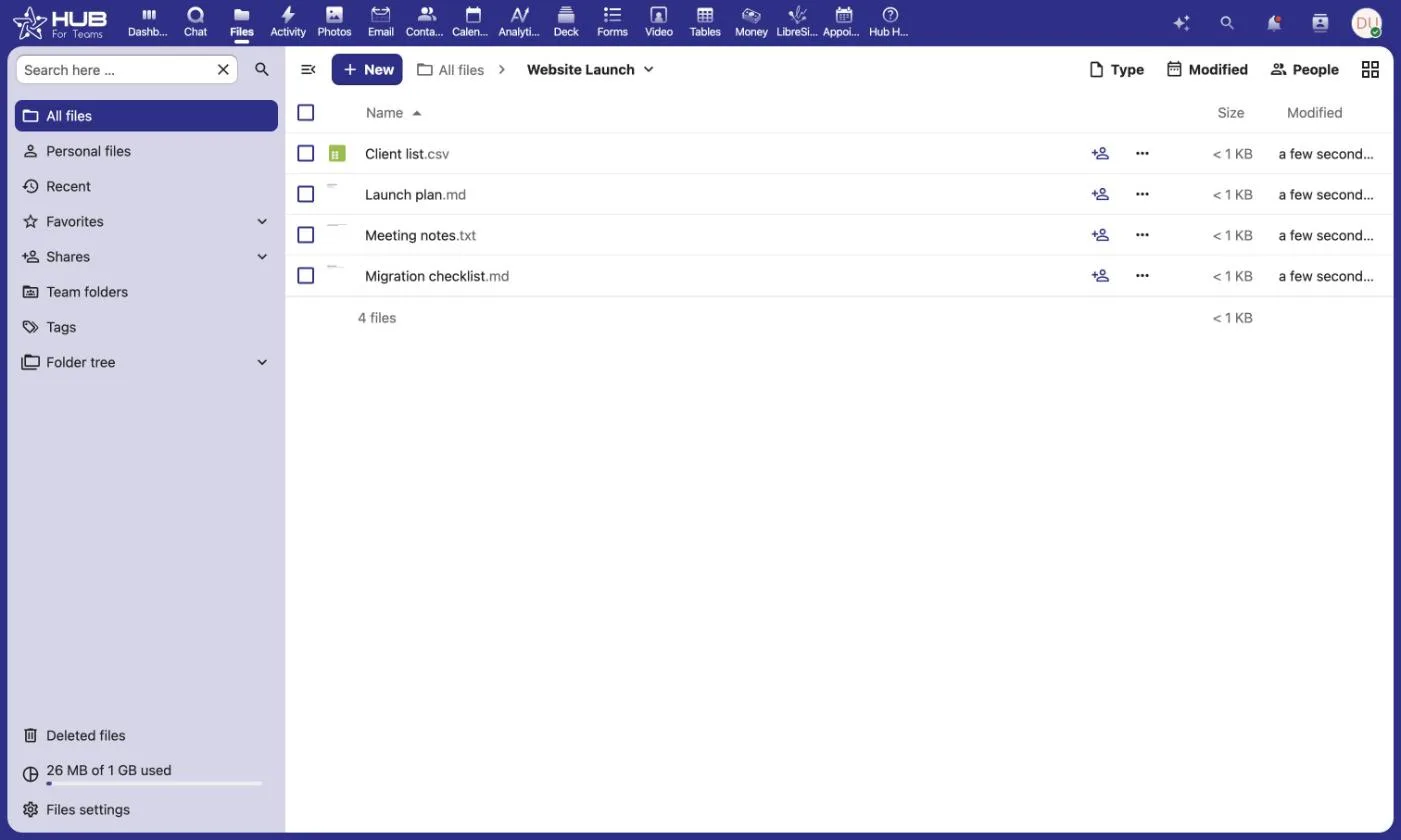
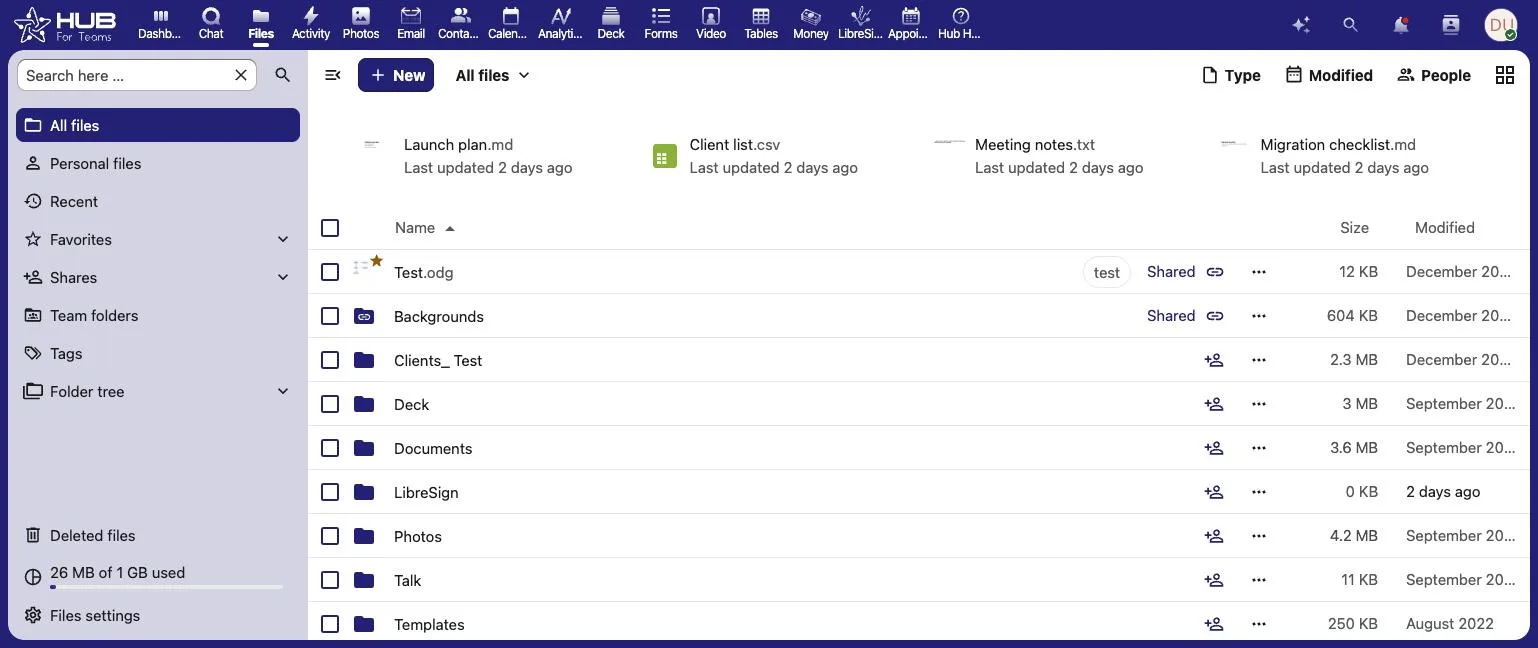
Hub for Teams includes 5 GB of file storage per user on Teams Starter, 15 GB on Teams+ and 25 GB on Teams+ Talk, with folder sharing, an office suite for documents, spreadsheets and presentations, and a mailbox of the same size for every user. A Dropbox alternative is only worth switching to if it covers the work around the files as well as the files themselves.
Easy Project Management
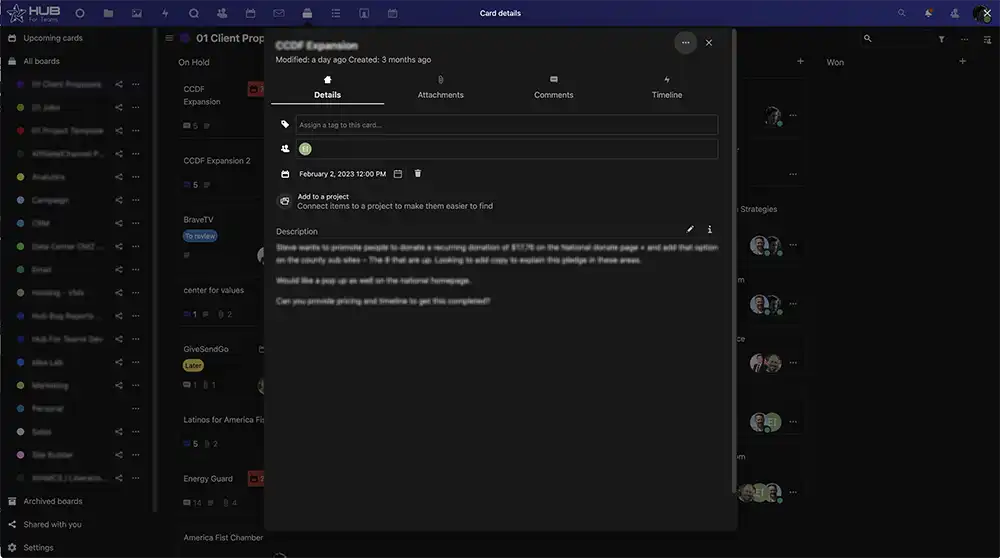
Full Project Details
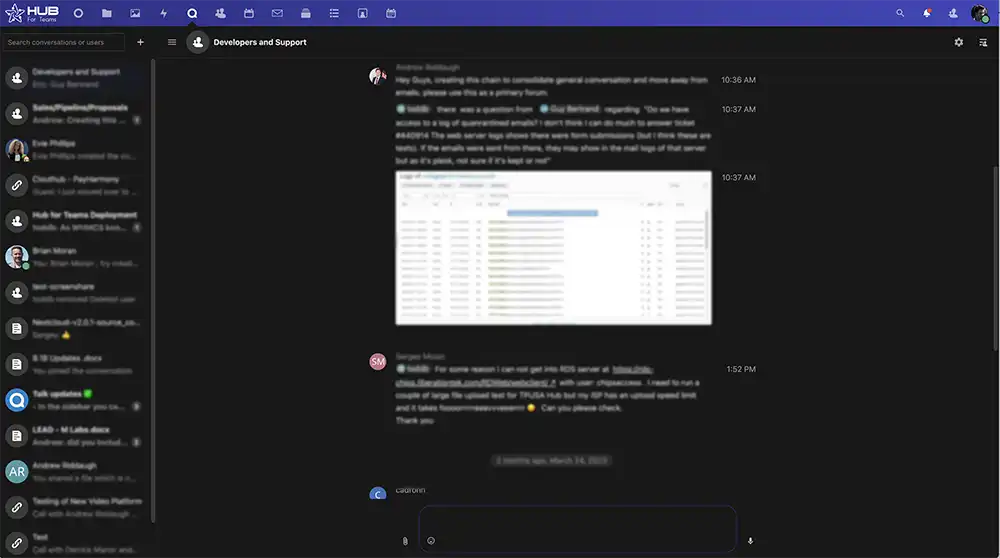

Fully Featured Group Chats
Hub For Teams vs. Dropbox
How Hub for Teams compares with Dropbox’s business plans. Dropbox prices and limits are taken from Dropbox’s own plans page in September 2026 and may change.
Features |  | Dropbox |
|---|---|---|
Entry business plan | $7.49/user/mo (Teams Starter, 5 GB mail + 5 GB files) | $15/user/mo (Standard, team storage from 3,000 GB) |
Upper business plan | $14.95/user/mo (Teams+ Talk, adds video) | $24/user/mo (Advanced, 3-user minimum) |
Free option | 30-day free trial | Free plan is personal, with limited storage |
File storage and sharing | Included, 5–25 GB per user by plan | Included, pooled team storage |
Business email | Included | Not included |
Office suite (docs, sheets, slides) | Included | Not included |
Team chat and video meetings | Chat from Teams+, video on Teams+ Talk | Not included |
Project management | Built in from Teams+ | Not included |
Your data and AI | Never sold, shared or used to train AI | Review Dropbox’s terms for its AI features |
Where data is stored | U.S. only, on LiberationTek-owned servers | Dropbox’s cloud |
Dedicated private cloud | Included at 10+ users | Shared multi-tenant platform |
Company | Independent, U.S.-owned and operated | Dropbox, Inc. |
Free migration when you choose an annual plan.
Replace Three Subscriptions With One
Ten users on Dropbox Standard pay $1,800 a year at list price, and that covers files only. A Dropbox alternative worth switching to has to cover the rest: Hub for Teams+ includes files, business email, the office suite, chat and projects for $1,170.
- Team Chat & Discussion Rooms
- 15 GB Mailbox + 15 GB Files Per User
- Office Suite & Shared Calendars
- Project Manager & Workflows
- 30-Day Free Trial
- U.S.-Only Hosting
- Real U.S. Support
What Hub For Teams Customers Say
Real customer reviews. LiberationTek is rated 4.9 out of 5 on Google and 4.7 out of 5 on Trustpilot (September 2026).
Move From Dropbox In 4 Steps
1. Start Your Free Trial
Try Hub for 30 days with the people who share the most files.
2. Rebuild Your Folder Structure
Create the shared folders and permissions you already use, without the ones nobody opens.
3. Bring Your Files
Download or sync your Dropbox content, then upload it into Hub’s file directory.
4. Switch Off Dropbox
Once everyone is working in Hub, cancel Dropbox at renewal.
Choose Your Dropbox Replacement
How many accounts do you need?
Personal Plans
Teams Starter
per user / month
- 5GB Professional Mailbox
- 5GB File Storage
- Professional Calendar
- Appointment Scheduling
- Contact Management
- Office Suite
- + Liberation mail
- + Additional storage
- + Use up to 5 domains
- + Advanced & Premim Support
Teams+
per user / month
All Teams+ Features &
- 15GB Professional Mailbox
- 15GB File Storage
- Team Chat
- Project Manager
- Custom Workflows
- + Liberation mail
- + Additional storage
- + Use up to 5 domains
- + Advanced & Premim Support
Teams+ Talk
per user / month
All Starter Features &
- All Hub Enterprise Features
- 25GB Professional Mailbox
- 25GB File Storage
- Video Conferencing
- Screen Sharing
- Individual & Group Chat
- Custom Workflows
- + Liberation mail
- + Additional storage
- + Use up to 5 domains
- + Advanced & Premim Support
Business Plans
Teams Starter
per user / month
- 5GB Professional Mailbox
- 5GB File Storage
- Professional Calendar
- Appointment Scheduling
- Contact Management
- Office Suite
- + Liberation mail
- + Additional storage
- + Use up to 5 domains
- + Advanced & Premim Support
Teams+
per user / month
All Starter Features &
- 15GB Professional Mailbox
- 15GB File Storage
- Team Chat
- Project Manager
- Custom Workflows
- + Liberation mail
- + Additional storage
- + Use up to 5 domains
- + Advanced & Premim Support
Teams+ Talk
per user / month
All Teams+ Features &
- All Hub Enterprise Features
- 25GB Professional Mailbox
- 25GB File Storage
- Video Conferencing
- Screen Sharing
- Individual & Group Chat
- Custom Workflows
- + Liberation mail
- + Additional storage
- + Use up to 5 domains
- + Advanced & Premim Support
Hub for Teams Enterprise. Grow and scale with confidence
Maximum Security
Two-step Authorization, AES-256 encryption and SSO
Dropbox Alternative FAQs
For a small business that wants file storage without paying separately for email, documents and chat, Hub for Teams combines shared file storage with business email, an office suite, team chat, video meetings and project management. It runs only on U.S. servers LiberationTek owns, starts at $7.49 per user a month and includes a 30-day free trial.
Yes. Every Hub for Teams plan includes a mailbox on your own domain alongside file storage, which is the main reason teams pick this Dropbox alternative over storage-only products.
Dropbox Standard lists at $15 per user a month for files alone. Hub for Teams starts at $7.49 per user a month and includes email, the office suite and calendars, with Teams+ at $9.75 adding chat and project management.
Yes. Download or sync your Dropbox content and upload it into Hub’s file directory, folder structure intact. Most small teams do it in an evening, and we will help.
On servers LiberationTek owns and operates in the United States. Files kept in our Dropbox alternative are never sold, shared or used to train AI models.
No. Hub for Teams is priced per user with no three-user minimum, and teams of 10 or more get a dedicated private cloud at the same per-user price.
Everything your team uses
Chat, files and meetings in one workspace.

Keep Reading
More comparisons: Google Workspace alternative · Microsoft 365 alternative · Gmail alternative · GoDaddy alternative · Zoom alternative · Proton Mail alternative · Private email providers · DigitalOcean alternative · Linode alternative · DigitalOcean vs. Linode vs. Vultr · Vultr alternative · Mailchimp alternative · AWS alternative · HostGator reseller alternative · Wix & Squarespace alternative · Constant Contact alternative · InMotion reseller alternative · Hostinger alternative · Outlook alternative · Bluehost alternative · WP Engine alternative · Zoho Workplace alternative · All comparisons
Hub for Teams plans and features · Collaboration platforms · Zoom alternatives and communication tools · Email and workspace migration service
Updated September 22, 2026. Dropbox plan names, prices and storage are from Dropbox’s plans page and may change. Annual totals are list-price math before taxes and discounts. Hub for Teams prices are our own published rates.
Related reading
- SharePoint Alternative — The same comparison for Microsoft’s document libraries.
- Trello Alternative — Boards and task tracking, compared on the same basis.
- Hub for Teams — Files, email, calendars and chat in one place, on U.S. servers.
Shared files in Hub for Teams